Manage Redis data in SQL Console
Use NineData SQL Console for Redis to manage Redis keys, edit values, run commands, control risky operations, and review execution history from a web-based workspace. The console supports Redis data sources across self-managed, cloud, and hybrid environments.
Why Use SQL Console For Redis
RedisInsight and Redis CLI are useful for day-to-day Redis work, but enterprise teams often need additional controls around permissions, command restrictions, and operation audit. NineData adds those controls to a visual Redis workspace so developers and DBAs can work in one governed platform.
Capabilities
| Feature | Description |
|---|---|
| AI assistance | Converts natural-language requests into Redis commands. |
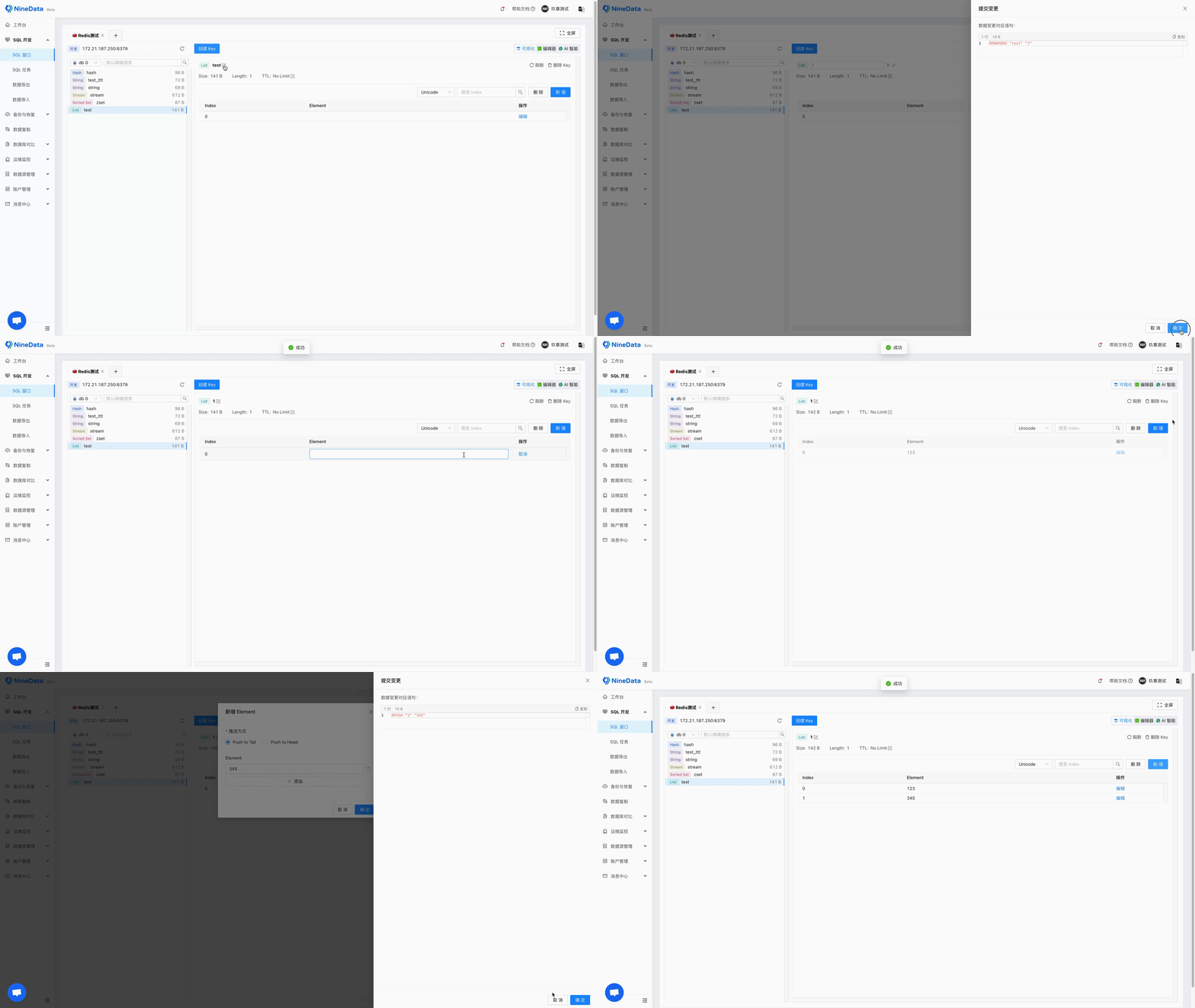
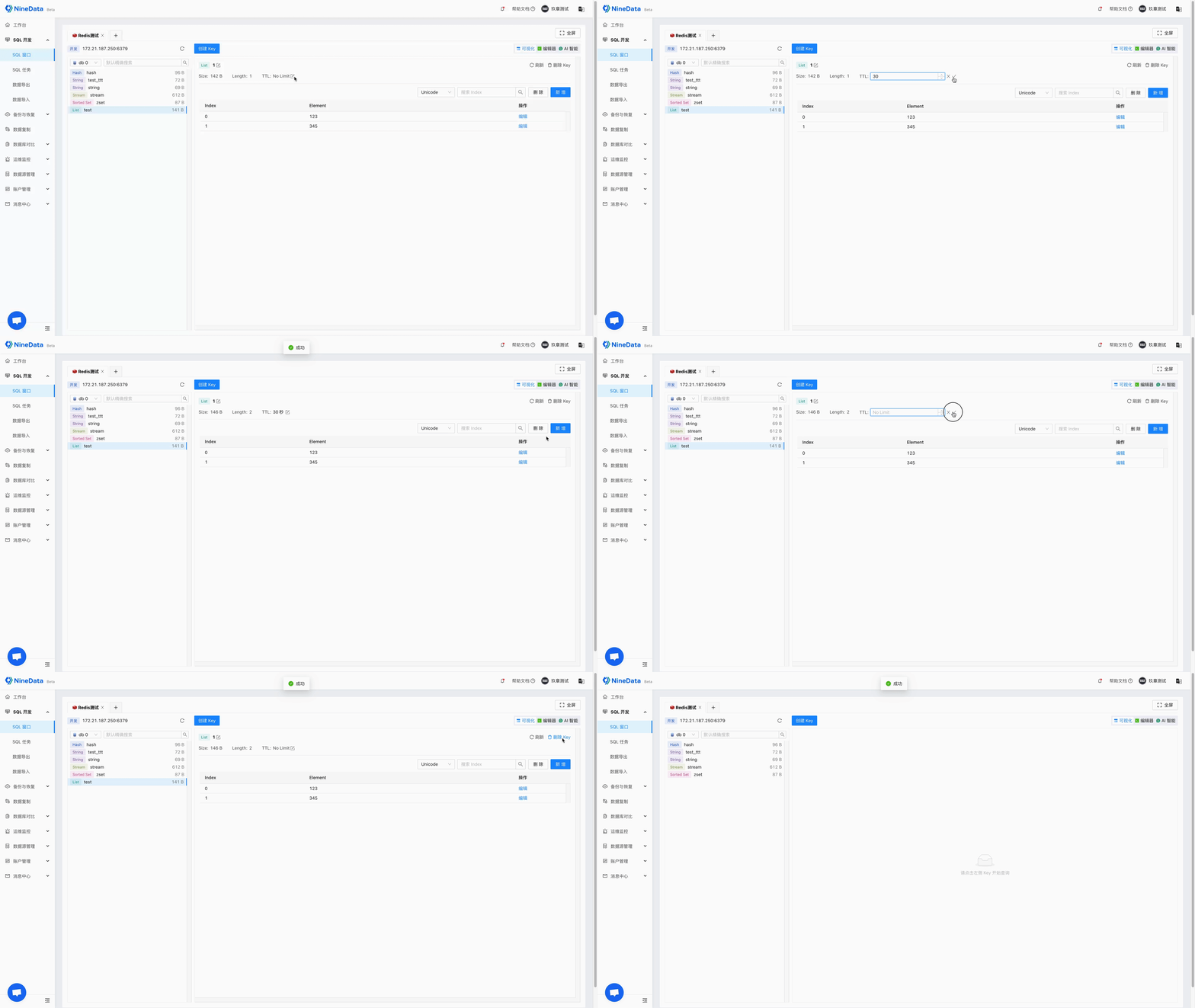
| Visual management | Lets users view data, create keys, delete keys, rename keys, set TTL, and edit key values in a visual interface. |
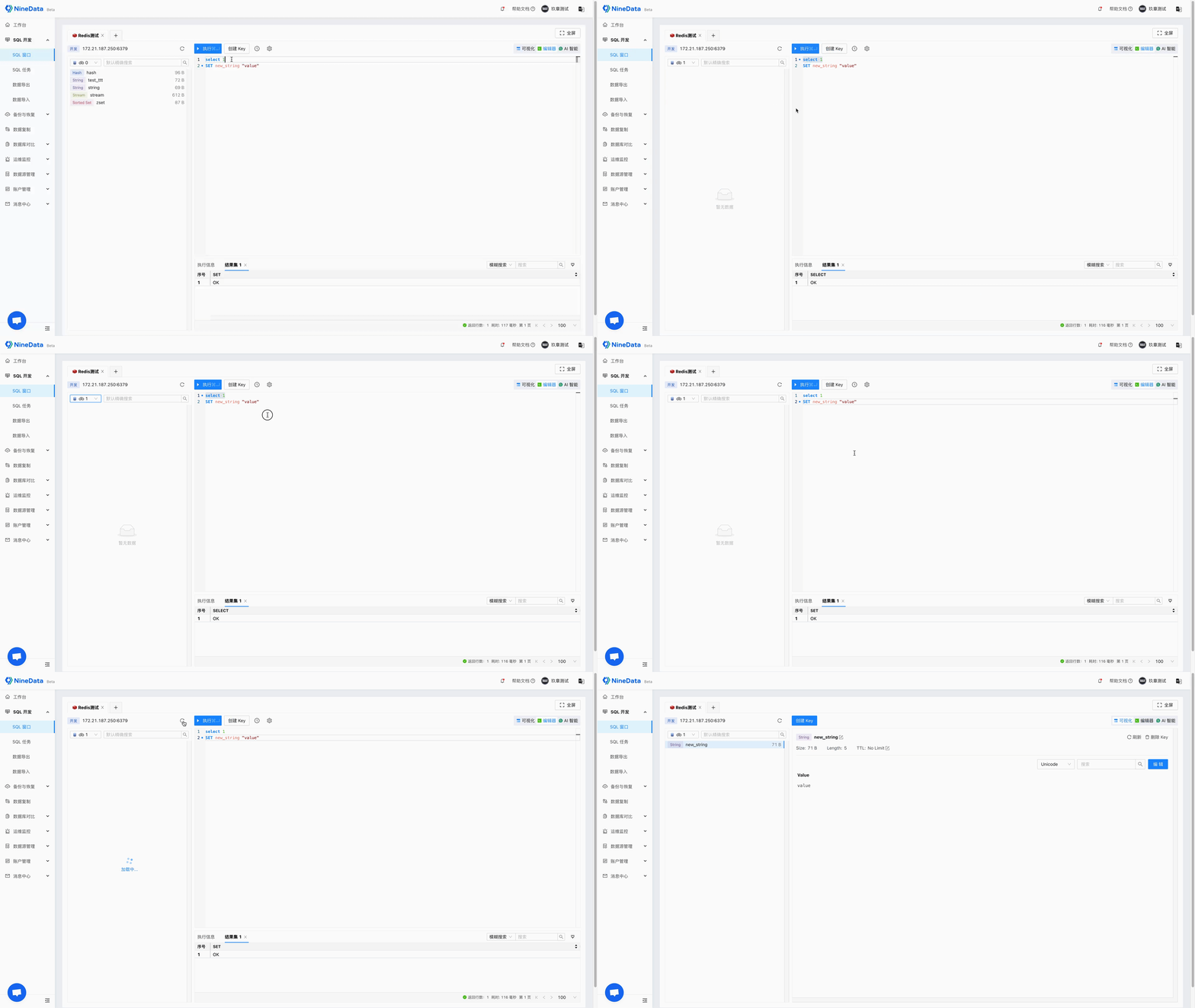
| Command editor | Provides a command-line workspace for Redis commands and options. |
| Permission control | Uses NineData organization mode to manage Redis access with fine-grained permissions, including environments where Redis itself does not provide detailed user permissions. |
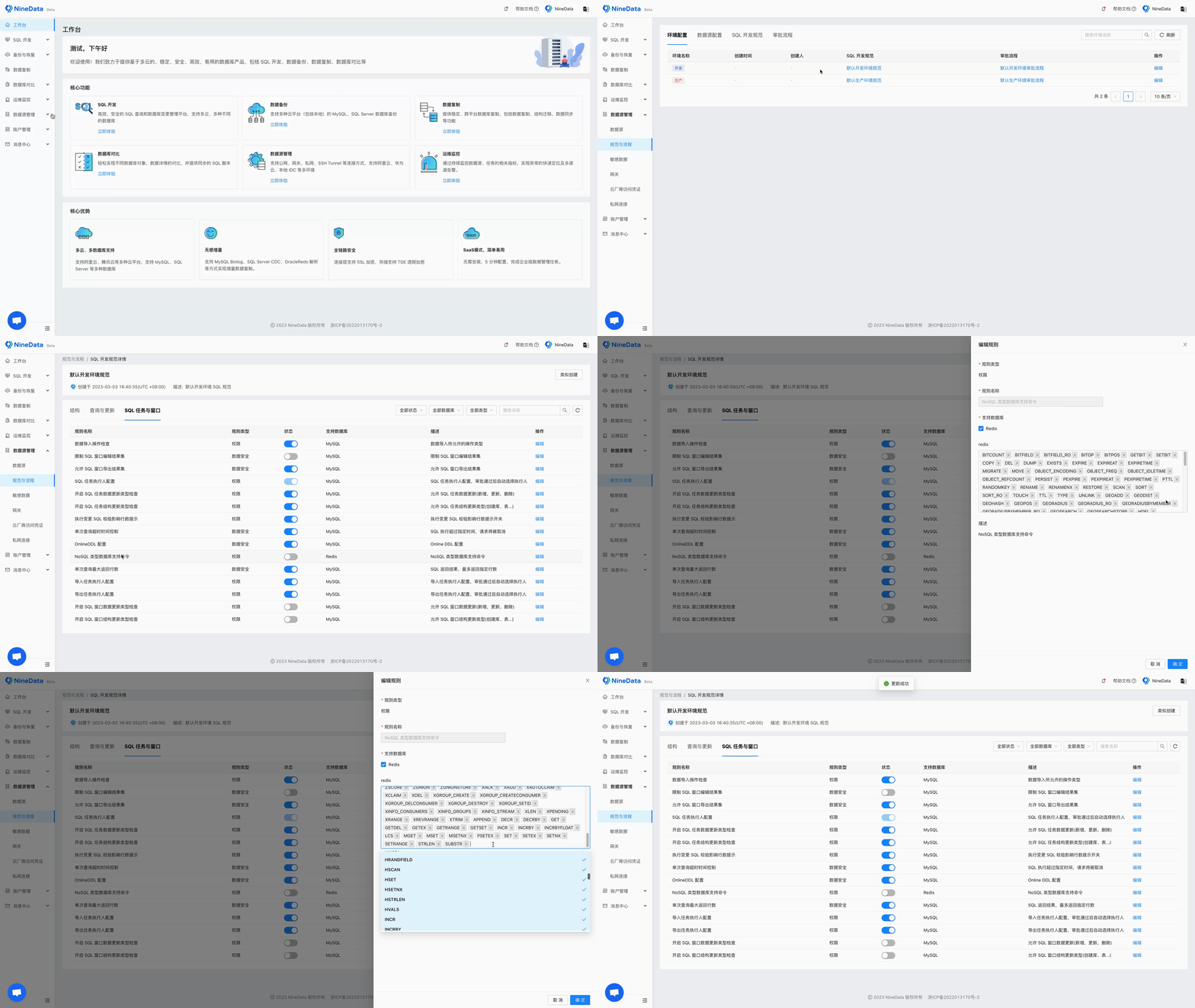
| Command management | Lets administrators enable or disable Redis commands. High-risk commands such as KEYS and DEL are disabled by default. |
| Workspace recovery | Restores previously opened data sources and executed commands after a browser exit or system crash because the page state is saved in the cloud. |
| Execution history | History records commands executed by the current account. Users can search by data source, execution time, or command keyword, and copy commands for reuse. |
| SQL policy check | In organization mode, NineData checks each command against the SQL Development Specification configured by Administrator. Non-compliant commands are blocked to protect database security. |
Usage Scenarios
SQL Console for Redis is useful for:
- Developers who inspect or edit Redis data during development.
- DBAs who need a governed interface for Redis data management.
- Operations teams that troubleshoot Redis data and command behavior.
- Administrators who need command restrictions, permission control, and audit history.
Before you begin
Before you use SQL Console for Redis, make sure that:
- The Redis data source has been added to NineData.
- You have permission to access the Redis data source.
- The commands required for your work are allowed by the command configuration and SQL development policies.
- Organization-mode permission and audit settings are configured if the data source is used by a team.
Operation Examples
Visual Editor
Use the visual editor to create keys, edit values, configure TTL, and delete keys.

Command Editor
Use the command editor when you prefer Redis command-line operations.
Command Configuration
Administrators can configure which Redis commands are available in SQL Console and which visual operations users can perform.
Result
Users can manage Redis data in a visual console while administrators retain control over permissions, risky commands, policy checks, and command history.