MySQL Operations Knowledge Q&A with ChatDBA | NineData
Questions about MySQL lock waits, slow SQL, long transactions, and change approval often require both database knowledge and an internal procedure. An enabled enterprise knowledge base lets ChatDBA combine organization documents with the current conversation and expose the sources used in an answer.
Before you begin
- Sign in to the NineData console and configure an enterprise knowledge base for ChatDBA.
- De-identify the content and include current MySQL operation standards, SQL release rules, or incident procedures.
- Confirm target data source access when the question needs database context.
Procedure
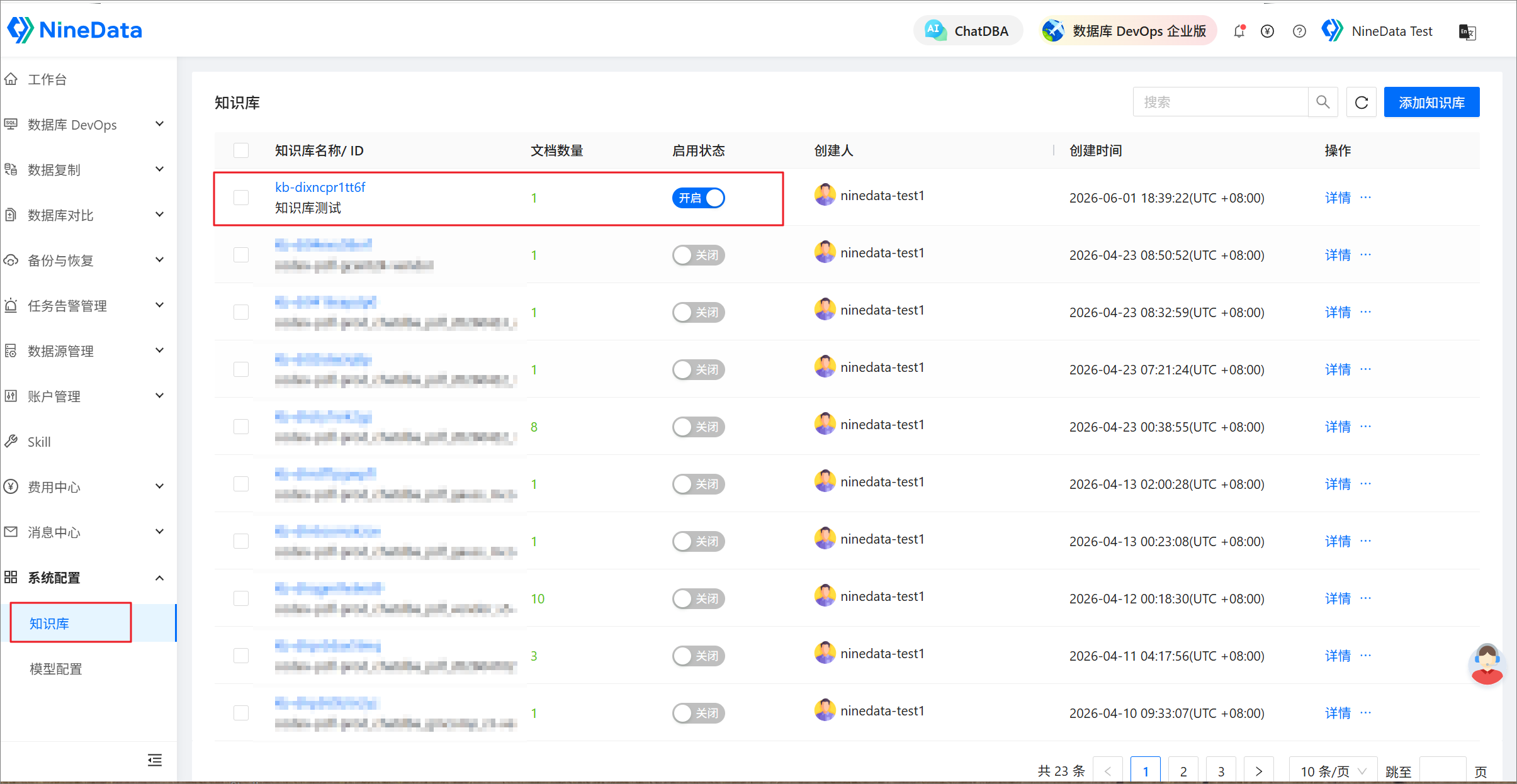
In Knowledge Base Management, upload MySQL operation standards, SQL release rules, or incident review documents, then enable the knowledge base.
Open ChatDBA, start a conversation, and select the MySQL data source through Select Datasource.
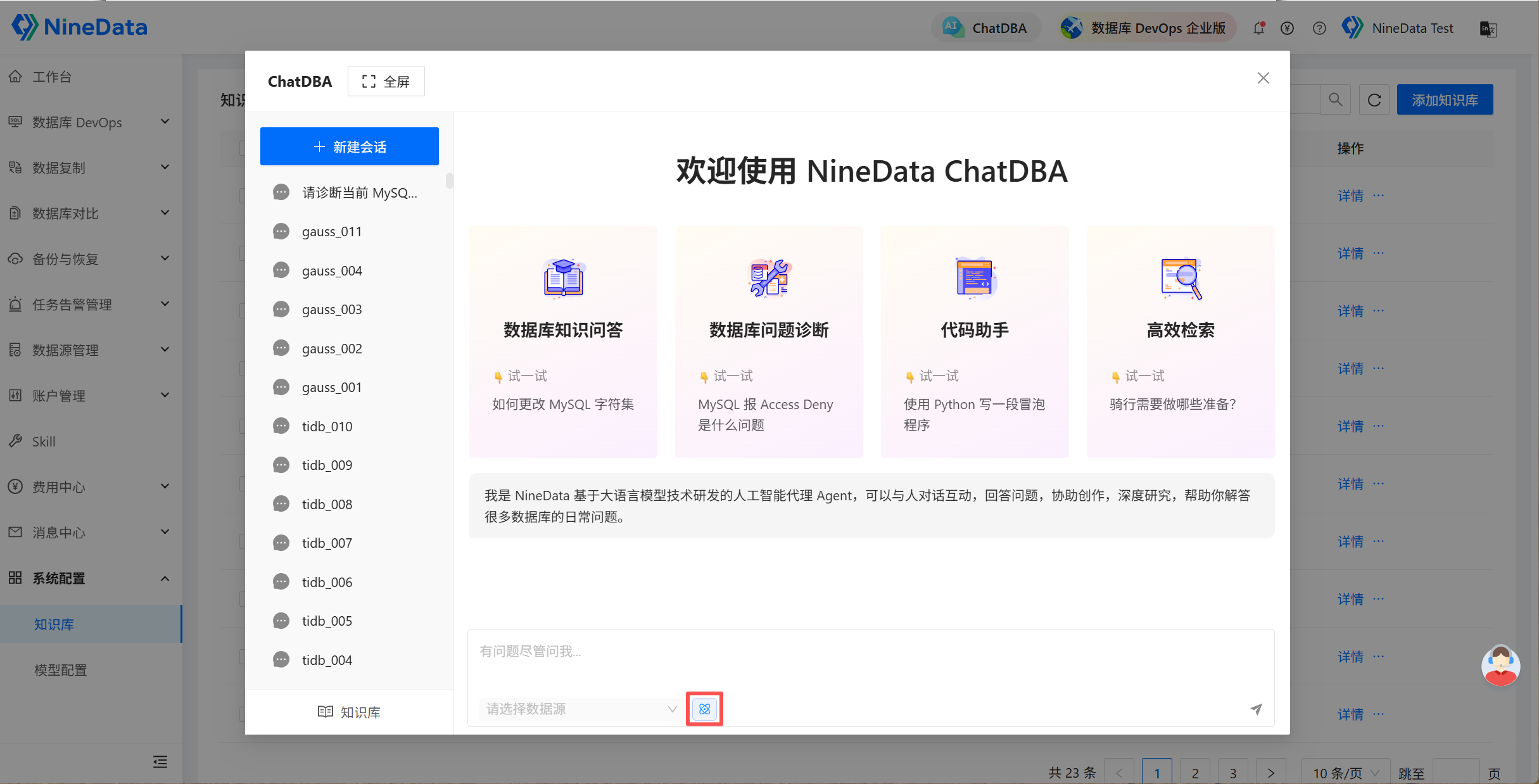
Enter and send a question such as:
When MySQL has a lock wait, should the blocked session or the blocking session be handled first? Explain the reason and pre-action checks according to the team standard.Review the answer, handling suggestions, and knowledge sources.
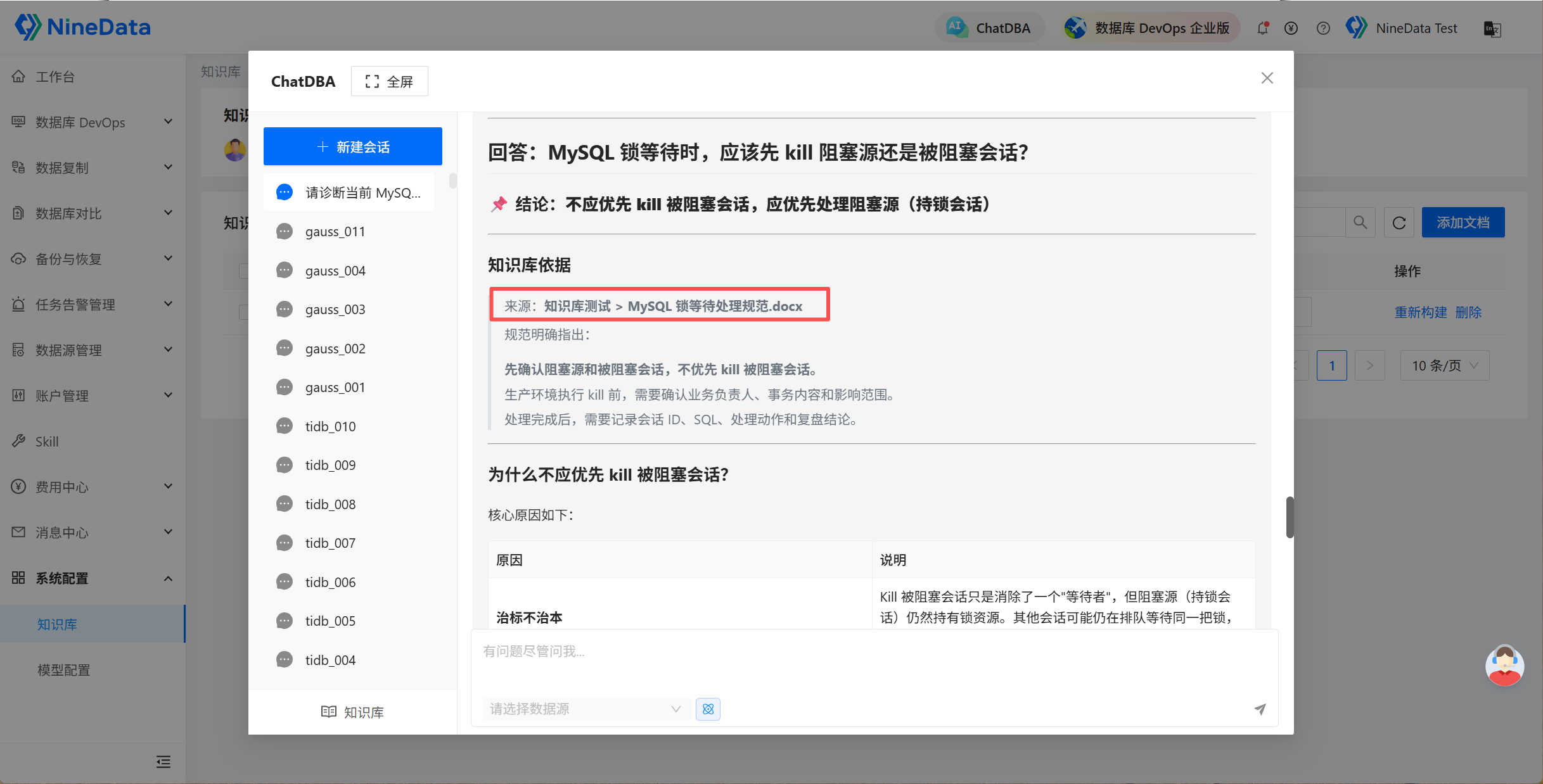
Result and precautions
- Click View knowledge sources to review the sources cited by the answer and confirm that they match the current business version and organization standard.
- Knowledge-base answers do not replace production change approval, permission checks, or business-owner decisions.
- Remove outdated, duplicate, or sensitive knowledge-base content regularly to prevent incorrect guidance.