Manage GaiaDB with NineData Database DevOps
NineData Database DevOps supports Baidu Cloud GaiaDB, a MySQL-compatible cloud-native relational database. After you add a GaiaDB data source to NineData, use SQL Console, SQL development standards, approval workflows, sensitive data protection, slow query analysis, data import and export, and data archiving features.
Supported DevOps Capabilities
NineData can help teams manage GaiaDB in the following areas:
- Enterprise data governance
- Visual GaiaDB development
- Slow query analysis and SQL optimization
- Data import and export
- Scheduled data archiving
Enterprise Data Governance
Use SQL development standards, approval processes, and sensitive data protection to govern GaiaDB access and changes.
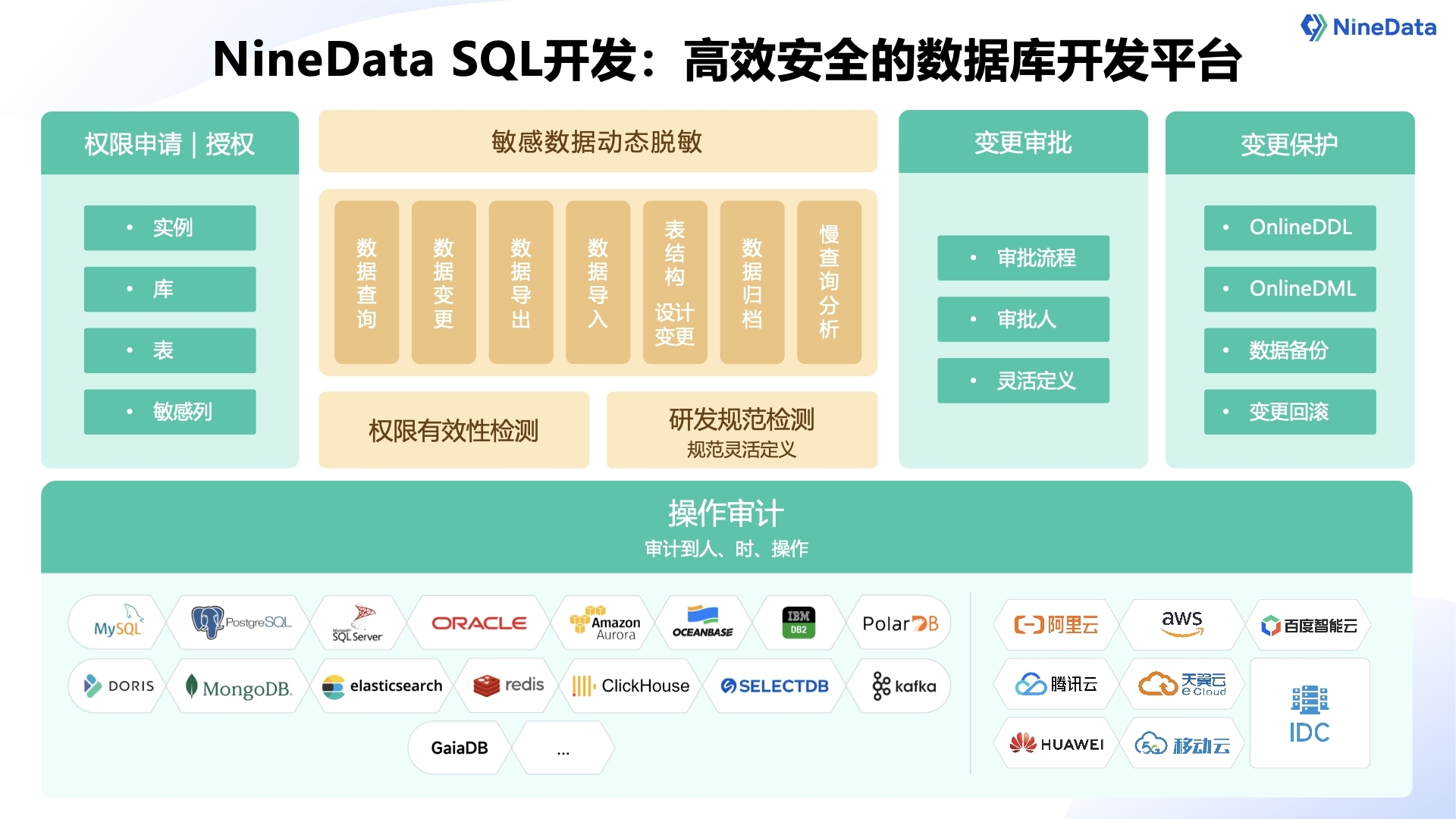
SQL Development Standards
NineData provides SQL development rules for GaiaDB scenarios so teams can standardize database design and change behavior.
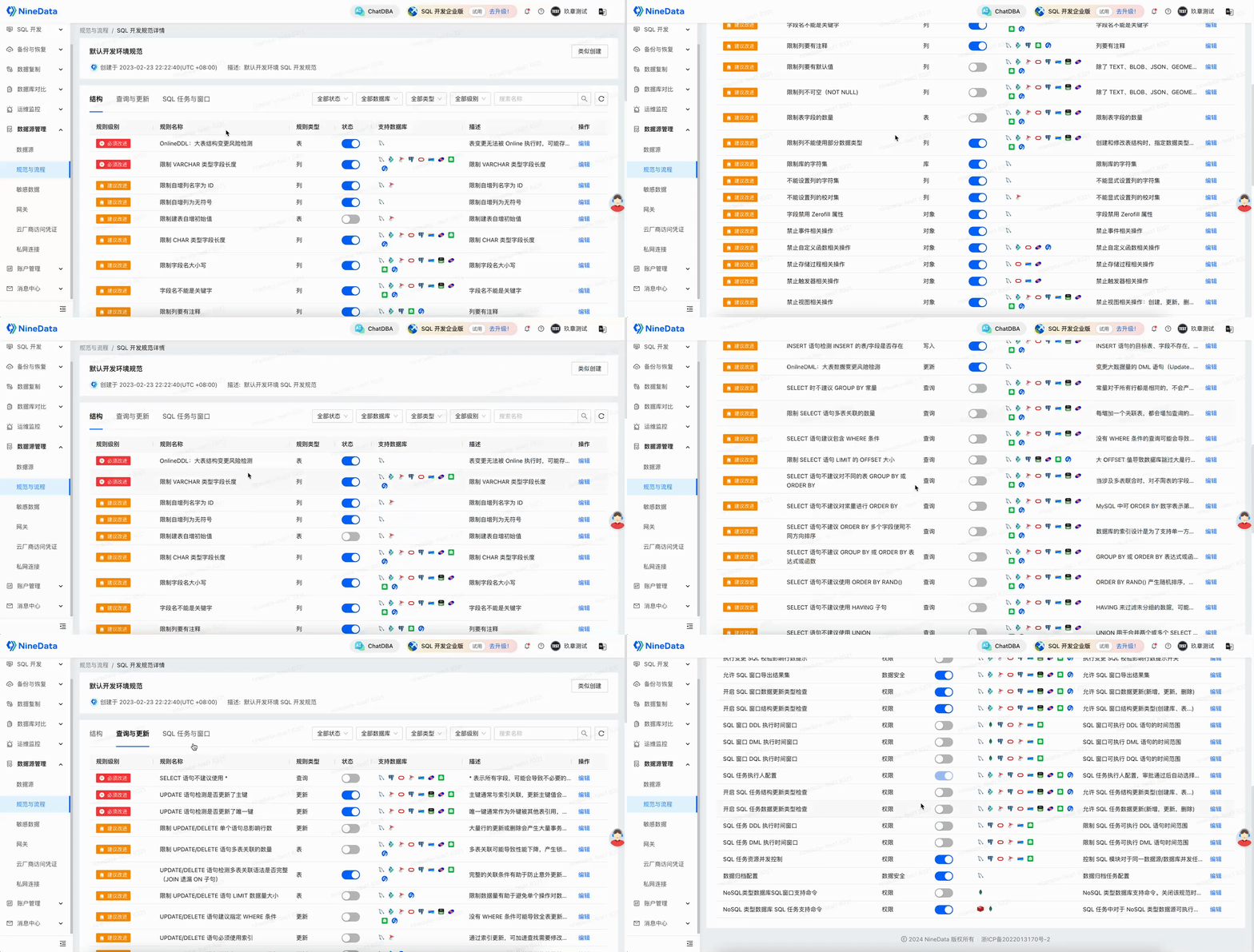
Rule-Based SQL Console Controls
After SQL rules are configured, NineData can intercept SQL Console statements that do not comply with the policy. For example, a rule can block SELECT * statements.
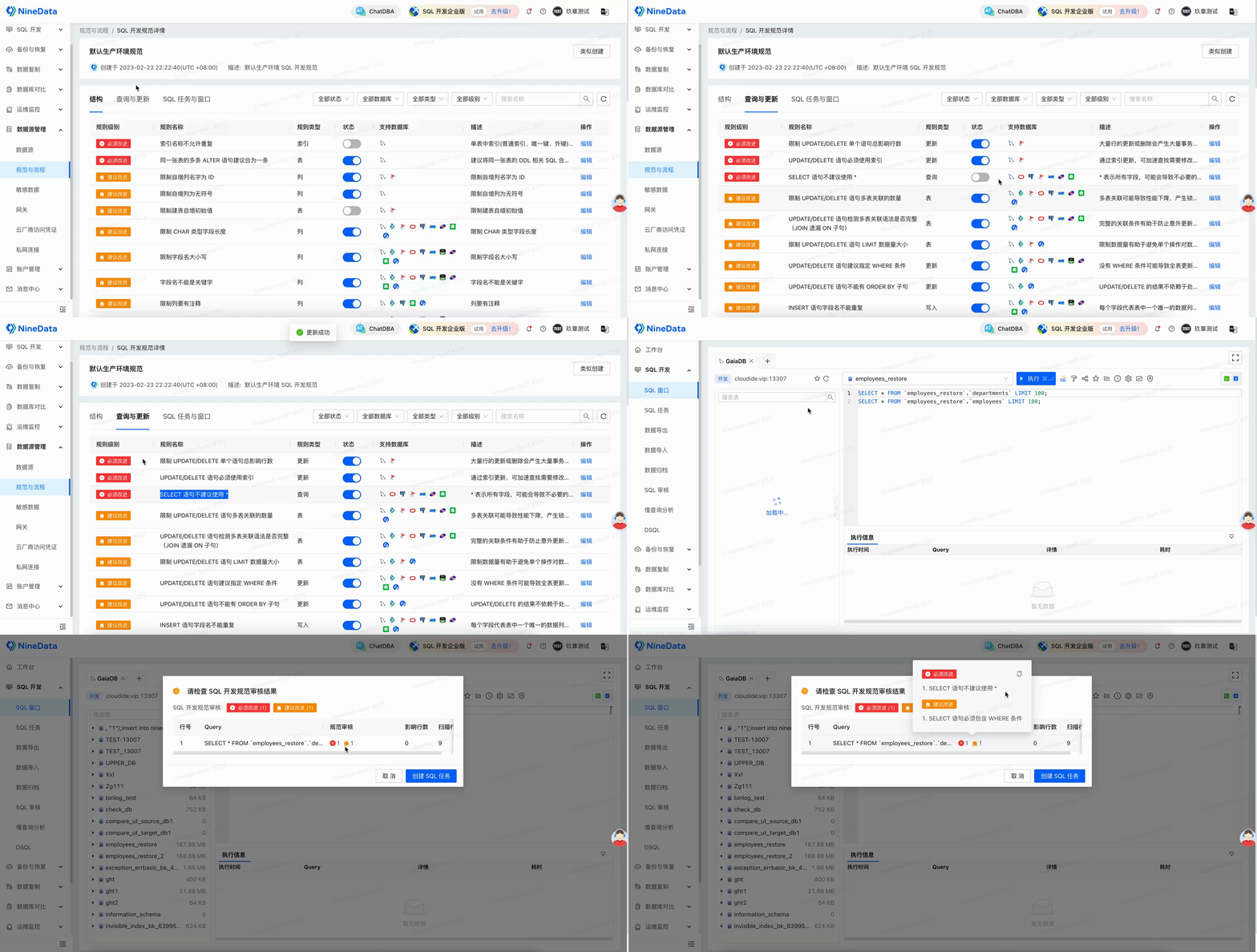
Approval Process
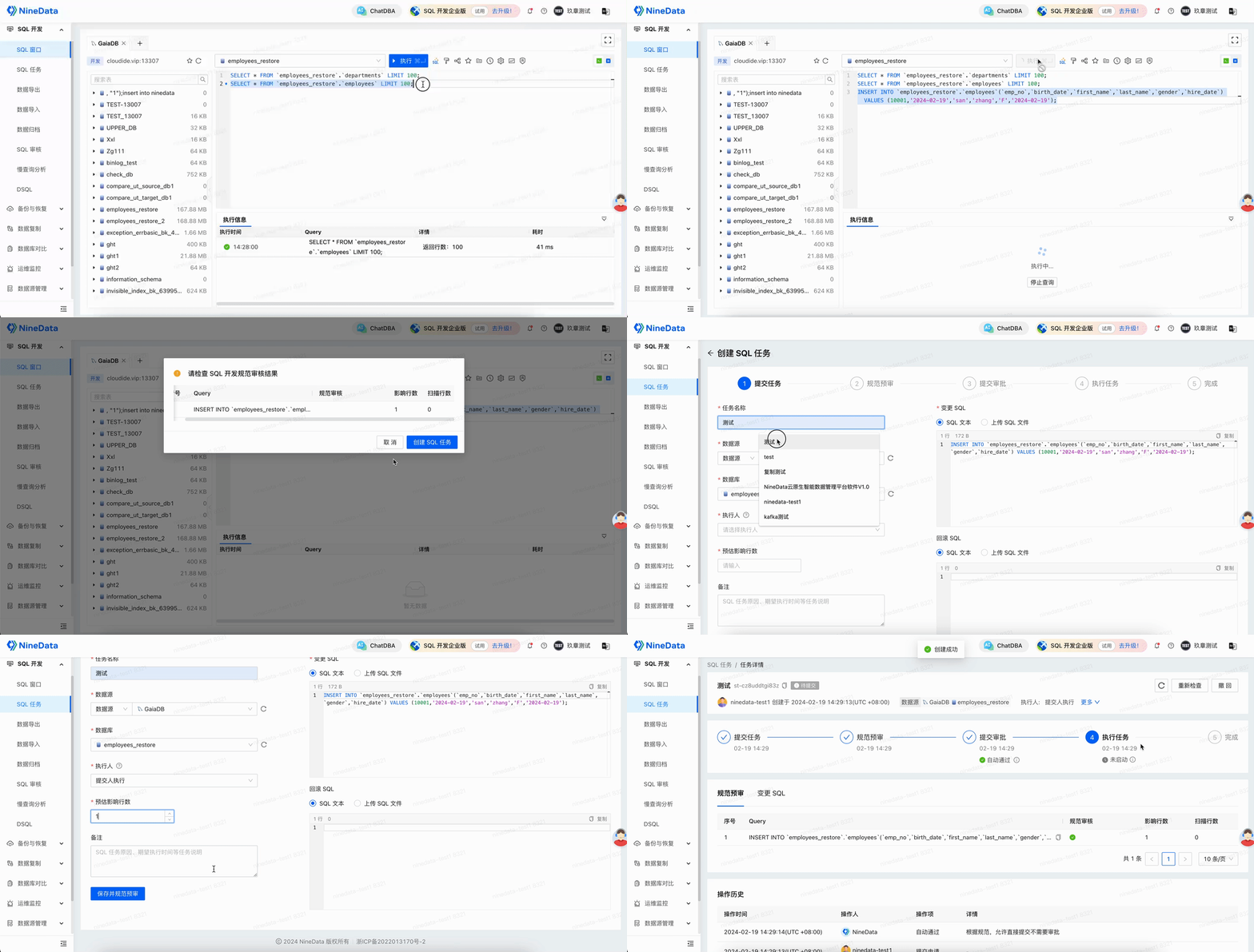
For statements that may affect production, require users to submit SQL tasks and complete intelligent precheck plus manual approval before execution.
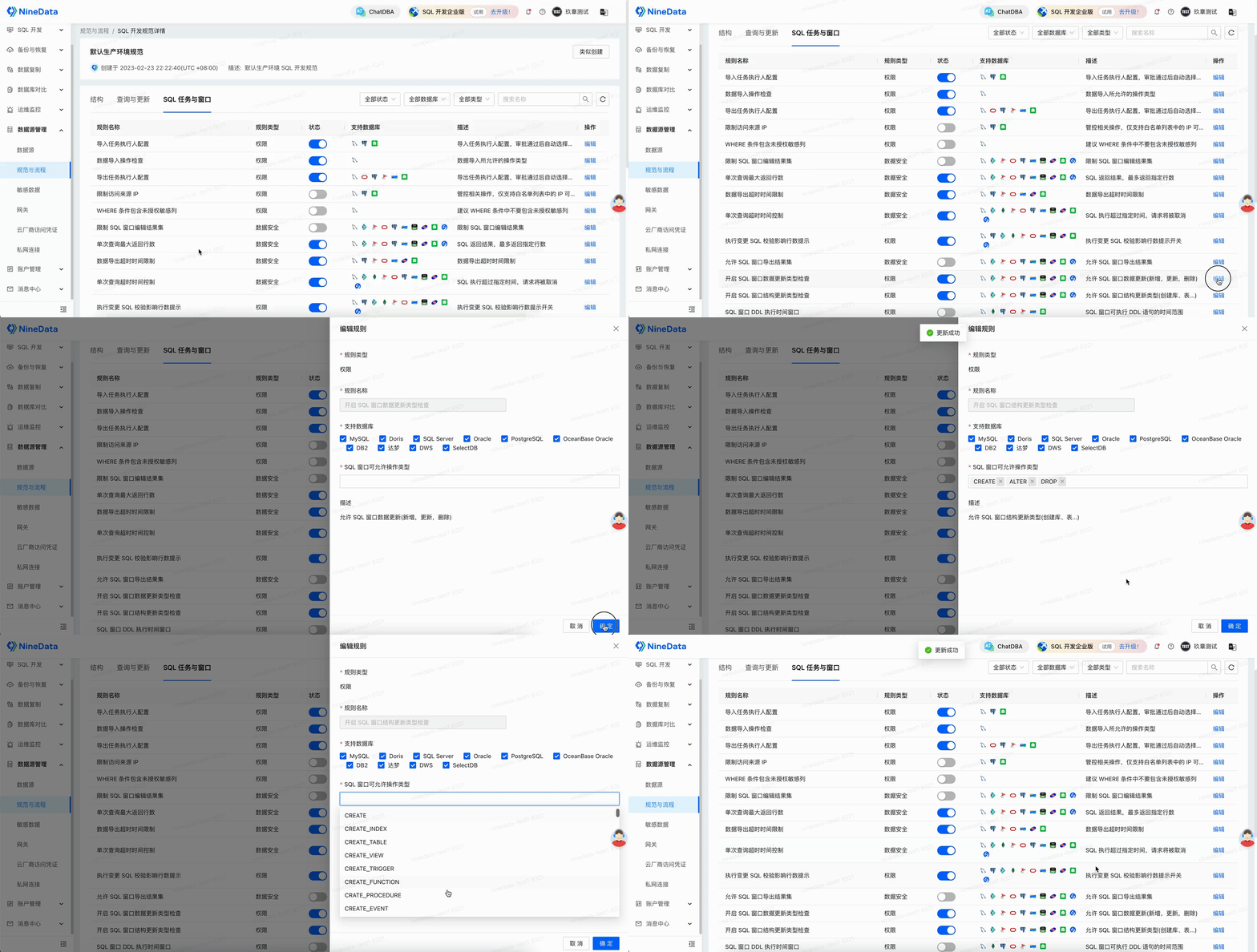
Sensitive Data Protection
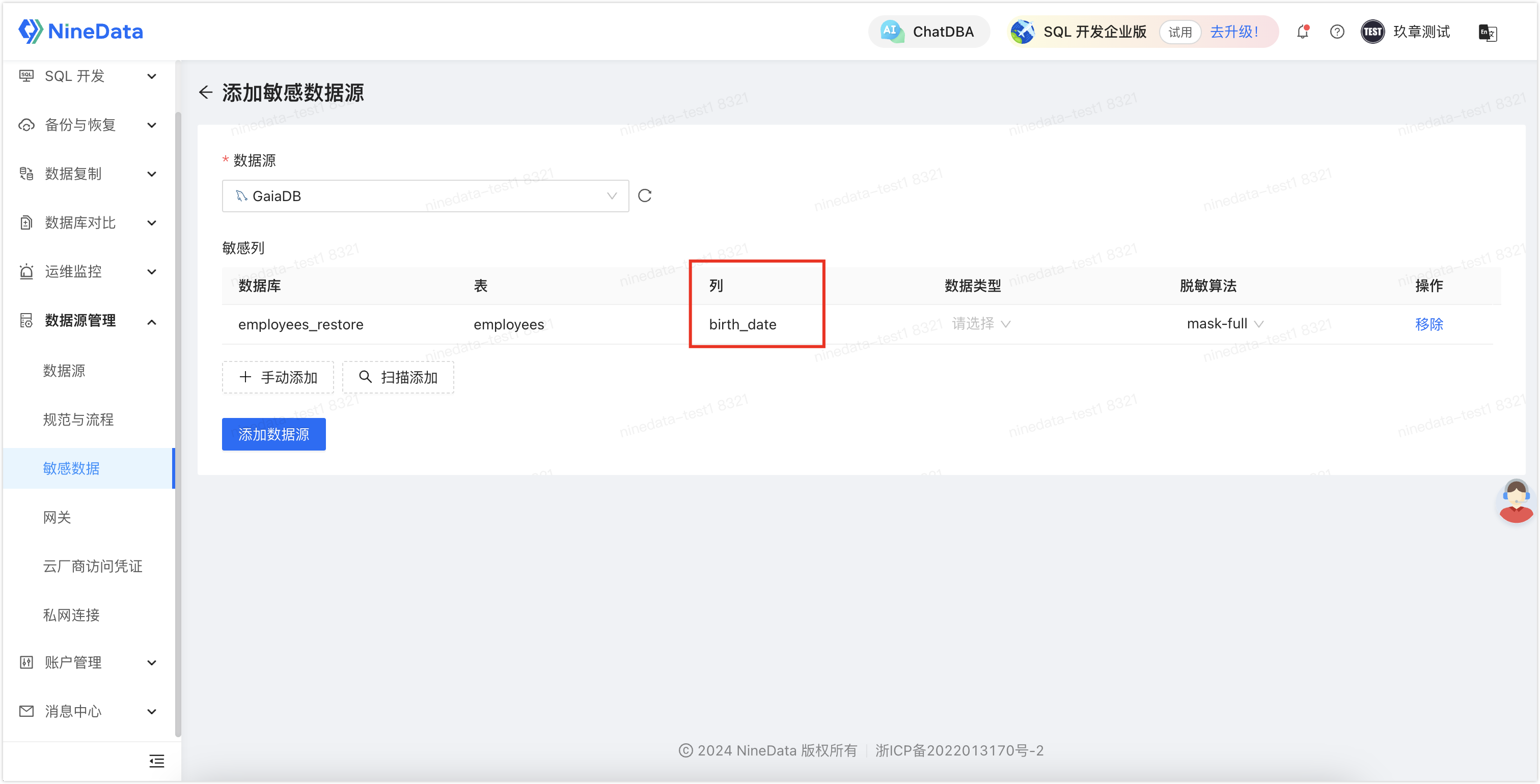
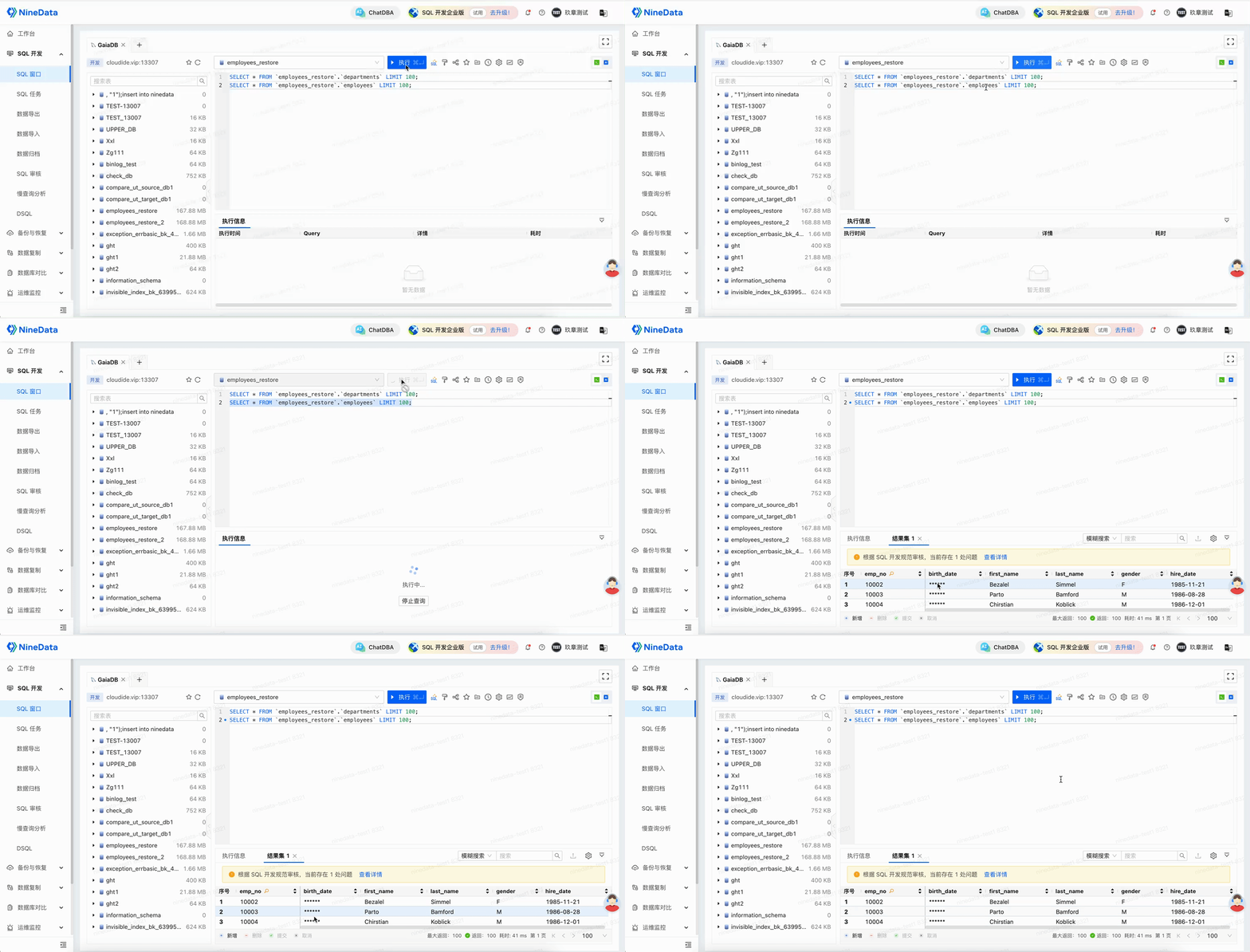
Configure sensitive columns for GaiaDB tables. Users without the required permission see masked values instead of original sensitive data.
Visual GaiaDB Development
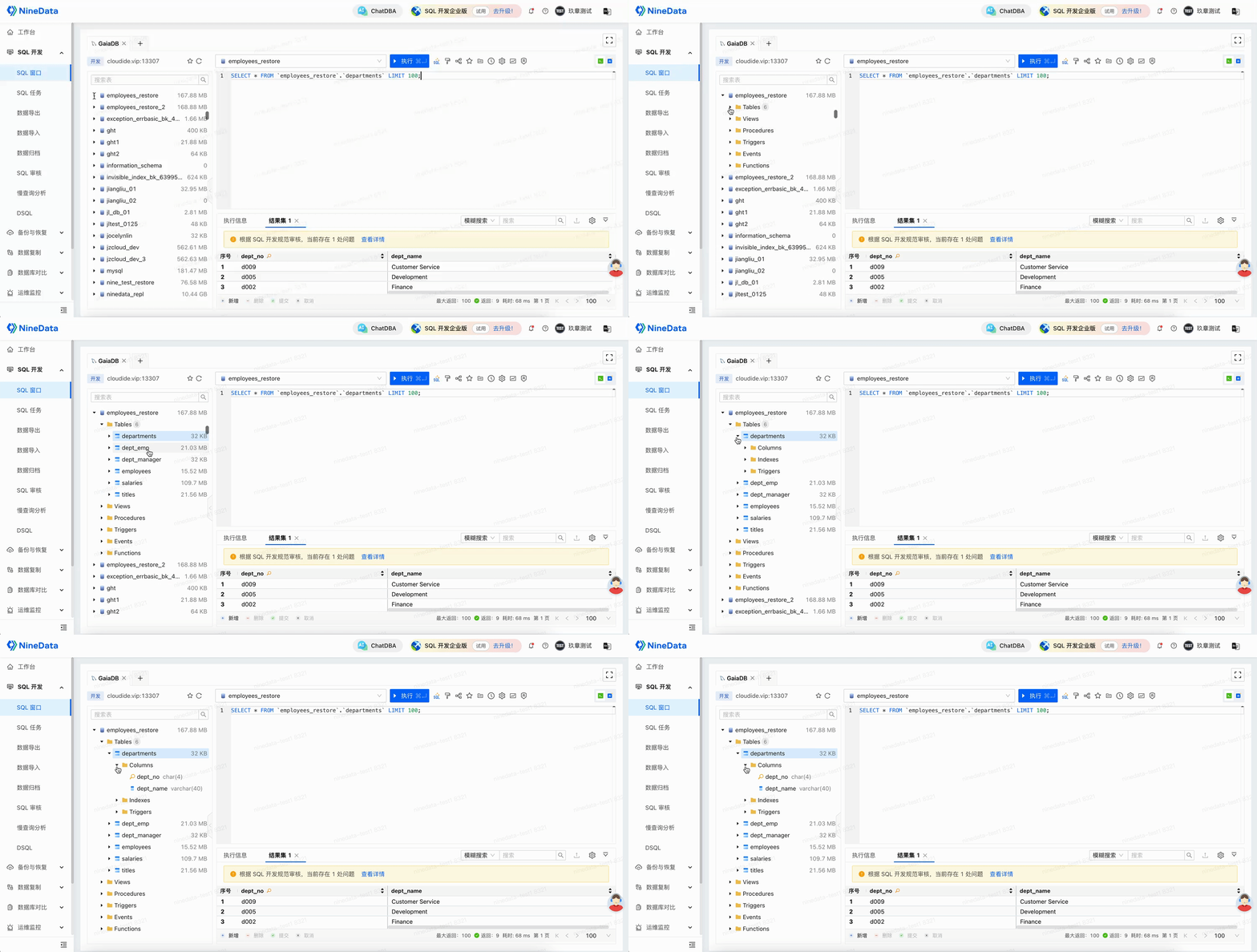
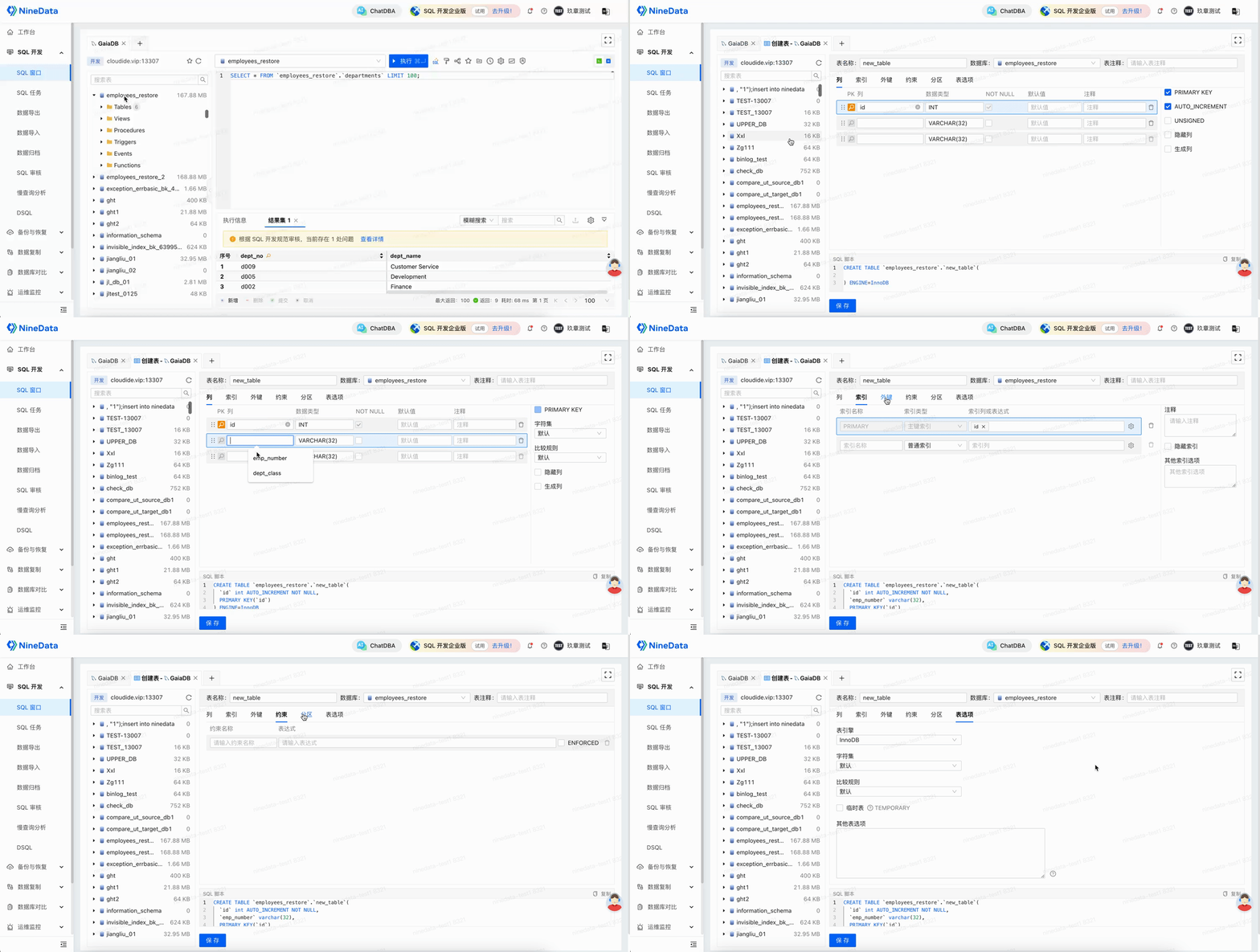
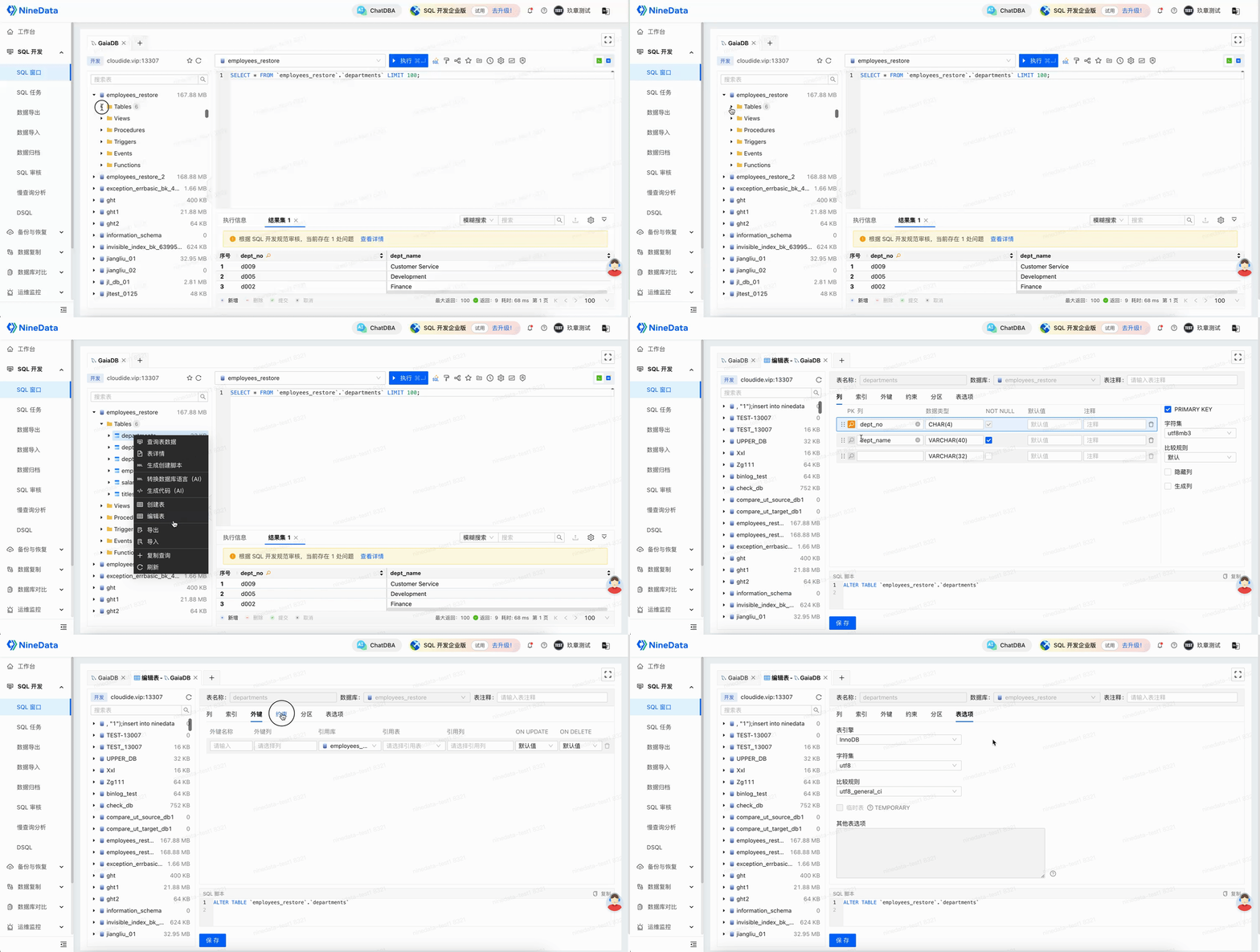
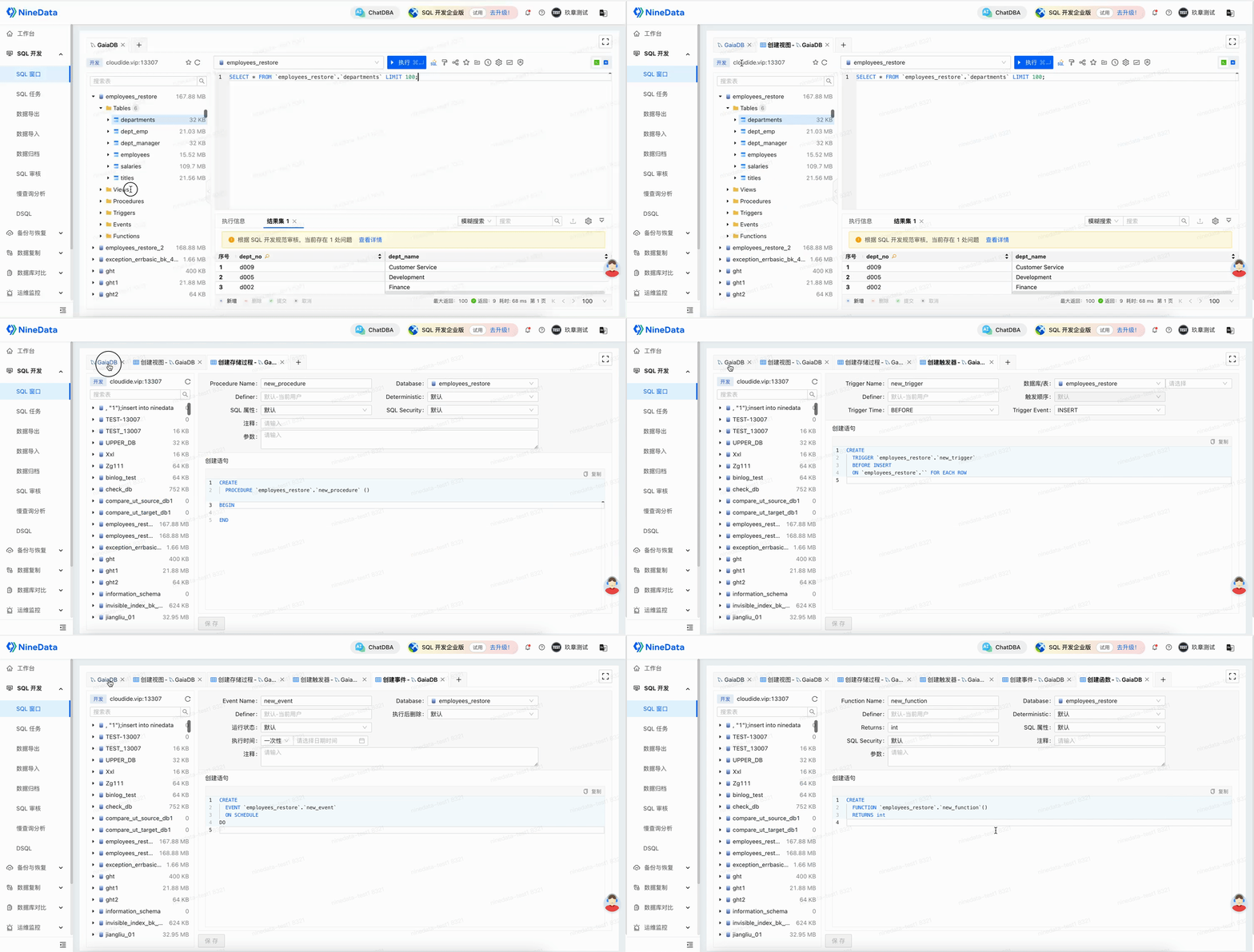
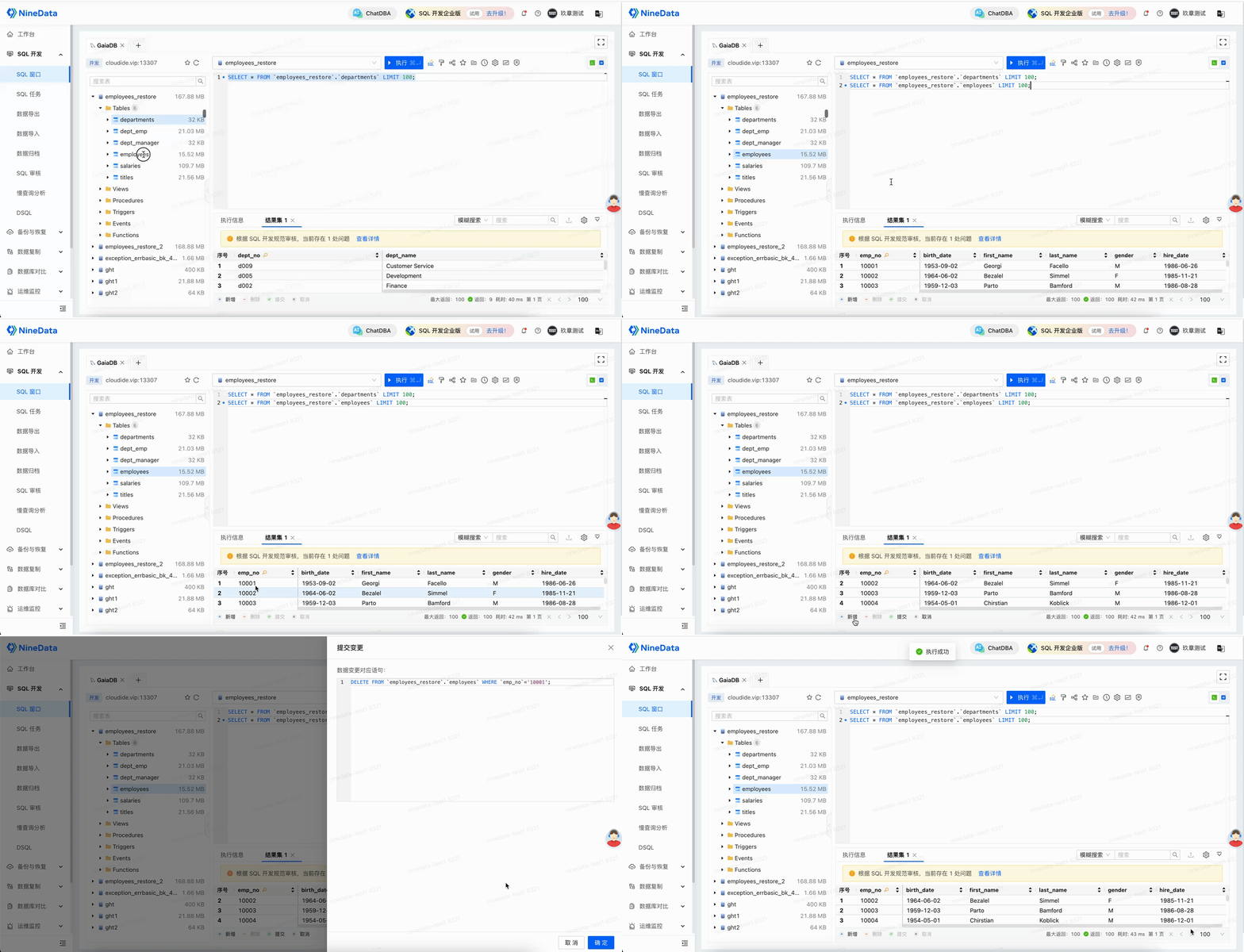
Use NineData SQL Console as a visual GaiaDB client. The console supports object browsing, table structure design, non-table object management, and result-set editing.
Slow Query Analysis And SQL Optimization
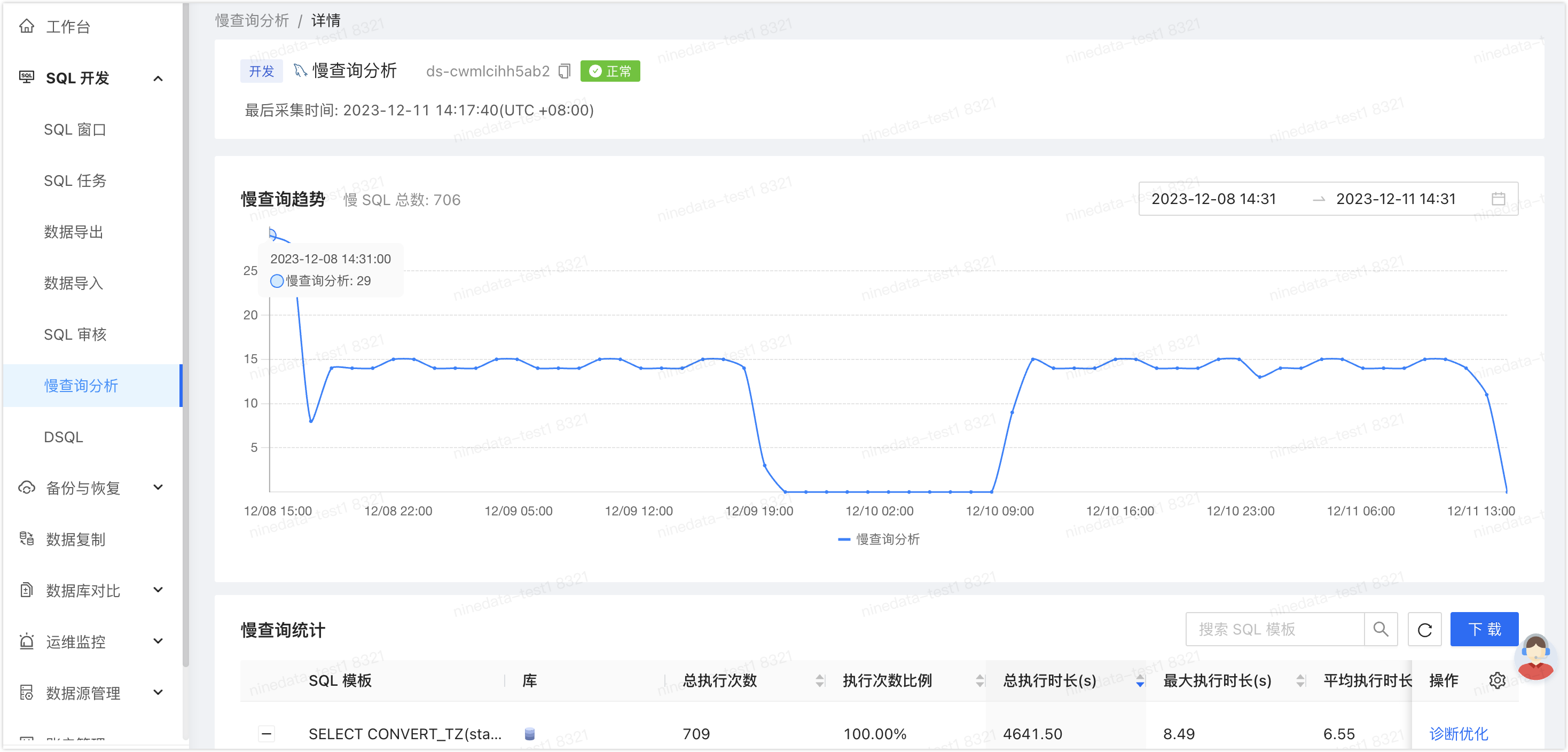
NineData can collect GaiaDB slow queries, record slow SQL, and provide diagnostic suggestions such as index changes or table-structure adjustments. Apply SQL development standards so slow SQL analysis follows your team's rules.
Data Import And Export
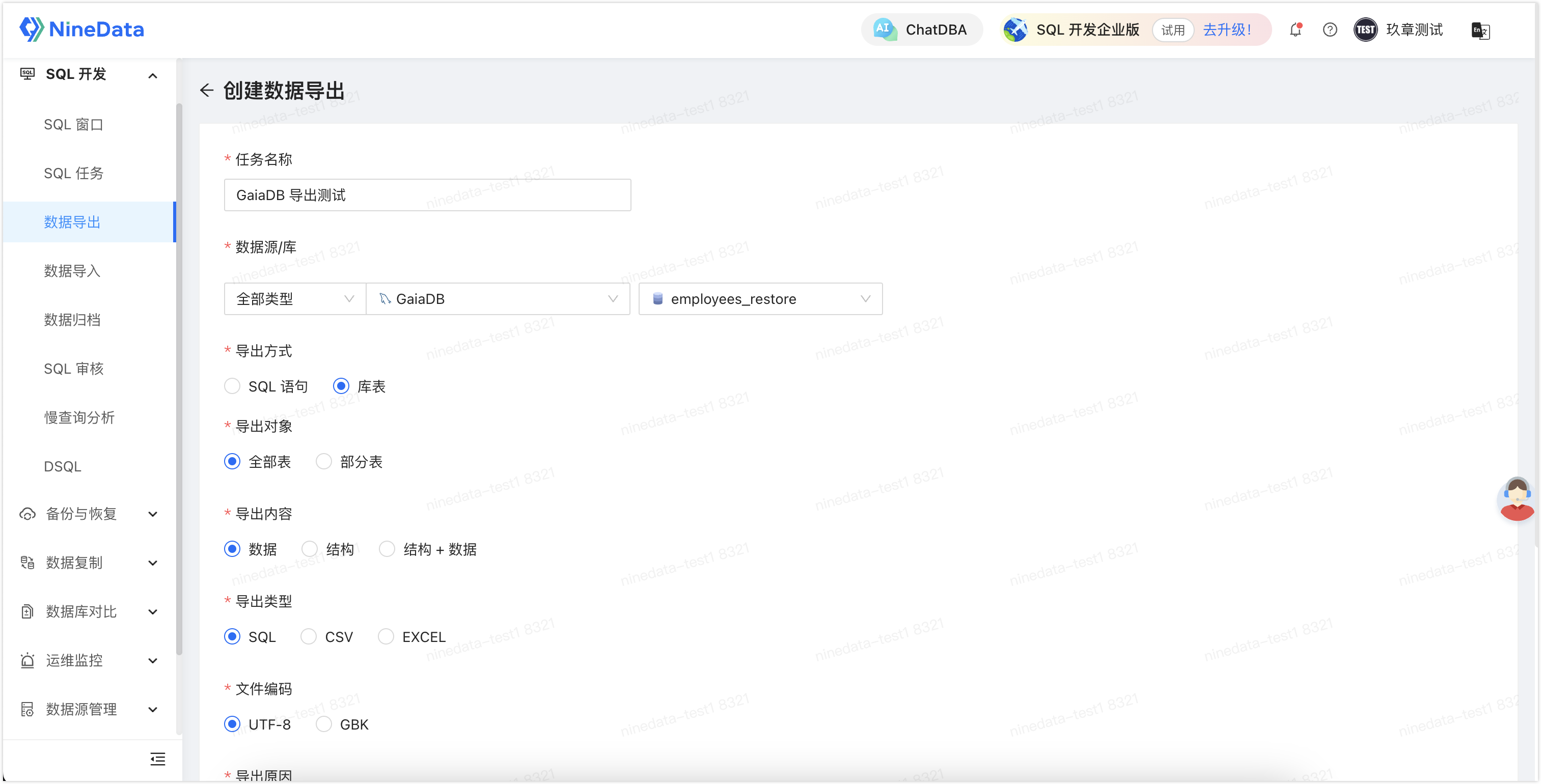
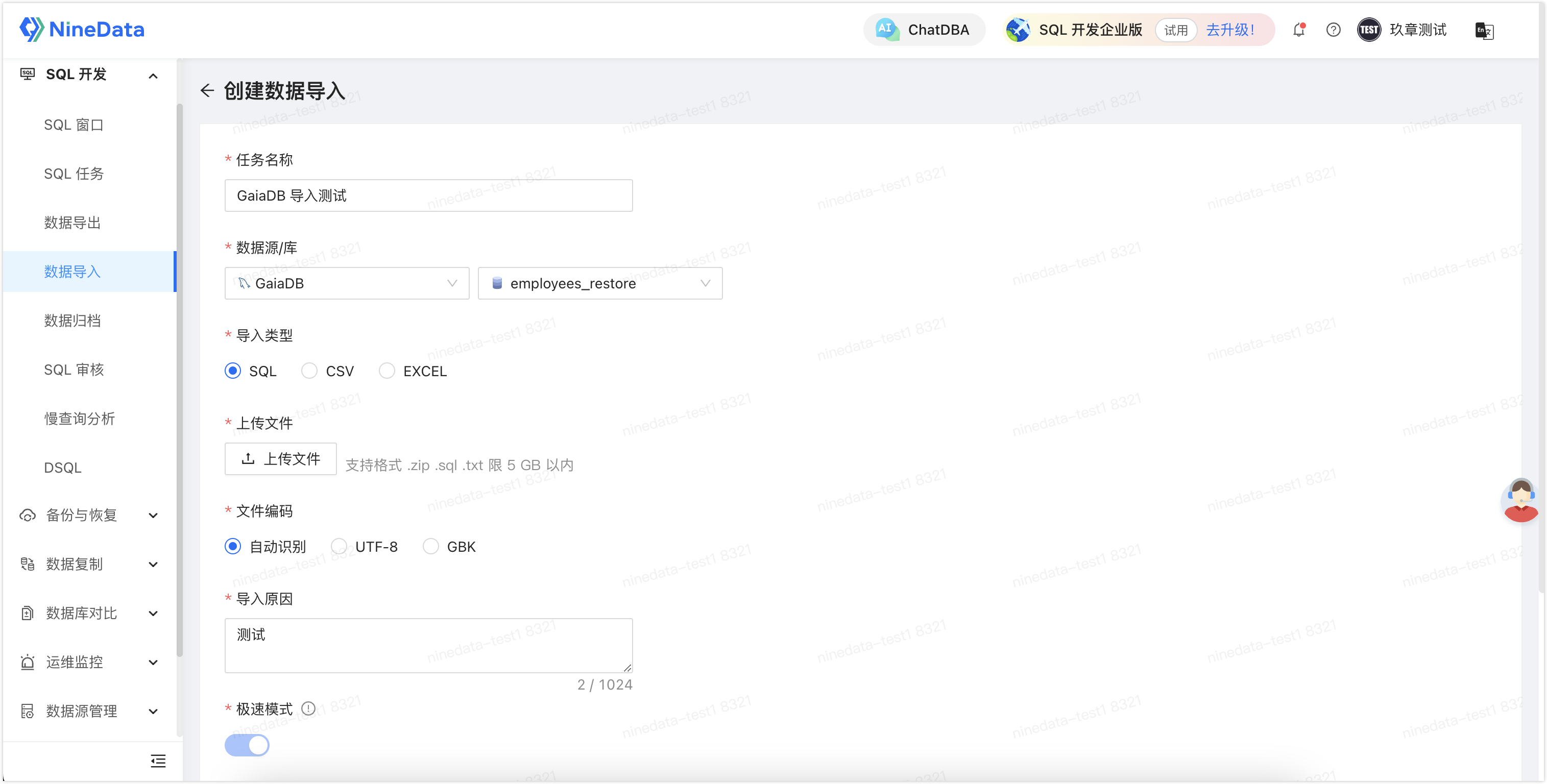
Use NineData to export GaiaDB data to SQL, CSV, or Excel files. Import SQL, CSV, or Excel files into GaiaDB.
Scheduled Data Archiving
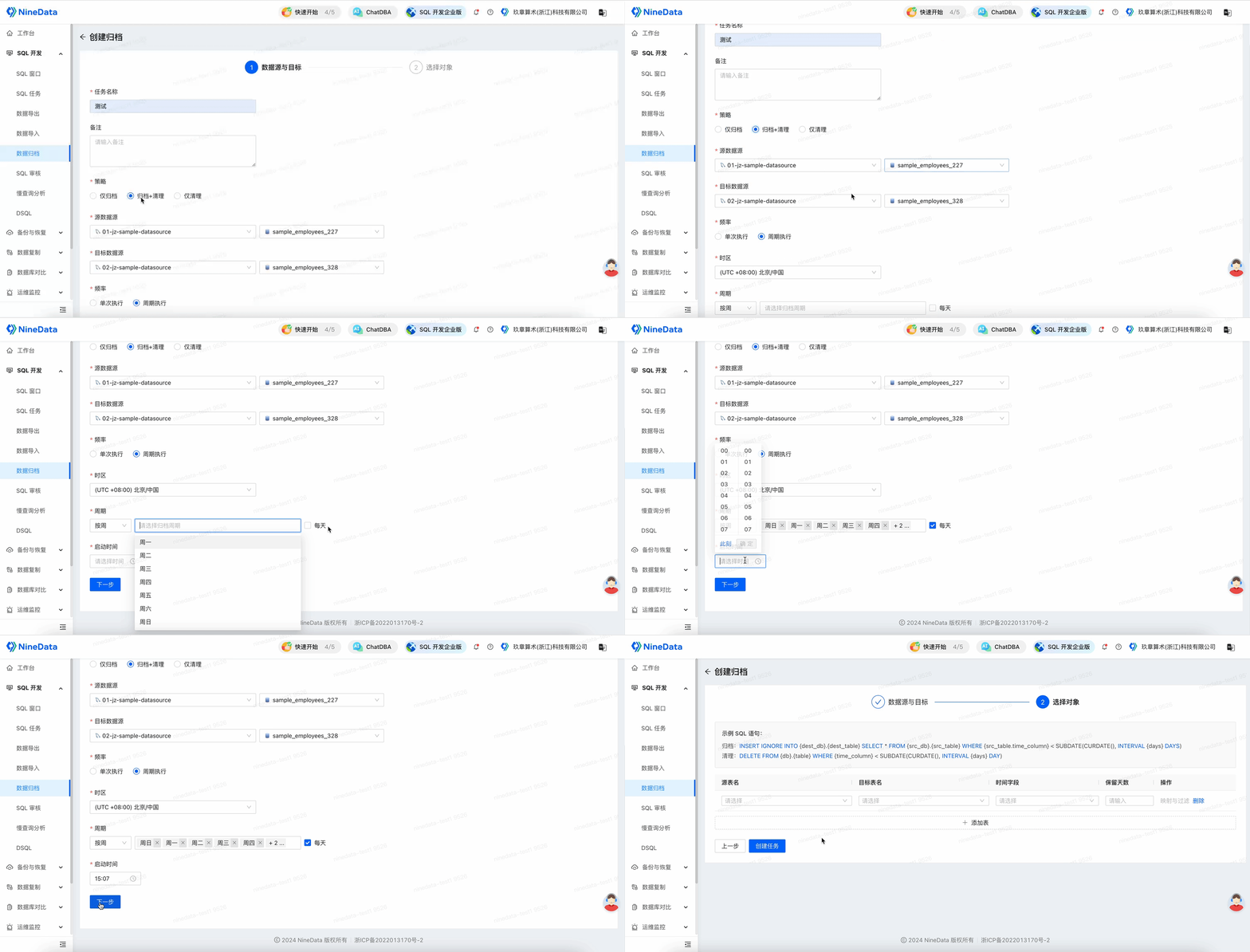
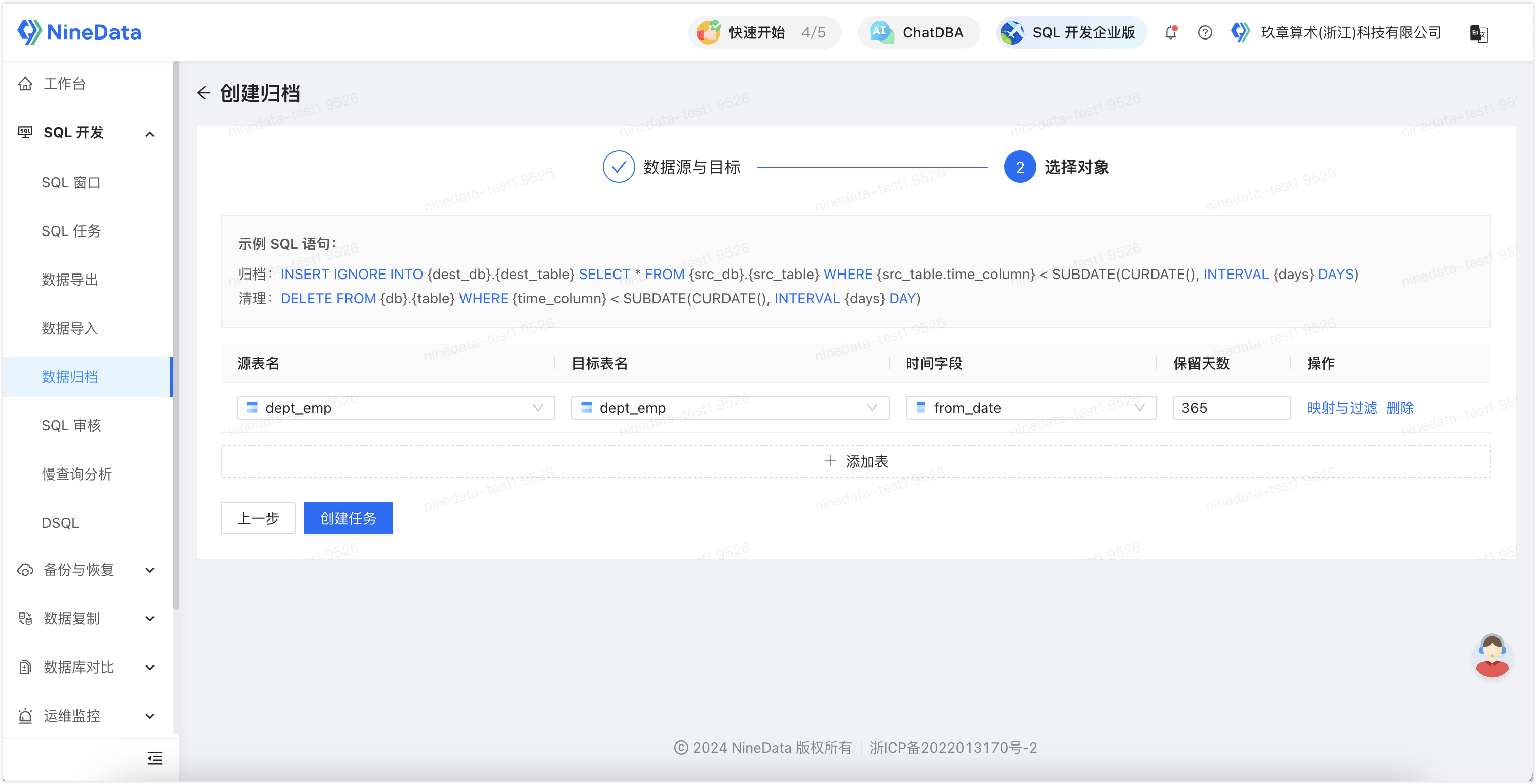
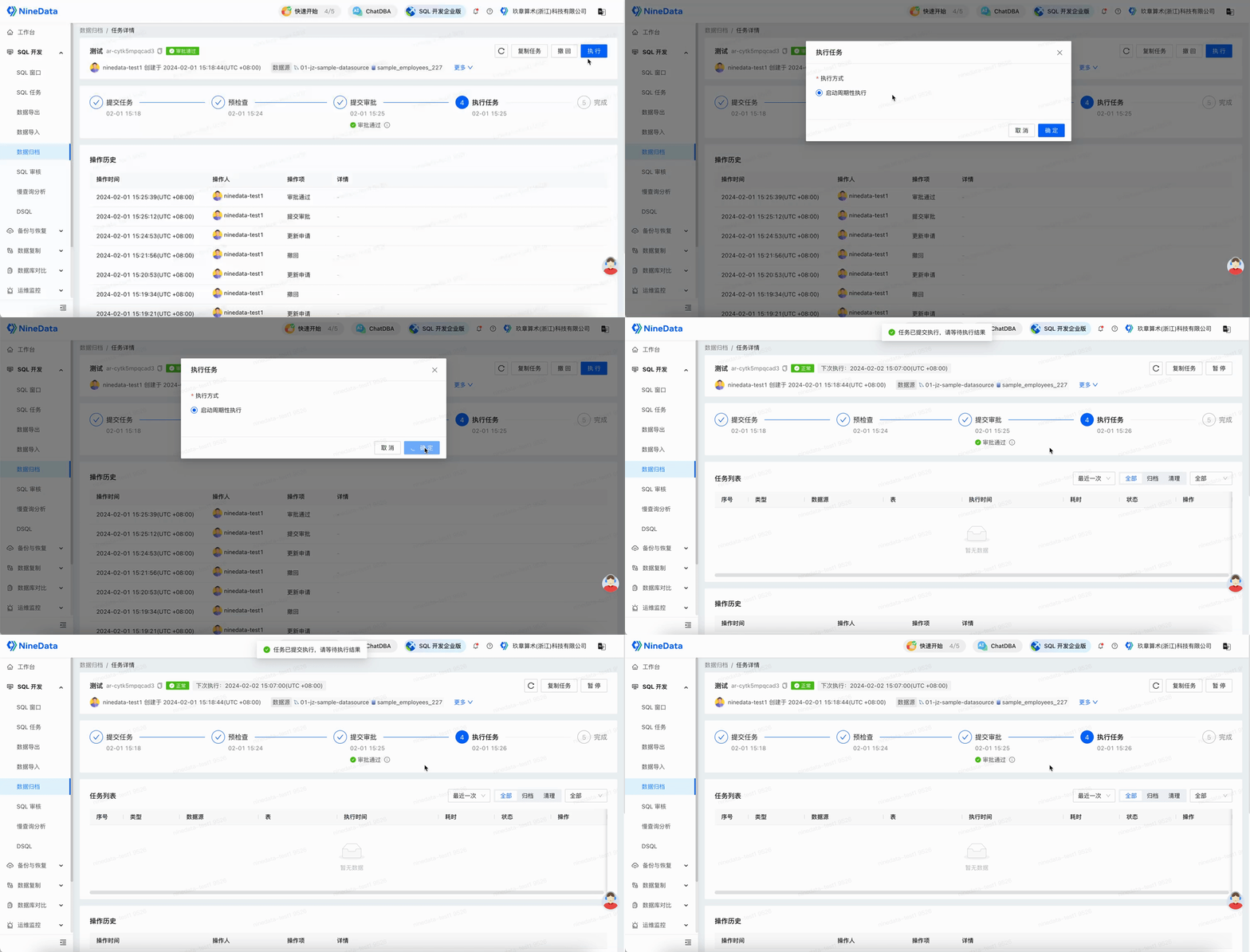
Use Data Archiving to move expired GaiaDB data to archive storage and clean the archived rows from the business database.
Result
After GaiaDB is added to NineData, teams can use one Database DevOps workflow for visual development, SQL governance, approval, auditing, import and export, slow query analysis, and scheduled data archiving.