Limit daily database query access
Use NineData user access management to control how many SQL queries a user can run each day and how many rows the user can return. This helps organizations reduce data leakage risk when users have legitimate query access but should not extract unlimited data.
Why Query Quotas Matter
SQL development standards can limit risky single-query behavior, such as large result sets or complex SQL. However, a user may still retrieve large volumes of data by running many smaller queries. Daily query quotas help control that behavior across an organization.
Use query quotas to reduce risks such as:
- Excessive access to customer or business data.
- Unusual query behavior from compromised accounts.
- Internal misuse of database access.
- Compliance gaps around personal data access.
What to Configure
NineData user access management supports:
- Global daily query limits for all users in an organization.
- Per-user daily query limits.
- Total returned row limits per day.
- Temporary per-user quota changes with expiration time.
- Quota priority where an individual user setting overrides the global setting.
Common Use Cases
- Data security: Prevent users from extracting large amounts of data through repeated queries.
- Compliance: Enforce access limits for teams that handle regulated data.
- Emergency response: Restrict a user's quota when suspicious account activity is detected.
- Role-based access control: Give analysts higher limits while keeping general users on stricter defaults.
Review Daily Usage
Users can review how many queries they have run and how many rows they have returned during the current day.
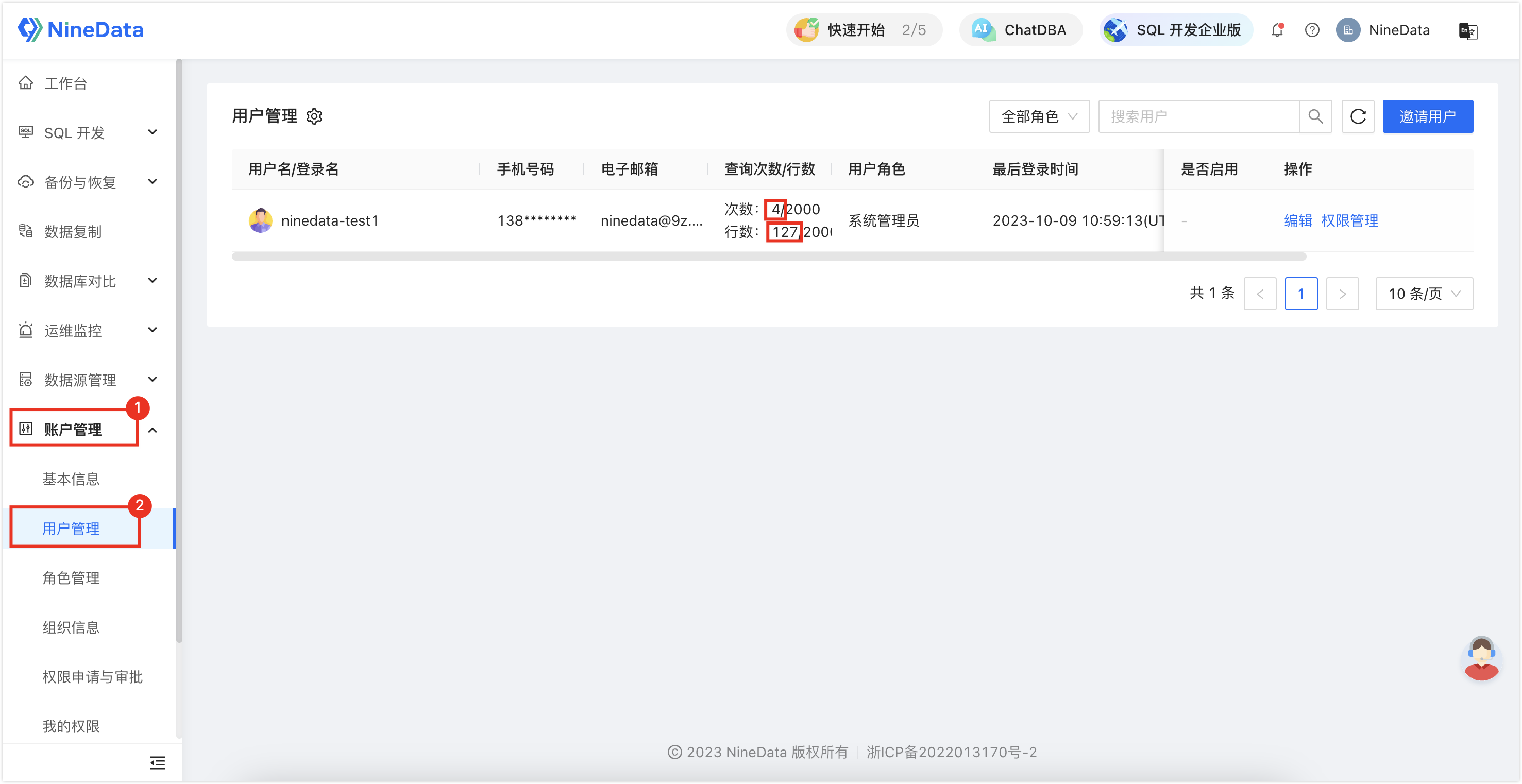
The left number shows used quota. The right number shows available quota.
Configure Global Query Limits
Configure daily query count and returned row limits for all users in the organization.
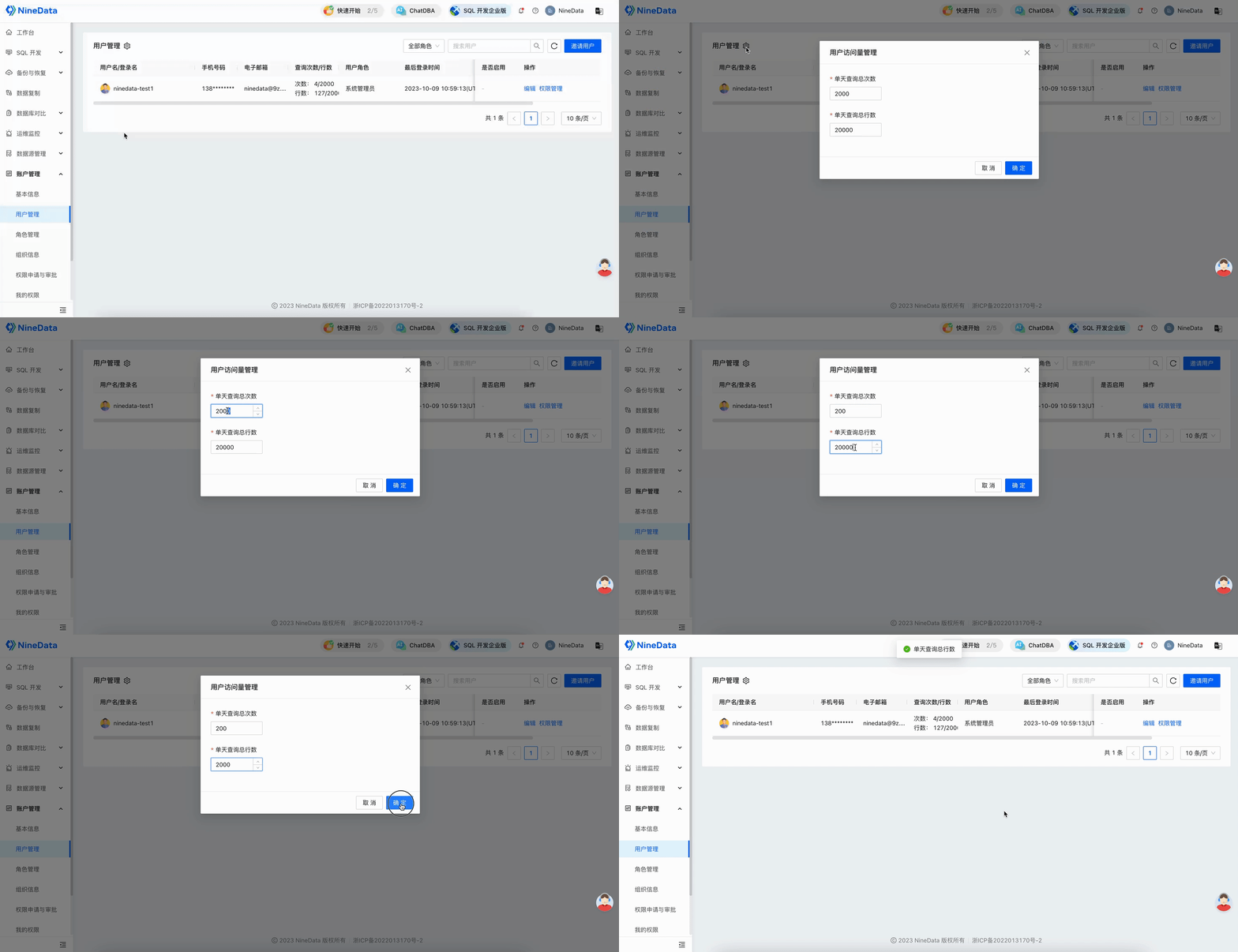
If a target user also has an individual quota, the individual quota takes precedence over the global quota.
Configure User-Level Query Limits
Configure daily query count and returned row limits for a specific user.

User-level settings apply only to the selected user and override the global setting.
Verify Quota Enforcement
When a user exceeds the daily query limit, NineData blocks the query and shows a limit-exceeded message.

Result
Daily query quotas are applied to the organization or selected users. Administrators can use the quotas with role permissions, audit logs, and sensitive data protection to reduce data leakage risk.