NineData Database DevOps
NineData Database DevOps gives engineering and operations teams one place to develop, review, approve, release, and audit database changes. Use this universal database tool to set up controlled SQL workflows, manage database access, work in the SQL Console, and use AI-assisted SQL features safely.
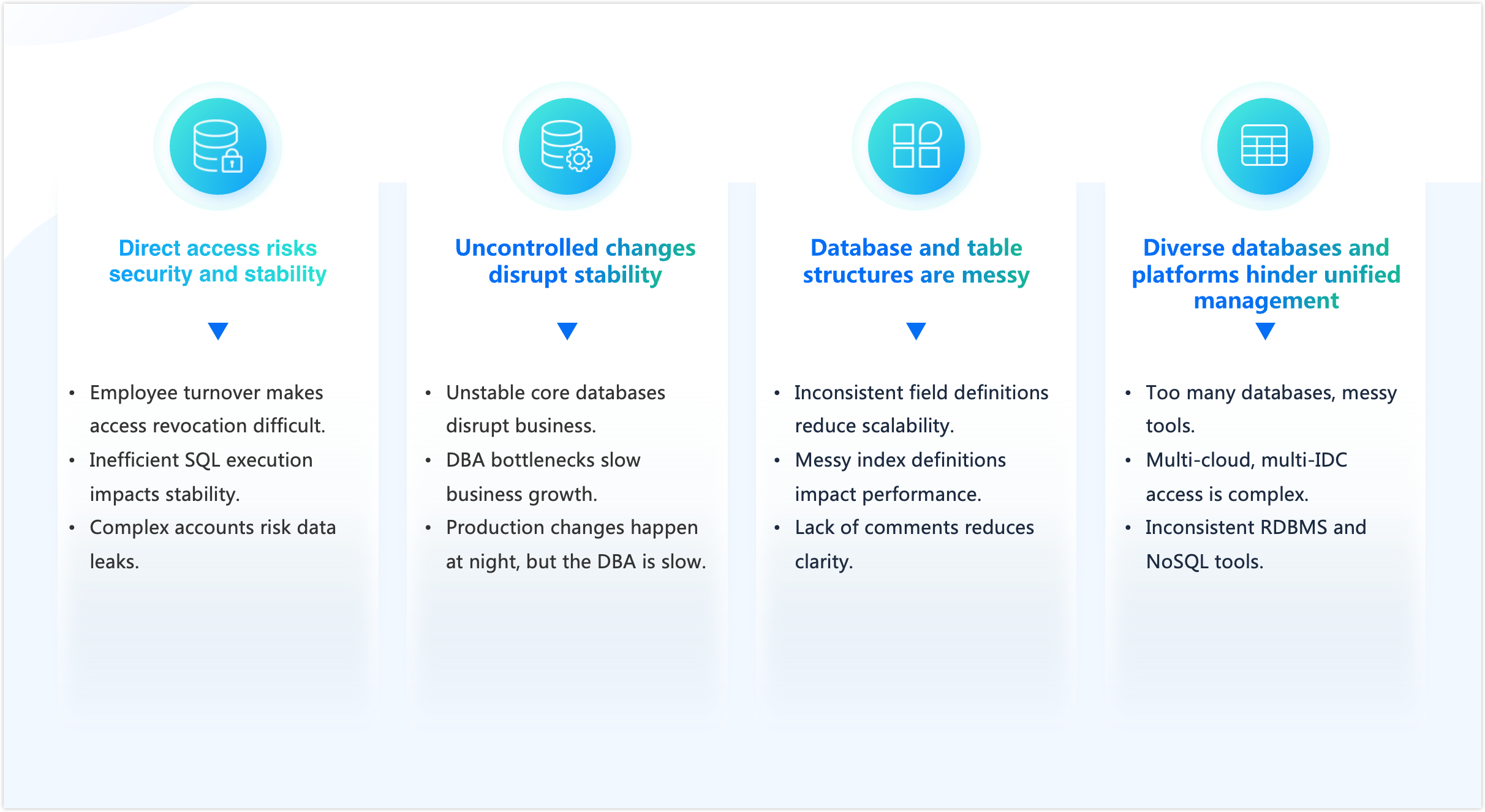
Why Use Database DevOps
Database changes often fail for operational reasons: direct production access, inconsistent review rules, disconnected tools, and limited audit visibility. NineData helps teams reduce those risks while keeping development work moving.
- Control production access: Route sensitive actions through permissions, approval workflows, and audit logs.
- Standardize SQL reviews: Apply SQL development rules before changes reach production.
- Manage heterogeneous environments: Work across SQL, NoSQL, cloud, and self-managed databases from a consistent workflow.
With NineData Database DevOps, teams can make database changes more predictable without slowing every request into a manual handoff.
Documentation Map
| Task | Recommended documentation |
|---|---|
| Build schema design, development, review, and release workflows | Schema Design and Release |
| Manage DDL versions, change records, and rollback | Database Version Management |
| Review and release SQL changes while controlling risk | SQL Code Review |
| Integrate SQL review into application GitOps release workflows | GitOps and SQL Code Review |
| Configure SQL development policies and approval workflows | Introduction to Policies and Processes, SQL Development Policy Management, Manage Approval Process |
| Query, edit, and execute SQL online | SQL Console |
| Use AI for SQL writing and optimization | Text2SQL, AI SQL Optimization |
| Handle slow SQL, data import/export, and rollback | Slow Query Analysis, Data Import, Data Export, Track & Rollback |
| Batch operations, archiving, and test-data preparation | Bulk Database Changes, Unified Query for Sharded Databases and Tables, Archive & Clean, Generate Test Data |
| Replace similar tools with NineData | NineData vs Bytebase, NineData vs Flyway, NineData vs DBeaver Community, NineData vs Navicat Premium |
Core Capabilities
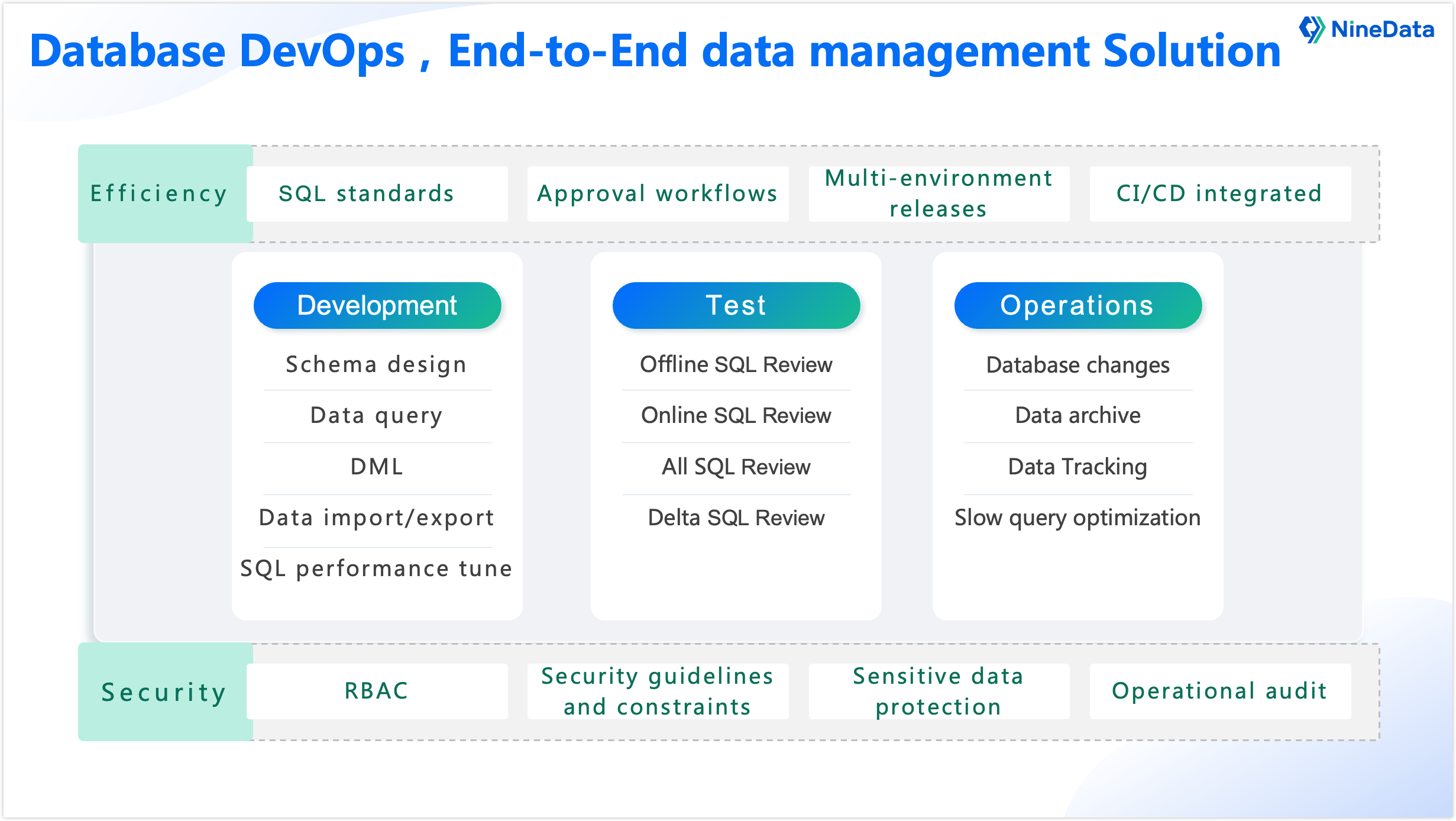
NineData Database DevOps covers the database development lifecycle across development, testing, release, operations, efficiency, and security.
Develop
- Design schemas and manage SQL work in a browser-based console.
- Query, import, export, and edit data with controlled access.
- Use AI-assisted SQL generation and optimization to reduce manual SQL drafting work.
Review and Test
- Apply SQL standards and approval workflows before changes are released.
- Review SQL offline for syntax and compliance, and online for execution risk.
- Compare environments and audit change records to catch issues earlier.
Release and Operate
- Submit database changes through SQL tasks and approval workflows.
- Use rollback, data tracking, archiving, and slow query analysis to support operations.
- Keep access, approvals, and sensitive operations auditable.
Customer References
Volvo

Volvo uses NineData to standardize SQL development practices, streamline SSO-based authentication, manage sensitive-data access, and audit sensitive operations.
MiniMax
MiniMax uses NineData to manage database operations across multi-cloud and multi-source environments, with controlled change management and online DML and DDL workflows.
Anker
Anker uses NineData to strengthen data security, support collaborative change management, control access, and support cross-border compliance requirements.
Nippon Paint
Nippon Paint uses NineData to centralize database access management, improve security auditing, and make change workflows more consistent.
China Unicom

China Unicom uses NineData's LLM-assisted capabilities to support SQL auditing and data protection.
Next Steps
- Start with SQL Console if you want to query or manage database objects.
- Start with SQL Code Review if you want to control database changes.
- Start with Text2SQL if you want to generate SQL with AI assistance.