Manage Oracle databases with NineData SQL Console
Use NineData SQL Console to query and manage Oracle databases from a browser-based Database DevOps workspace. The console supports visual SQL development, AI-assisted optimization, SQL autocomplete, saved SQL, execution history, and enterprise collaboration controls.
Challenges With Traditional Oracle Clients
Teams that work with Oracle databases often handle more than query editing:
- Some desktop clients are tied to specific operating systems.
- Commercial tools can be costly for individual developers or large teams.
- Multi-cloud and hybrid environments are hard to manage consistently.
- Direct database connections can increase operational and security risk.
- Approval, audit, and permission controls are often separated from the query tool.
NineData Capabilities
NineData provides a managed Oracle workflow with:
- Browser-based access without local client installation.
- Visual SQL development and result-set workflows.
- AI-assisted SQL optimization.
- SQL autocomplete for keywords, functions, tables, and fields.
- Saved SQL and SQL execution history.
- Permission control, audit logs, SSO, SQL development standards, and approval processes in organization mode.
Use SQL Console For Oracle
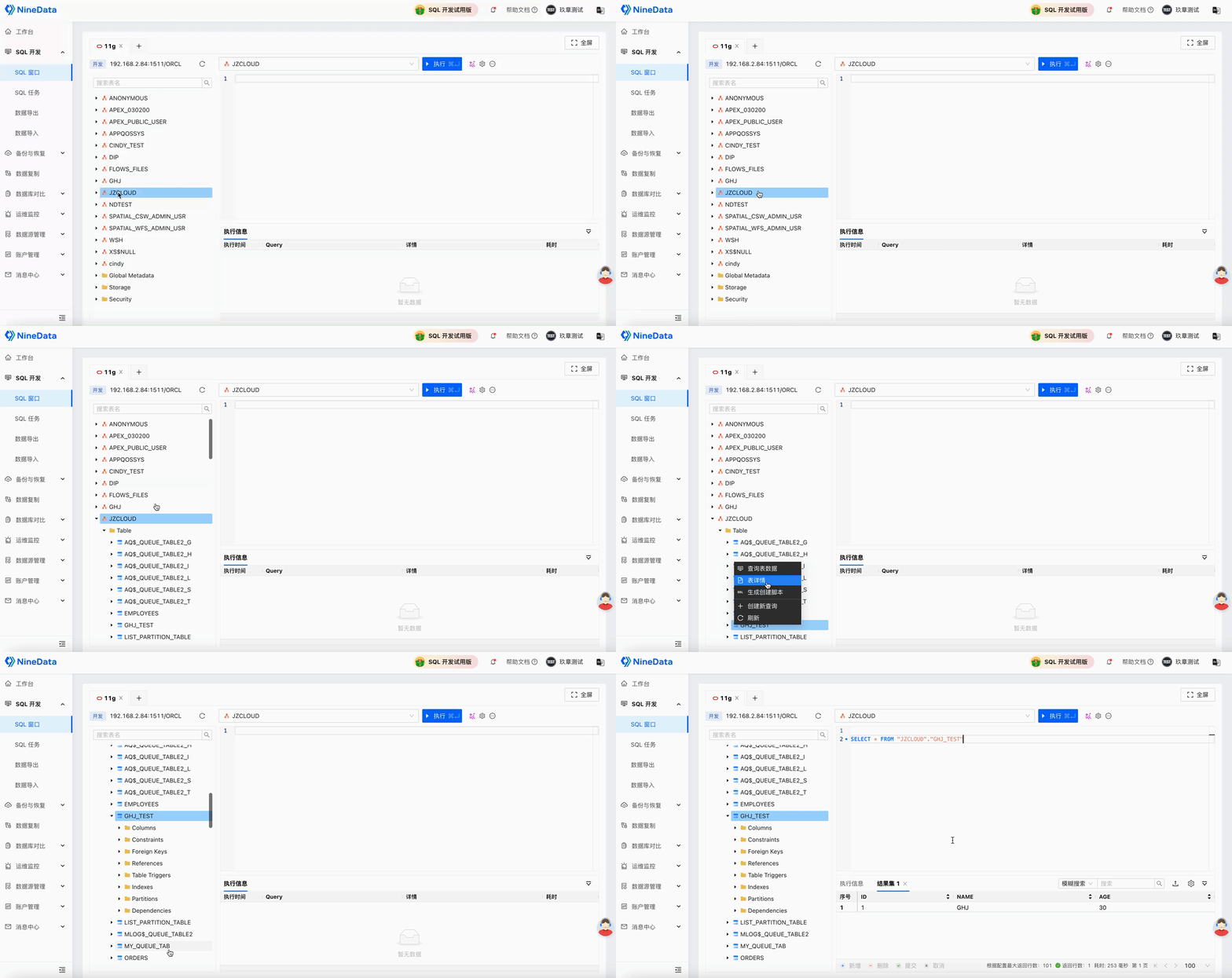
Visual SQL Development
Use the visual SQL Console to write and run Oracle queries.
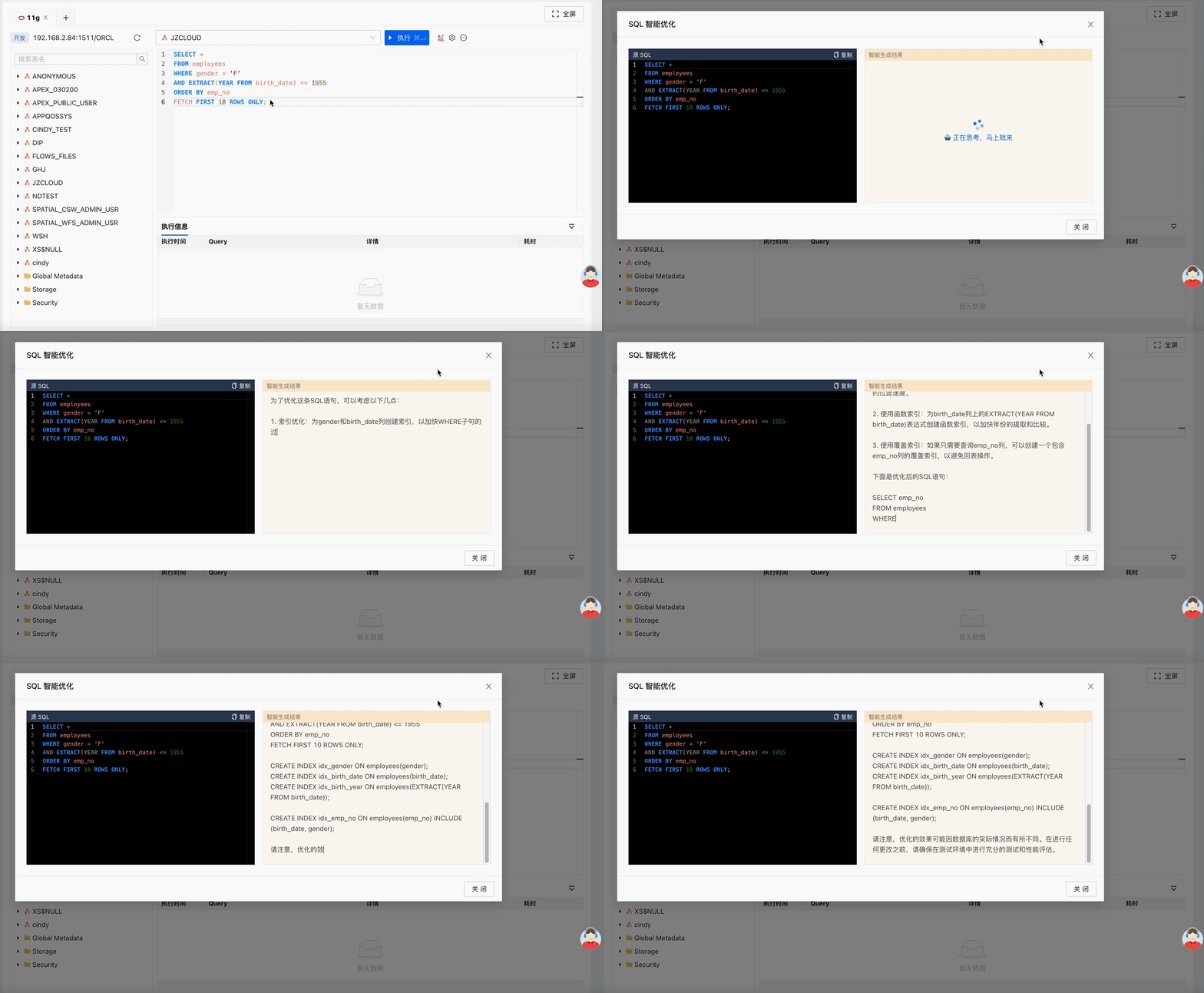
AI-Assisted SQL Optimization
Use AI optimization to review slow SQL and receive optimization suggestions.
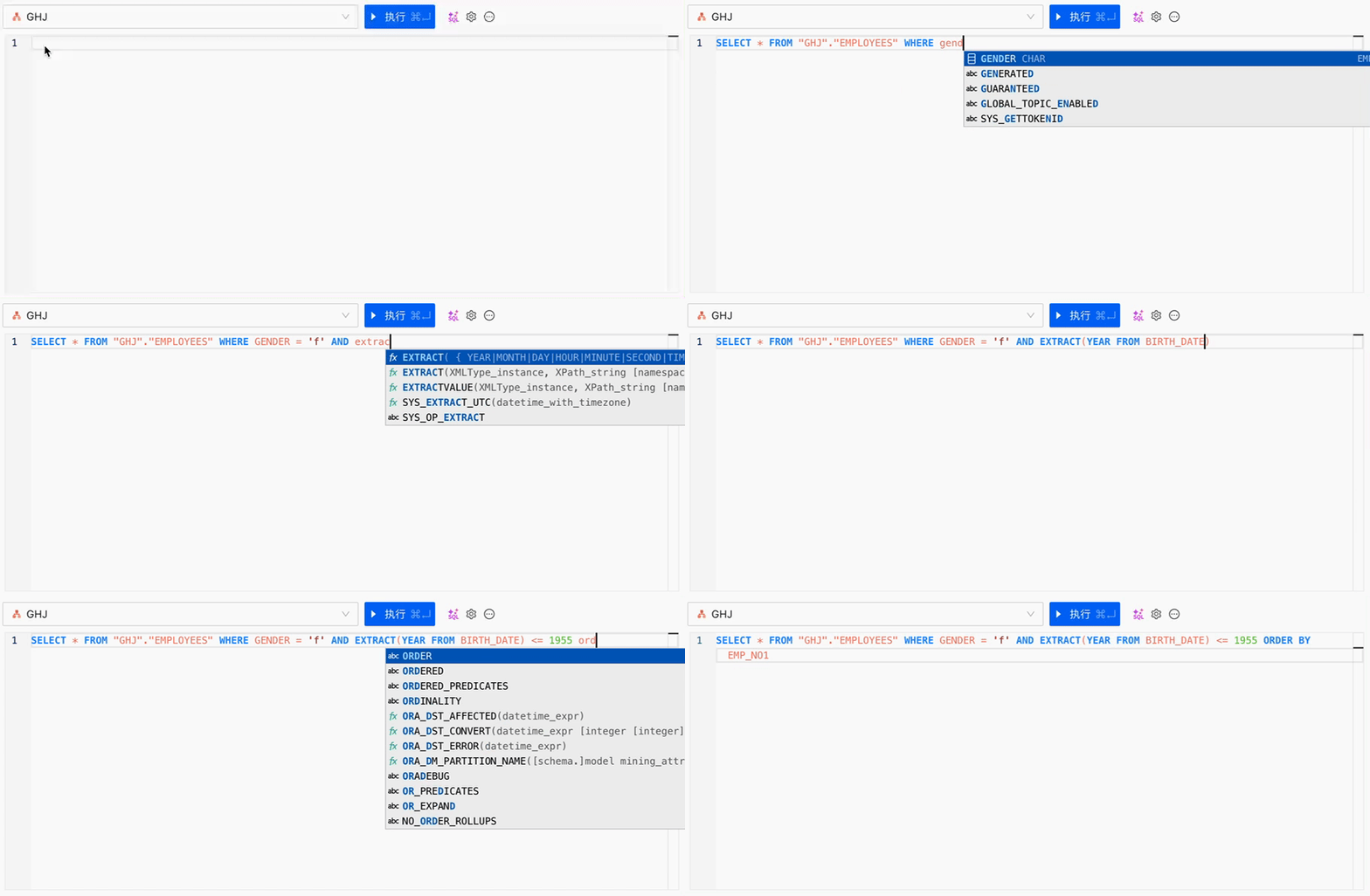
SQL Autocomplete
Use autocomplete suggestions for keywords, functions, tables, and fields while writing SQL.
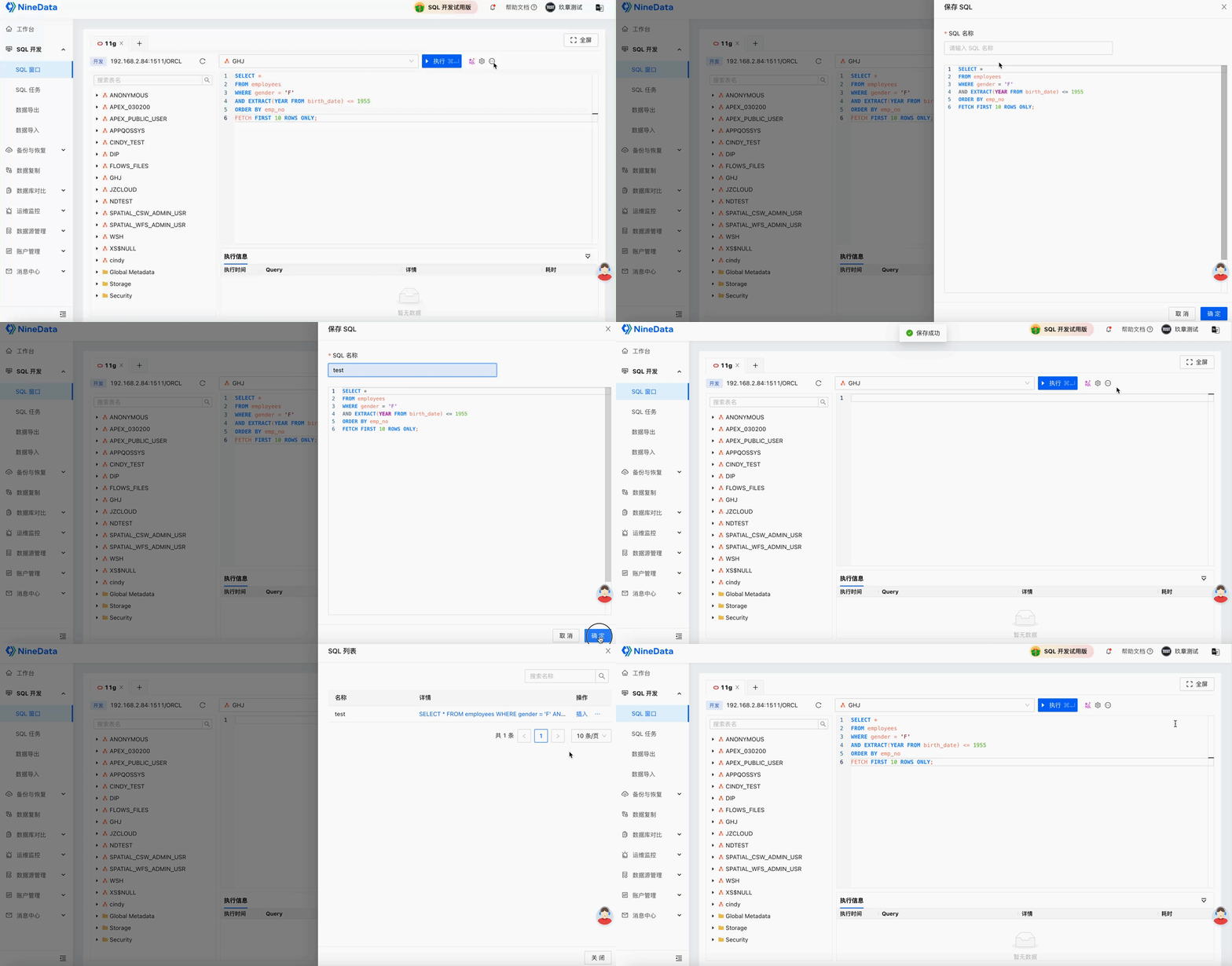
Saved SQL
Save frequently used SQL in NineData and insert it into the SQL Console when needed.
Result
After the Oracle data source is added to NineData, developers and DBAs can manage Oracle queries and changes in one governed workspace, while administrators keep permissions, standards, approval, and audit controls in the same platform.