Manage Dameng databases with NineData
Use NineData Database DevOps to manage Dameng databases from a visual SQL workspace. NineData supports SQL editing, result-set editing, permission control, SQL development standards, approval processes, scheduled execution, data import and export, and SQL optimization workflows for Dameng data sources.
Why Use NineData For Dameng
Enterprise database teams often need more than a basic client. They need a shared workflow for development, governance, and production change control. NineData helps teams:
- Run SQL in a visual console with syntax assistance.
- Avoid uncontrolled direct database access.
- Assign permissions by user or role.
- Apply SQL development standards.
- Route risky SQL through approval.
- Schedule SQL task execution.
- Import and export data through task-based workflows.
Capabilities
NineData supports the following Dameng workflows:
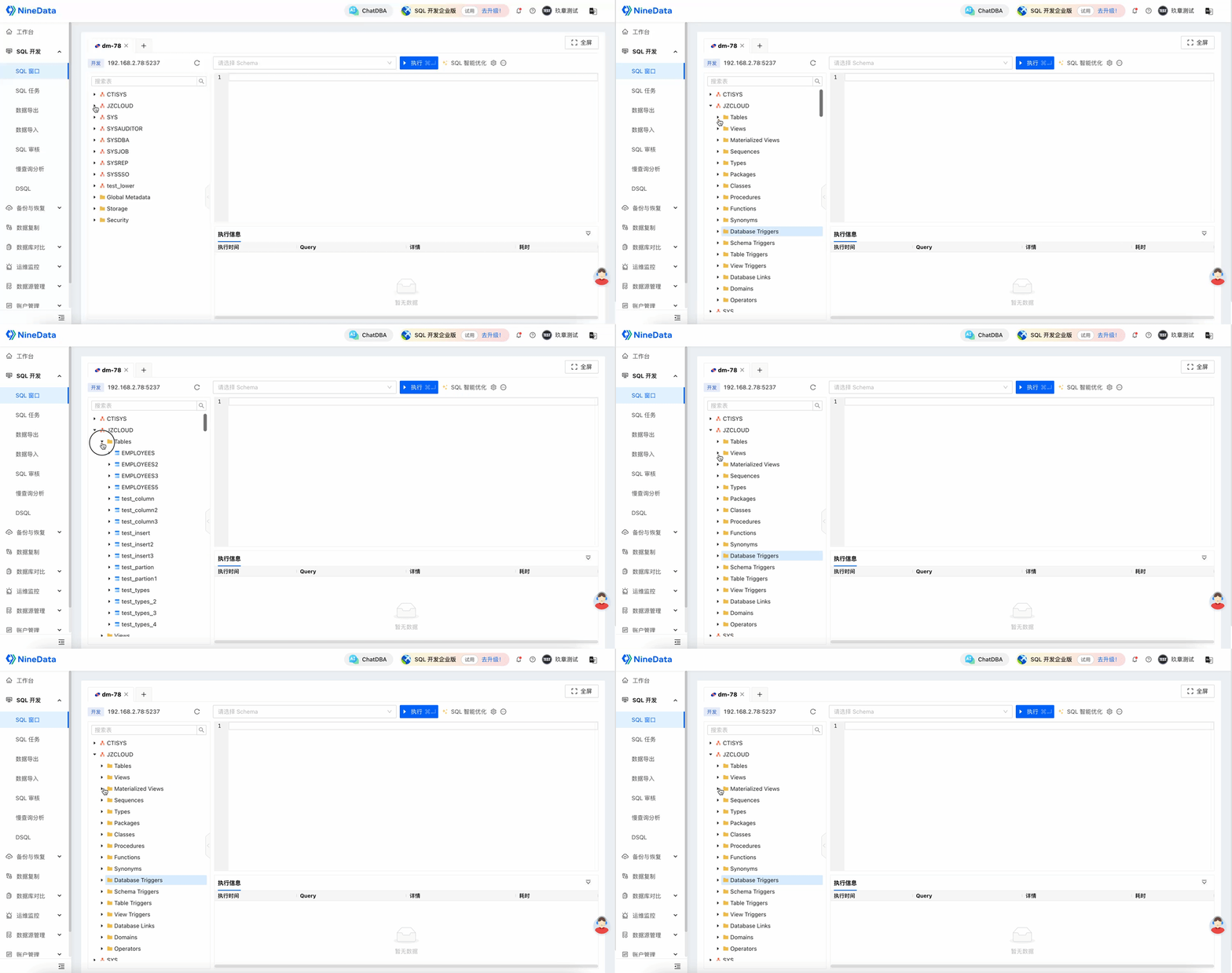
- Visual navigation tree for schemas, tables, and non-table objects.
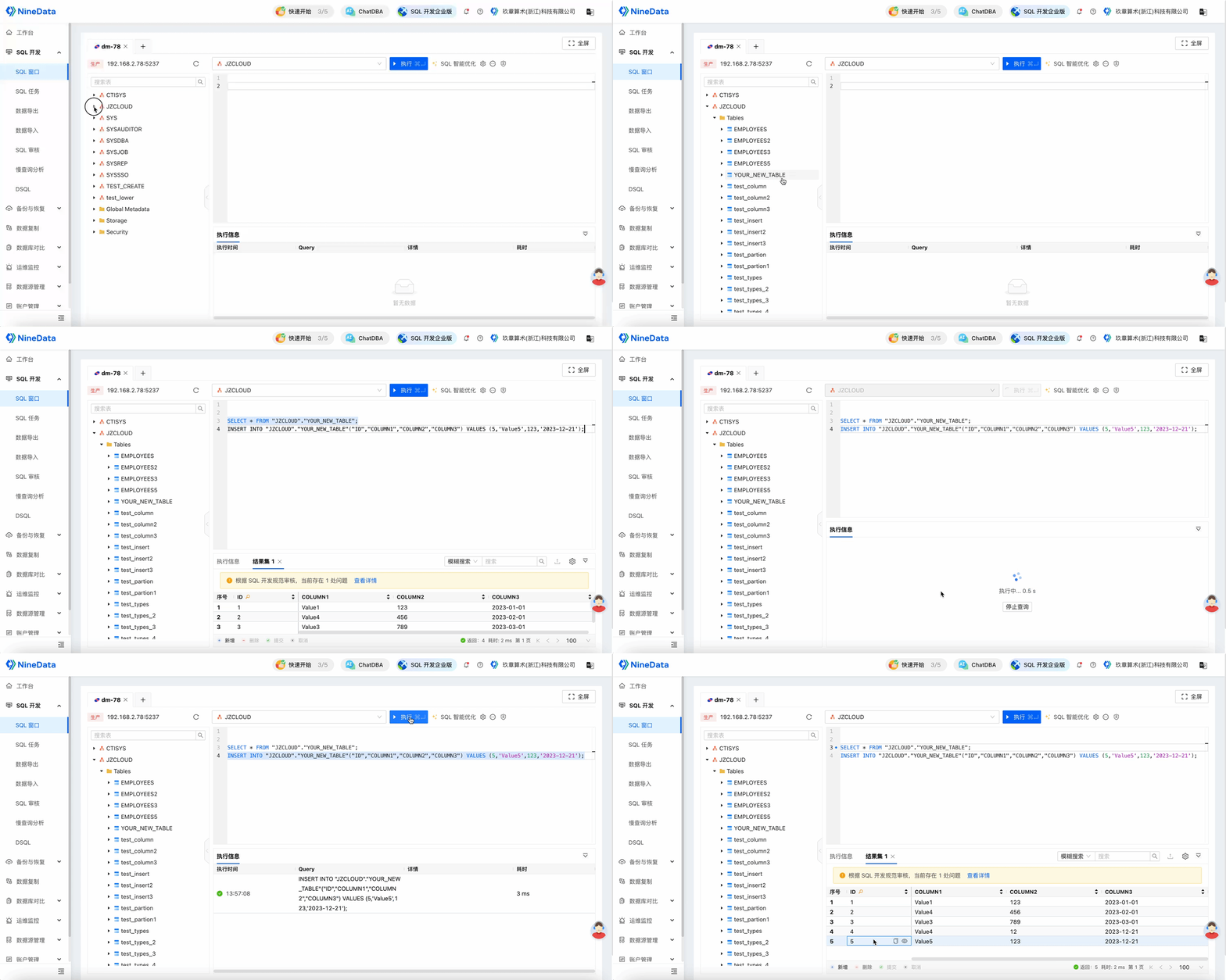
- SQL editing and execution.
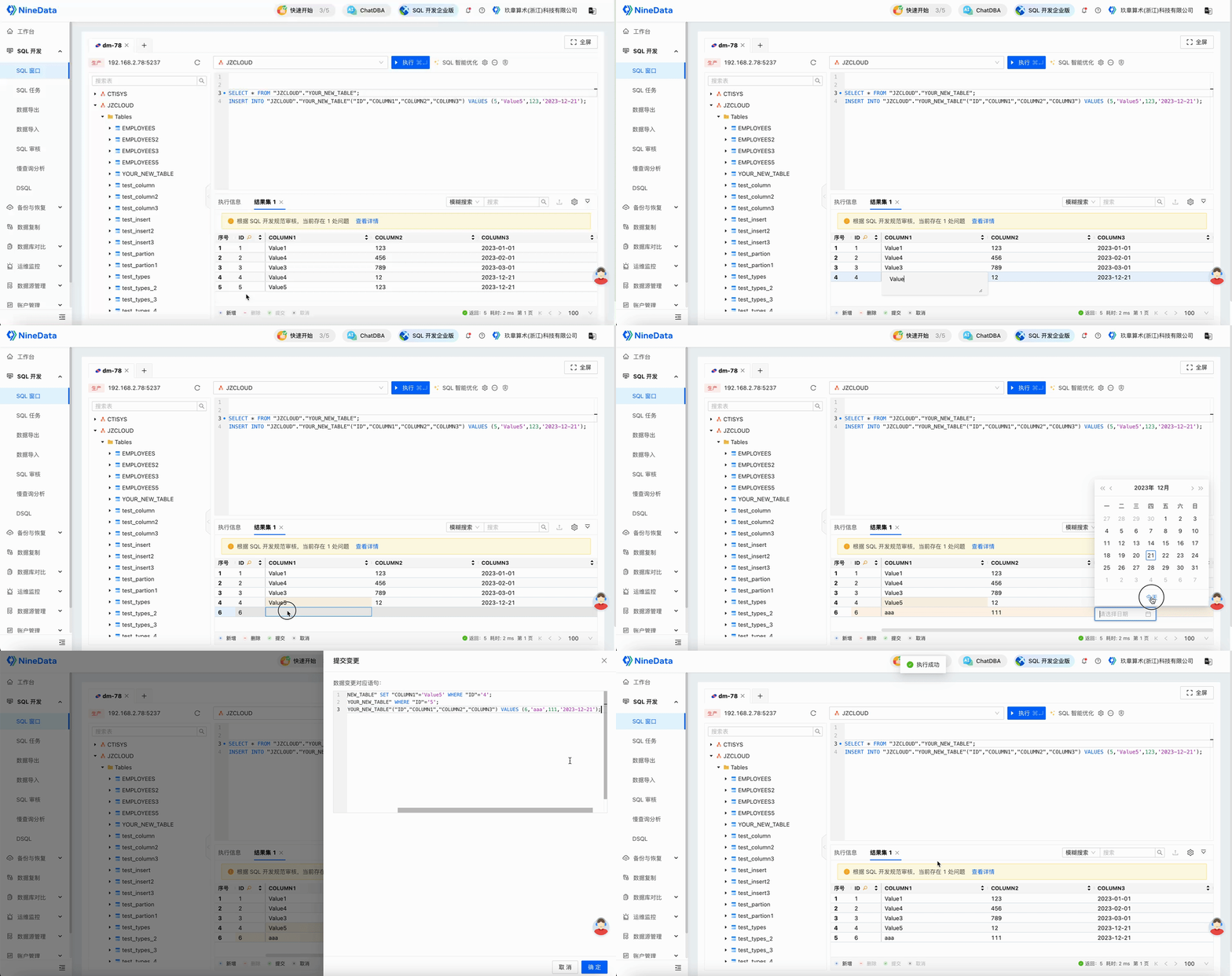
- Visual result-set editing.
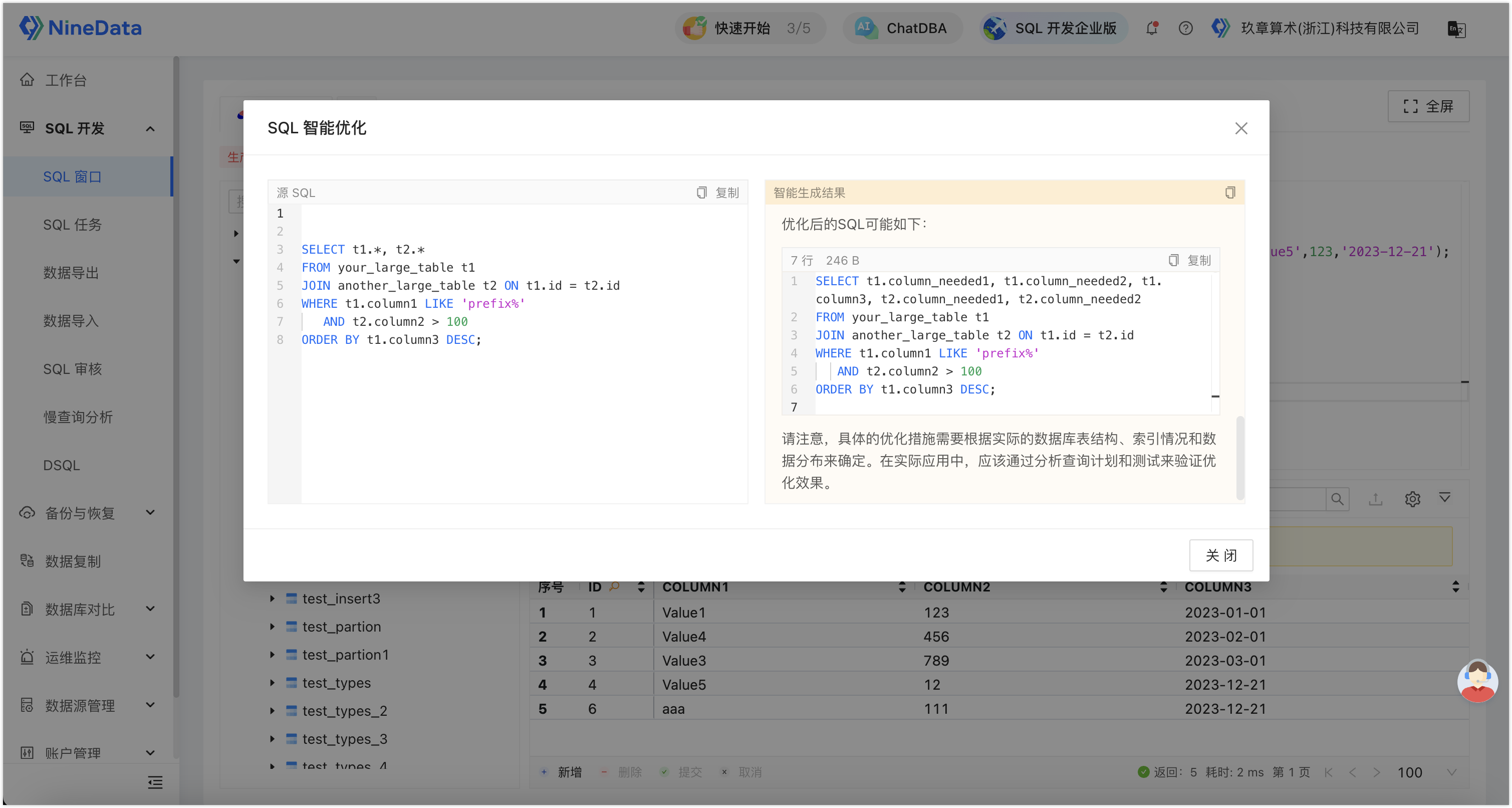
- AI-assisted SQL optimization.
- SQL policy checks and interception of non-compliant statements.
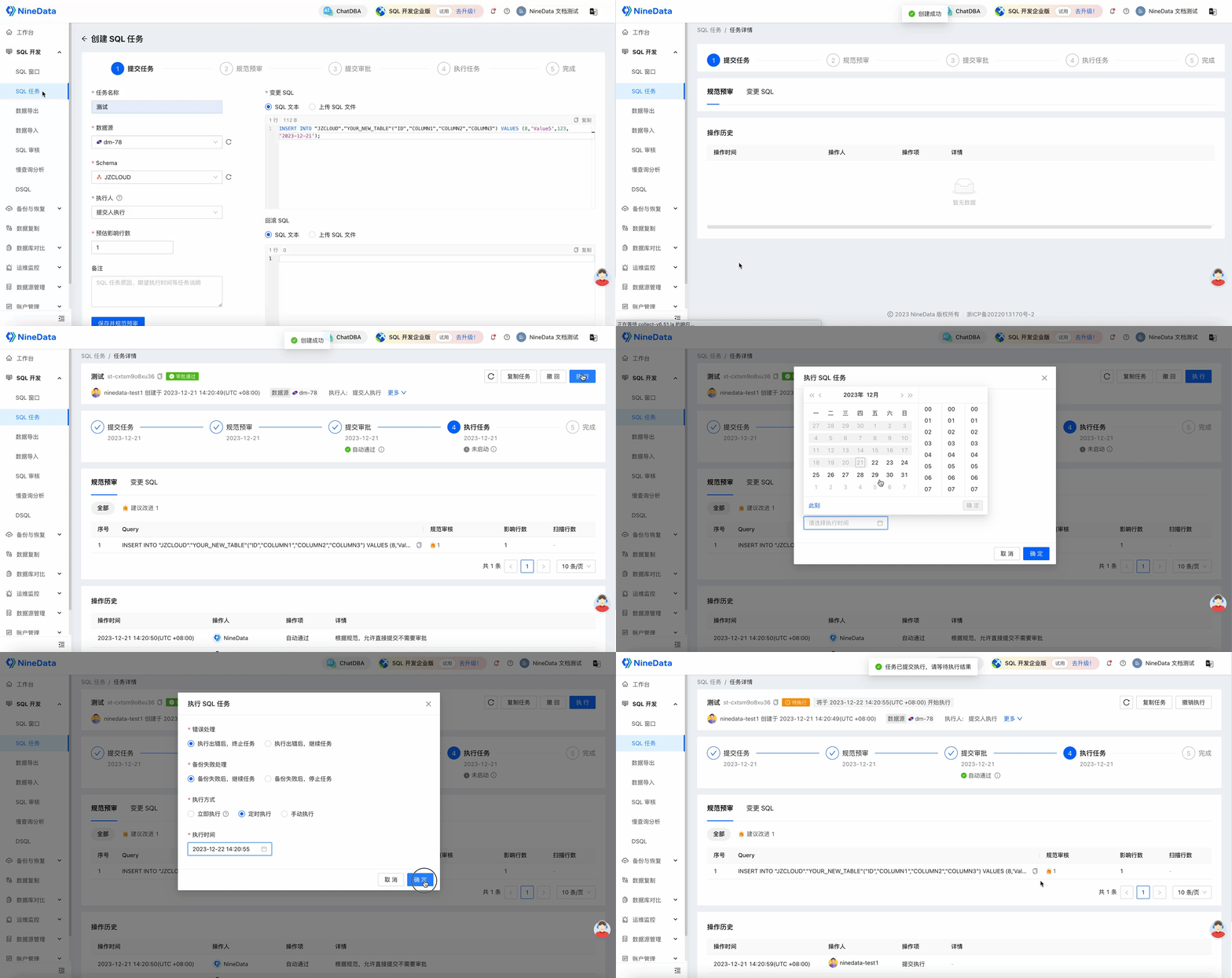
- Scheduled SQL task execution after approval.
Examples
View Database Objects
Use the navigation tree to browse schemas, tables, and non-table objects.
Edit And Execute SQL
Run SQL statements for database query and change work.
Edit Result Sets
Edit result sets visually and generate change SQL based on the edited data.
Optimize SQL
Use AI-assisted optimization for SELECT statements.
Intercept Non-Compliant SQL
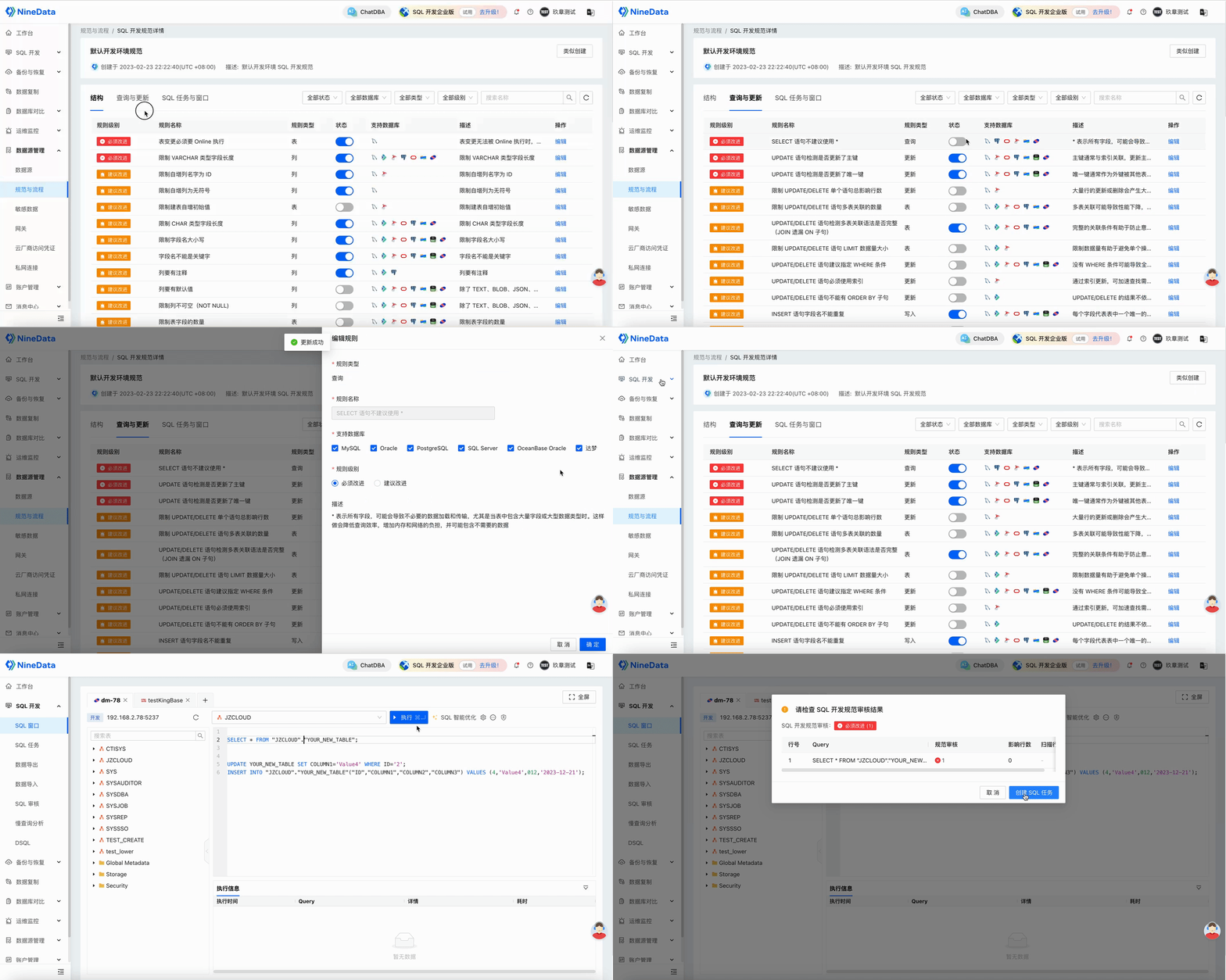
Configure SQL development standards, such as blocking SELECT *, and let NineData intercept non-compliant SQL.
Schedule SQL Execution
Submit SQL tasks and schedule execution after approval.
Result
After a Dameng data source is added to NineData, developers and DBAs can use one governed workspace for SQL development, change approval, permission control, optimization, and data movement.