SQL Intelligent Optimization for Performance Risk Analysis | NineData
When a SQL statement becomes slow, the cause may be a scan scope, index, join pattern, or execution plan. NineData SQL Intelligent Optimization analyzes the current SQL together with the data source type, table structure, and index information, then returns performance risks and recommendations for review.
Before you begin
- Identify the data source to analyze and prepare the SQL statement. Open that data source in the SQL Console.
When to use this workflow
- Identify statements that may cause full table scans, inefficient joins, or expensive sorting before release.
- Analyze suspicious SQL when database load increases or application response time becomes slow.
- Compare an index or SQL rewrite direction before making a database change.
What SQL Intelligent Optimization does
After you start an analysis in the SQL Console, NineData can return information about:
- SQL structure, access paths, and potential performance risks.
- Indexes, primary keys, unique constraints, and table design.
- Full table scans, weak index usage, filters, joins, and sorting.
- Data type mismatches and statement patterns that may affect performance.
- Execution information that helps you evaluate an optimization direction.
SQL Intelligent Optimization returns advisory output. It does not directly modify or execute SQL. Before applying an index or SQL change in production, review the execution plan, business semantics, data distribution, and change-approval requirements.
Use SQL Intelligent Optimization
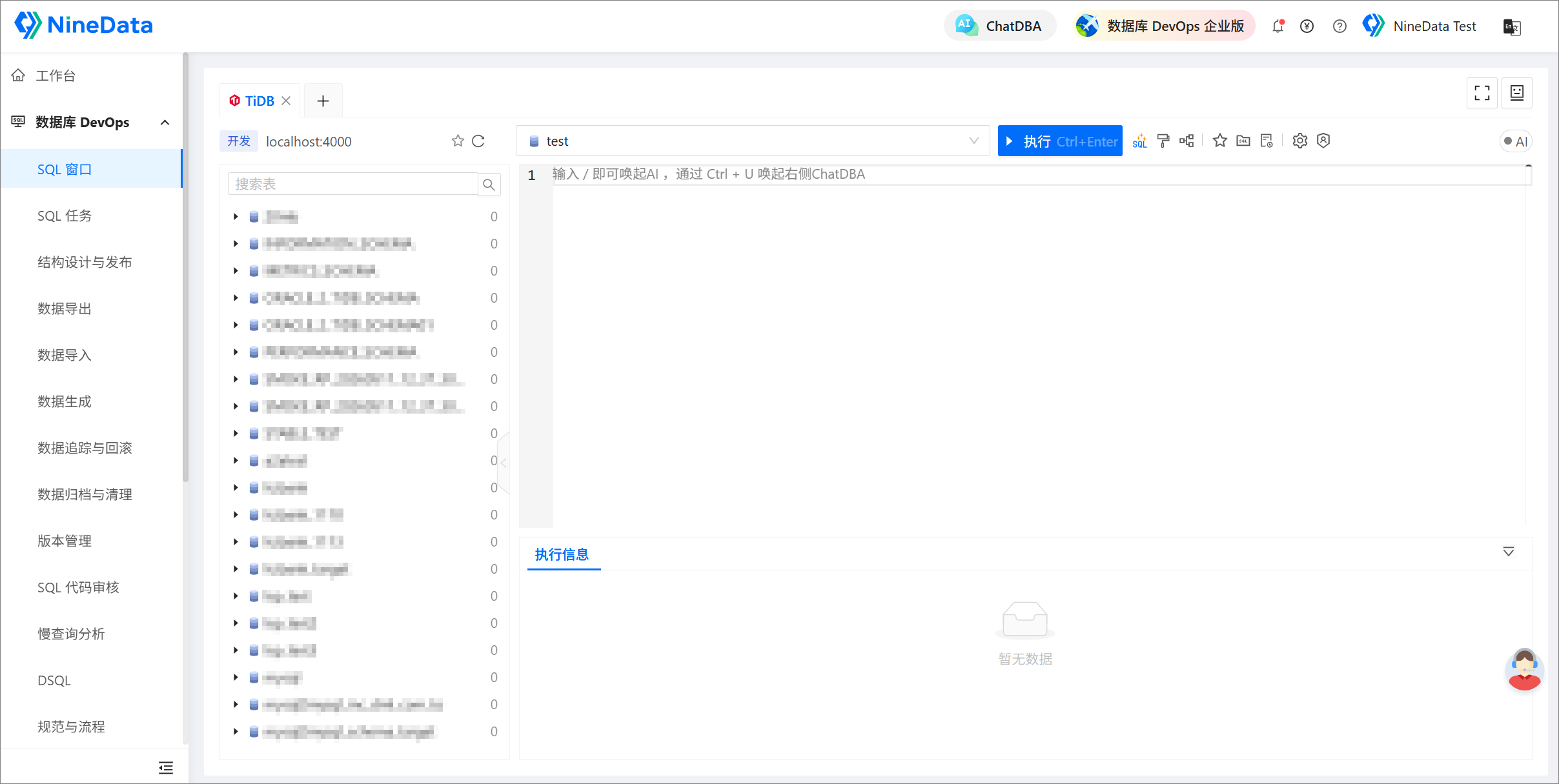
Open the SQL Console for the target data source.
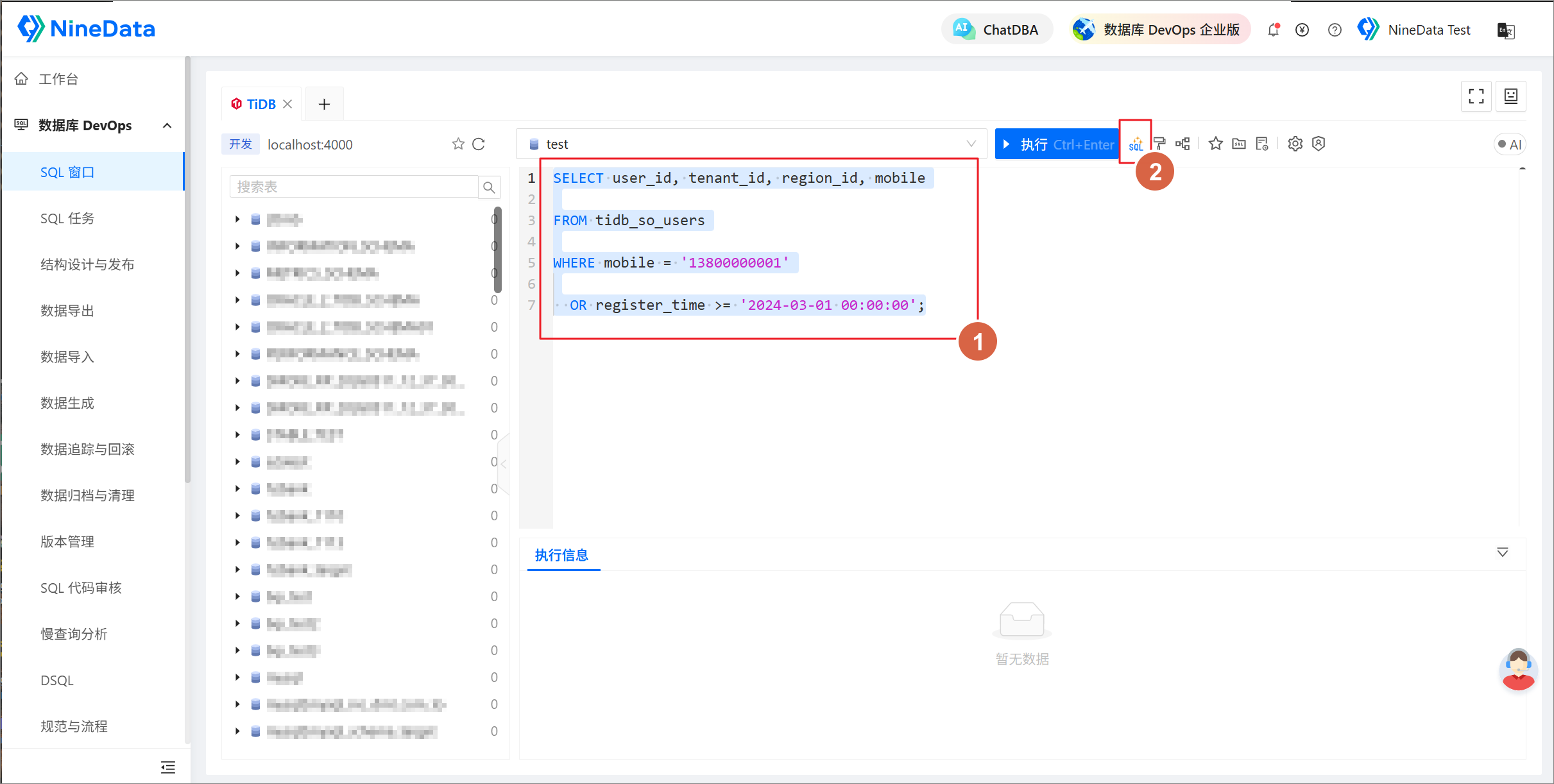
Place the cursor in the SQL statement you want to analyze, or select the complete statement, and click SQL Optimize.
Wait for the analysis to finish. Review the risk explanation, recommendations, and execution information before deciding whether to change the SQL or database objects.
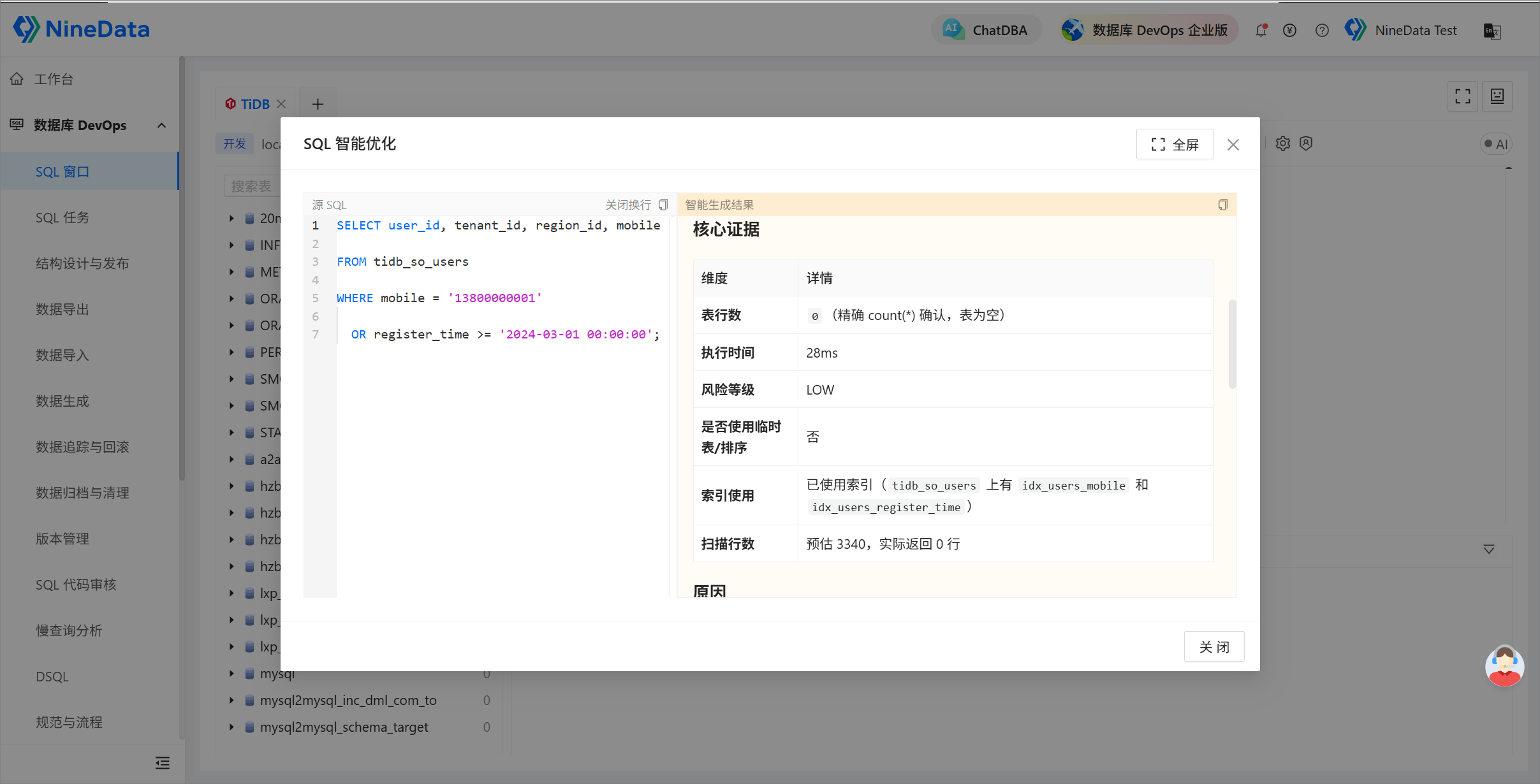
Recommendations
- Confirm the statement, target data source, and database scope before starting the analysis.
- Review index and SQL rewrite recommendations manually and confirm that query semantics remain unchanged.
- Validate the proposed change in a test environment, then release it through your organization's SQL standards and approval workflow.
- Recheck the execution plan and actual runtime after the change instead of relying only on the estimate.