Archive and clean historical data
Use NineData Data Archiving to move expired historical data from a business database to archive storage, then clean the archived rows from the source table. This helps teams control storage growth, keep frequently accessed tables smaller, and run cleanup work through a repeatable task workflow.
When To Use Data Archiving
Data archiving is useful when:
- Historical data is increasing storage costs.
- Large tables are slowing down common queries.
- Teams need scheduled cleanup instead of manual cleanup scripts.
- Historical records must be retained in a separate database for long-term lookup or compliance.
How The Workflow Works
A data archiving task uses a time field and retention rule to identify rows that should be archived. NineData copies matching rows to the archive target and then cleans them from the source table based on the selected strategy.
For periodic cleanup, configure a schedule so NineData can scan and archive eligible data automatically.
Before you begin
Before you create an archiving task, make sure that:
- The source and archive target data sources have been added to NineData.
- You have permission to create and execute data archiving tasks.
- The source table has a reliable time field that can be used to identify historical data.
- Your organization has confirmed the retention period and archive destination.
- Any required approval process is configured for the target environment.
For easier long-term maintenance, include creation and update timestamps in tables that may need archiving. For example:
`created_time` datetime NOT NULL DEFAULT CURRENT_TIMESTAMP COMMENT 'Creation Time',
`updated_time` datetime NOT NULL DEFAULT CURRENT_TIMESTAMP ON UPDATE CURRENT_TIMESTAMP COMMENT 'Update Time'
Create A Data Archiving Task
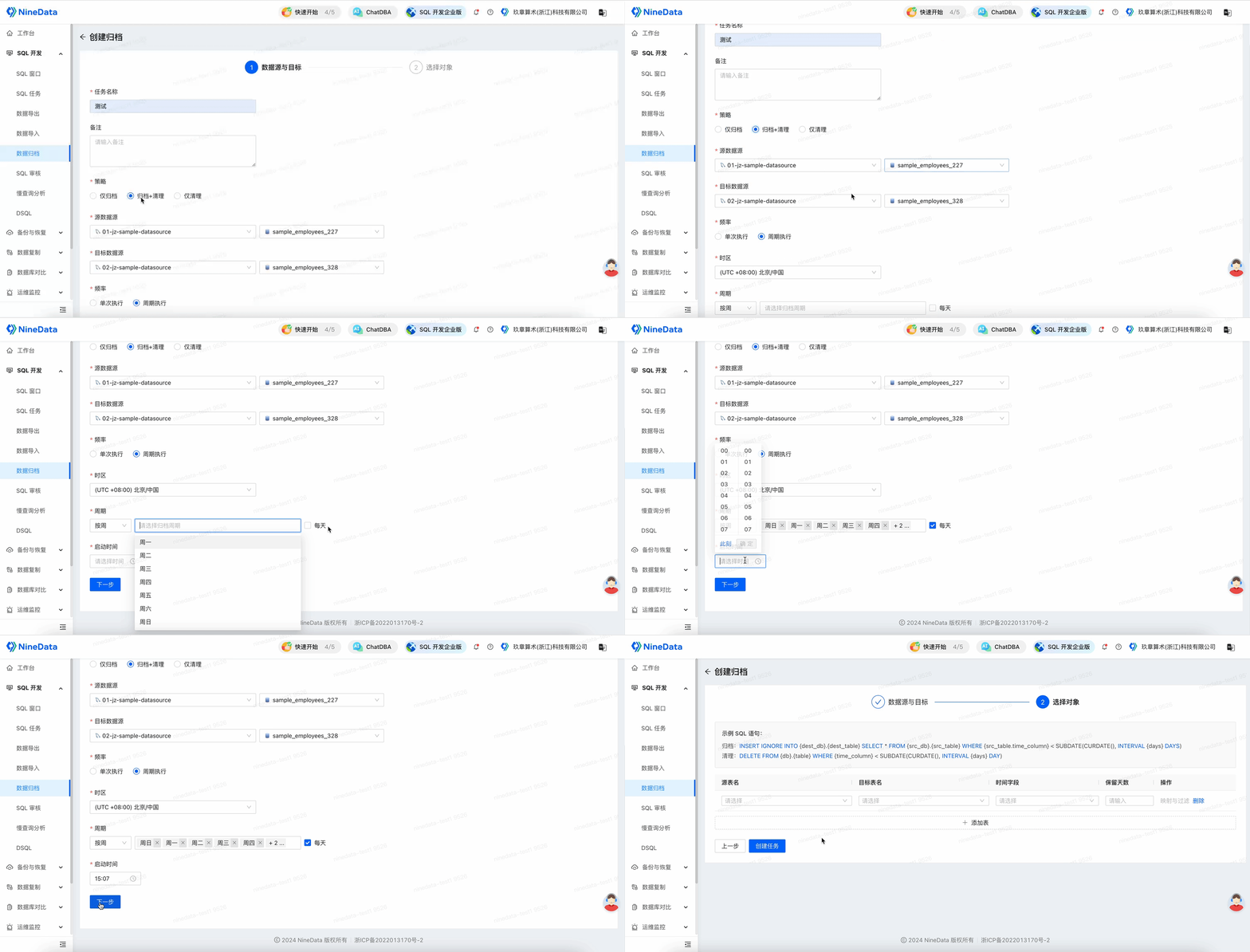
Create an archiving task.
Select Archiving + Cleaning as the archiving strategy.
Select the source data source and the archive target data source.
For Frequency, select Periodic Execution, then configure the schedule and start time.
Select the source table and target archive table.
Select the Time Field used to decide whether a row should be archived.
Set Retention Days. For example, enter
365to archive data older than one year.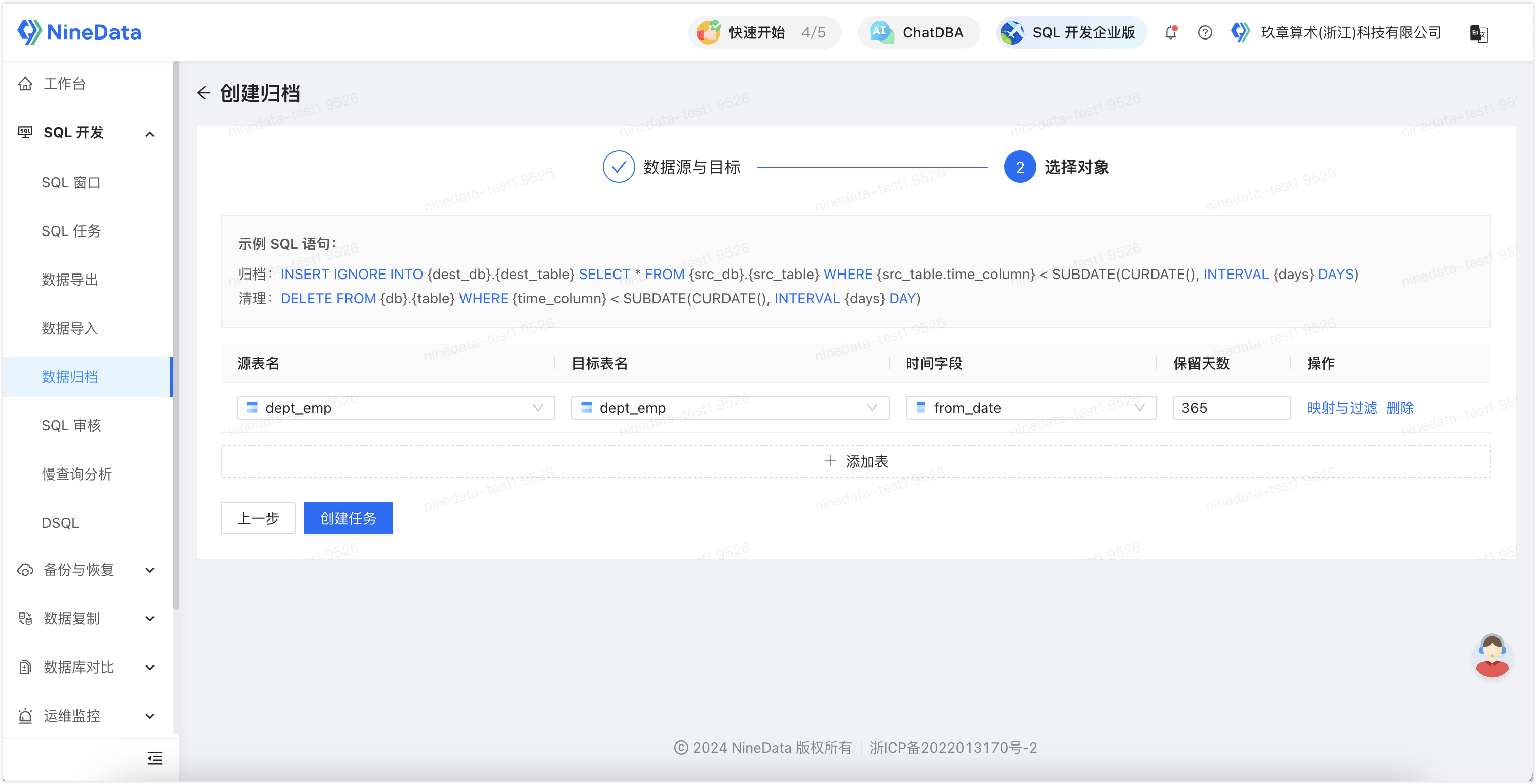
Optional: Select Mapping and Filtering to configure filtering conditions. In the example below, only rows where
dept_no = 0are archived.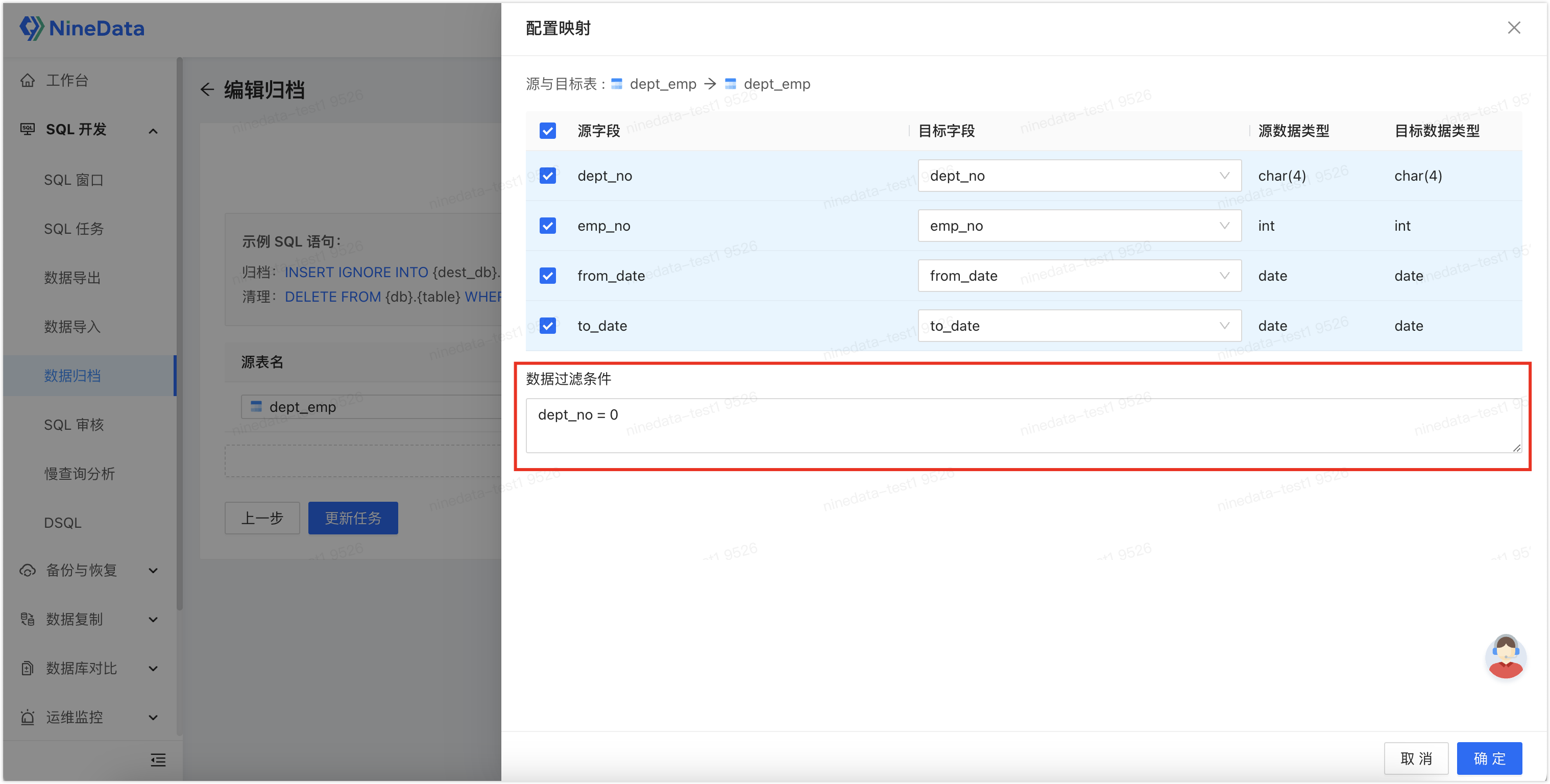
Select Create Task.
Complete the precheck and approval workflow if approval is required.
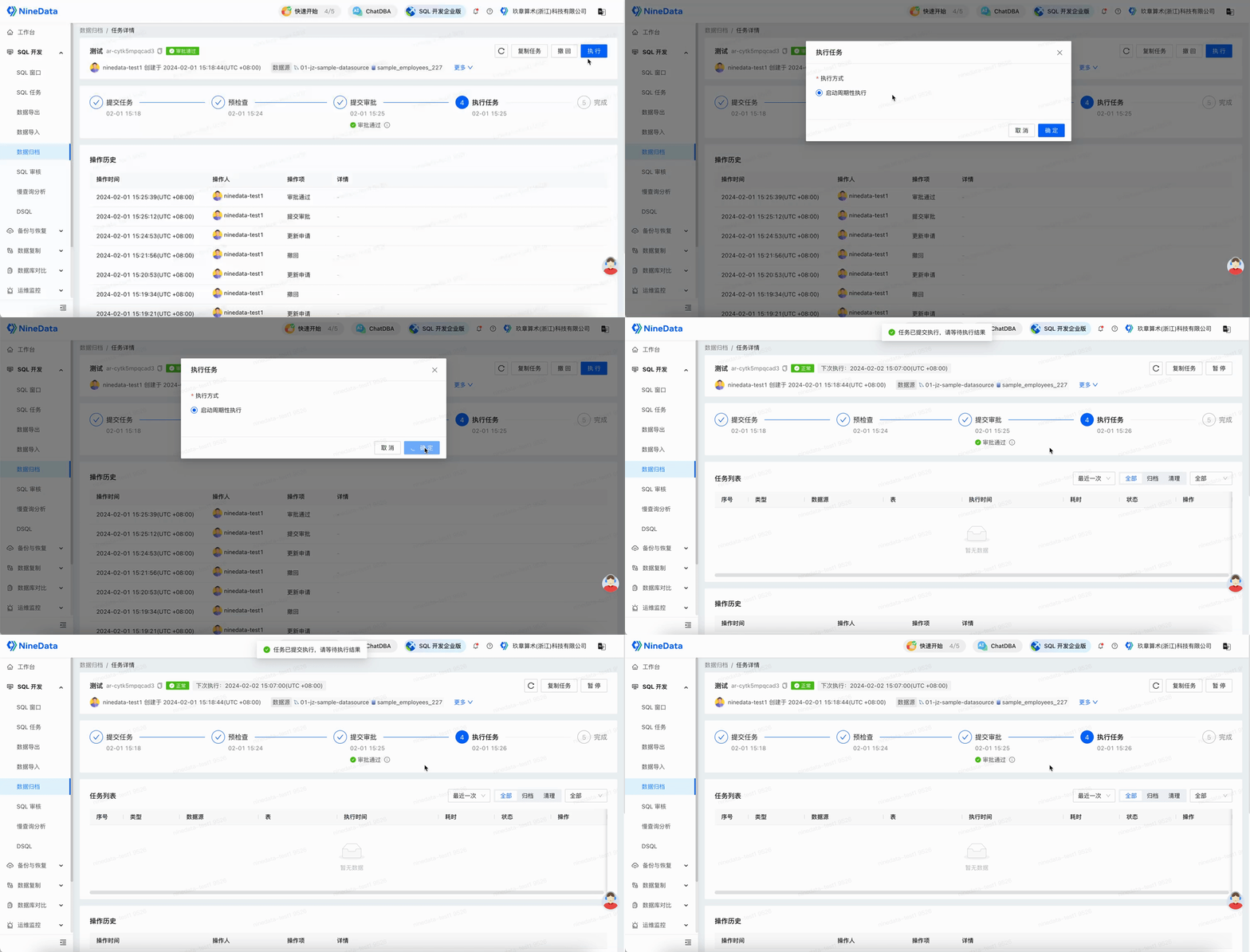
Result
After the task is approved and executed, NineData archives rows that match the configured time and filter conditions, then cleans the archived rows from the source table. For periodic tasks, NineData repeats the scan and cleanup based on the configured schedule.
NineData executes archiving work in batches based on primary key or unique key indexes when available. Review task details after each run to confirm the archived row count, cleanup status, and any errors that require follow-up.