Get started with NineData quick-start tasks
Use NineData quick-start tasks to learn the main console workflows step by step. The tasks help new users understand data source creation, Database DevOps, backup recovery, migration, and team collaboration without having to explore every module manually.
What the tasks cover
NineData quick-start tasks cover five main areas:
- Data source creation: Add a data source, configure connection parameters, test the connection, and manage the data source.
- Database DevOps: Run SQL queries and create data export tasks.
- Minute-level data recovery: Back up a data source, query backup data, and restore backup data when needed.
- Non-stop data migration: Create a migration task and enable data consistency verification after migration.
- Enterprise collaborative development: Create an organization, configure SQL development standards, configure approval processes, and follow team-based workflows.
Before you begin
Before you start quick-start tasks, make sure that:
- A NineData console account is available for sign-in.
- You have access to the data sources or test environment required by the task.
- For team collaboration tasks, you have permission to create or manage an organization.
Start quick-start tasks
- Sign in to the NineData console.
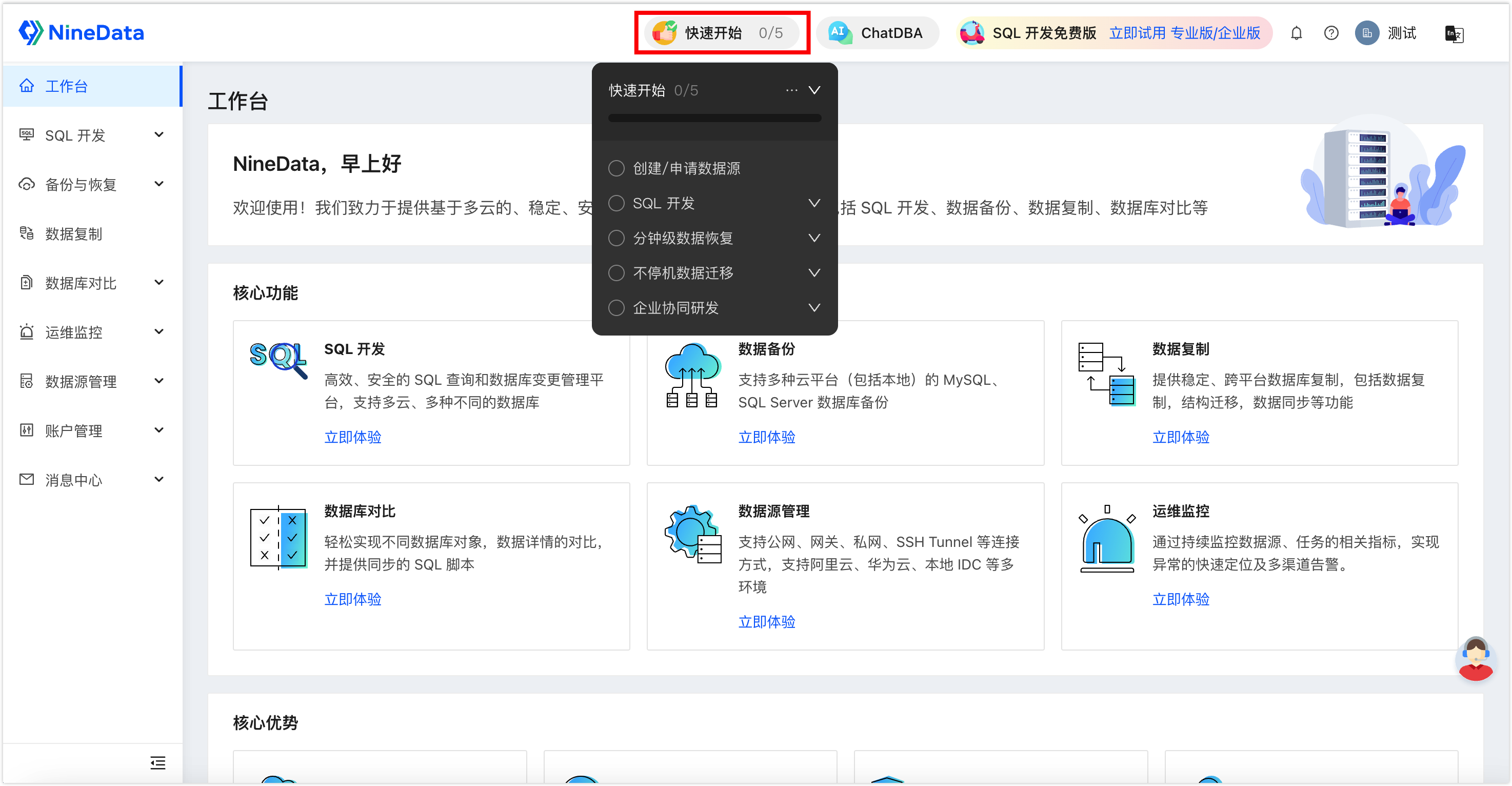
- Select Quick Start at the top of the page.
- Select a task name. NineData opens the corresponding operation page.
- Follow the task prompts on the page.
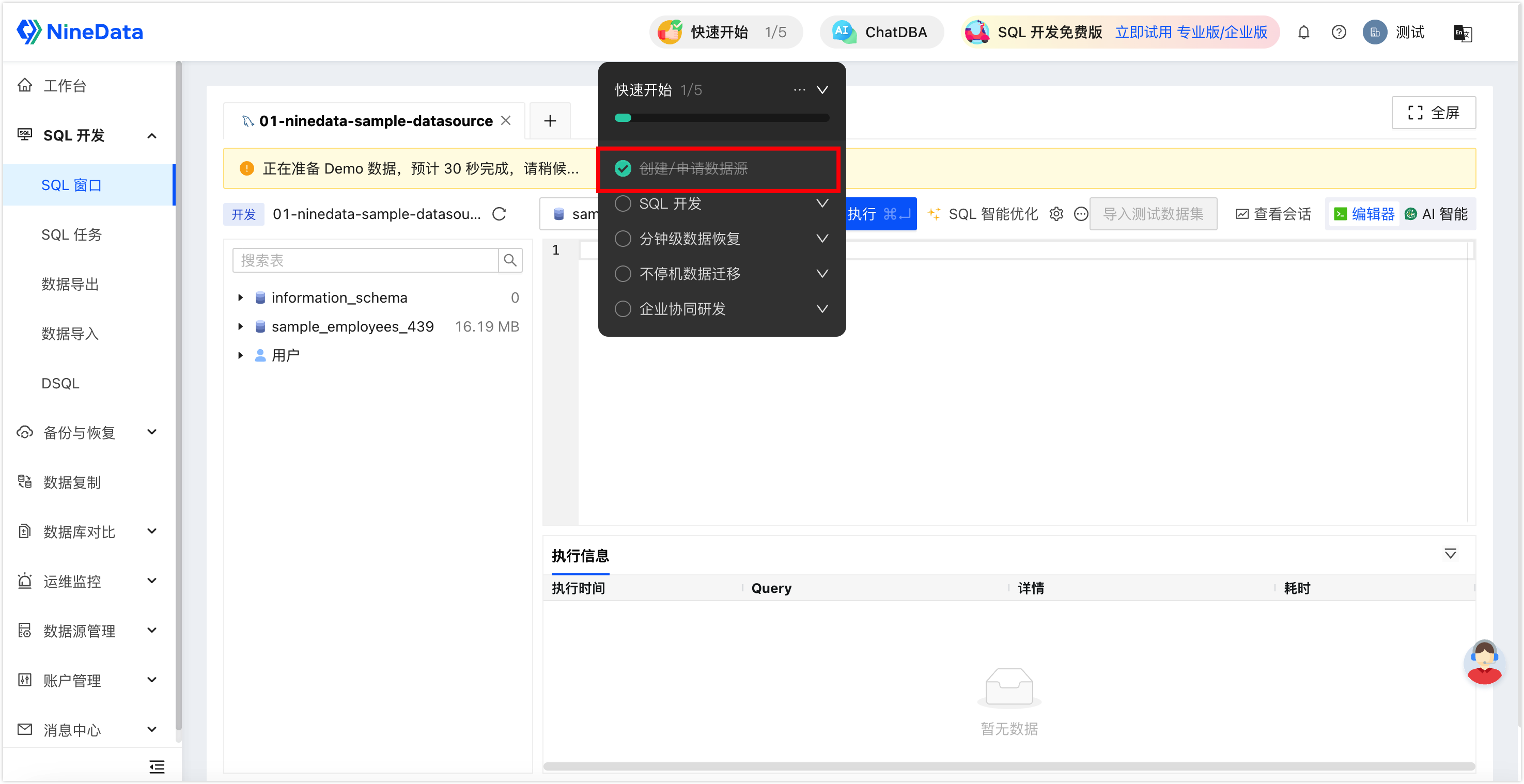
After you finish a task, the task list marks it as complete and updates the progress bar.
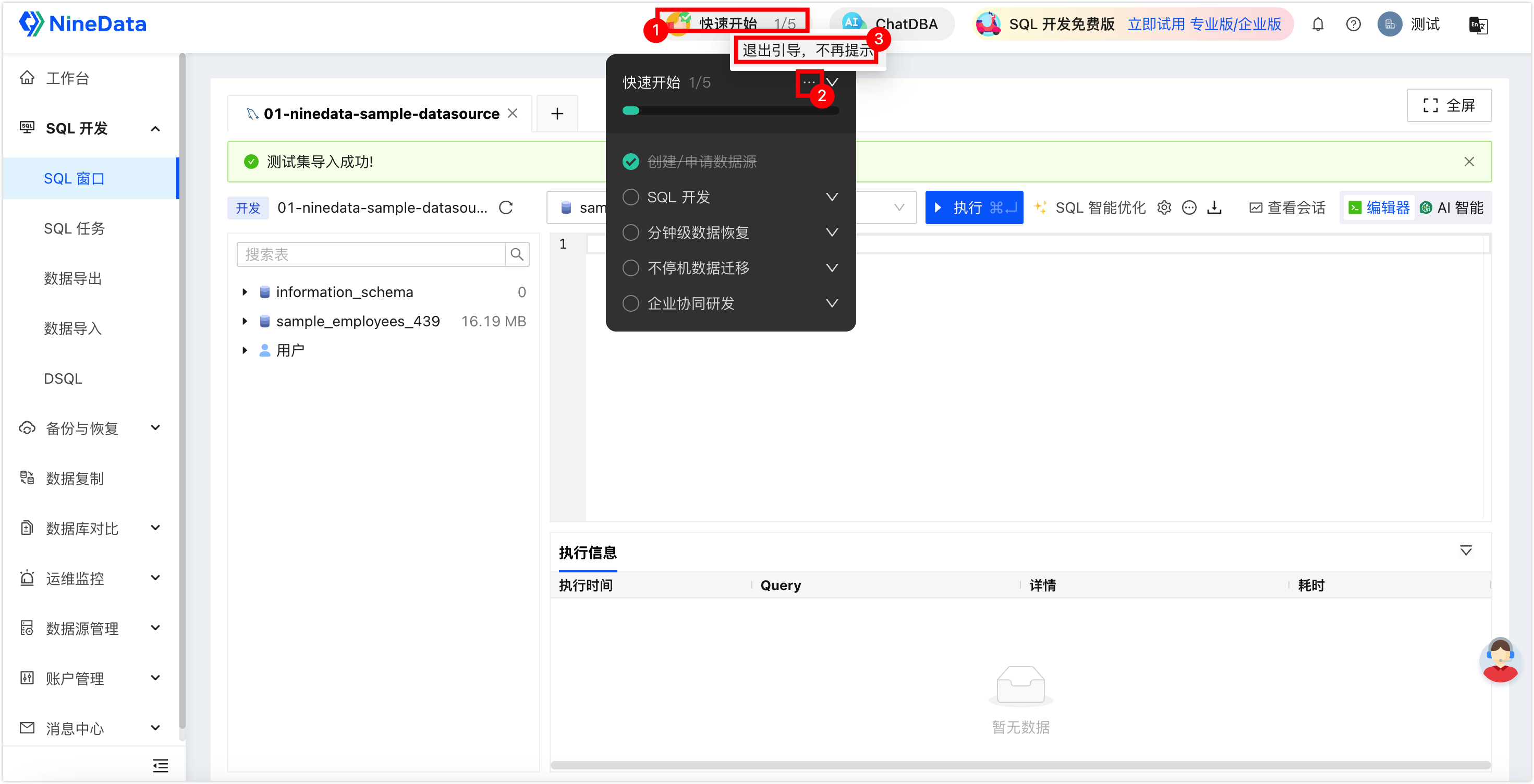
If you no longer need quick-start tasks, close them from the task panel. After the tasks are closed, they cannot be restarted.
Result
After completing the quick-start tasks, users have a guided path through the core NineData workflows and can continue with regular database management, recovery, migration, or team collaboration tasks.