Manage Apache Doris with NineData Database DevOps
NineData Database DevOps provides data asset management, data queries, SQL execution, data editing, data import and export, SQL approval workflows, SQL standards prechecks, and sensitive data protection for Apache Doris.
Lightweight Deployment Options
Enterprise developers and small teams can deploy NineData Community Edition locally for internal Apache Doris development and testing. The Community Edition supports Docker-based single-command installation and is permanently free. For deployment instructions, see NineData Community Edition.
Before you begin
- You have registered a NineData account. If you do not have one, go to the NineData registration page.
- You have the connection information and account credentials for the Apache Doris instance.
Step 1: Add a Doris data source
Sign in to the NineData Console.
Click Datasource > Datasource, and then click Create Datasource.
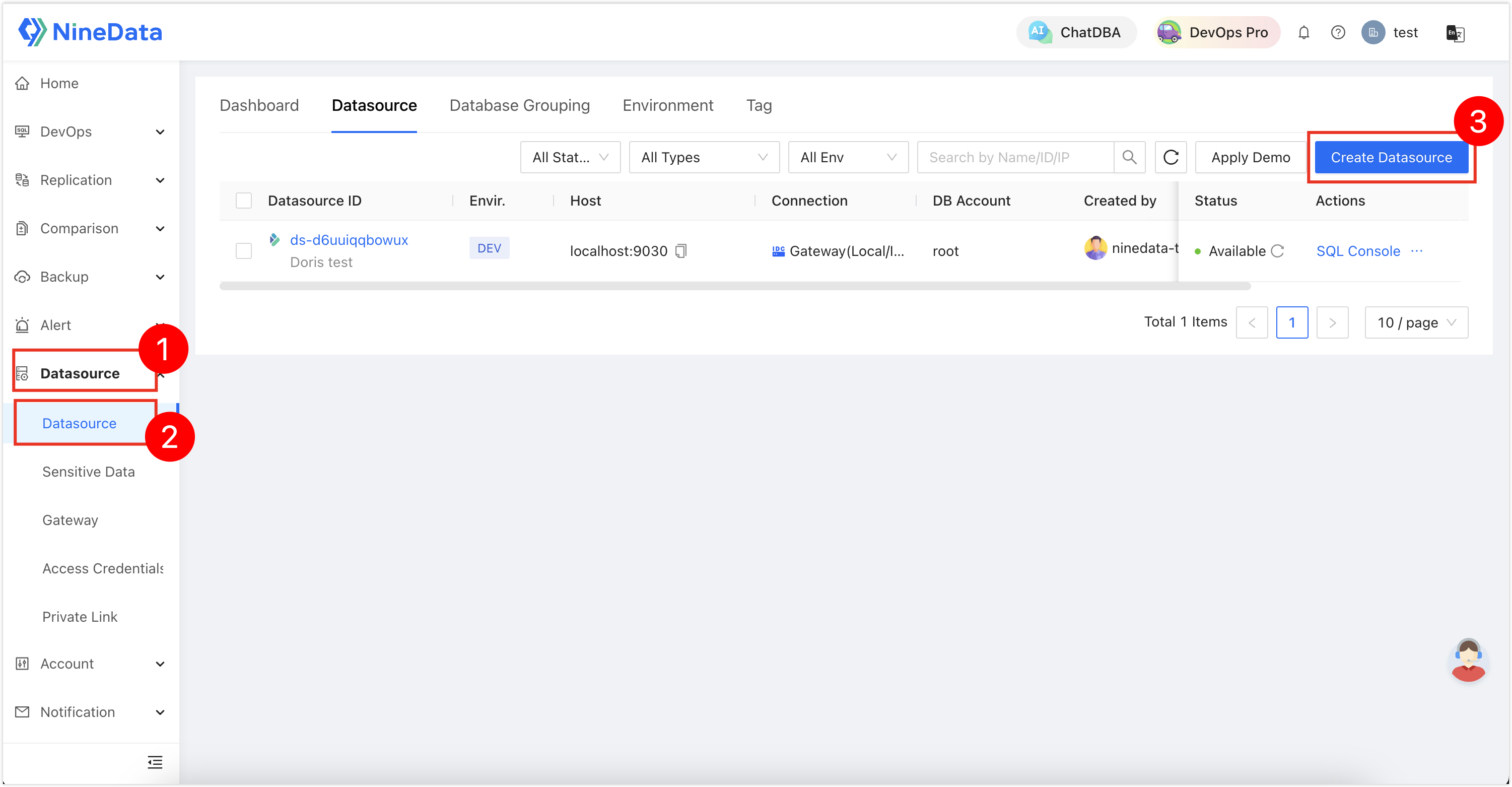
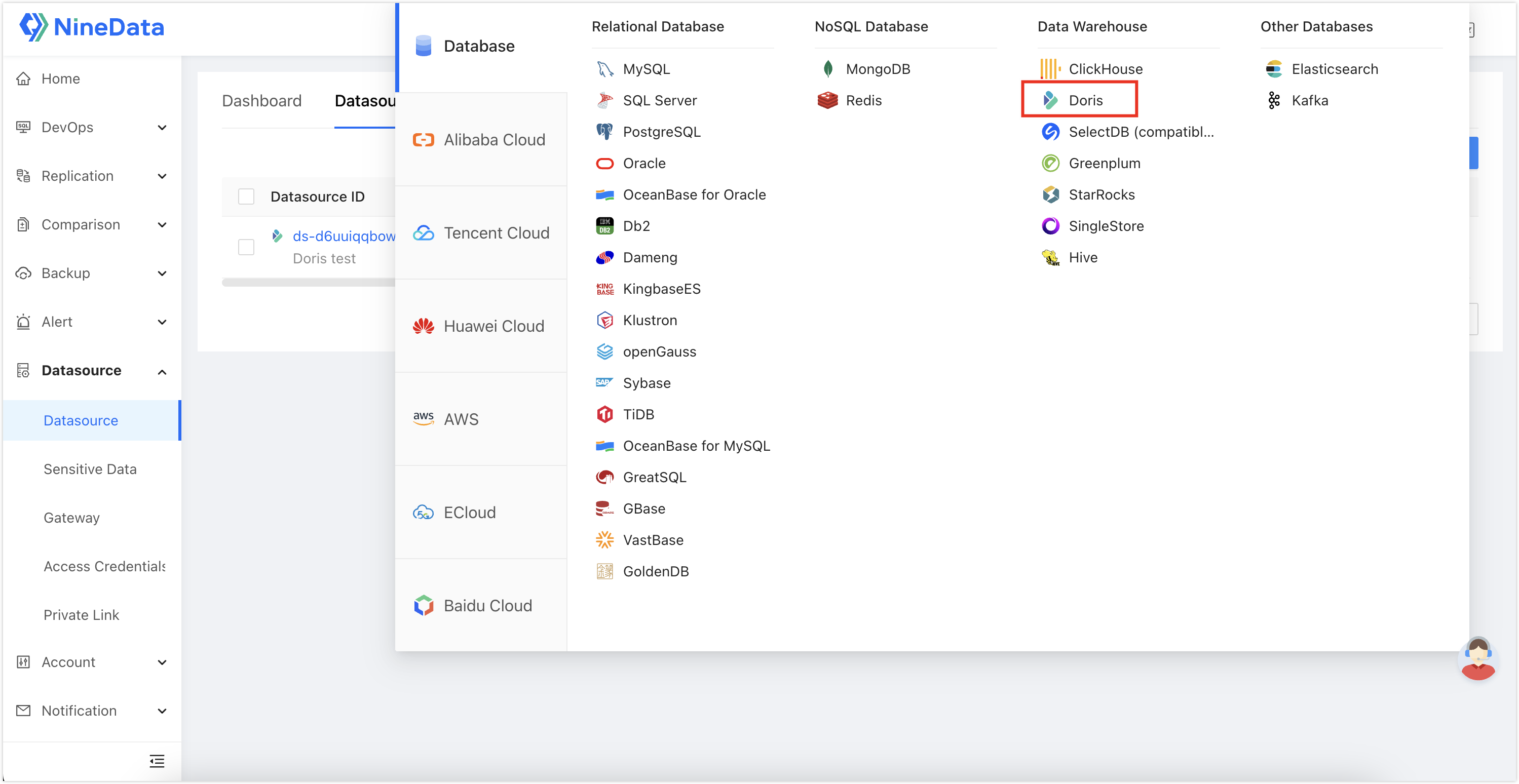
In the data source type dialog, select Database > Doris.
On the data source configuration page, enter the Doris connection information.
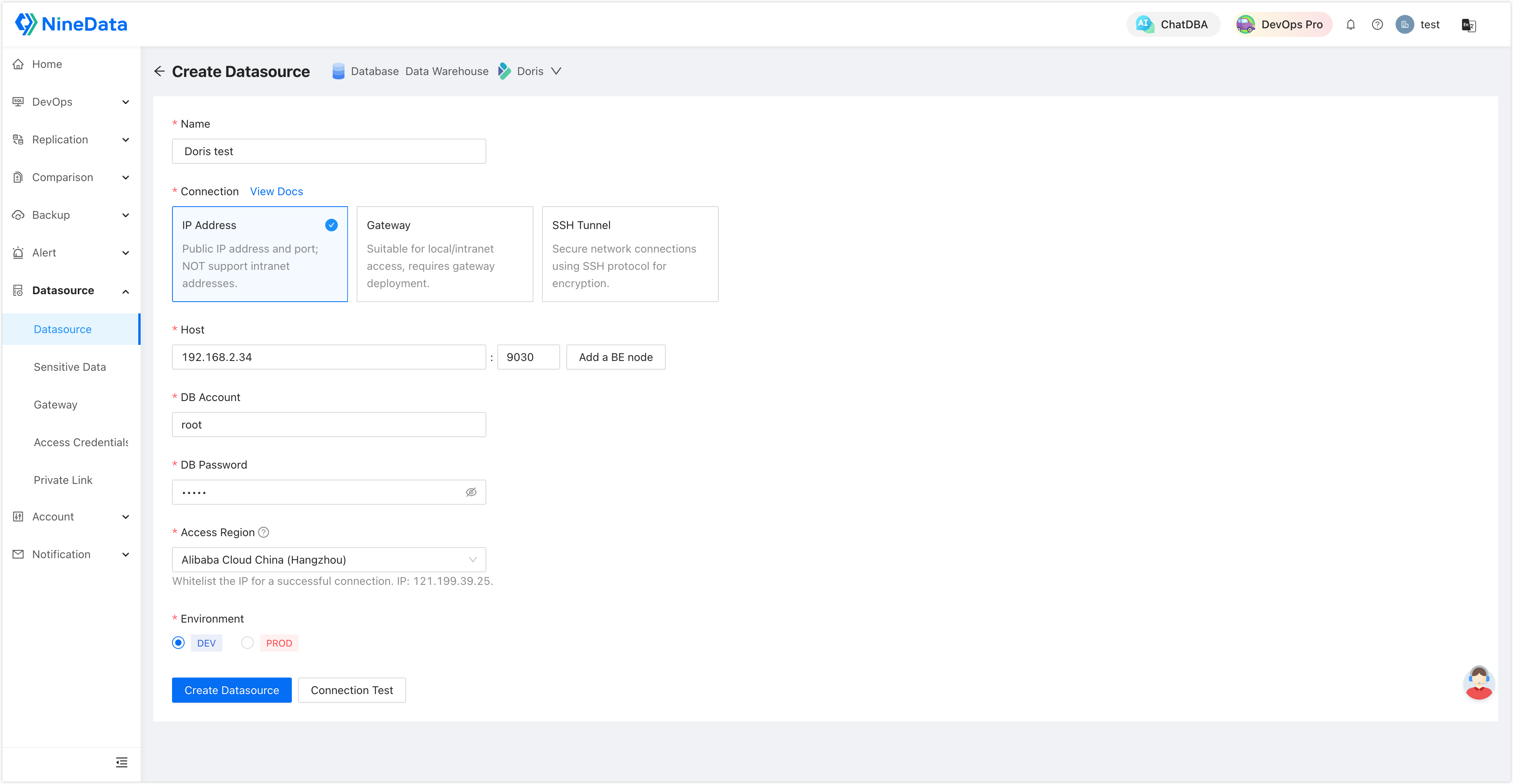
Click Create Datasource next to Connection Test to test the connection. If NineData returns Connection Successfully, click Create Datasource to add the data source.
Step 2: Use SQL Console
Sign in to the NineData Console.
Click DevOps > SQL Console. Click the text box under SQL Console, select the target Doris data source, and then click Query to open SQL Console.
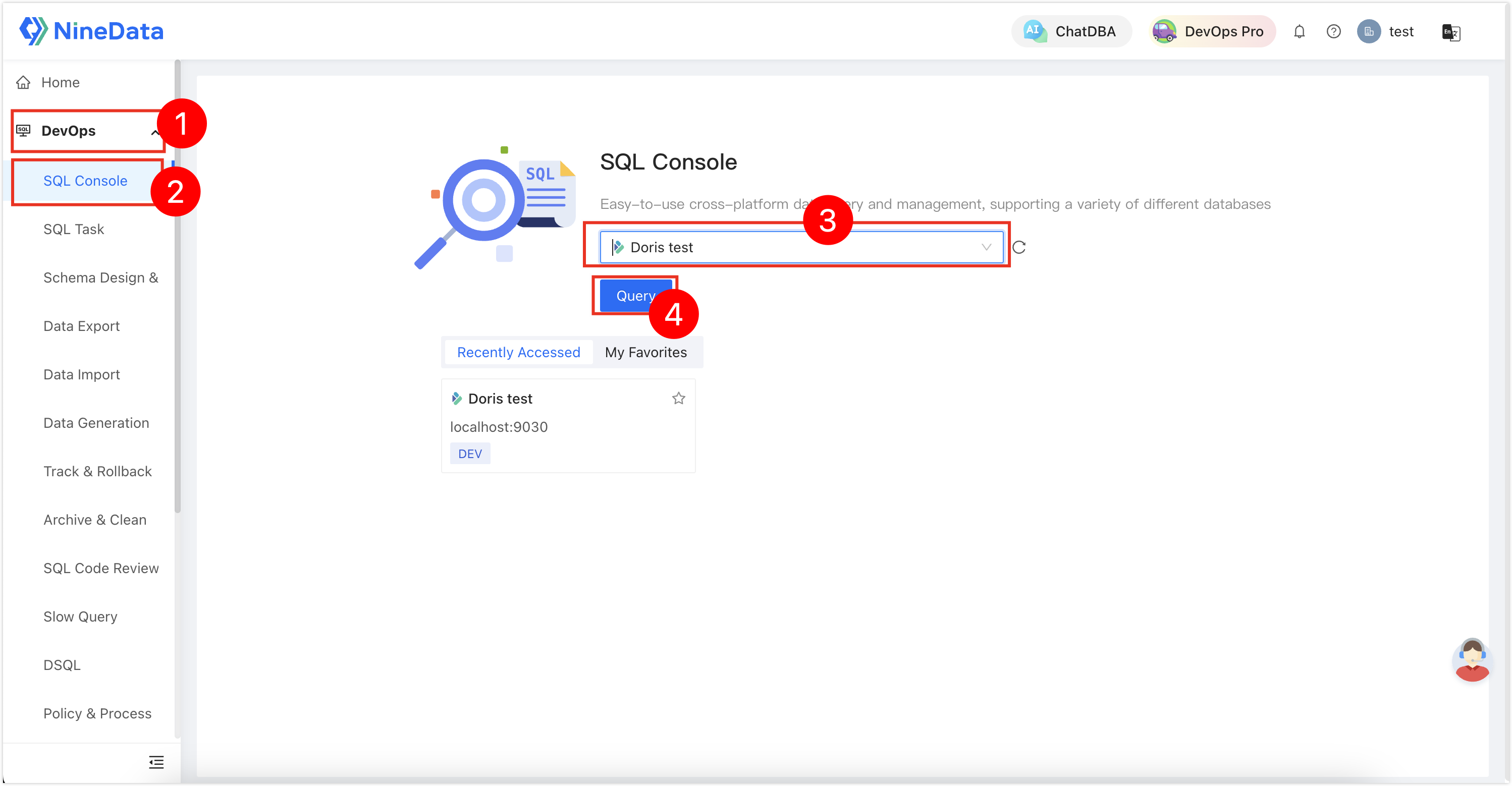
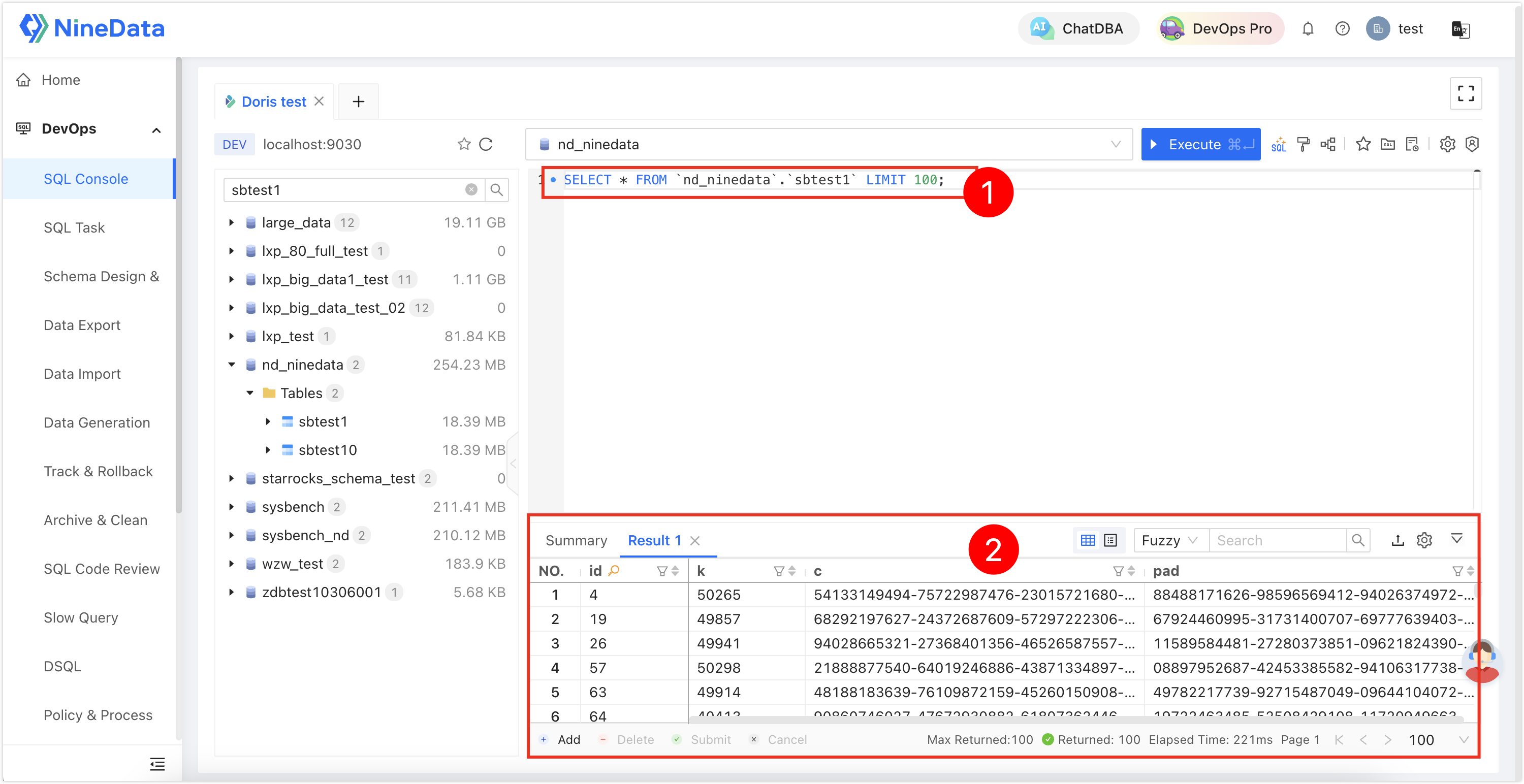
In SQL Console, run Doris queries and manage the data objects required for your task.
Step 3: Export Doris data
NineData supports exporting data from Doris to SQL, CSV, and EXCEL files. Export directly from the result set after querying in SQL Console, or manually create a Data Export task. This section uses result-set export as an example.
In the SQL Console result set, click
 > Create export task.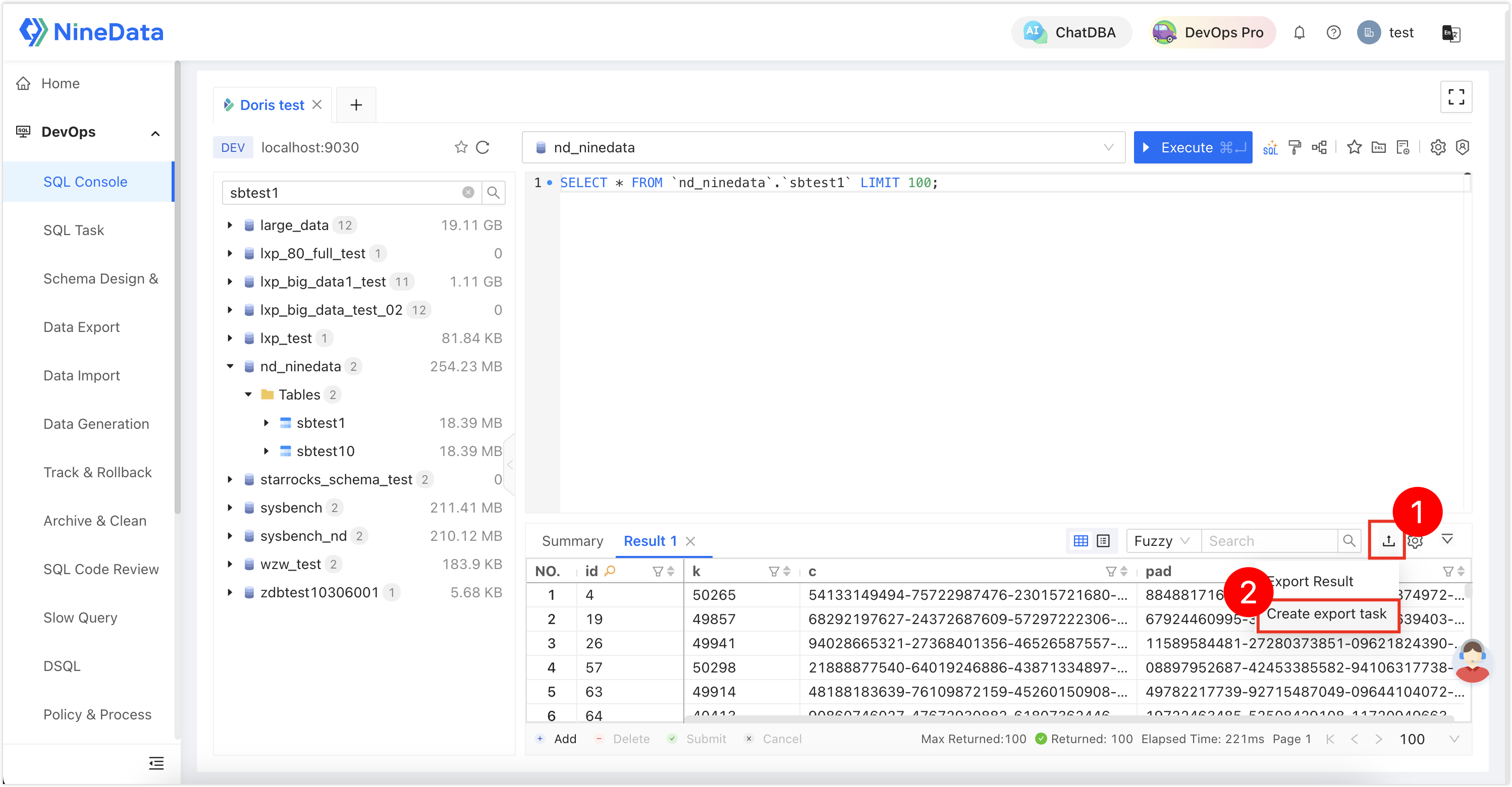
NineData generates the export method and the corresponding SQL statement based on the current result set. Configure the remaining parameters, and then click OK.
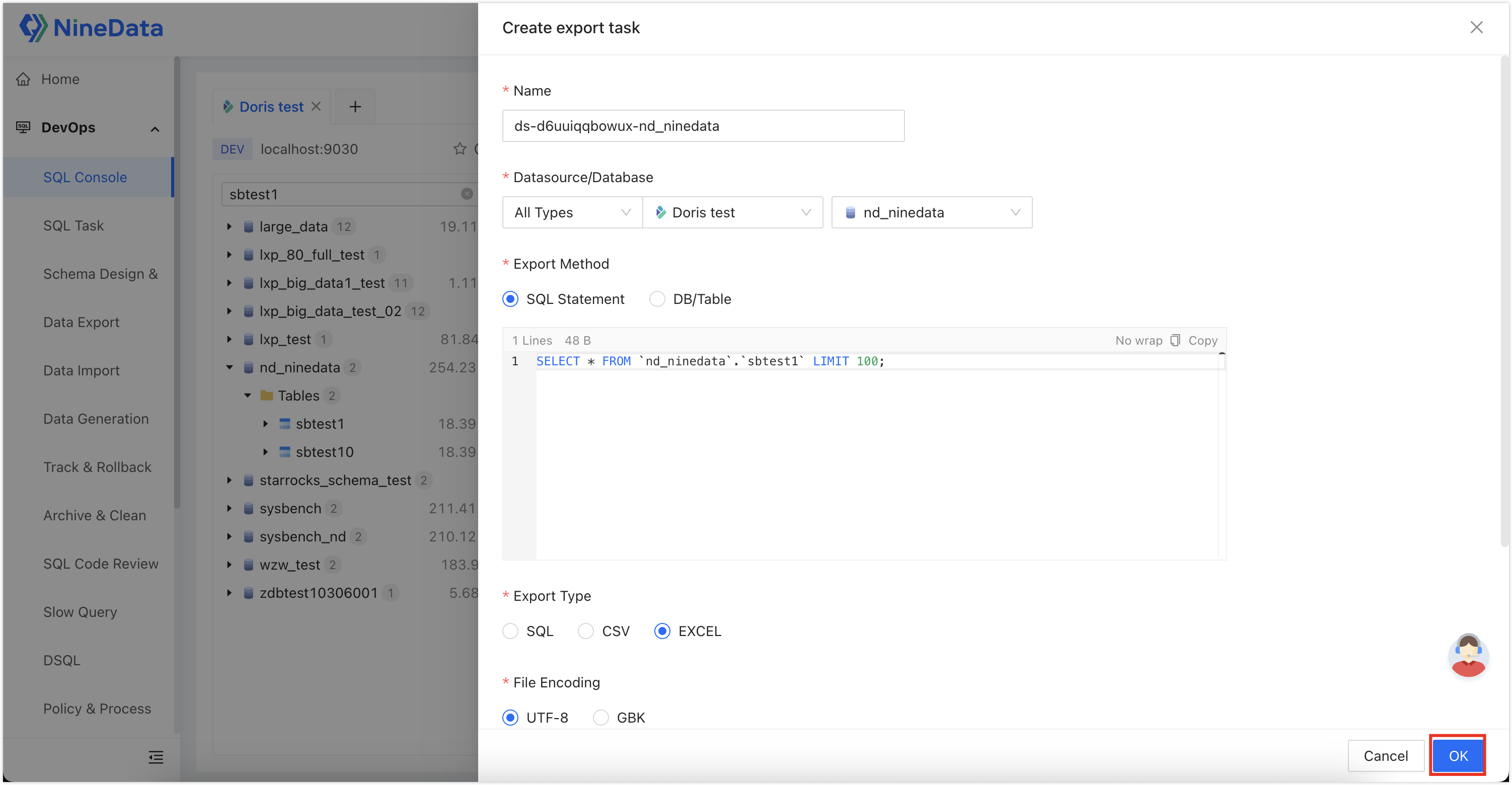
Wait until the export task finishes.
Result
The Doris data source is available in NineData SQL Console, and the selected result set is exported through a Data Export task.
Next steps
- Configure SQL development policies and approval processes before allowing production Doris changes.
- Add sensitive data rules if Doris contains restricted columns.
Other Features
- Add sensitive columns for all business Doris data sources
- Retrace a security event that occurred a while ago
- Create custom SQL development standards for specific departments
- Create custom approval processes for specific departments
- Import member information from LDAP into NineData to achieve SSO login
- Add data watermarks to the console to prevent security incidents