Alerts and notifications
NineData alerts help teams monitor long-running tasks and operational exceptions. When a monitored task or gateway meets an alert condition, NineData sends notifications so the right owners can respond quickly.
Background
Database operations such as data replication, data comparison, and data backup can run for a long time and often require follow-up when latency, task status, or comparison results change. Manually checking every task is inefficient and easy to miss.
Use alerts to define the conditions that should notify your team, choose who receives each notification, and review alert history after an exception is triggered.
Features
| Item | Description |
|---|---|
| Supported tasks | Data backup, Data recovery,Data replication, Data comparison, Structure comparison, Gateway |
| Monitoring indicators | Data backup: task status, full backup time, log backup delay Data recovery: task status Data replication: task status, replication delay Data comparison: task status, comparison time, comparison result Structure comparison: task status, comparison time, comparison result Gateway: gateway status |
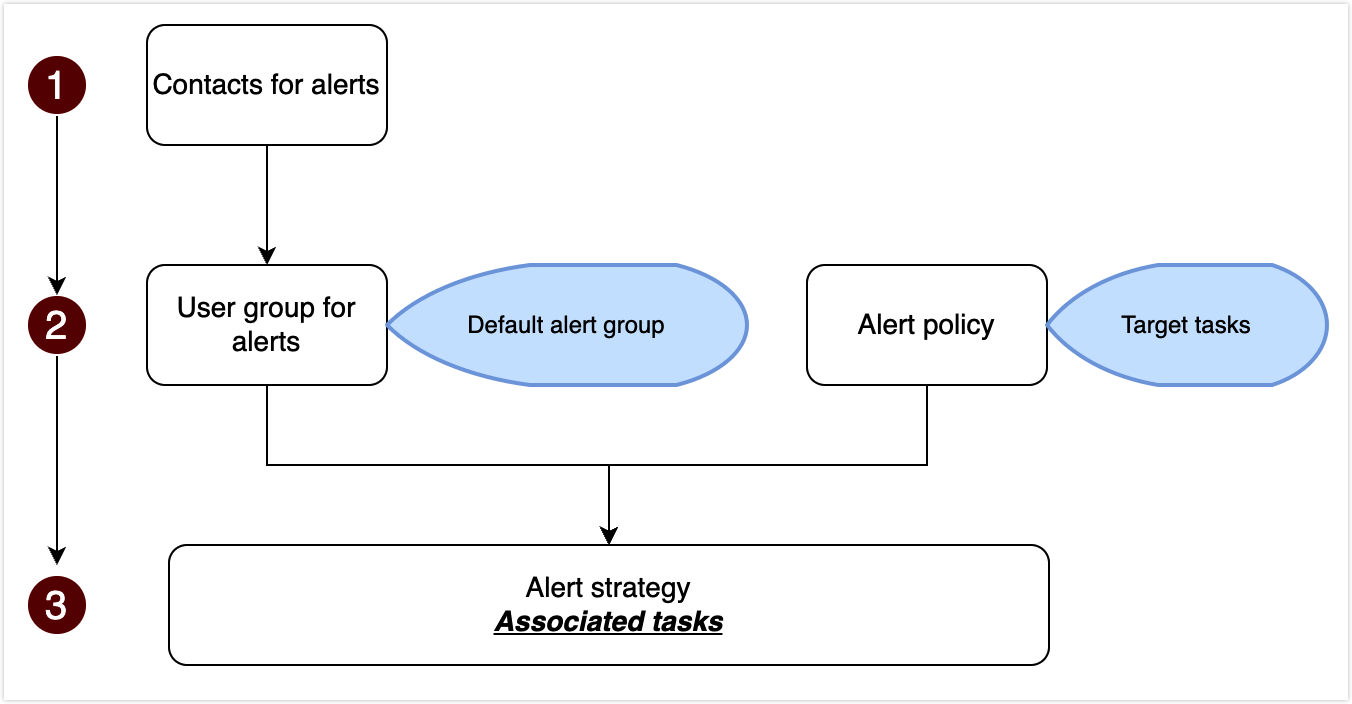
| Alert rules | NineData provides a default alert rule for each task type. Default rules cannot be modified. Create custom rules based on your operational requirements. For more information, see Create alert rules. |
| Alert recipients | Send alerts to individual users or to all members of an alert receiver group. NineData provides a default receiver group, and supports custom receiver groups. For more information, see Configure alert recipients. |
| Alert channels | Send alerts by SMS, phone call, email, DingTalk, Lark (Feishu), or WeChat Work. The default alert rule uses SMS. To use other channels, see Create alert rules. |
| Alert history | Each triggered alert creates a history record that helps you review what happened, which task or gateway was affected, and how the alert was delivered. |
Workflow