SQL AI Completion for Faster Query Authoring | NineData
Multi-table queries, long conditions, and complex aggregations often require repetitive entry of fields, joins, and sorting logic. SQL AI Completion uses the editor context, object structure, and field information to suggest SQL fragments that remain available for review and editing.
When to use this workflow
- Write multi-table queries and complete fields or join conditions faster.
- Build long filter, sort, group, or aggregation conditions.
- Create an SQL draft from a business intent, then review and adjust it manually.
Before you begin
- Add the target data source to NineData and confirm the current account has query or development permission.
- Open SQL Console for the target data source.
- Enable AI intelligent completion in Settings or in SQL Console settings.
Procedure
Open SQL Console for the target data source.
Enable AI intelligent completion in SQL Console settings.
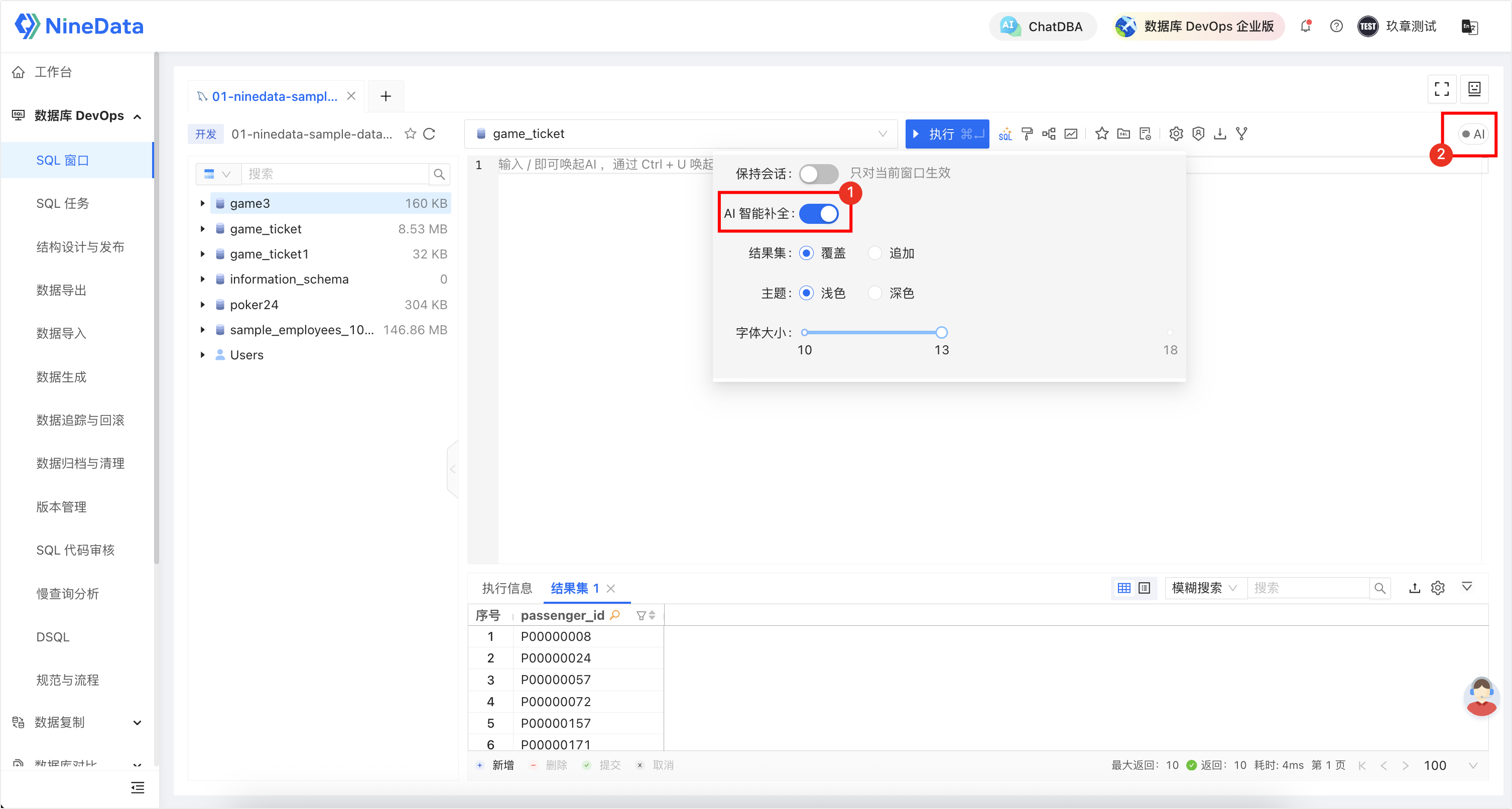
Enter an SQL fragment or describe the query intent in the editor.
When the editor displays a gray completion suggestion, press Tab to accept it. Continue typing or move the cursor to ignore the suggestion.
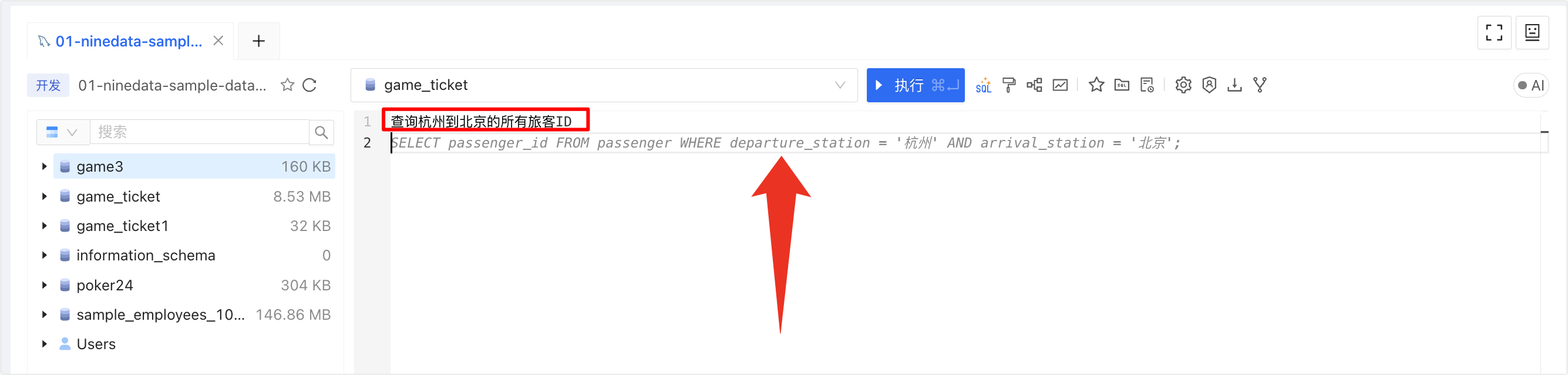
Review database names, table names, fields, filters, sorting, and execution scope before executing the SQL or submitting an SQL task.
Result and precautions
- Treat the completion as an authoring aid. It does not guarantee correct business semantics or performance.
- If no suggestion appears, check the AI intelligent completion setting, data source status, and editor context.
- Before executing completed SQL against production data, review permissions, approval requirements, execution plans, and business impact.