Run large data changes safely with OnlineDML
Use NineData OnlineDML when a large UPDATE or DELETE statement may scan or modify too many rows at once. OnlineDML can split the work into batches, control execution pressure, and reduce the risk of long transactions or lock waits on online databases.
When To Use OnlineDML
OnlineDML is useful when:
- You are deleting or updating a large amount of historical data.
- A one-time change does not justify creating a permanent index.
- A single DML statement may block normal writes.
- You want execution to run during an off-peak window.
- You need task approval and execution records for production changes.
How OnlineDML Works
When a SQL task uses OnlineDML, NineData can:
- Detect the number of rows that the DML statement needs to scan.
- Compare the scan count with the configured threshold.
- Split the statement into smaller batches when the threshold is exceeded.
- Execute the batches based on the configured batch size.
- Pause between batches or when database pressure is high.
Before you begin
Before you use OnlineDML, make sure that:
- The target data source has been added to NineData.
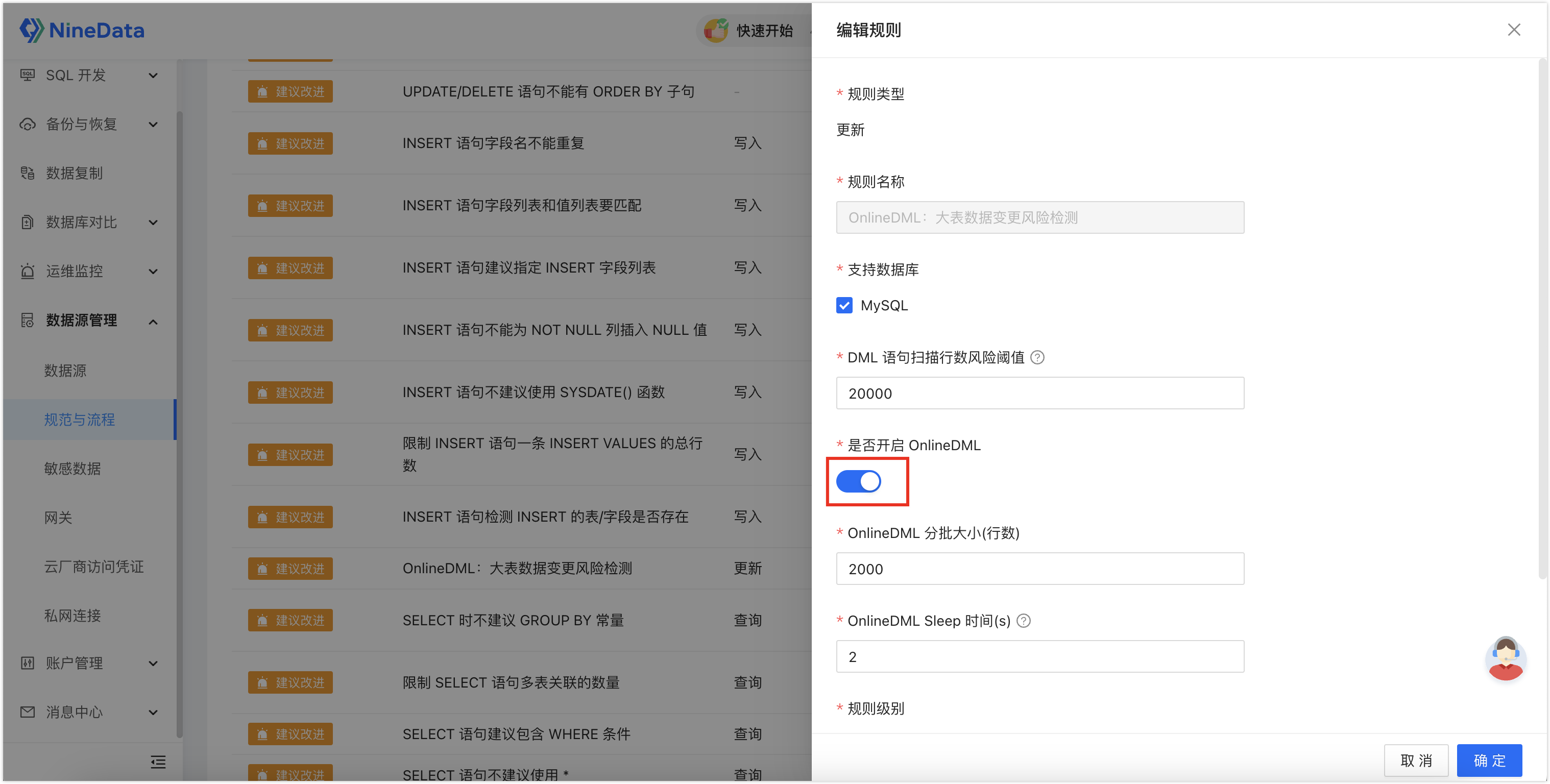
- OnlineDML rules are enabled for the target data source.
- SQL development standards and approval processes are configured for the environment.
- The SQL task executor has permission to run the change.
Run A Large Data Change
Enable OnlineDML for the data source that will run the large DML change.
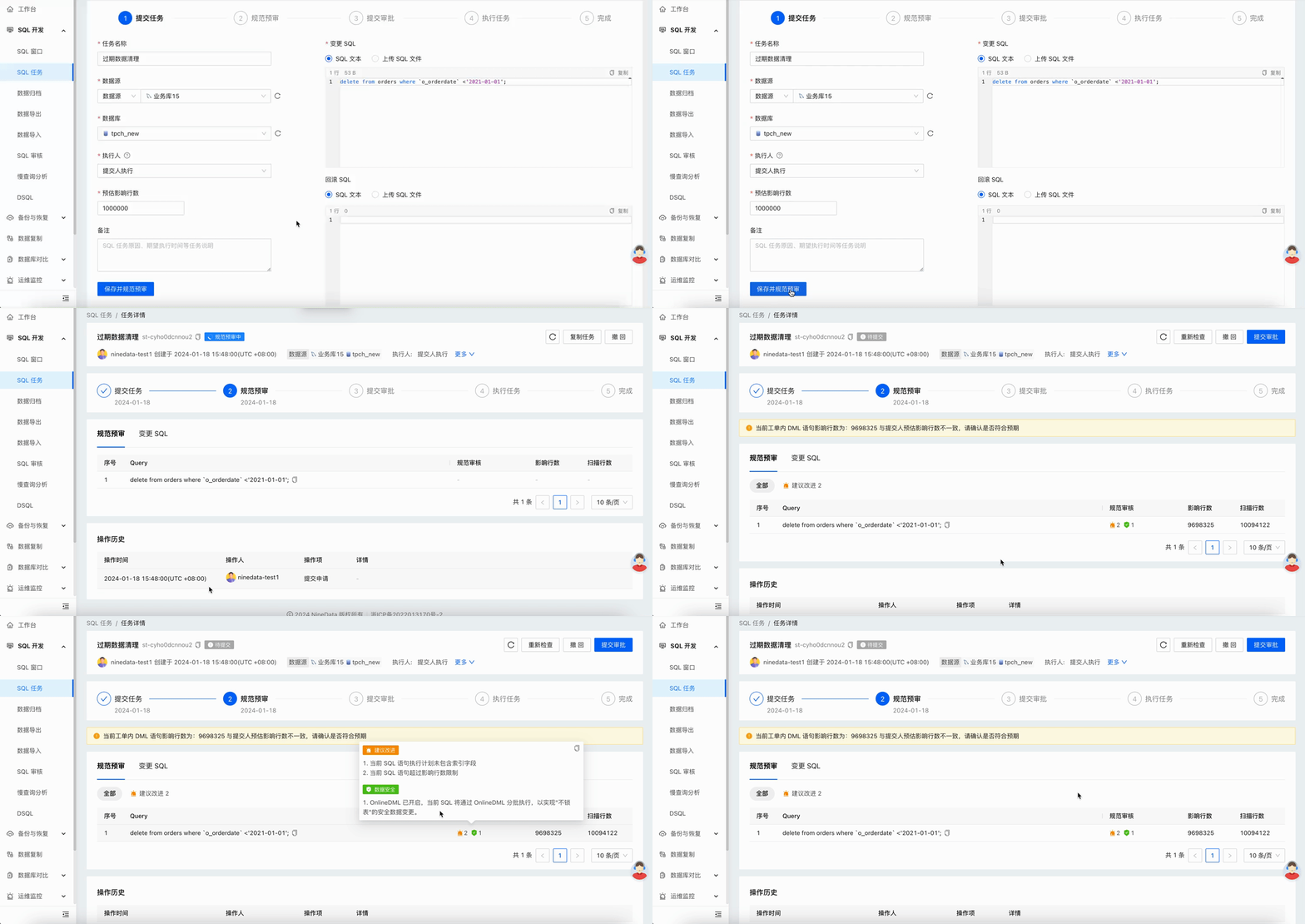
Create a SQL task for the target data source.

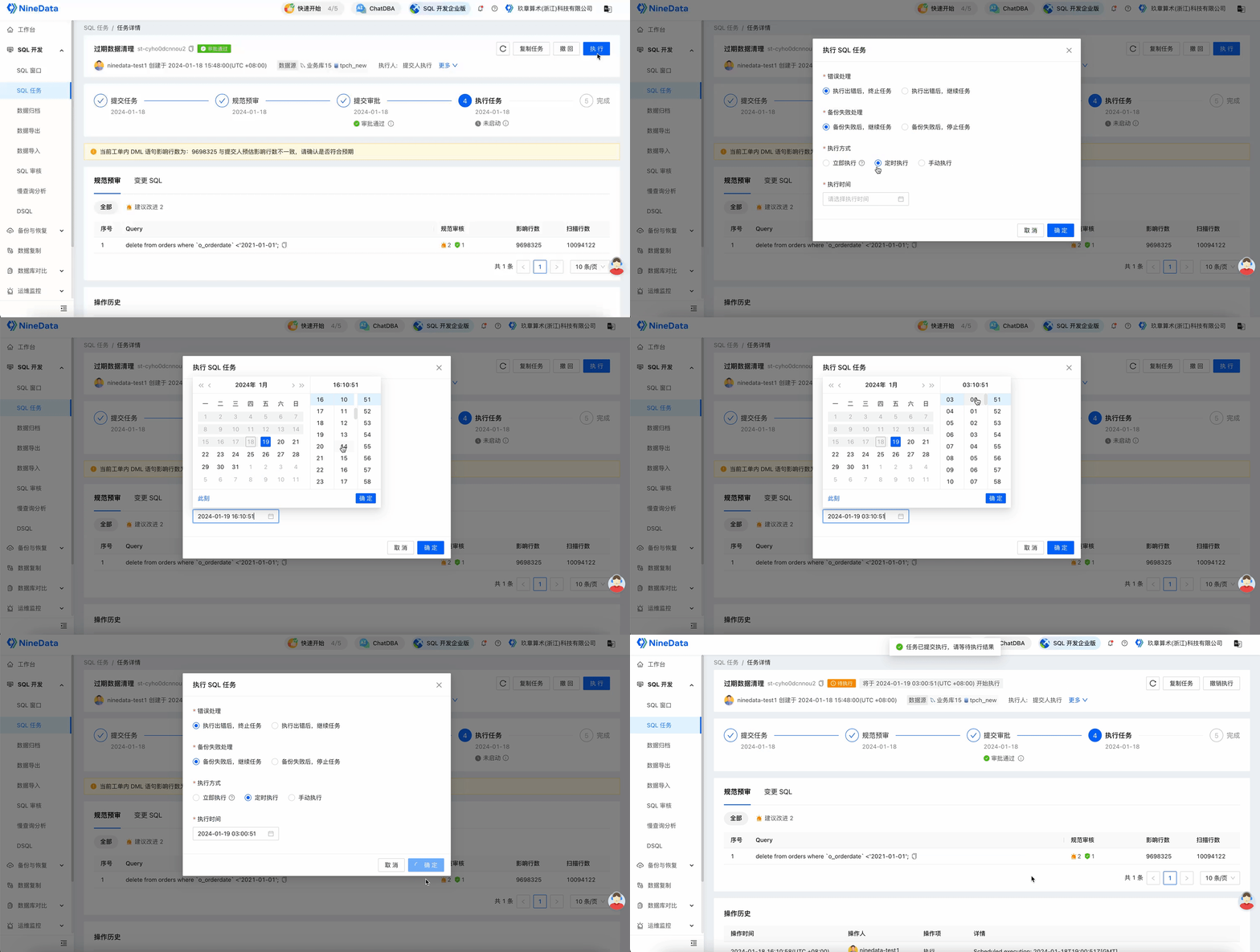
Optional: Schedule the task during an off-peak window.
Result
NineData executes the large data change in controlled batches when OnlineDML conditions are met. Review the SQL task details to confirm execution status, batch behavior, and any errors that require follow-up.