MySQL Session Diagnosis with ChatDBA | NineData
When a service becomes slow, first identify abnormal sessions, their impact on other requests, and whether immediate mitigation is necessary. ChatDBA uses the selected MySQL data source context to analyze real-time sessions and provide a common troubleshooting entry point.
Before you begin
- Sign in to the NineData console and add the target MySQL data source.
- Confirm that the current account can access the target data source.
- Restrict the diagnosis to an authorized environment and approved troubleshooting scope.
Procedure
Open ChatDBA and select the MySQL data source through Select Datasource.
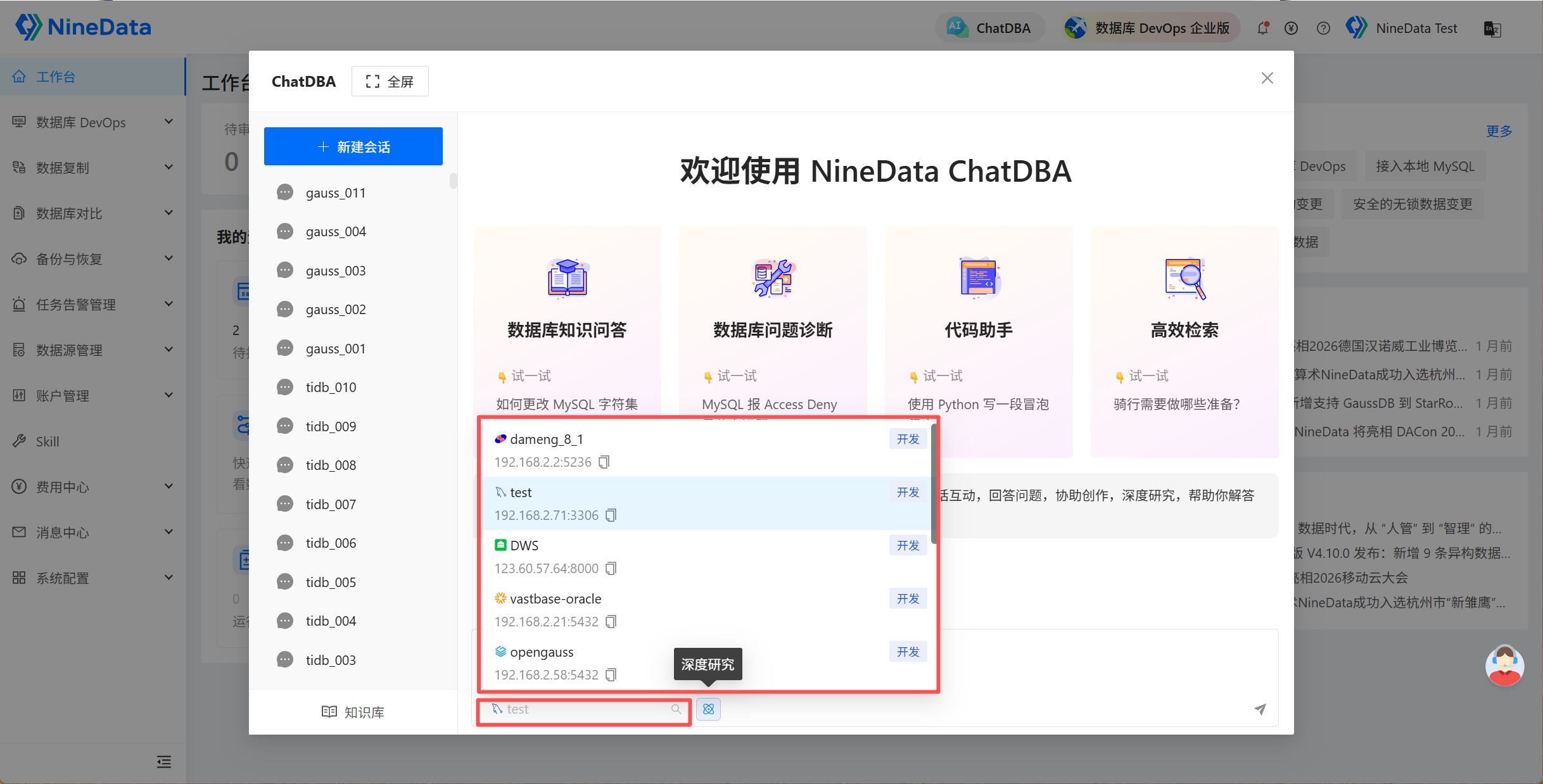
Enter and send a request such as:
Diagnose the current MySQL instance for abnormal sessions. List long-running sessions, running SQL, possible impact, and handling suggestions.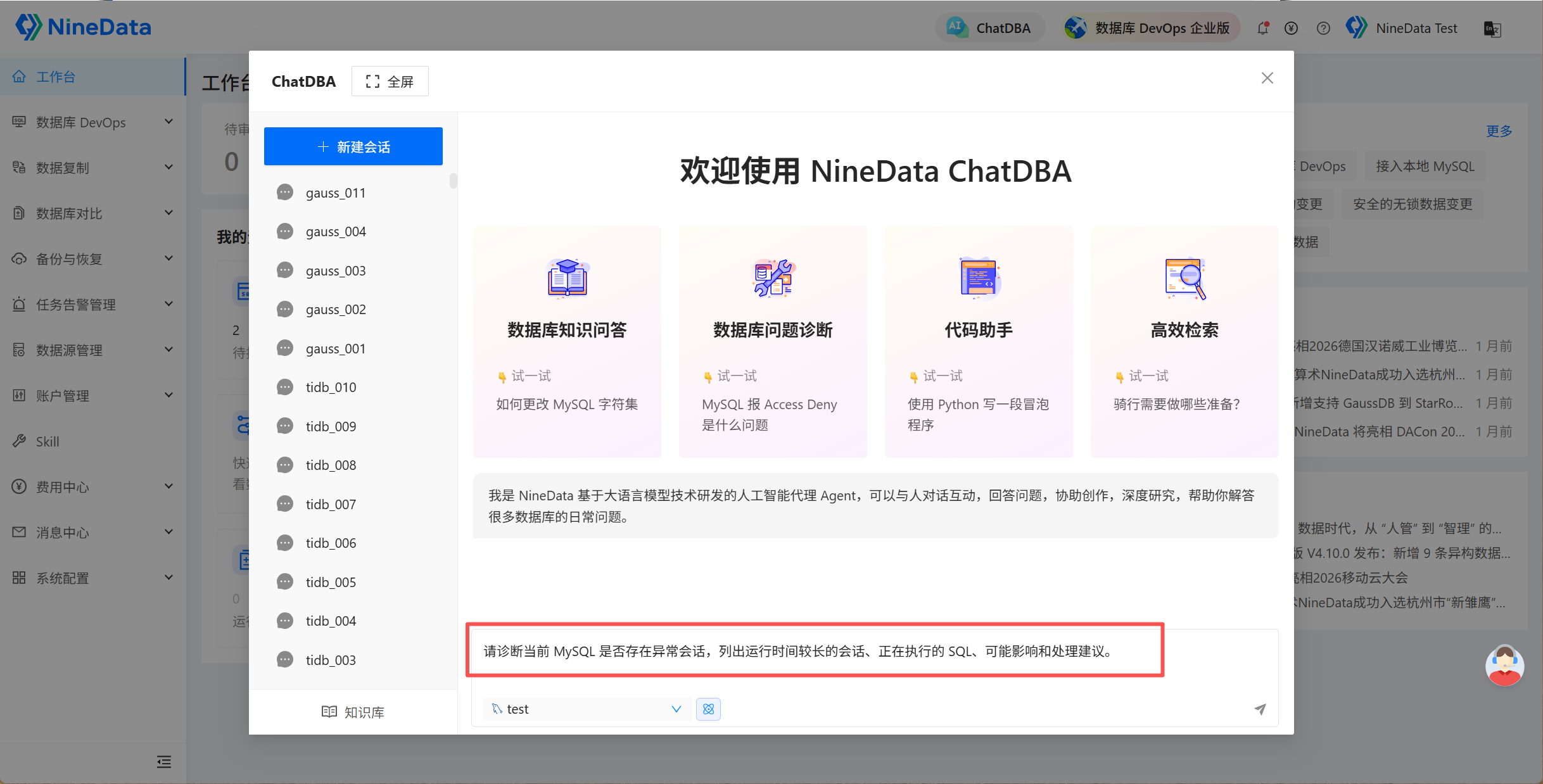
Review session duration, SQL, user, source, wait state, impact assessment, and follow-up suggestions.
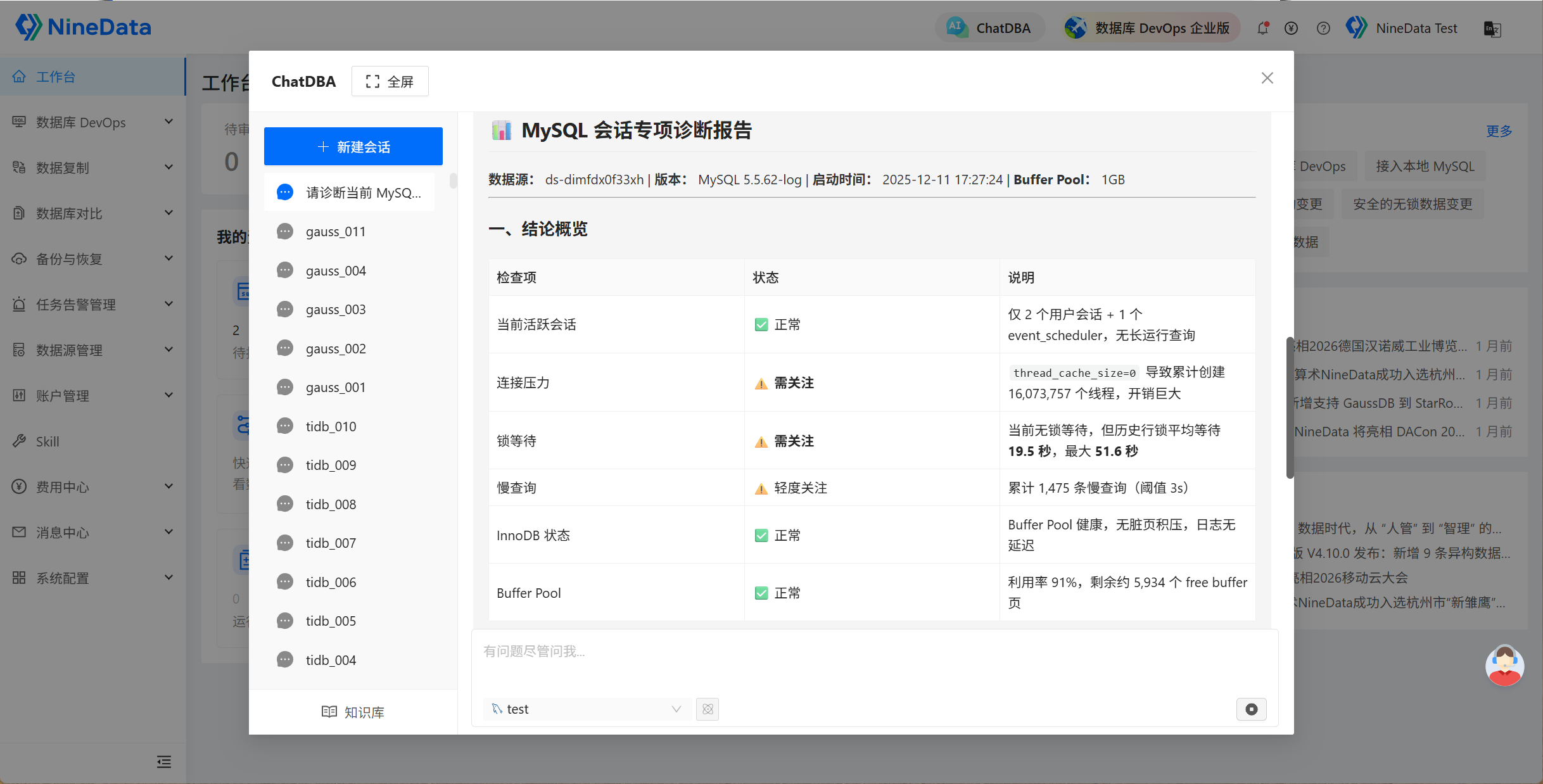
Result and precautions
- Distinguish abnormal sessions, blocking sessions, and blocked sessions. Do not decide to terminate a session from duration alone.
- Before a kill operation, confirm transaction contents, business source, impact scope, rollback risk, and the required approval.
- After mitigation, review SQL, indexes, connection-pool settings, or scheduling causes to prevent recurrence.