Doris Data Synchronization and Migration Overview | NineData
Doris is often used as an analytics target for operational data, reporting, and data warehouse workloads. NineData Data Replication provides Doris-related migration and synchronization links so teams can move data into or out of Doris and keep selected workloads updated.
Supported Doris replication links
NineData Data Replication supports Doris links with the following database types:
- Doris <-> MySQL
- Doris <-> Oracle
- Doris <-> Doris
- Doris <-> GaussDB
- Doris <-> openGauss
- Doris <-> PostgreSQL
- Doris <-> ClickHouse
- Doris <-> Greenplum
- Doris <-> SelectDB
- Doris <-> StarRocks
- Doris <-> SingleStore
The example below uses MySQL to Doris. The exact options during task creation depend on the selected source and target data sources.
Deployment note
For local development, testing, or internal evaluation, NineData Community Edition is available if it fits your environment. For deployment instructions, see NineData Community Edition.
Before you begin
Make sure you have:
- Access to the NineData platform.
- Connection information and accounts for the Doris and MySQL data sources.
- Network connectivity from NineData to both data sources.
- Required database permissions for adding data sources and running replication tasks.
Step 1: Add Doris and MySQL data sources
Sign in to the NineData Console.
In the navigation menu, click Datasource > **Datasource**, and then click **Create Datasource**.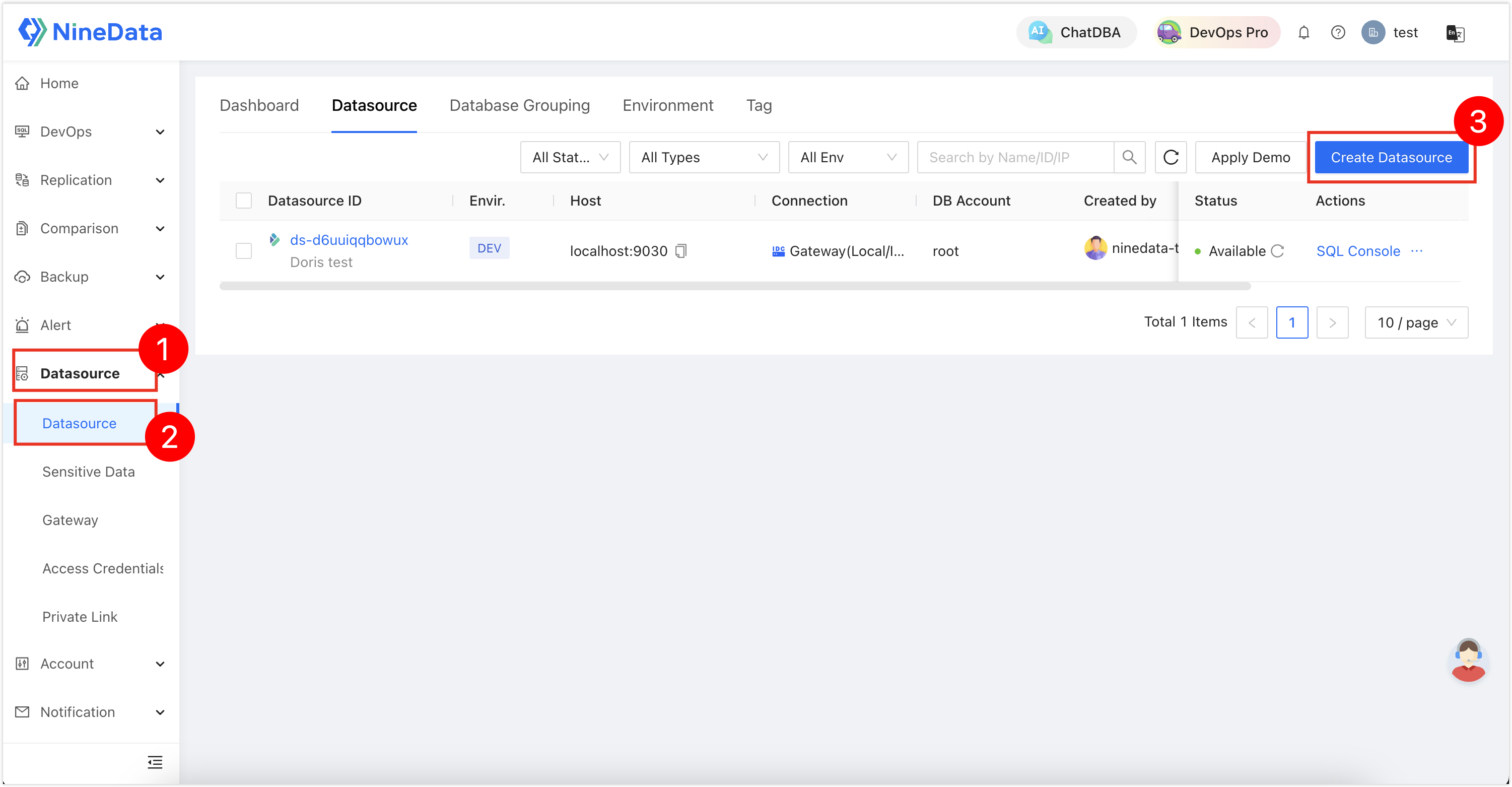
In the data source type window, select Database > Doris and MySQL.

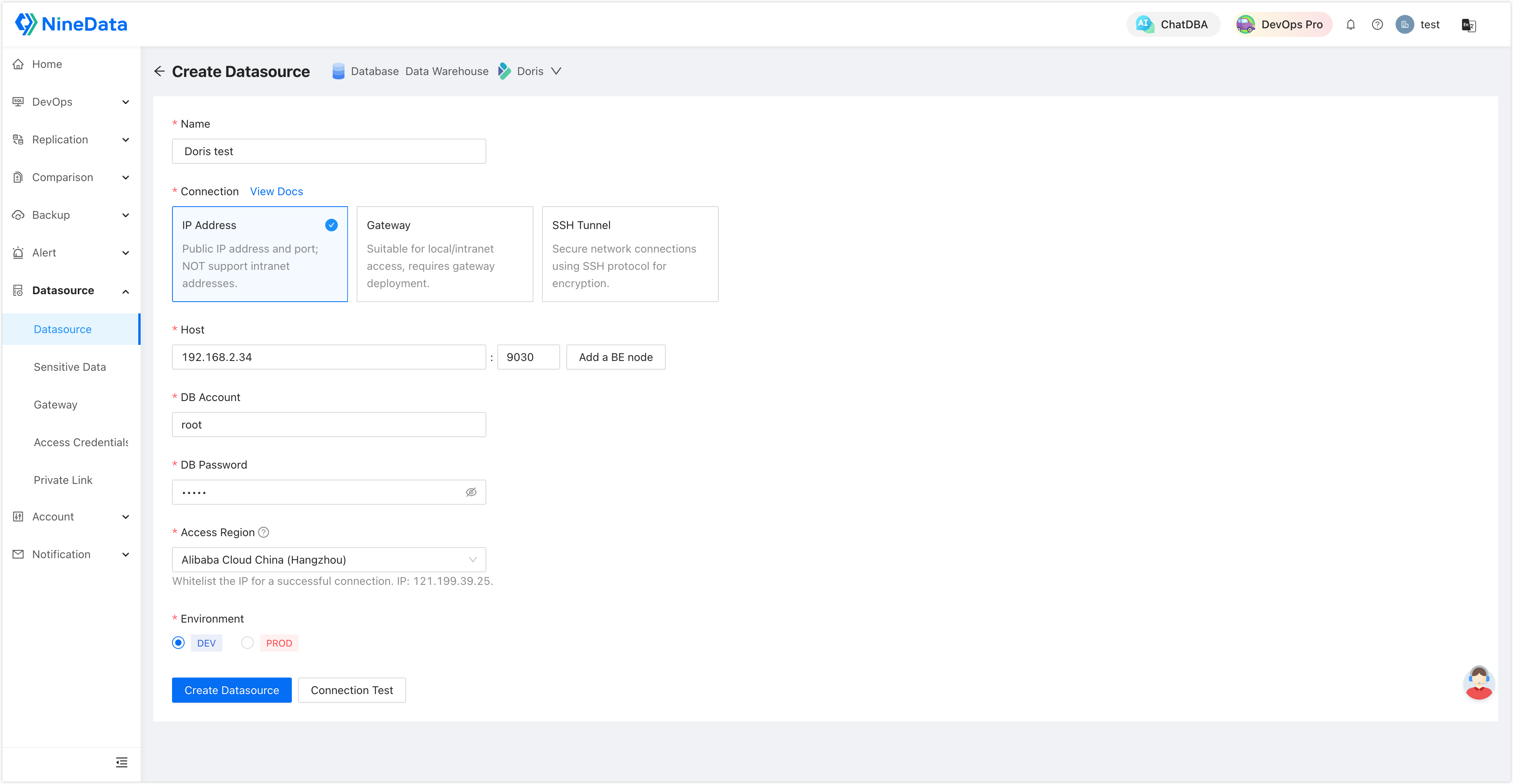
Configure each data source.
Doris
MySQL
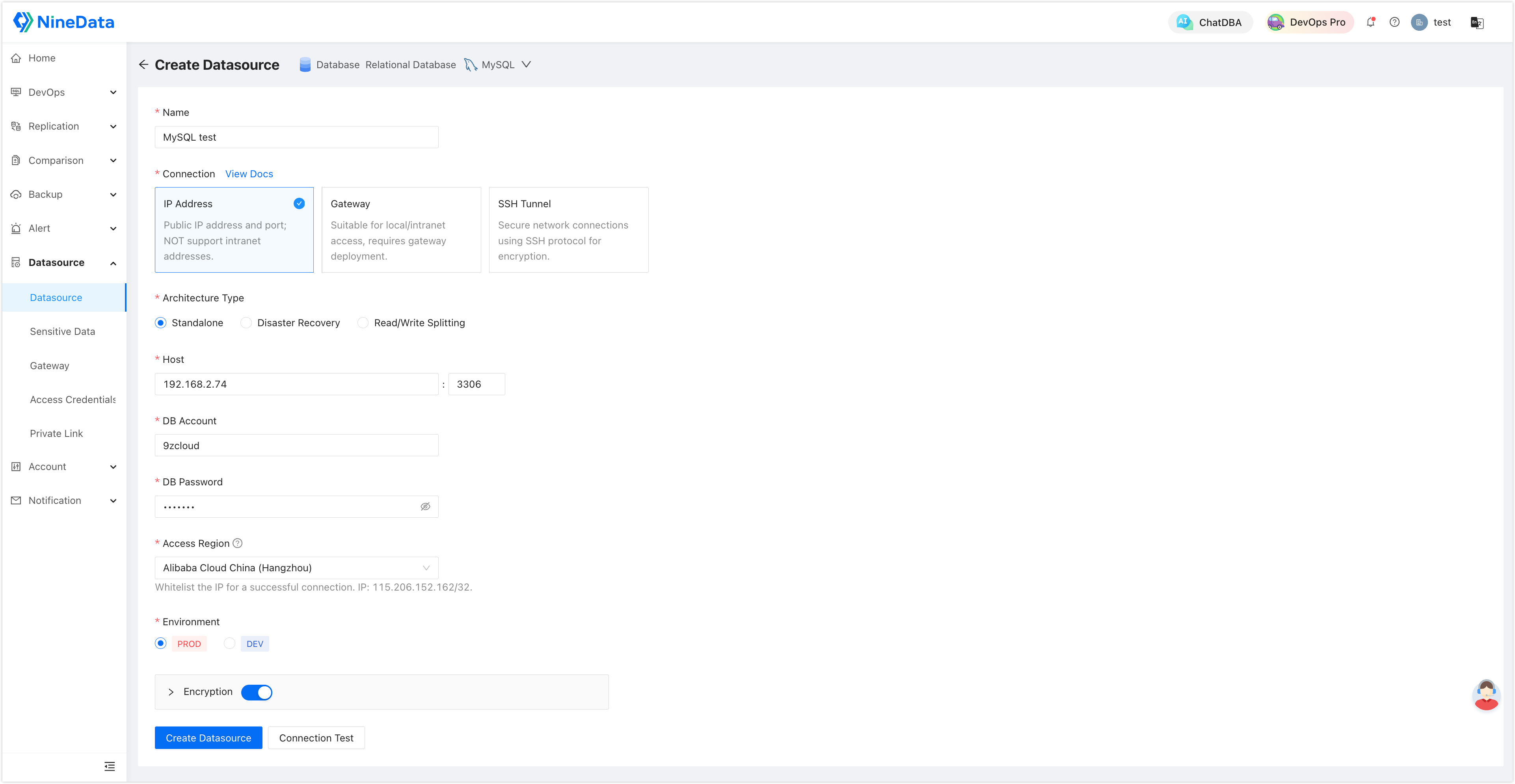
Click Connection Test next to Create Datasource to test connectivity. If the page shows Connection Successfully, click Create Datasource to finish adding the data source.
Step 2: Create a MySQL to Doris synchronization task
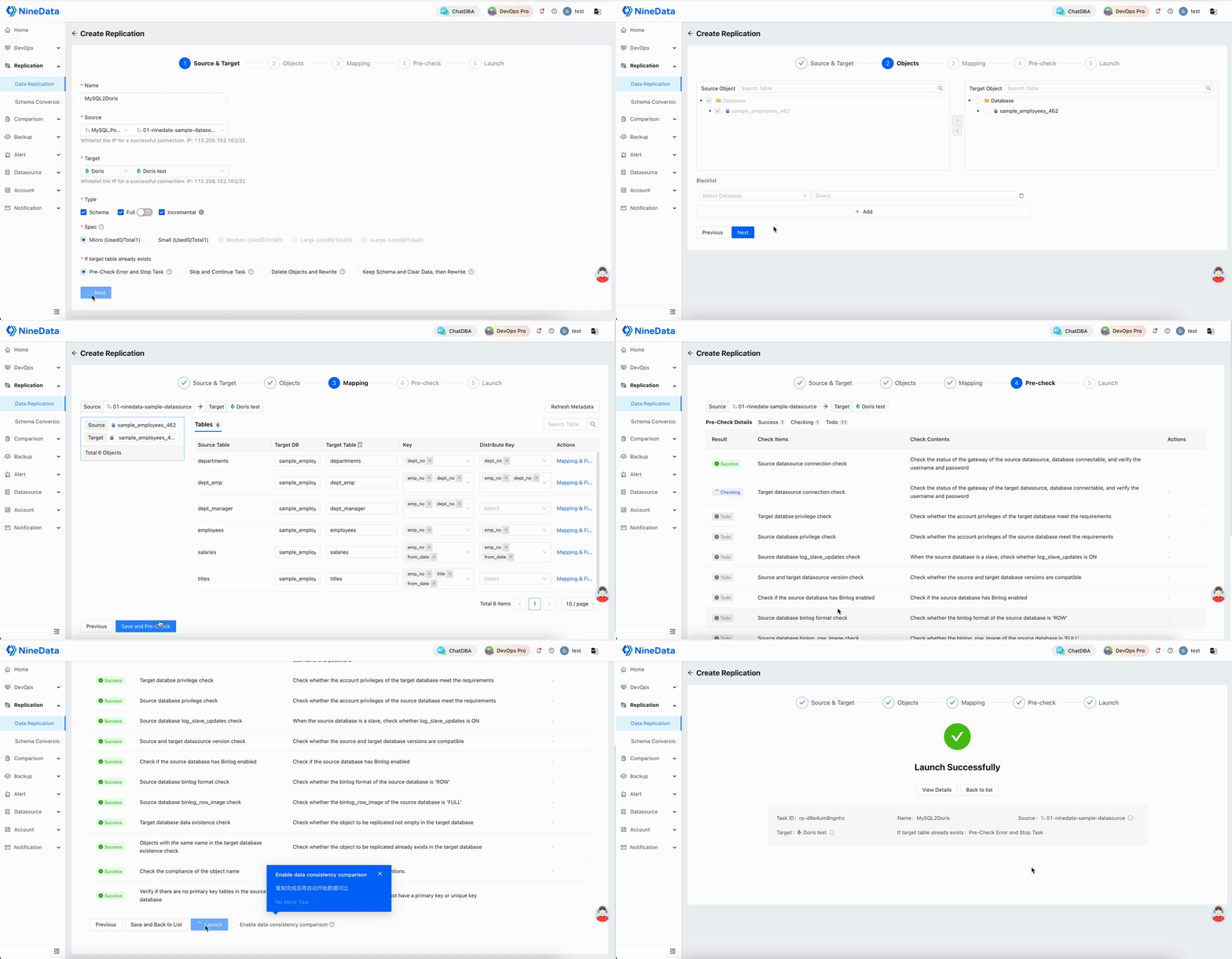
Complete the MySQL-to-Doris synchronization task configuration. Select the source and target data sources, choose the replication types, select objects, review mapping, run the precheck, and start the task after the precheck passes.
Step 3: Monitor the synchronization task
After the task starts, use the task details page to monitor progress, view each replication phase, compare data, and apply throttling when the task affects source or target workloads.
View task details
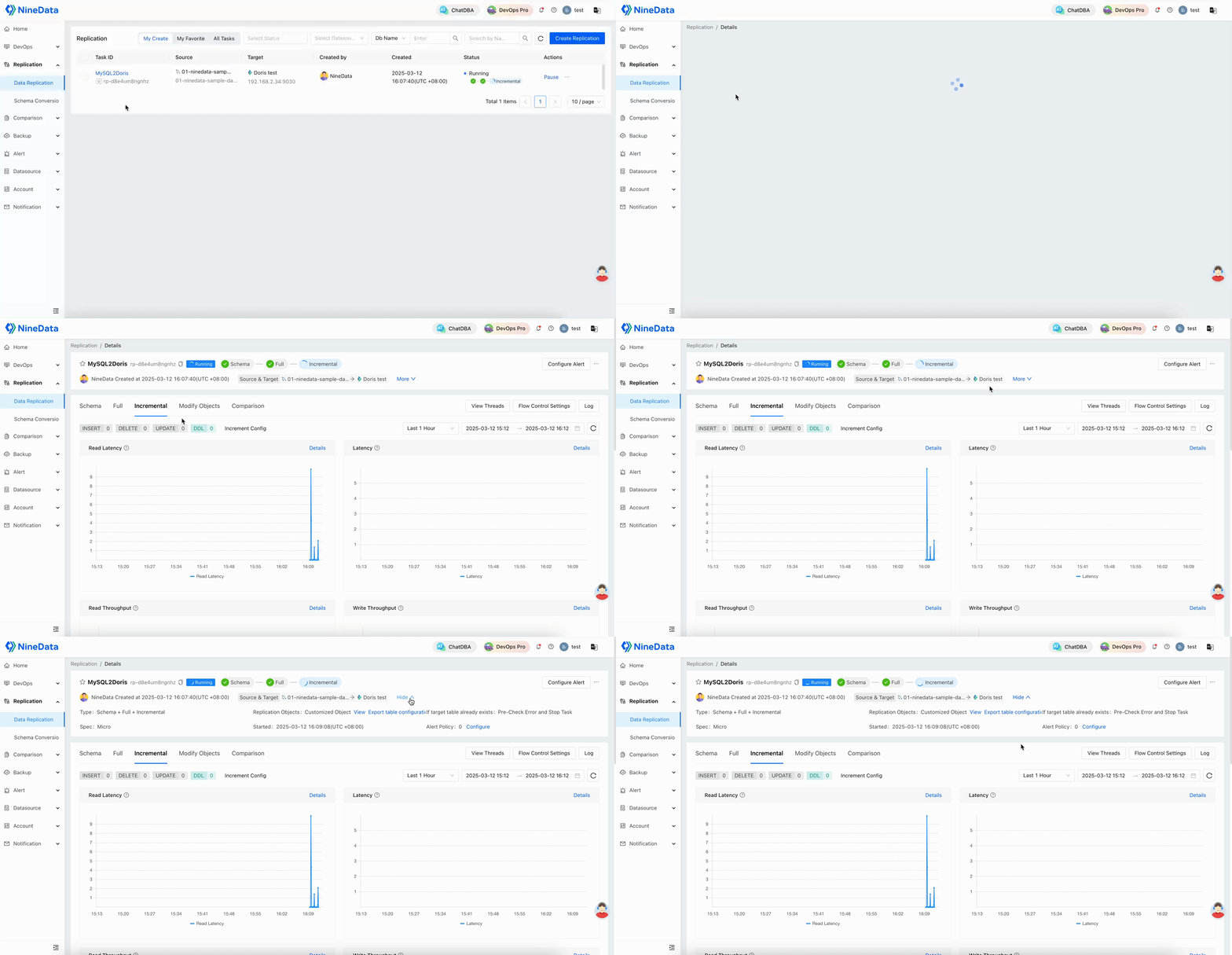
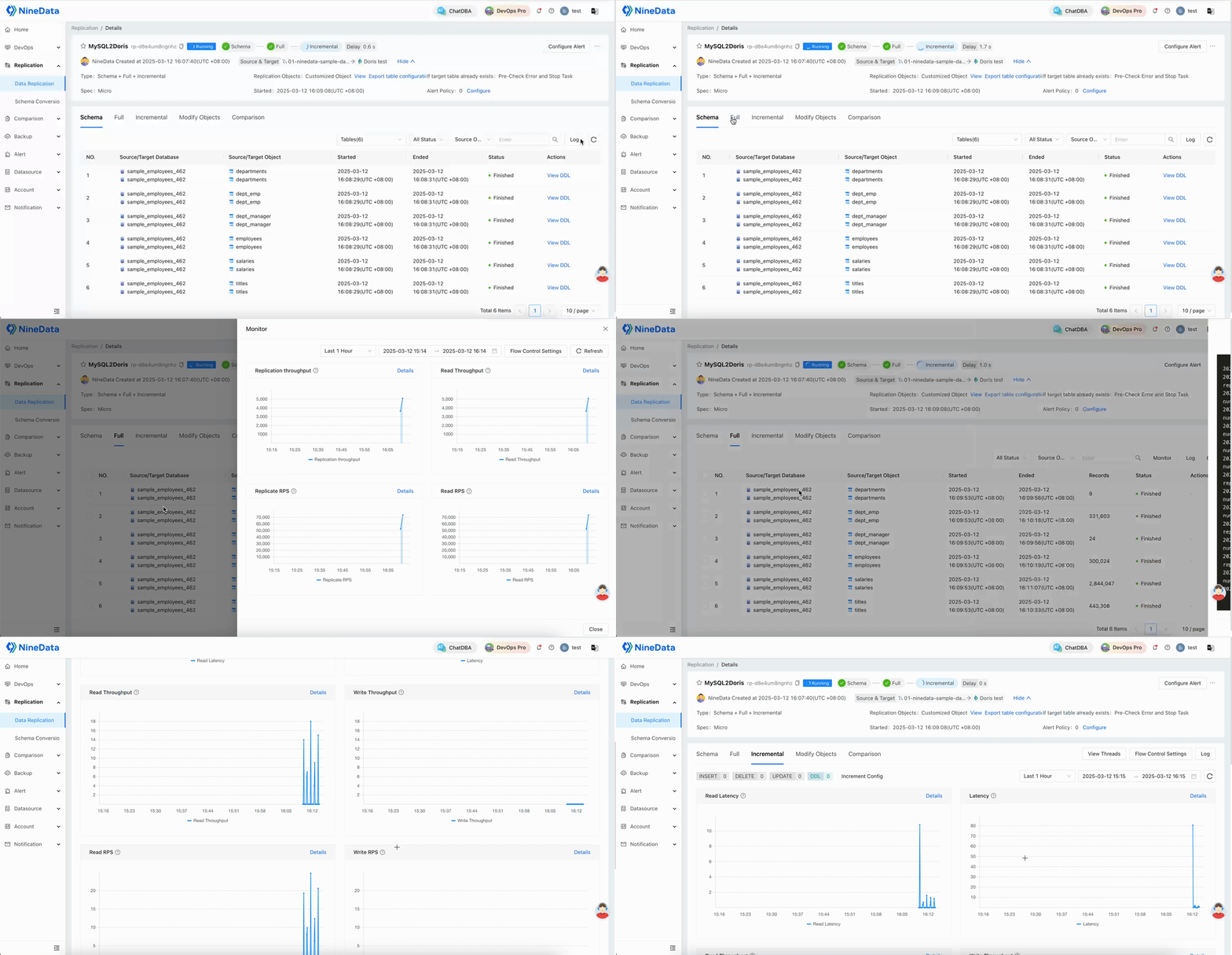
View each replication phase
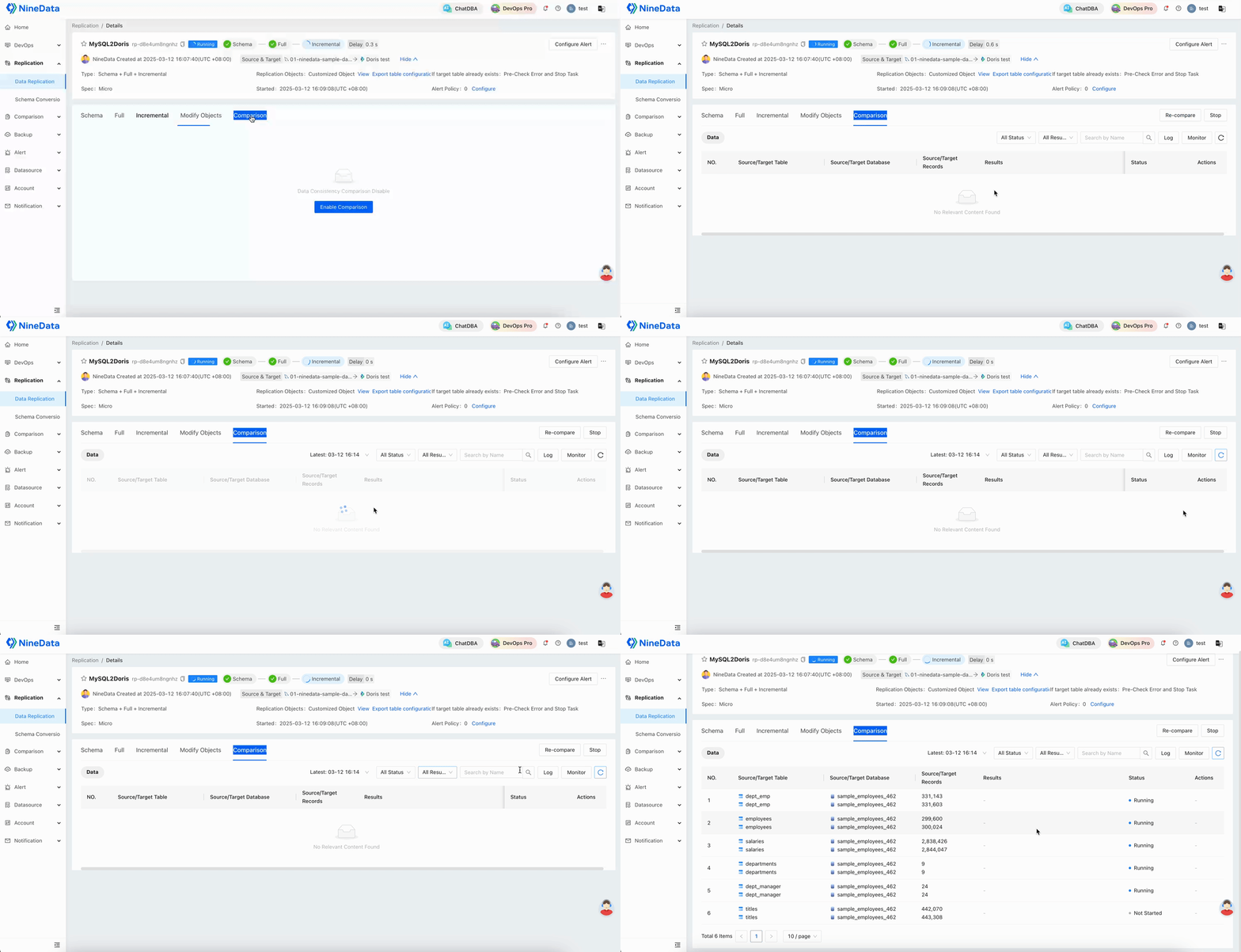
View data comparison
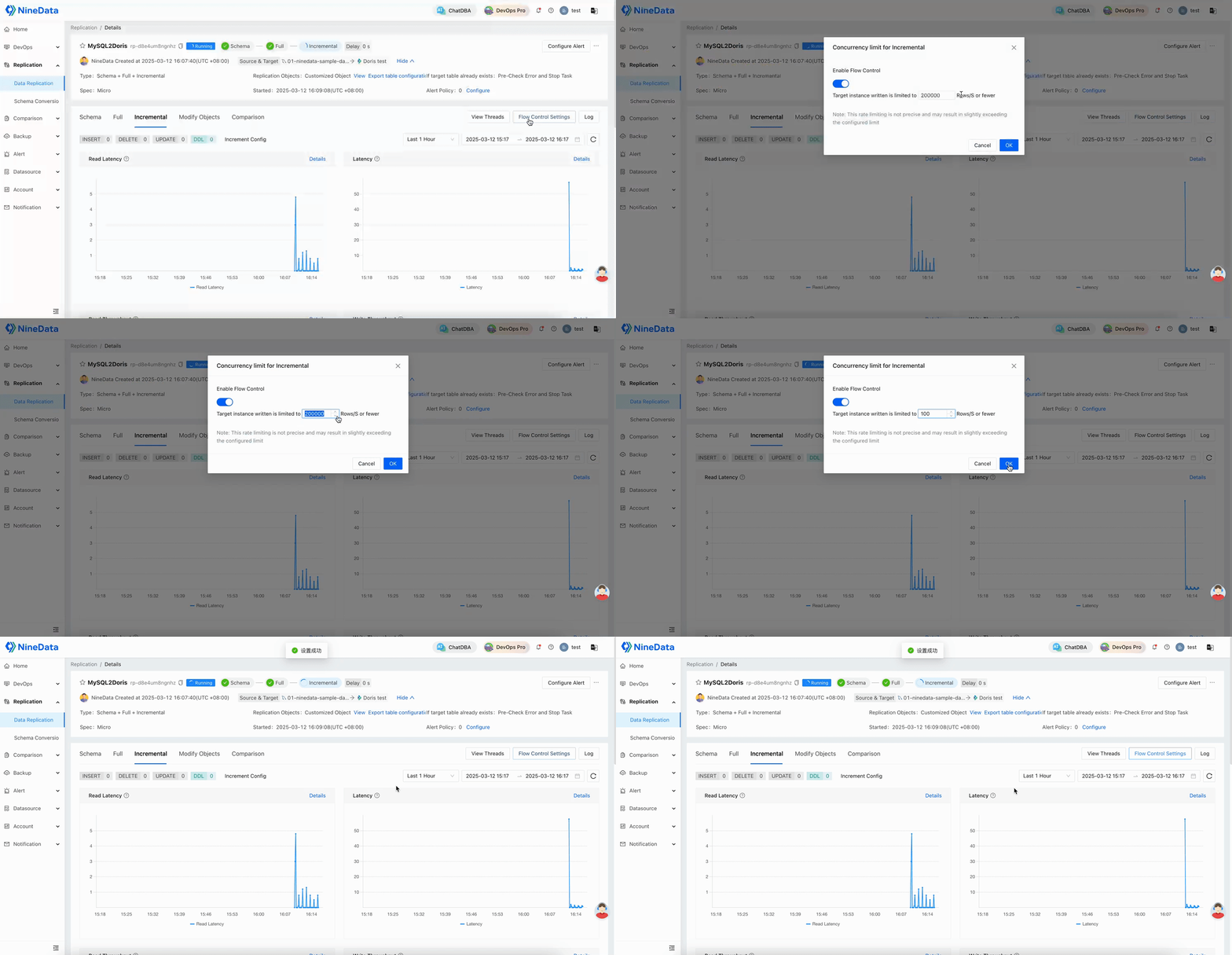
Configure replication throttling
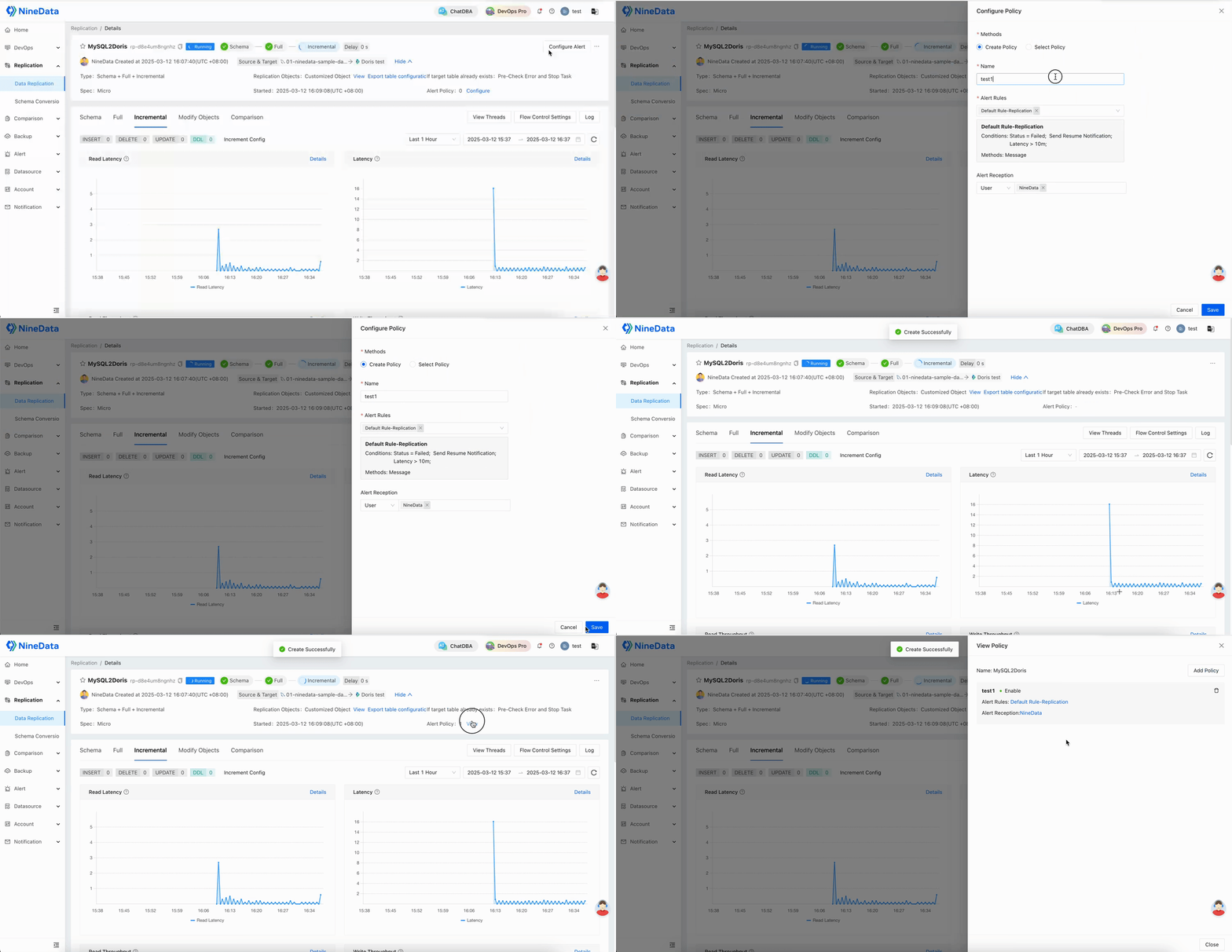
Step 4: Configure task alerts
Configure alerts so operators are notified when the task fails or delay exceeds the expected threshold.
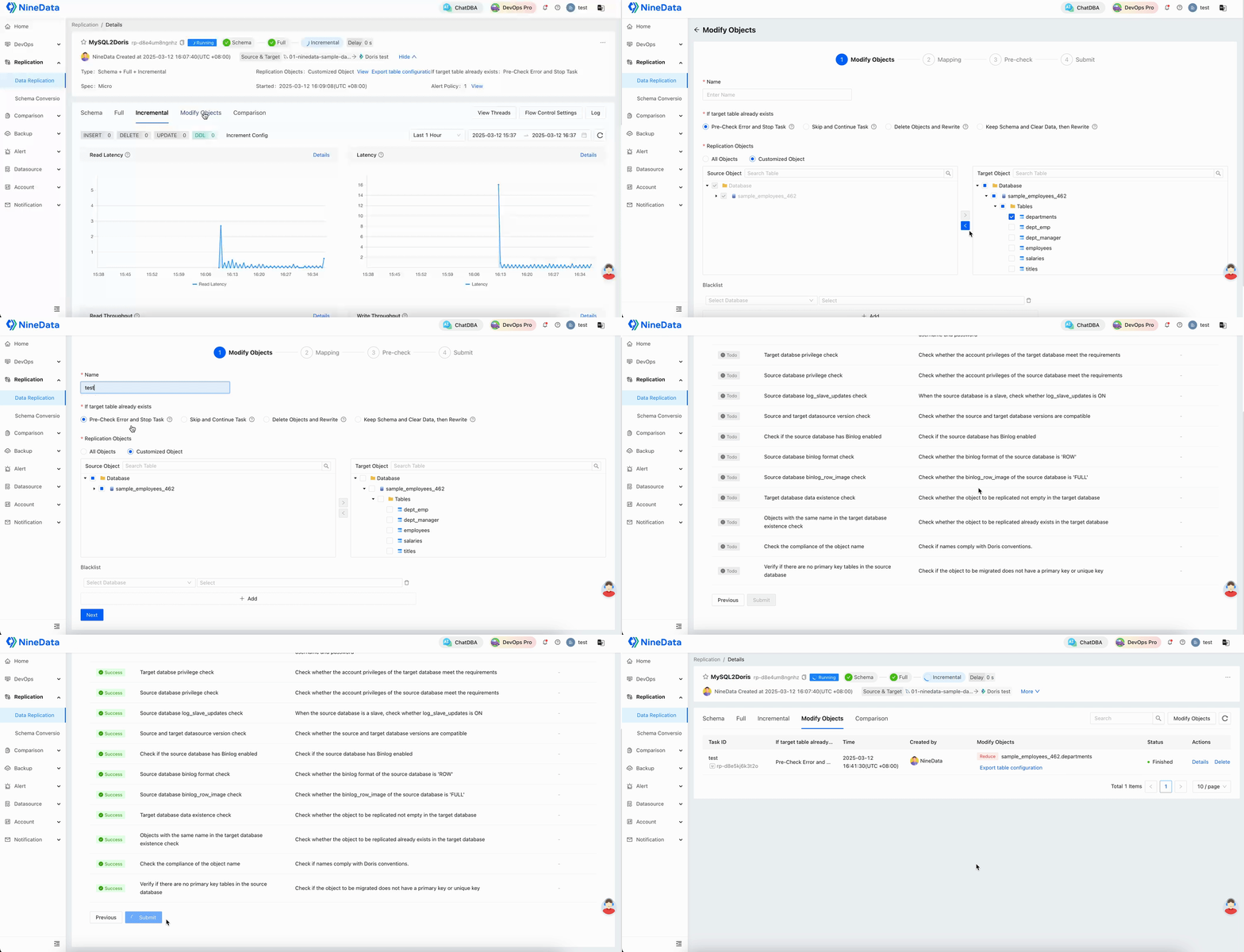
Step 5: Modify synchronization objects
If the replication scope changes, modify synchronization objects from the task details page. Review the impact before adding or removing objects from a running task.
Result
After the task starts, monitor replication progress, data comparison results, alerts, and throttling settings. When synchronization is stable, the Doris target can be used for analytics or downstream data warehouse workloads.