Generate test data
Use NineData Data Generation to create database test data that follows realistic business rules. The feature helps development, QA, and performance teams prepare test environments without copying production data.
Why Realistic Test Data Matters
Random strings are often enough for simple load tests, but they are usually not enough for application testing. Realistic test data helps teams validate:
- Query performance against representative data distribution and index usage.
- Business logic that depends on meaningful values.
- Relationships between tables, such as users, orders, and order items.
- Edge cases that are difficult to reproduce with purely random data.
Capabilities
NineData Data Generation supports:
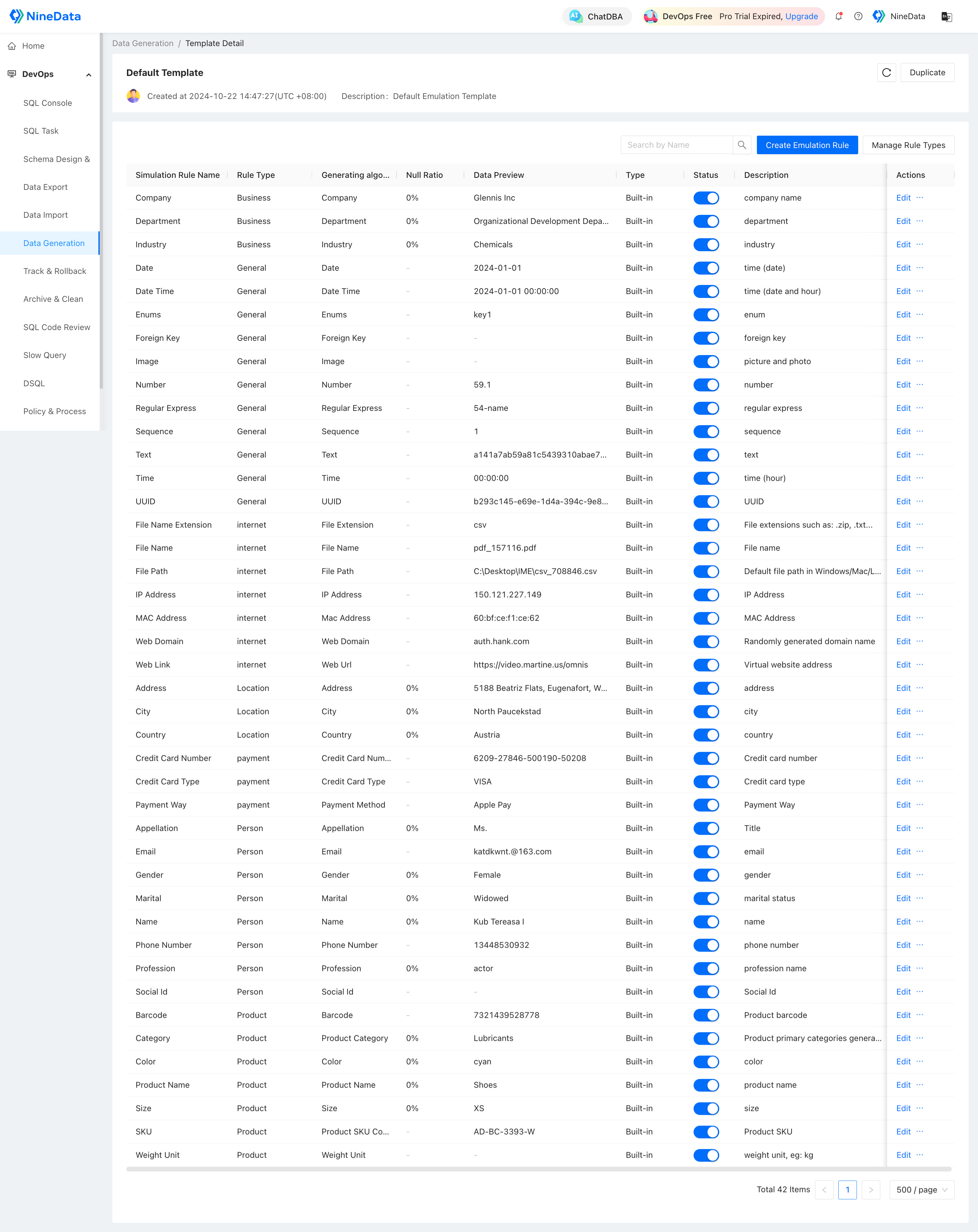
Predefined generation rules: Built-in rules cover common business fields. Create custom rules for fields that require special generation logic.
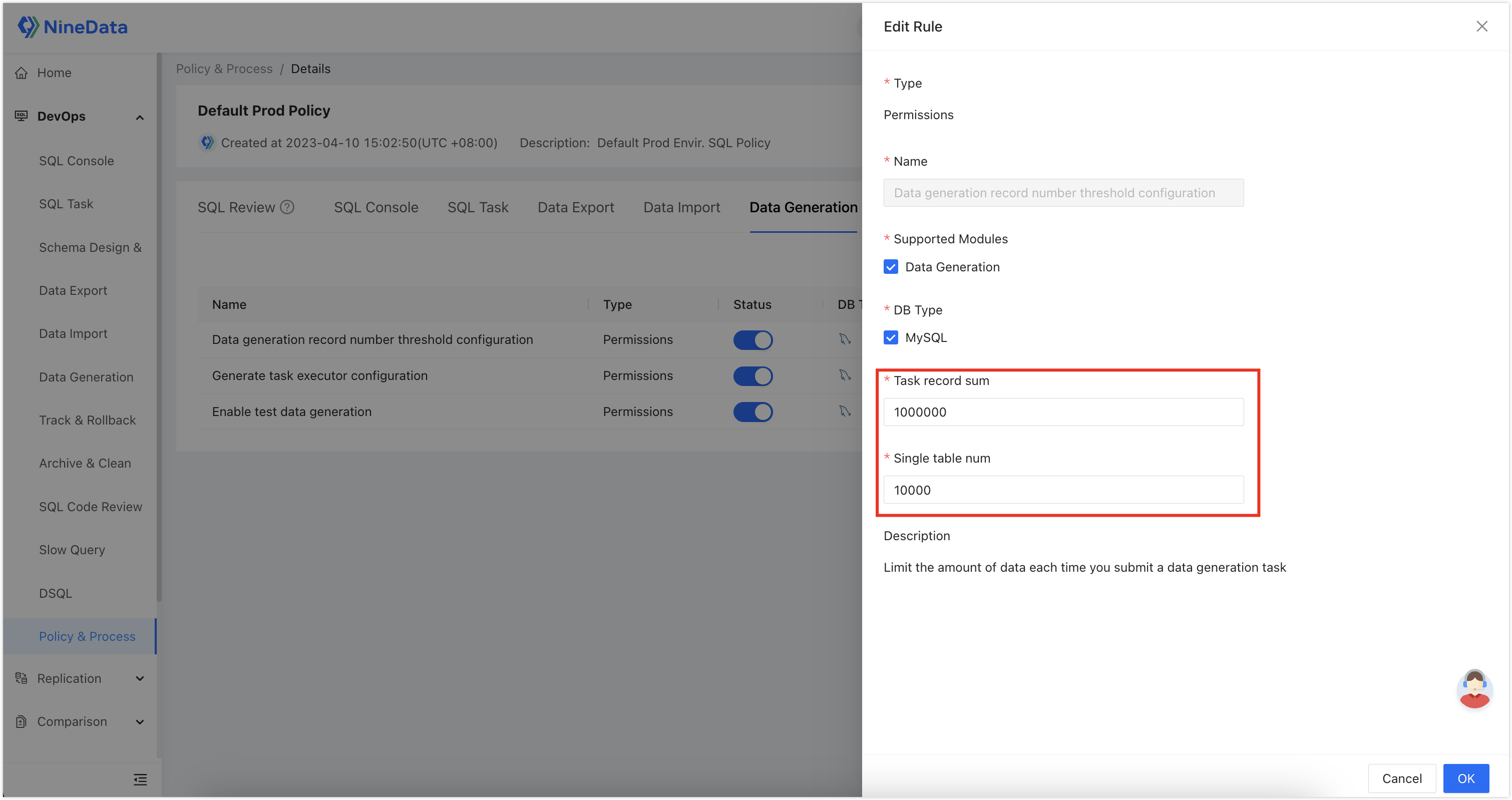
Configurable data volume: Generate the required number of rows within the limits set by your SQL development policies.
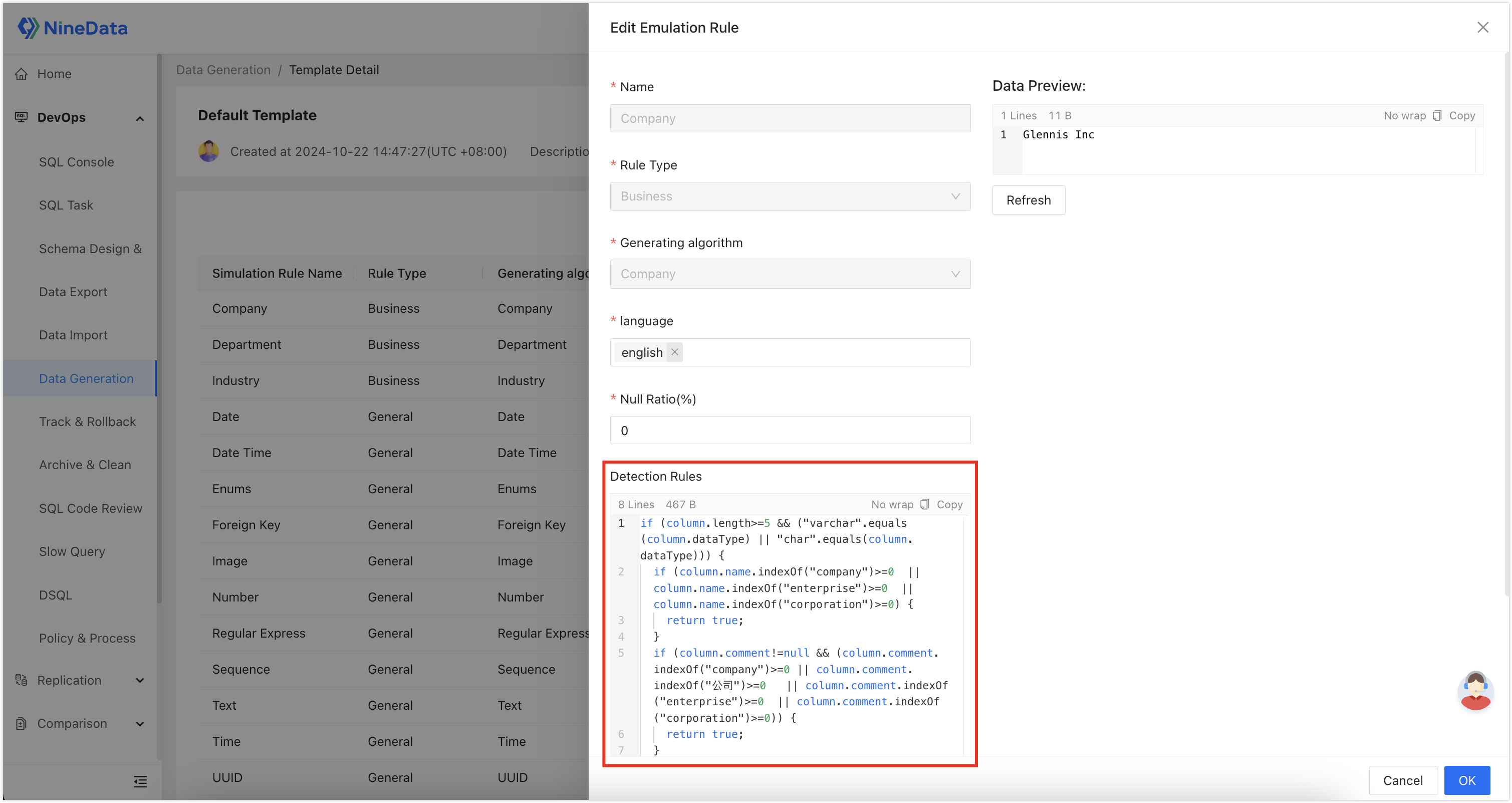
Automatic field matching: Recognition rules can associate generation rules with matching database fields.
Before you begin
Before you generate test data, make sure that:
- The target data source and database have been added to NineData.
- You have permission to create and execute a data generation task.
- The target table structure is ready.
- Your organization has confirmed the allowed generation volume and execution policy.
Generate Test Data
The example below generates 1,000 rows of test data for an account table.
Open the data generation task page.
Select the data source, database, and table.
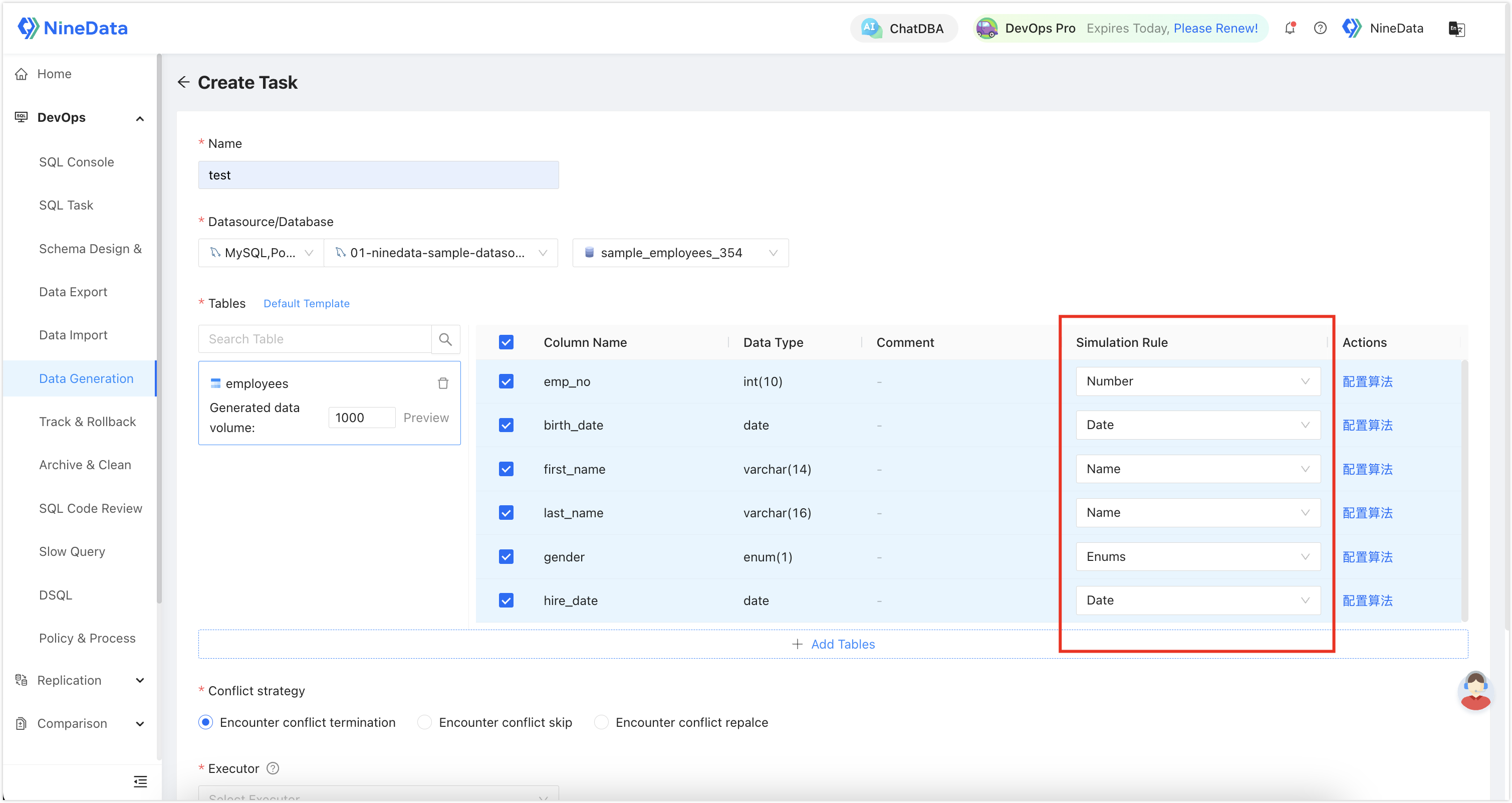
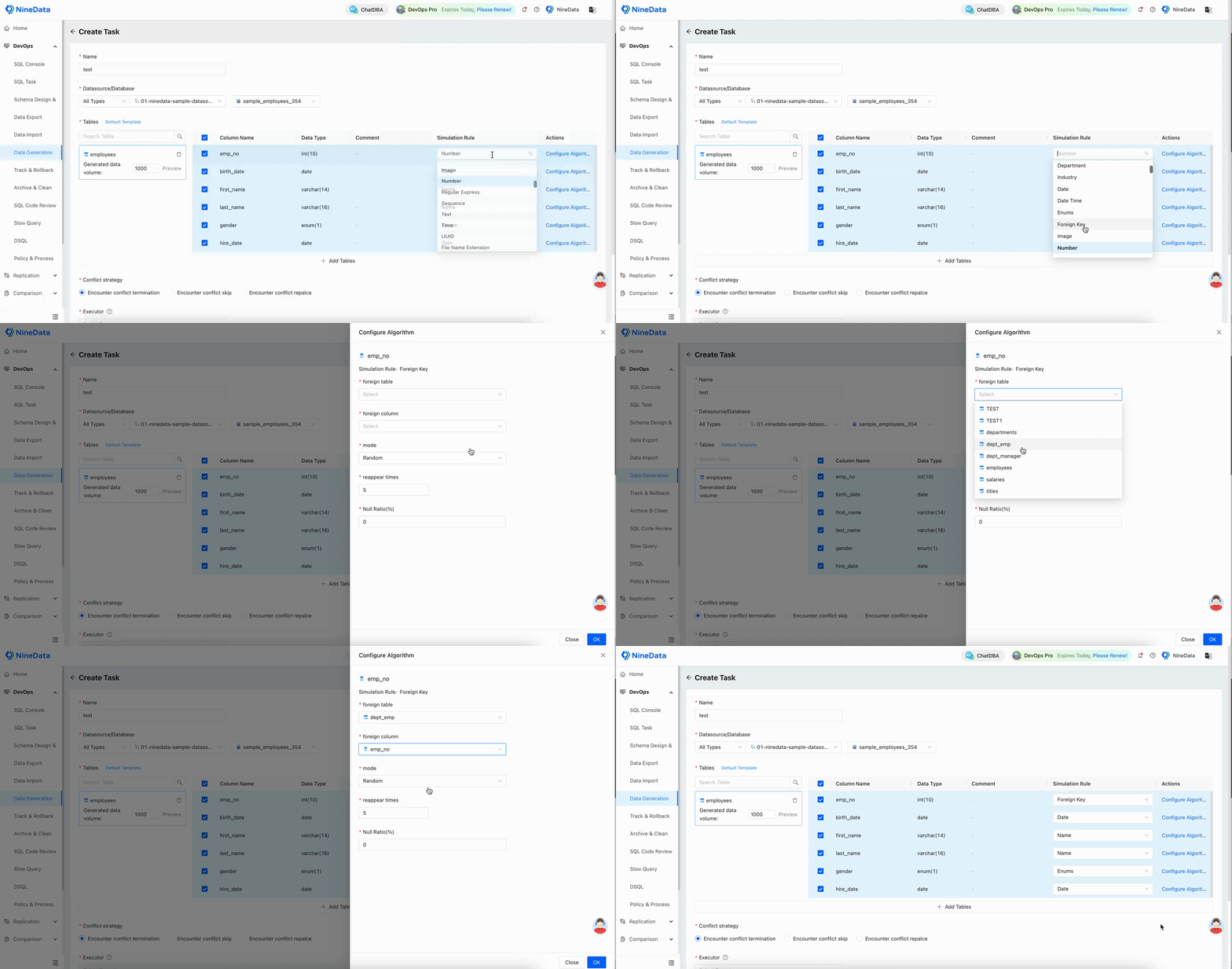
Configure a generation rule for each field.
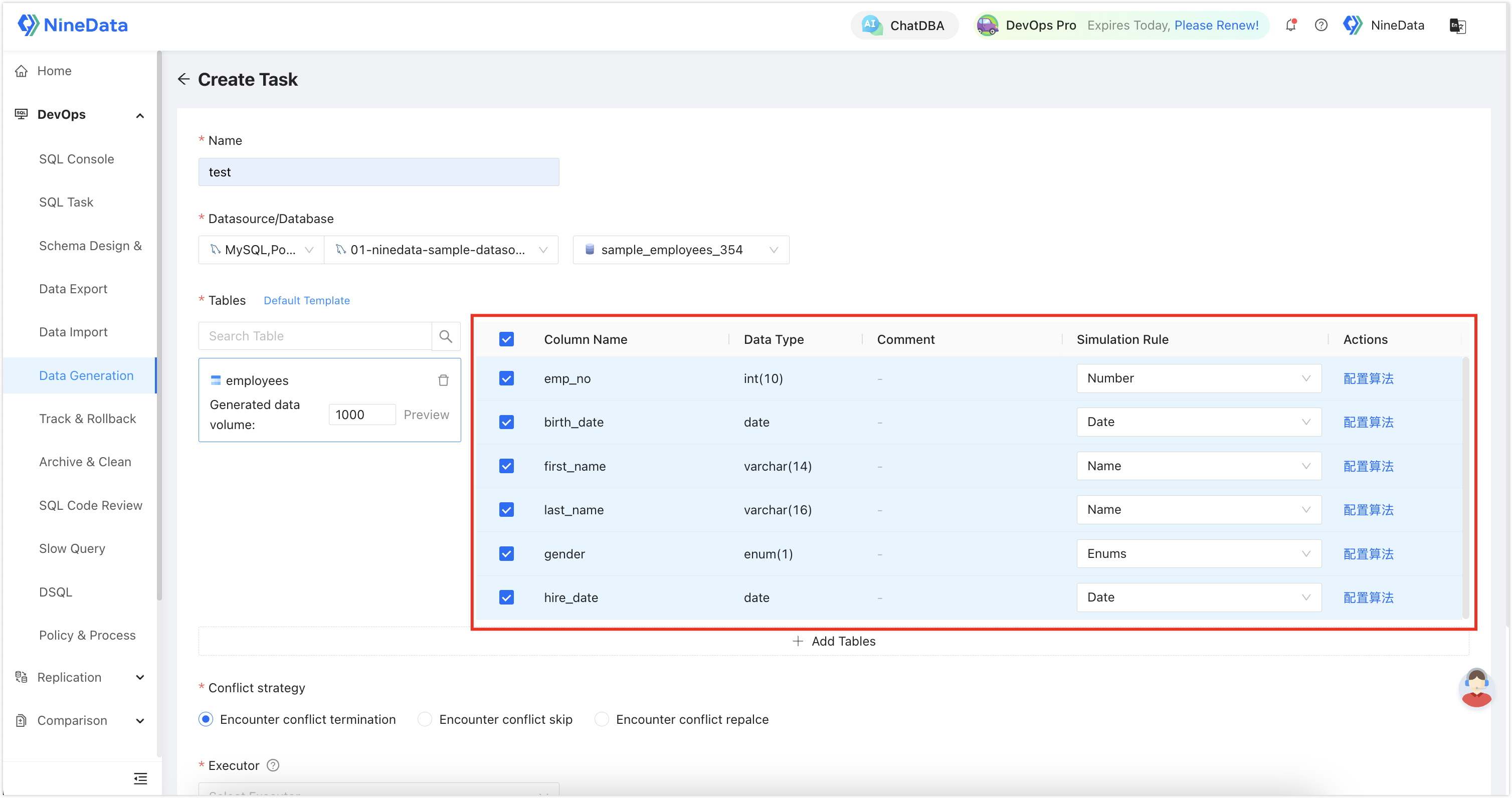
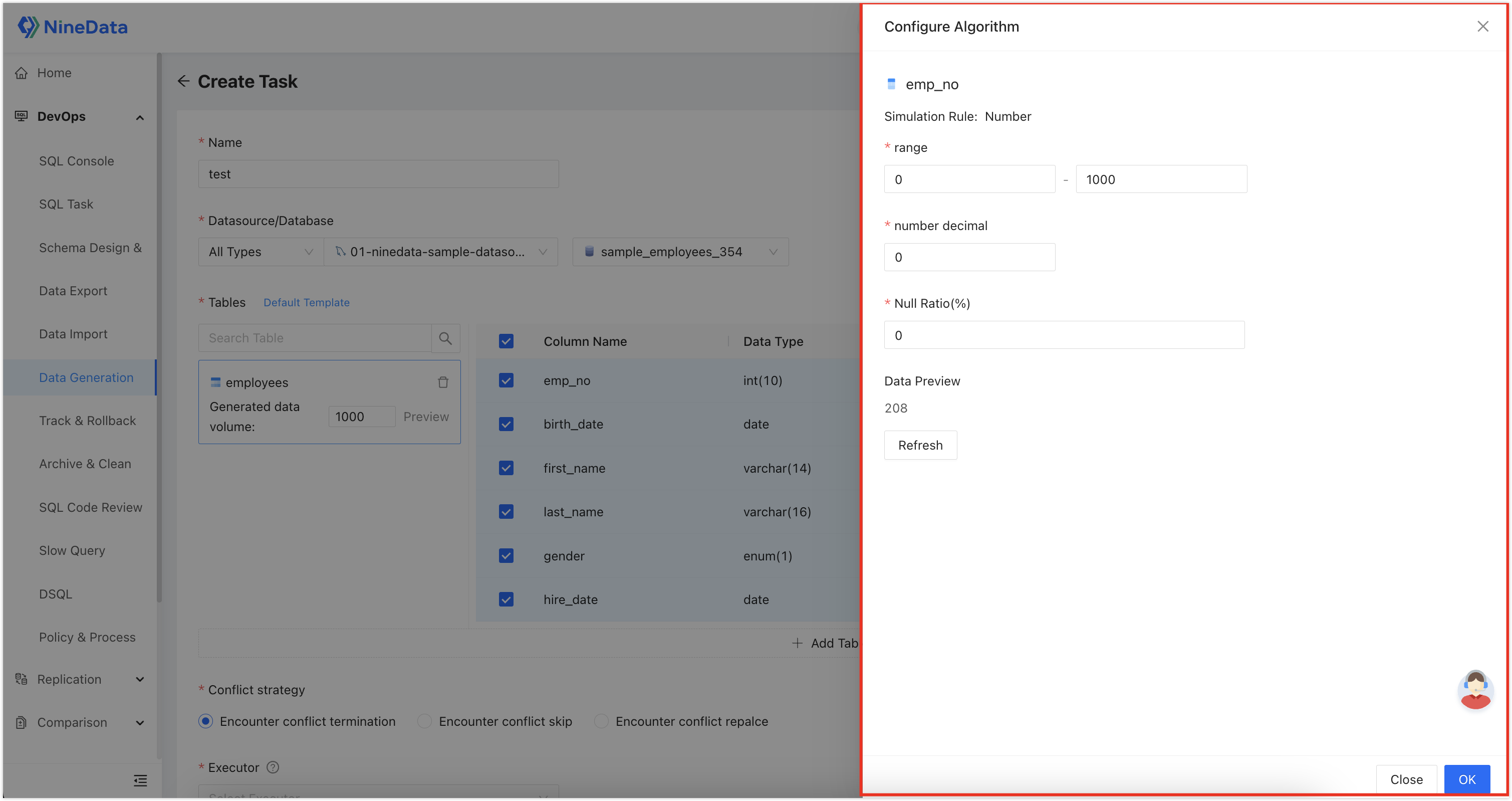
Select Configure Algorithm to adjust detailed options for each rule.
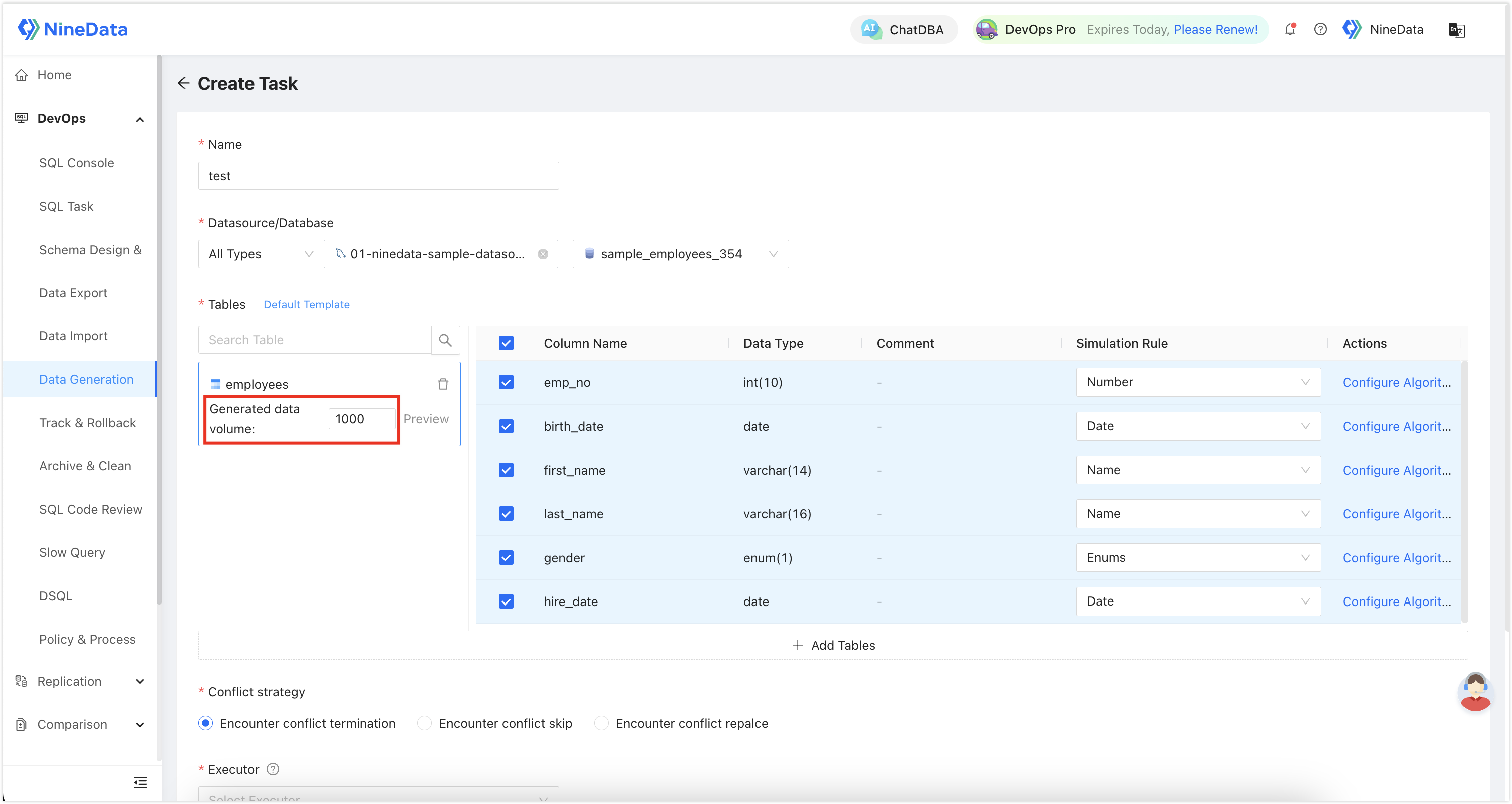
Set the generated data volume.
Select Preview to review sample output and confirm that the generated values match your expectations.
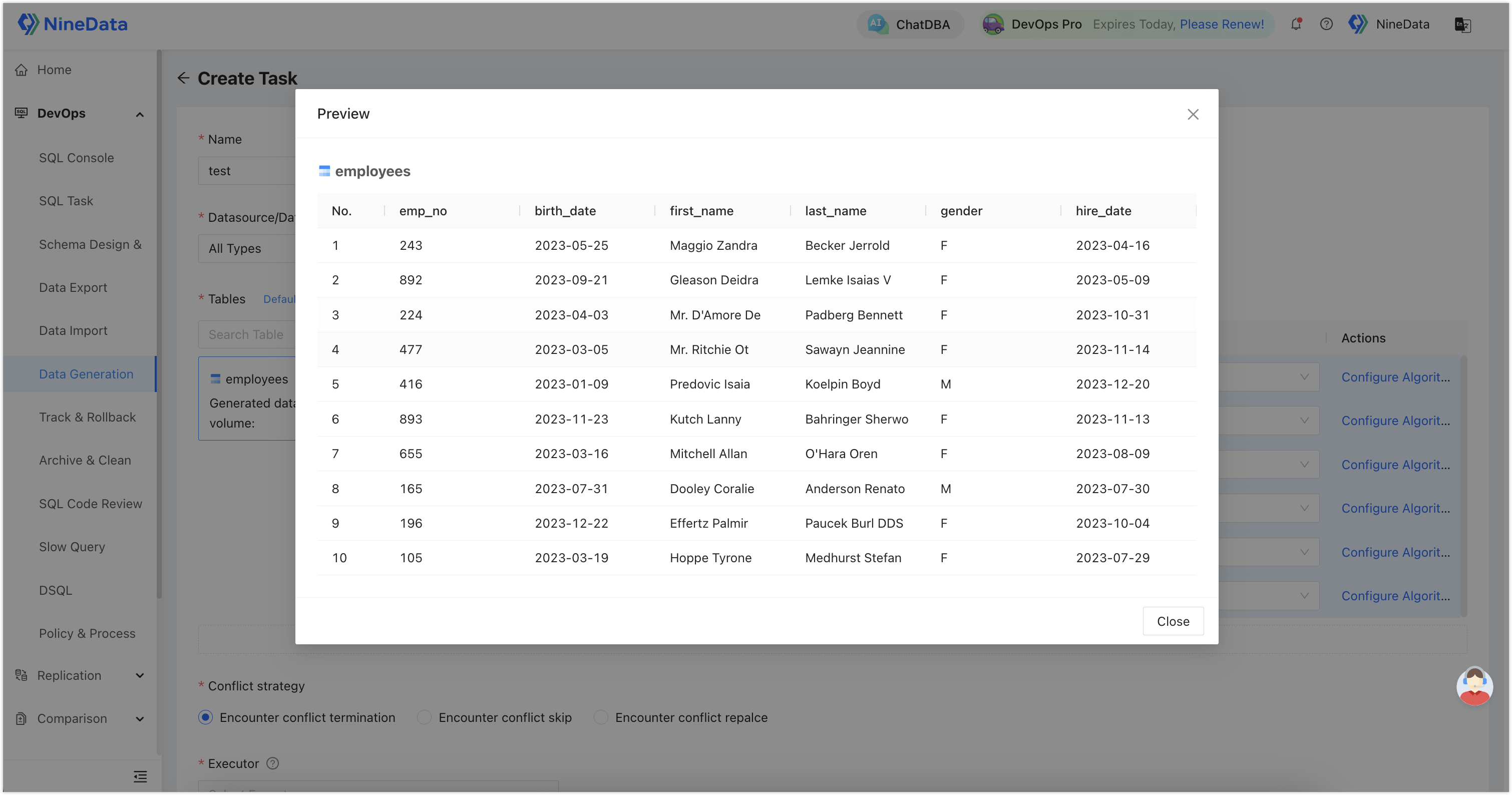
To generate related data across tables, use the Foreign Key Constraint rule for foreign key columns. NineData can randomly select values from the associated primary key column and use them in the current table.
Execute the task after you confirm the configuration.
Result
NineData writes the generated rows to the selected table. Use the preview, task details, and SQL Console to verify that the generated data volume, field values, and table relationships meet your test requirements.