Data Replication
NineData Data Replication helps you move and continuously synchronize data between supported databases and data platforms. Use it for database migration, real-time synchronization, disaster recovery, active-active architectures, and real-time data integration.
A replication task can include schema replication, full data replication, and incremental data replication. Depending on the source and target, run one-way or bidirectional replication and validate the result with Database Comparison before cutover. These capabilities help teams use NineData as a data movement platform for a real-time data pipeline or migration workflow.
Choose a Guide
| Task | Recommended documentation |
|---|---|
| Create a one-way or bidirectional data replication task | Data replication |
| Assess object and SQL compatibility before migration | Migration Assessment |
| Build active-active synchronization across multiple data sources | Data replication amongst 3 or more data sources |
| Replicate sharded databases and tables, or merge shards into one instance | Replicating Sharded Databases and Tables |
| Run full replication periodically | Periodic Full Replication |
| Transform schemas during replication | Schema Transformation |
| Clean or transform data during replication | ETL Functions |
| Validate changes after incremental replication | Incremental data comparison |
| Resynchronize database tables | One-Click Resynchronization of Database Tables |
Common Migration Paths
Before You Begin
- Add the source and target data sources to NineData. For details, see Add Data Source.
- Review the guide for your source and target types, including permissions, supported versions, network requirements, and replication limits.
- Decide whether the task needs schema replication, full data replication, incremental data replication, or a combination of these phases.
- Prepare a validation plan. For migration or cutover workflows, use Database Comparison Overview to verify schema and data consistency.
Typical Workflow
- Add and test the source and target data sources.
- Open the guide that matches your source and target database types.
- Create the replication task and configure the required replication phases.
- Start the task and monitor progress, latency, and task status.
- Validate the replicated data and schema before switching application traffic or downstream workloads.
What NineData Handles
- Online migration and business continuity: Combine full data replication with incremental replication to reduce the final cutover window.
- Schema initialization and supported DDL changes: Replicate database structures and manage supported schema evolution during the task.
- Data consistency validation: Use Database Comparison with replication tasks to check whether the source and target are consistent.
- Heterogeneous replication: Move data across supported relational databases, NoSQL systems, message queues, and analytics databases.
- Operational control: Monitor task status, pause or resume tasks, restart selected full-load steps, and resynchronize inconsistent tables when needed.
Replication Architecture
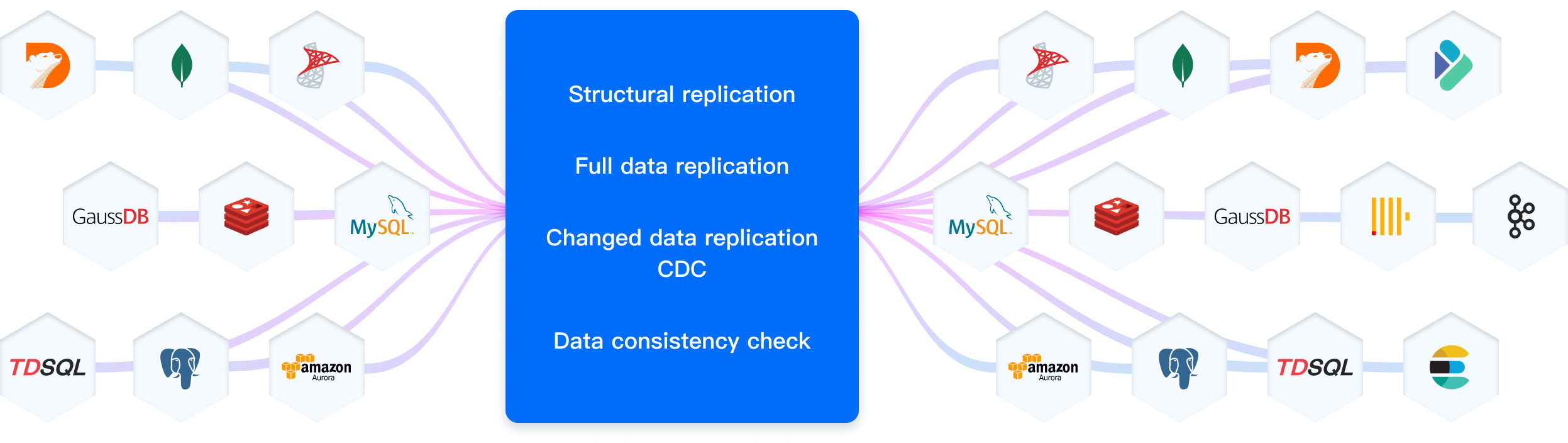
NineData supports replication across cloud databases, self-managed databases, and databases hosted in private data centers. The available phases, permissions, and limits depend on the selected source and target types.
Real-Time Replication
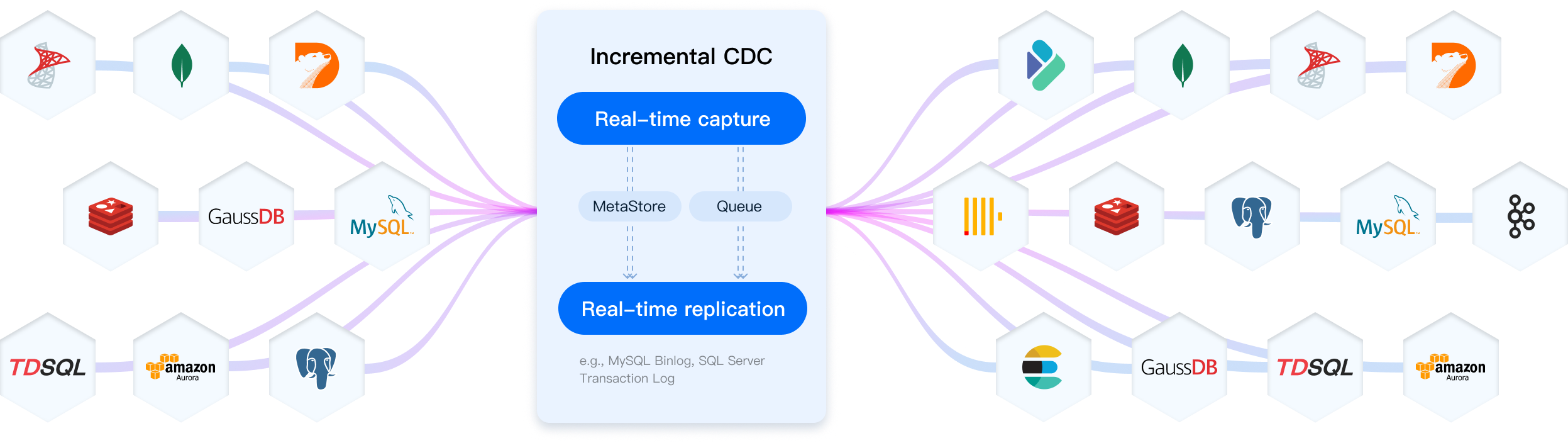
For supported sources, NineData uses log-based change capture to synchronize ongoing source-side changes to the target. This helps keep the target database current while the application continues to use the source system.
Next Steps
- To create a standard replication task, see Data replication.
- To validate a migration before cutover, see Migration Assessment and Database Comparison Overview.
- To fix inconsistent replicated tables, see One-Click Resynchronization of Database Tables.