Review SQL before production release
Use SQL Review to check SQL before it reaches production. The workflow combines automated checks, optimization suggestions, and manual approval so teams can reduce risk and keep releases traceable.
Why SQL review matters
SQL review helps reduce issues such as:
- Unindexed or inefficient queries that slow down online databases.
- Broad DELETE or UPDATE statements with a large blast radius.
- DDL changes that may lock tables or affect availability.
- SQL releases that bypass DBA review or team standards.
- Missing audit records for production database changes.
Overview
NineData SQL Review provides:
- Approval process: Configure automated pre-review only, or combine pre-review with manual approval for higher-risk environments.
- Automated pre-review: Check submitted SQL against the configured SQL development standards and block non-compliant SQL before manual approval.
- Optimization suggestions: Show suggestions related to syntax, indexes, naming standards, and other SQL quality checks.
- Manual review: Let DBAs or approvers perform the final review after automated checks complete.
Before you begin
Before you create an SQL review task, make sure that:
- The target data source has been added to NineData.
- SQL development standards are configured for the target environment.
- The approval process is configured if manual review is required.
- You have permission to create and submit SQL review tasks.
Procedure
Create an SQL review task.
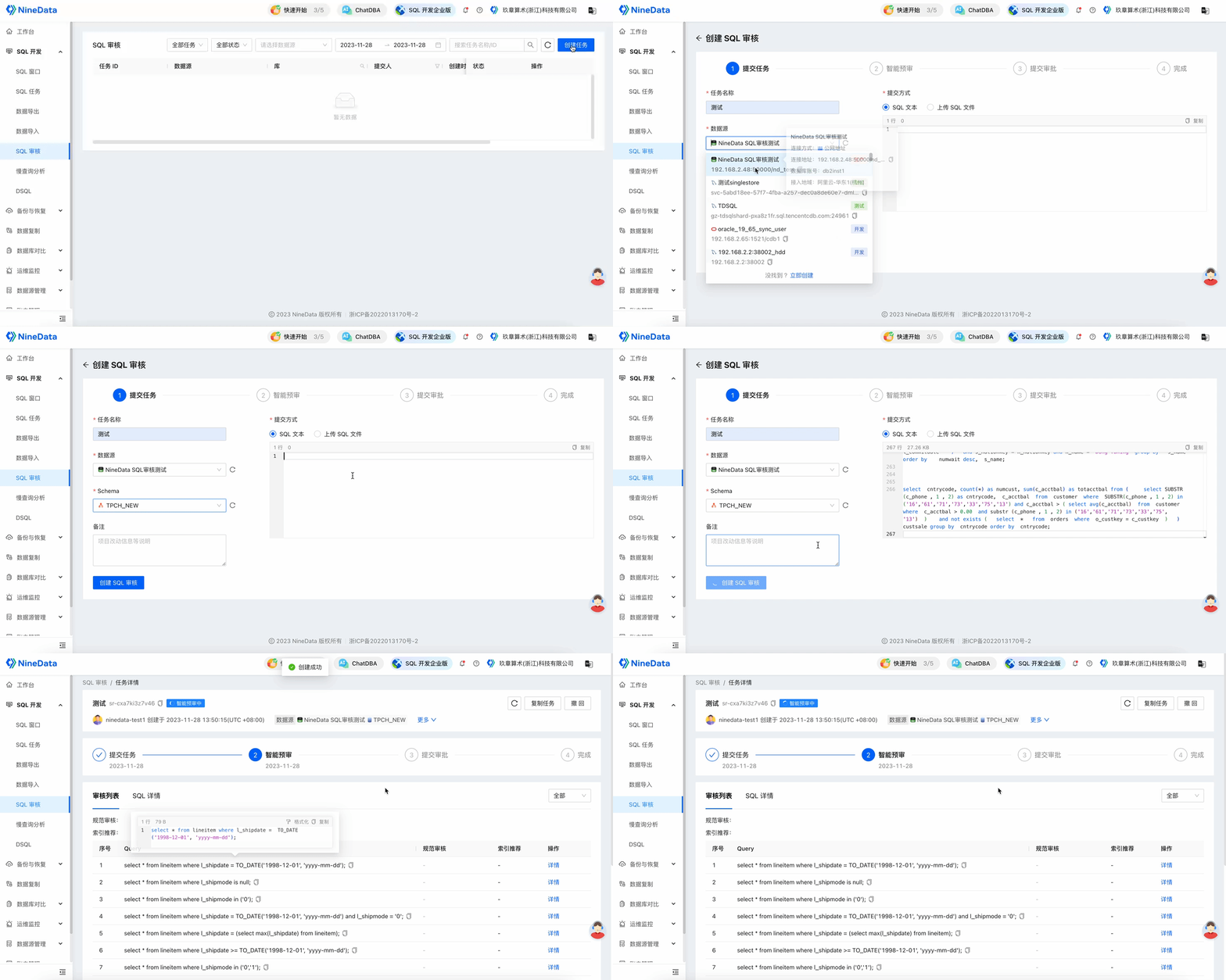
Review the pre-review summary.
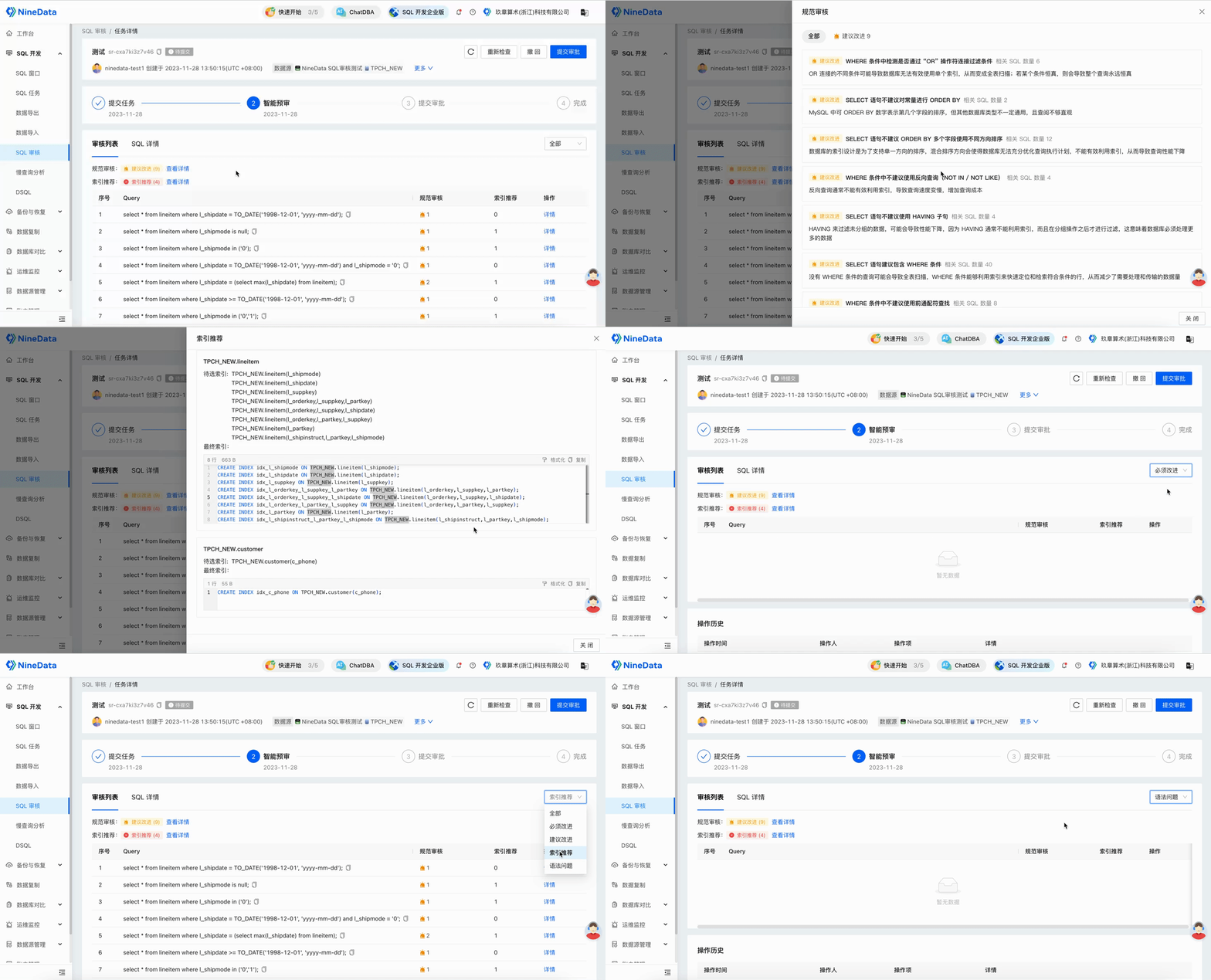
Open the optimization suggestions for the target SQL. Suggestions may include Standard Review results based on SQL development standards and Index Recommendations generated by AI analysis.
 tip
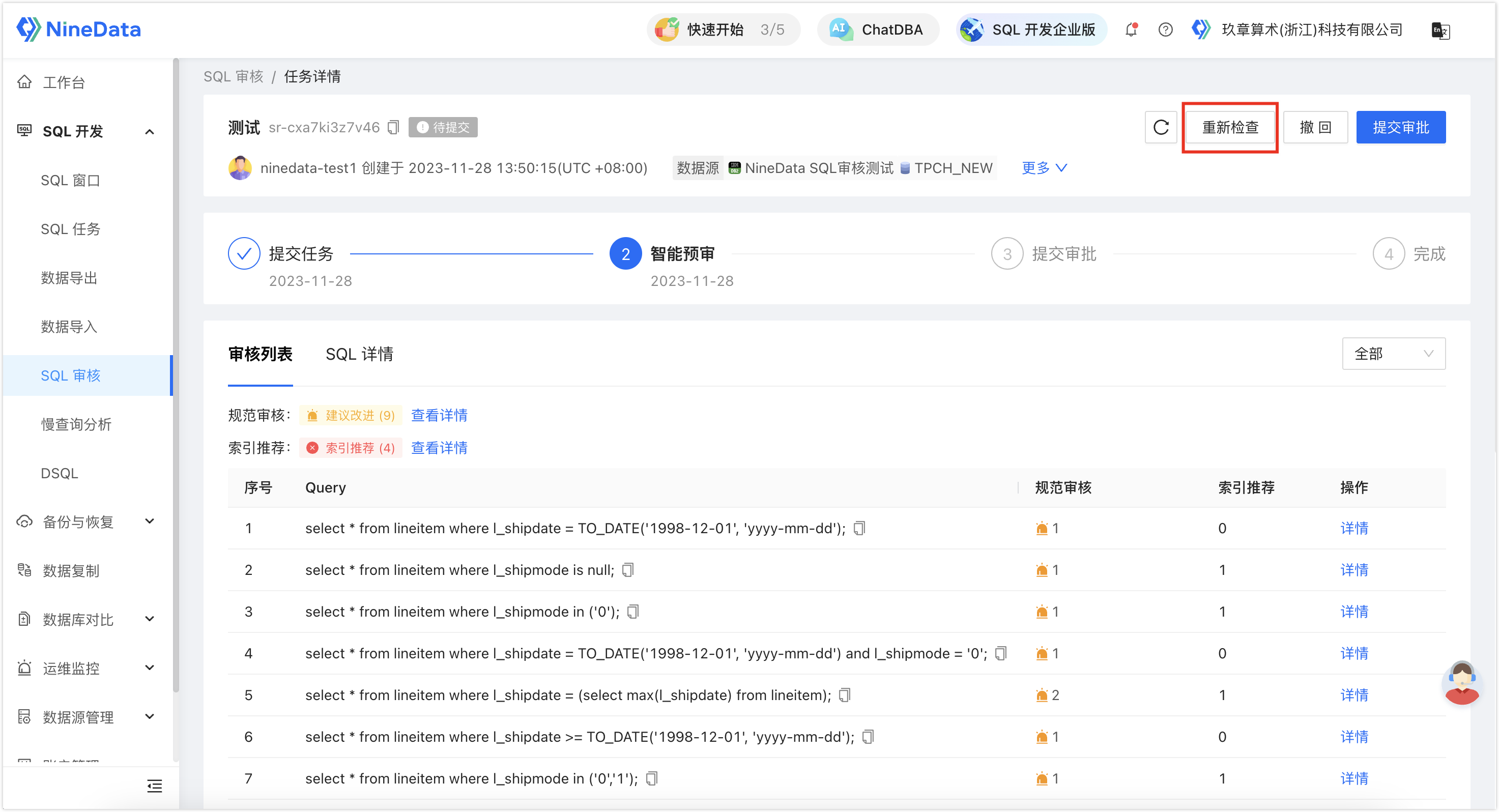
tipAfter you update the SQL, select Recheck to run the review again.
Submit the task for manual approval when the pre-review passes.
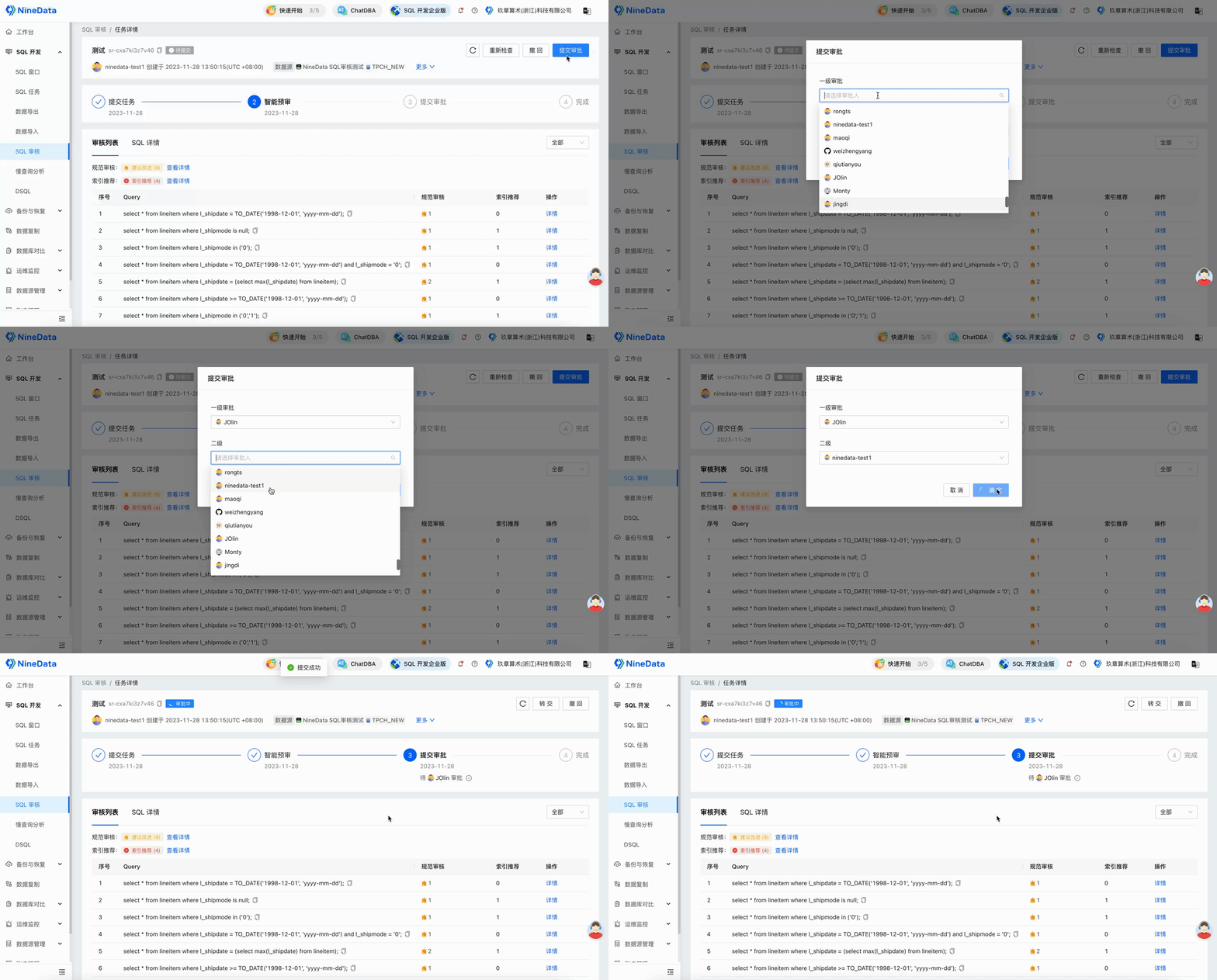
Wait for the approver to complete the review.
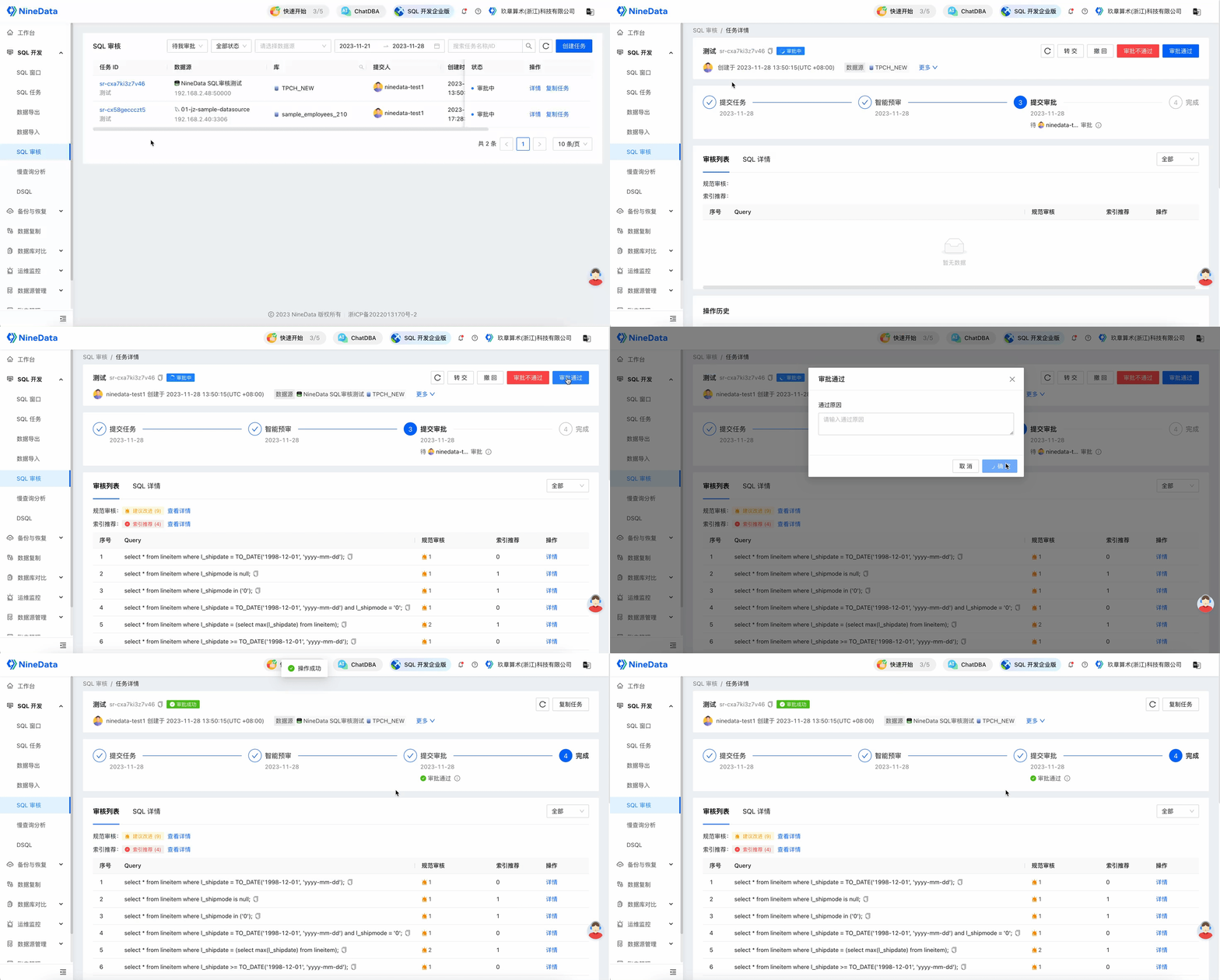
Result
The SQL review task records the submitted SQL, automated review result, optimization suggestions, approval history, and final status. Use the task record as part of the release audit trail.
Related documents
- SQL Change Review and Release Workflow
- MySQL Online DDL: Non-Locking Schema Change
- Large-Scale Data Change: Online DML Batch Execution
- Database Slow Query Analysis and SQL Performance Troubleshooting
- Database Sensitive Data Governance and Access Control