Query across databases with DSQL
Use NineData DSQL to run SELECT queries across multiple homogeneous or heterogeneous data sources. DSQL gives teams a unified query syntax and a single result set when data is distributed across different database systems.
When To Use DSQL
DSQL is useful when:
- Data is distributed across multiple departments, systems, or database engines.
- Analysts need one query result without manually exporting and joining data.
- Teams query heterogeneous databases through a consistent syntax.
- Sensitive data masking and access control must still apply during cross-database queries.
Why Native Cross-Database Queries May Not Be Enough
Native cross-database features can be useful, but they often have limits:
- Some options work best within the same database engine.
- Query syntax and connection behavior differ by database vendor.
- Large joins or transfers can add performance overhead.
- Security and masking controls may be hard to keep consistent across systems.
NineData DSQL provides a managed cross-database query layer for these scenarios.
Query Syntax
When you reference a table or view in DSQL, use the following three-part name:
<DBLINK Name>.<Database Name|Schema Name>.<Table Name|View Name>
Example: query data from a MySQL DBLink and an Oracle DBLink.
SELECT *
  FROM DBLINK1.database_name.table_name a,
       DBLINK2.schema_name.table_name b
 WHERE a.id = b.id;
Example: query a single table from one DBLink.
SELECT *
  FROM DBLINK1.database.table_name
 WHERE id = 1;
If a database, schema, table, or view name starts with a number or uses a reserved word, enclose the name in double quotes.
Example:
SELECT * FROM dblink_mysql_3451."9zdbtest3".sbtest1;
Before you begin
Before you use DSQL, make sure that:
- The data sources you want to query have been added to NineData.
- You have permission to access the target data sources, databases, schemas, tables, or views.
- DBLinks are available for the data sources you want to reference.
- Sensitive data masking and access policies are configured if the query may return protected fields.
Use DSQL
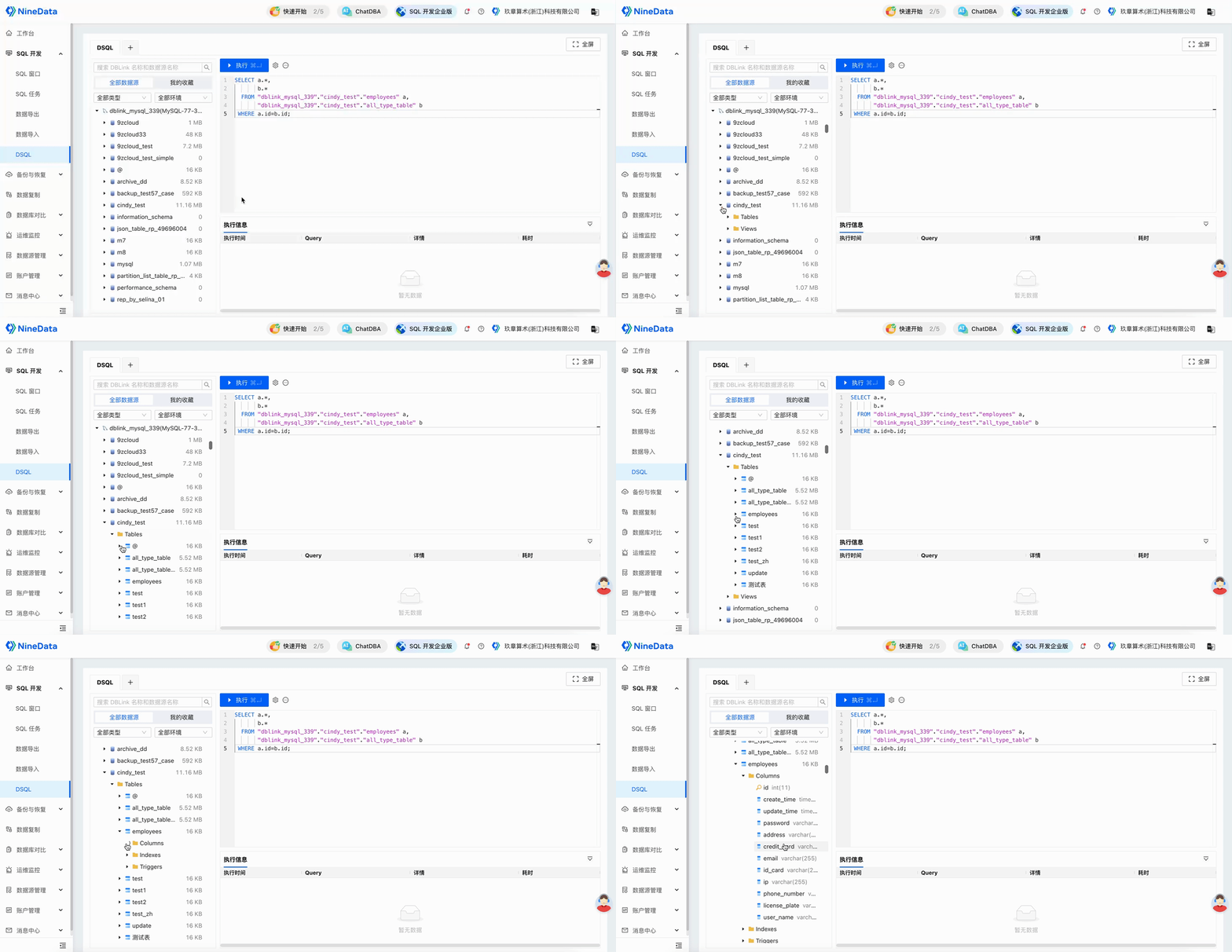
Review the DBLink name, database or schema name, table or view name, and column name in the left navigation.
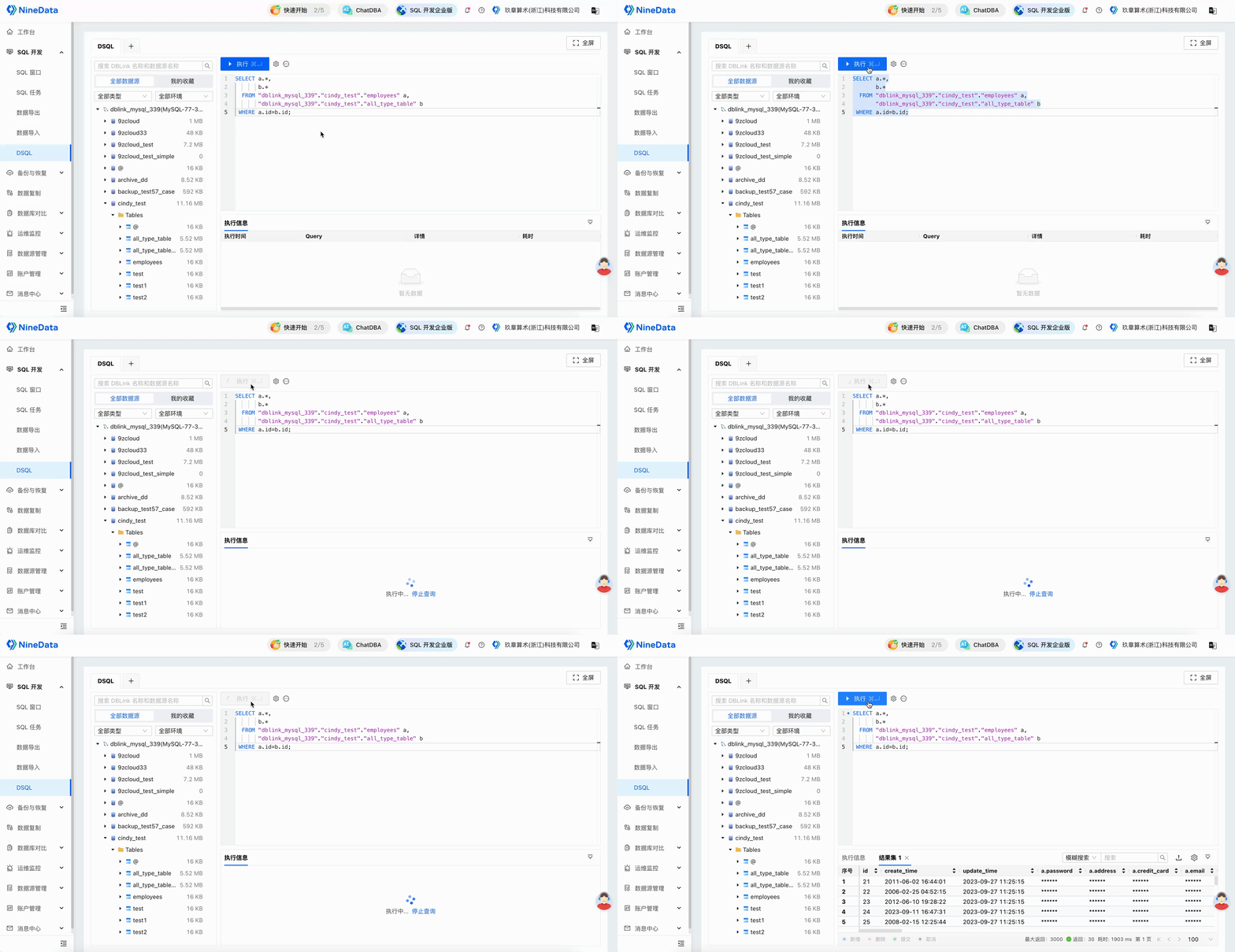
Write and execute a cross-database query. The query can include homogeneous or heterogeneous data sources, and sensitive fields are masked based on your permissions.
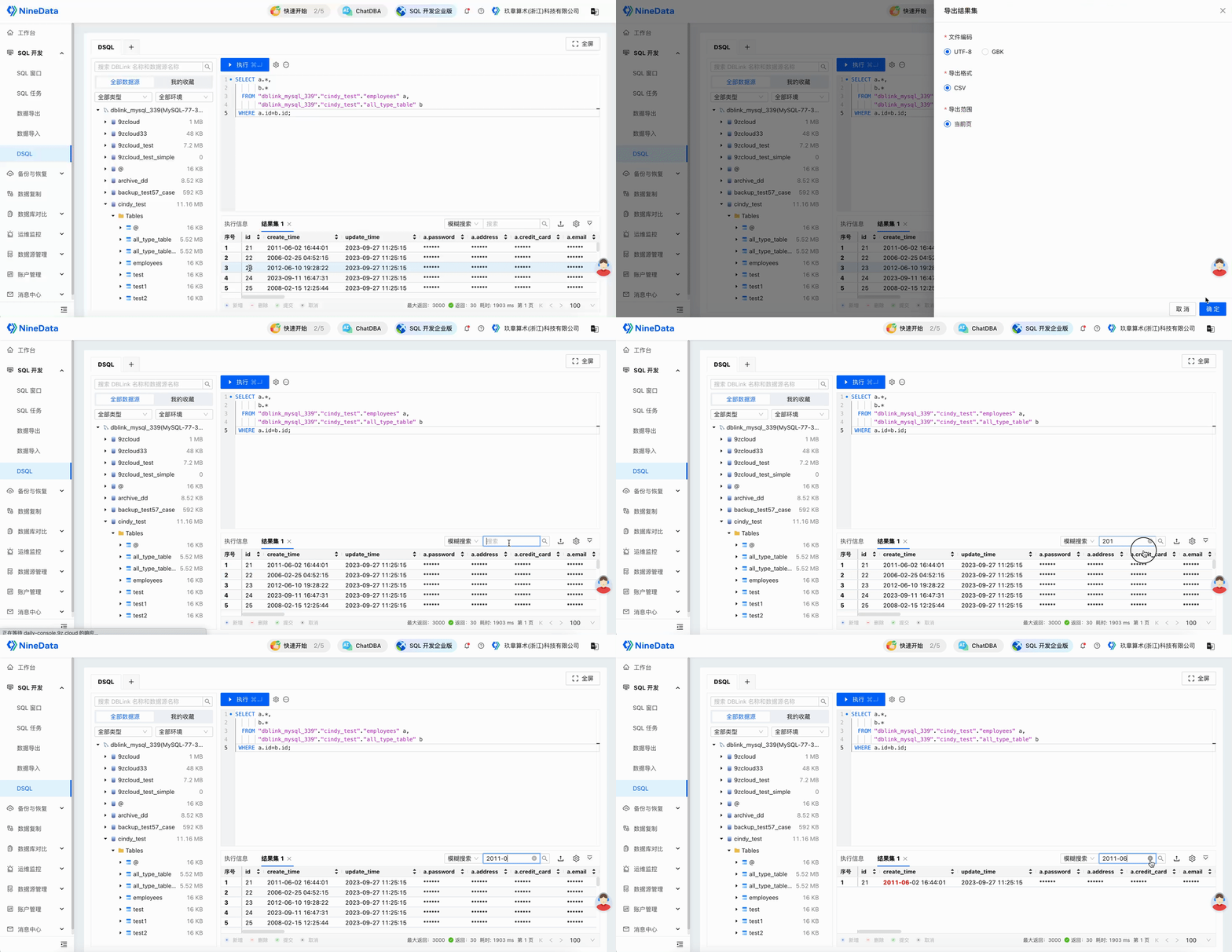
Review the merged result set, search it, or export it for downstream analysis.
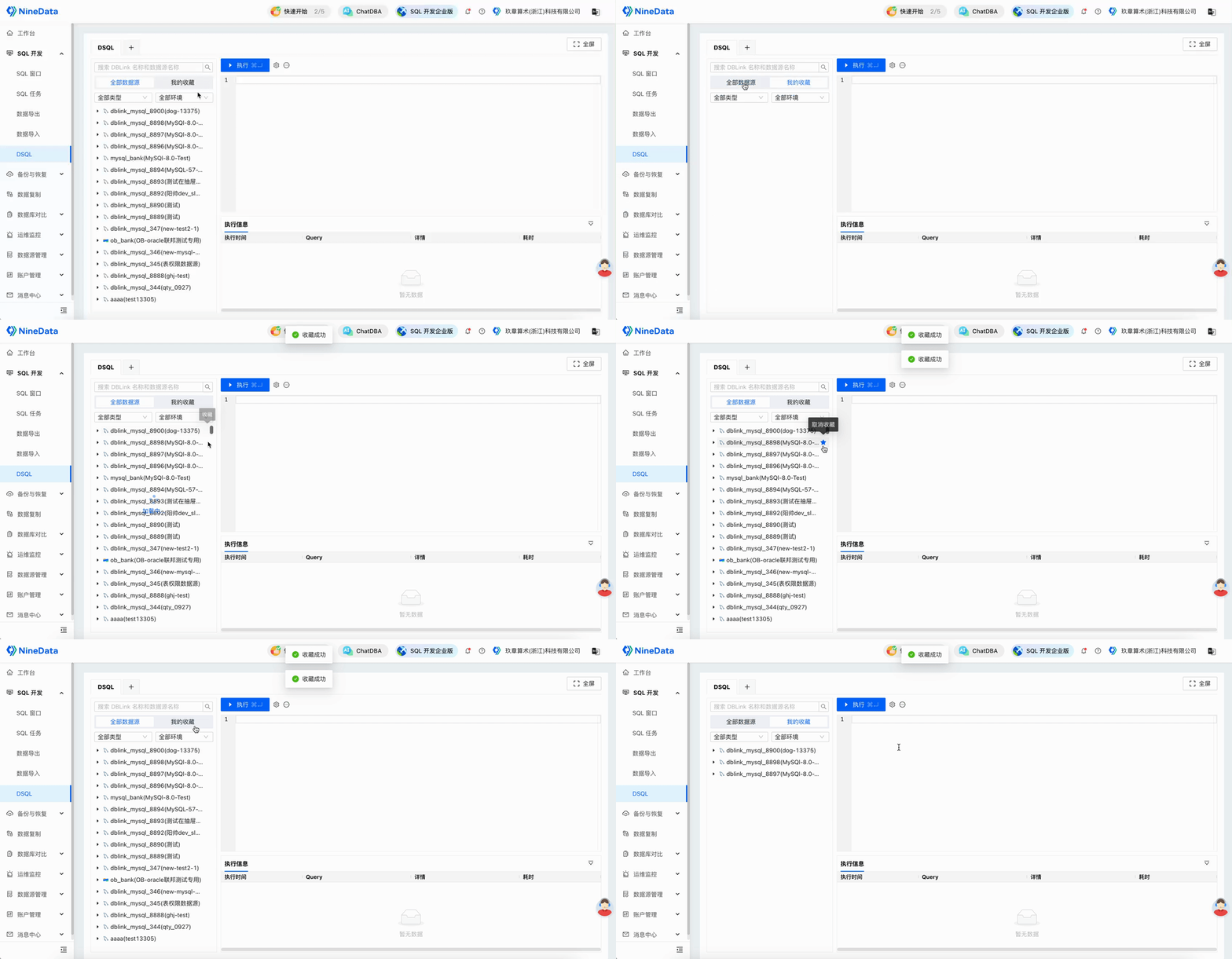
Optional: Favorite frequently used DBLinks so they are easier to find.
Result
DSQL returns one query result across the selected data sources. Users can analyze distributed data without manually switching tools, exporting intermediate files, or rewriting the query for each database engine.