Run bulk database changes
Use NineData database groups with SQL tasks to execute the same schema or data change across multiple databases. This workflow helps teams manage multi-region, multi-instance, or sharded database changes with approval, execution tracking, and result verification.
When To Use Bulk Database Changes
Bulk database changes are useful when:
- The same DDL or DML statement must run across multiple databases.
- A sharded application needs a schema change across all shards.
- Regional databases need the same business-data update.
- DBAs need one task record for approval, execution, and result review.
Why Use Database Groups
Manual execution across databases is slow and error-prone. Scripts can improve speed, but they still require separate result checks and can be hard to reuse. NineData database groups let you define the target databases once, then submit a single SQL task against the group.
Before you begin
Before you create a bulk change task, make sure that:
- All target data sources have been added to NineData.
- The target databases have been added to a database group.
- You have permission to submit SQL tasks for the database group.
- SQL development standards and approval processes are configured for the target environment.
Run A Bulk Database Change
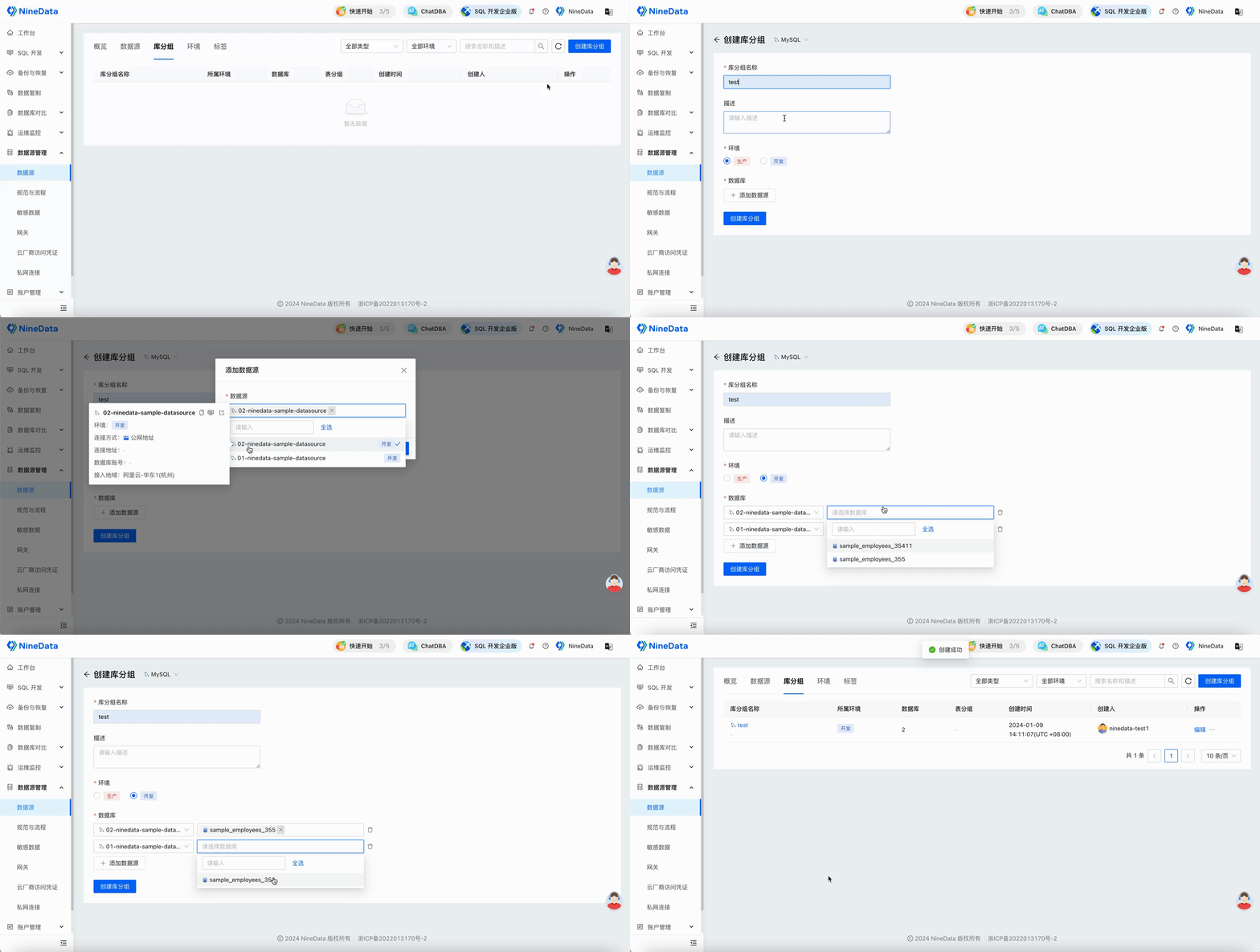
Create a database group and add the databases to change.
Create an SQL task, select the database group, and enter the SQL statement. In this example, the task adds a new column to the
departmentstable in all databases in the group.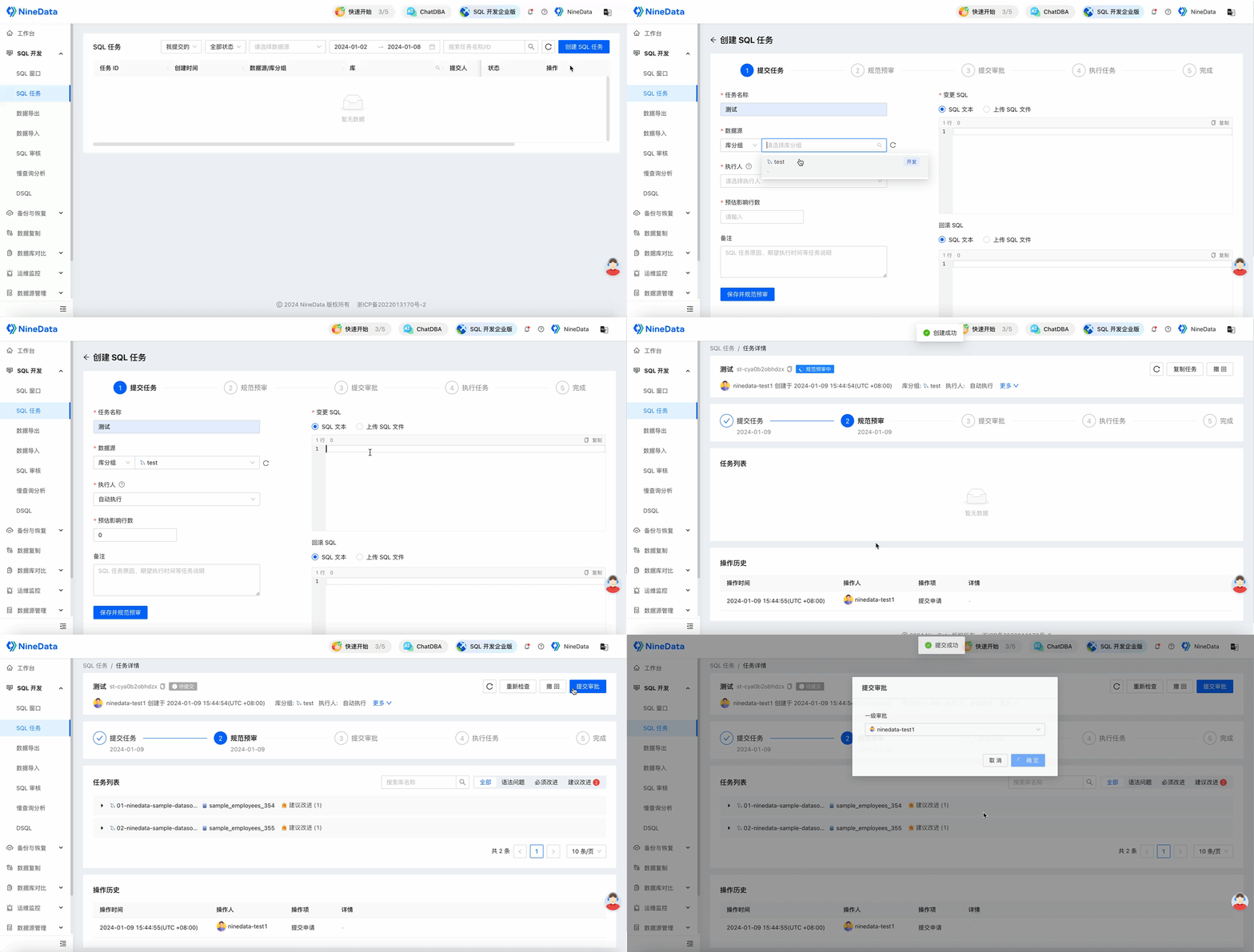
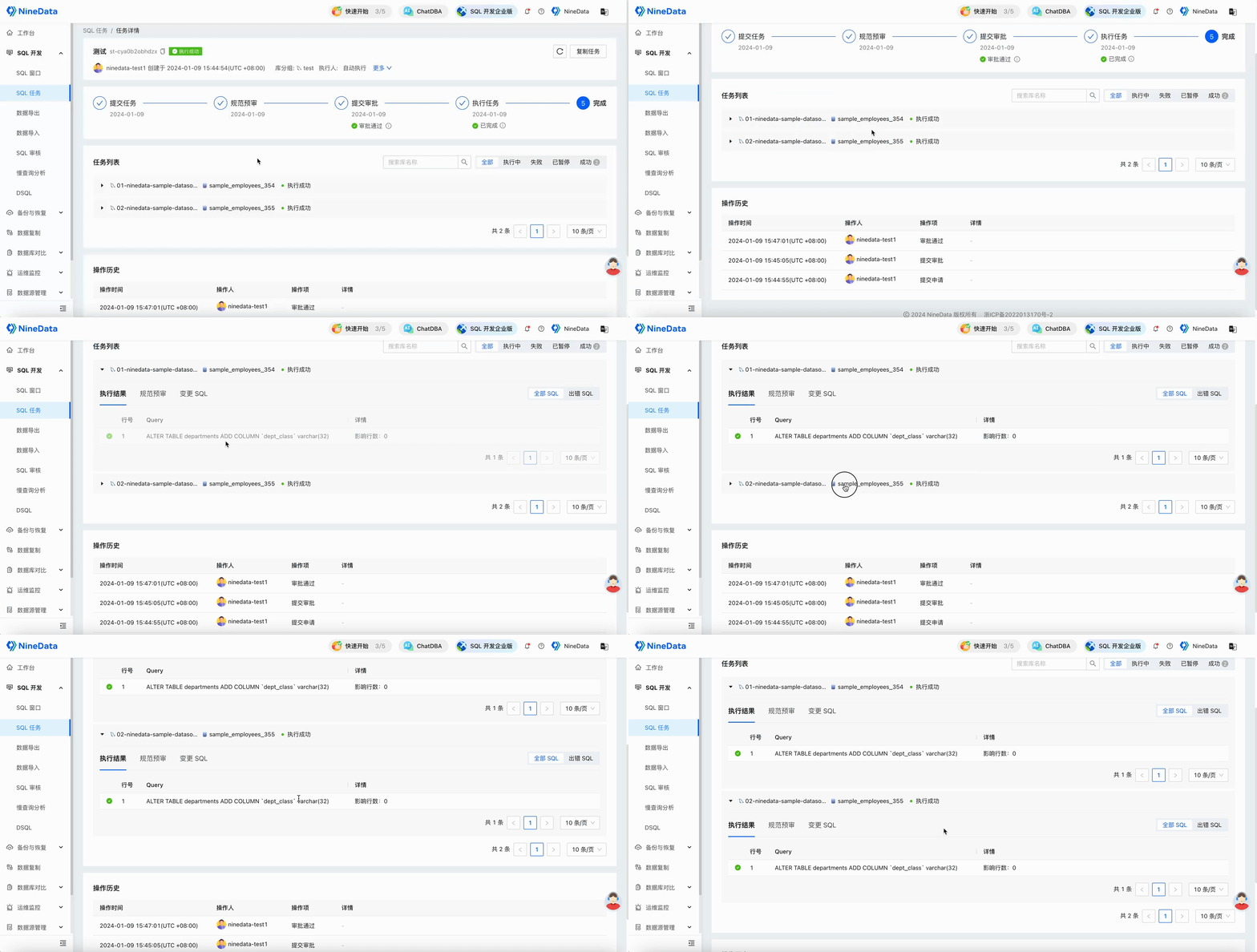
After the SQL task is approved, NineData executes the statement across the databases in the group. Review each database result on the SQL task details page.
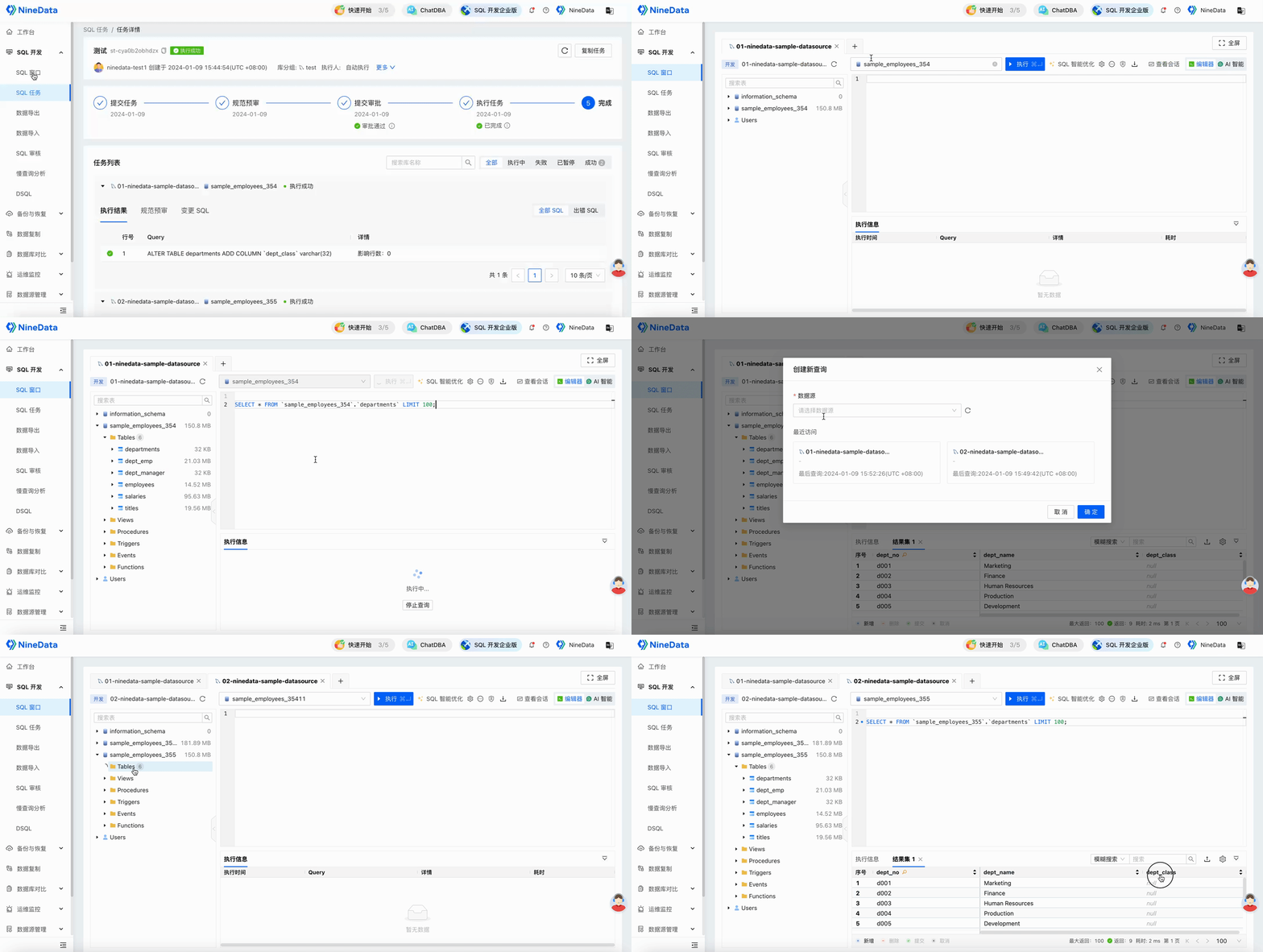
Open SQL Console to verify the final result.
Result
NineData executes the SQL task across all databases in the selected database group and records the approval, execution status, and per-database result. Use the task details to identify failures, retry if needed, and confirm consistency across the target databases.