GitOps and SQL Code Review
NineData can integrate SQL Code Review into existing GitOps release workflows. When application code triggers a commit, merge request, release, or pipeline task in GitLab, Alibaba Cloud Codeup, or a similar code platform, run ninedata check in a CI job to review SQL files and MyBatis XML files in the specified scope. The review result is then returned to the code platform.
Overview
In many release workflows, application code and database changes are managed in different systems. Developers may change MyBatis XML files or SQL files while submitting application code. If these SQL statements are not reviewed in a unified way, they may introduce slow SQL, lock waits, full table scans, syntax errors, or violations of internal SQL policies after release.
With GitOps and SQL Code Review integration, add a SQL review job to your code platform:
- The code platform configures the trigger timing, such as commits, merge requests, release pipelines, or custom jobs.
ninedata checkextracts.sqlfiles and MyBatis XML files from the current workspace based on the configured file patterns.- NineData generates review results based on the SQL development policy, syntax parsing, slow SQL rules, and index recommendation capabilities bound to the target data source.
- The code platform displays the review result returned by NineData. The committer or merger can decide whether to continue the merge or release based on the result.
Use cases
- Review SQL in GitLab Merge Requests or CI/CD pipelines.
- Add SQL quality checks to Codeup code merge, release pipeline, or application delivery workflows.
- Display SQL review results before application release to help committers, mergers, or DBAs decide whether the change can continue.
Before you begin
- You have already created or joined an organization, and the organization has subscribed to DevOps Enterprise. Please ensure that your annual or monthly subscription is still active. For more information, please refer to Manage Organizations.
- Your current account has been switched to the target organization. For more information, please refer to Switching to an Organization.
- The target database for SQL review has been added as a NineData data source. See Create a data source.
- SQL development policies have been configured for the target data source. See Manage SQL development policies.
- OpenAPI credentials that can call NineData are available, and the caller has the required permissions to run GitOps SQL review.
- The code platform can access the NineData service address from its pipeline, webhook, or custom script.
Integration flow
Define the review scope
In the code platform, determine which files should be submitted to NineData for review. The current version supports these file types:
- SQL files.
- MyBatis XML files, such as Mapper XML files.
The current version does not parse embedded SQL in Java, Go, Python, or other code files. Support for embedded SQL is being planned.
Submit only .sql files or MyBatis XML files related to the current change whenever possible, so the pipeline does not repeatedly review the entire repository.
Add a review stage in the code platform
Add a SQL review job in GitLab CI/CD, Codeup pipelines, or your internal release system. The trigger mechanism is configured by the code platform. Choose commits, merge requests, release pipelines, or custom events based on the platform capabilities.
A typical review job performs these operations:
- Prepare the current branch, target branch, and changed-file workspace in the code platform.
- Configure file patterns to be reviewed, such as
sql/**/*.sqlorsrc/main/resources/config/mybatis/**/*.xml. - Run
ninedata check. The command extracts matched files, parses SQL from them, and starts one SQL review request. - Output the review result to the pipeline log or report file for the committer, merger, or DBA to view.
Configure the CI runtime image
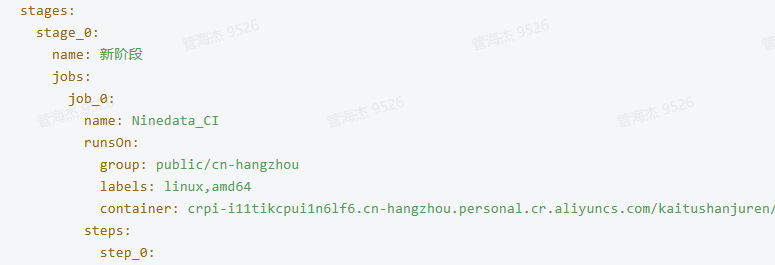
The GitOps workflow runs the ninedata check command in a CI job. This command is provided by the NineData CI image, so the image must be specified in the GitLab or Codeup pipeline configuration. When the CI Runner starts the job, it pulls the image and runs the review command inside the container.
The Docker Hub address of the NineData GitOps CI image is ninedata/ninedata-cicd. The GitLab example uses ninedata/ninedata-cicd:amd.
To verify that the CI Runner can pull the image and reach the network, run this command on the Runner machine:
docker pull <NineData GitOps CI image address>
Use the image and command this way:
- GitLab: specify the CI image with
imagein the job, and runninedata checkinscript. - Codeup: specify the CI image in the job
containerfield, and runninedata checkin the command step.
Configure the GitLab pipeline YAML
Maintain two files in the root directory of the GitLab project: .gitlab-ci.yml and ninedata-review.yml. The two files must be in the same root directory. The .gitlab-ci.yml file only needs to include the sibling ninedata-review.yml:
include:
  - local: ninedata-review.yml
Configure the complete SQL review job in ninedata-review.yml:
sql-review:
  stage: test
  image:
    name: ninedata/ninedata-cicd:amd
    pull_policy: always
  variables:
    CREATOR: $GITLAB_USER_LOGIN
    NINEDATA_URL: "<NineData service address>"
    CUR_BRANCH: $CI_MERGE_REQUEST_SOURCE_BRANCH_NAME
    TARGET_BRANCH: $CI_MERGE_REQUEST_TARGET_BRANCH_NAME
    ACCESS_KEY: "<NineData OpenAPI AccessKey>"
    ACCESS_SECRET: "<NineData OpenAPI AccessSecret>"
    DATASOURCE_ID: "<Target data source ID>"
    DATABASE_NAME: "<Target database name>"
    EVENT_SOURCE: $CI_PIPELINE_SOURCE
  script:
    - pwd
    - |
      ninedata check \
        --url="$NINEDATA_URL" \
        --creator="$CREATOR" \
        --cur-branch="$CUR_BRANCH" \
        --trg-branch="$TARGET_BRANCH" \
        --access-key="$ACCESS_KEY" \
        --access-secret="$ACCESS_SECRET" \
        --file-patterns="src/main/resources/config/mybatis/console/mapper/*.xml" \
        --file-patterns="migration/*.sql" \
        --datasource="$DATASOURCE_ID" \
        --db="$DATABASE_NAME" \
        --event="$EVENT_SOURCE"
  artifacts:
    reports:
      codequality: ninedata_review_result.json
  rules:
    - if: $CI_PIPELINE_SOURCE == "merge_request_event"
    - changes:
        - "migration/*.sql"
        - "src/main/resources/config/mybatis/console/mapper/*.xml"
Replace or confirm these parameters.
| Parameter | Replace? | Description |
|---|---|---|
image.name | Usually no | NineData GitOps CI image address. By default, use ninedata/ninedata-cicd on Docker Hub. Replace it only if your organization uses a private registry or image acceleration address. |
NINEDATA_URL | Yes | NineData service address. It must belong to the same environment as the OpenAPI credentials. |
ACCESS_KEY, ACCESS_SECRET | Yes | NineData OpenAPI credentials. Store the real credentials in GitLab CI/CD Variables and reference them in ninedata-review.yml to avoid committing plaintext secrets. |
DATASOURCE_ID | Yes | Target data source ID. Get it from the NineData data source details page or related OpenAPI query result. |
DATABASE_NAME | Yes | Database name that the SQL belongs to. |
--file-patterns | Yes | File scope to submit to NineData for review. Configure it based on the repository structure. The current version supports .sql files and MyBatis XML files. |
rules.changes | Yes | File change scope that triggers the GitLab SQL review job. Keep it consistent with --file-patterns whenever possible. |
CREATOR | Usually no | Committer. The default value uses the GitLab built-in variable $GITLAB_USER_LOGIN. |
CUR_BRANCH, TARGET_BRANCH | Usually no | Current branch and target branch. The default values use GitLab Merge Request built-in variables. |
EVENT_SOURCE | Usually no | Pipeline trigger source. The default value uses $CI_PIPELINE_SOURCE. |
artifacts.reports.codequality | Usually no | GitLab Code Quality report file path. The default value is ninedata_review_result.json. |
Example Codeup pipeline YAML:
sources:
  repo_0:
    type: codeup
    name: <Codeup repository name>
    endpoint: <Codeup repository URL>
    branch: dev
    triggerEvents:
      - mergeRequestOpenedOrUpdate
    branchFilter: .*
    pathFilter: src/main/resources/config/mybatis/**/*.xml
defaultWorkspace: repo_0
stages:
  stage_0:
    name: SQL Review
    jobs:
      job_0:
        name: Ninedata_CI
        runsOn:
          group: public/cn-hangzhou
          labels: linux,amd64
          container: <NineData GitOps CI image address>
        steps:
          step_0:
            name: Run command
            step: Command
            with:
              ifGivenShell: false
              run: |-
                ninedata check --url="$NINEDATA_URL" \
                  --creator="$BUILD_EXECUTOR" \
                  --cur-branch="$CI_COMMIT_REF_NAME" \
                  --trg-branch="$CI_COMMIT_TARGET_REF_NAME" \
                  --access-key="$NINEDATA_ACCESS_KEY" \
                  --access-secret="$NINEDATA_ACCESS_SECRET" \
                  --file-patterns="src/main/resources/config/mybatis/**/*.xml" \
                  --file-patterns="migration/*.sql" \
                  --db="$NINEDATA_DATABASE" \
                  --event="merge-request-event" \
                  --datasource="$NINEDATA_DATASOURCE_ID"
          step_1:
            name: Review report
            step: UnitTestReport
            with:
              reportPath: ./report/ninedata_review_result.html
              reporter: Java-JUnit
              failOnError: false
GitLab integration example
In GitLab, integrate NineData SQL Code Review through Merge Request Pipelines, Branch Pipelines, or custom jobs.
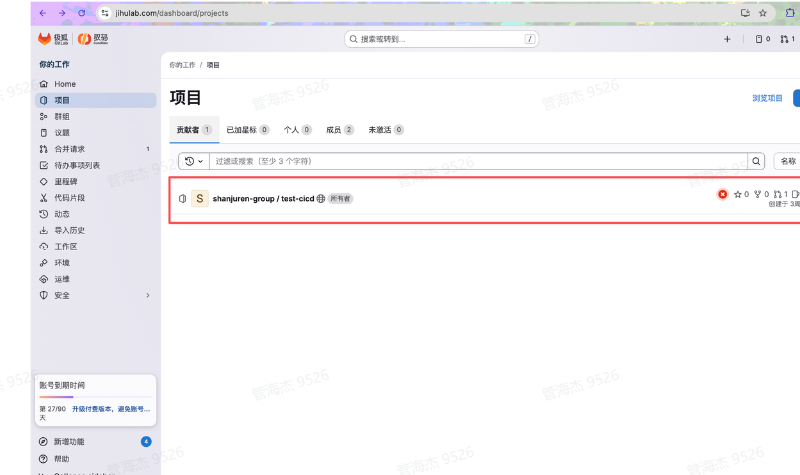
- Create
ninedata-review.ymlin the root directory of the GitLab project, and configure the SQL review job, image, review parameters, and trigger rules in it. - Make sure
.gitlab-ci.ymlandninedata-review.ymlare in the same project root directory, and include the siblingninedata-review.ymlfrom.gitlab-ci.yml. - Replace the NineData service address, OpenAPI credentials, target data source ID, target database, and file patterns in
ninedata-review.ymlwith actual values. - Configure the job trigger timing based on GitLab capabilities, such as merge requests or custom pipelines.
- Run
ninedata checkin the job script to extract the specified.sqlfiles and MyBatis XML files and complete the review. - Return the review result in the job log, report file, or Merge Request page. The current GitOps review result is for display only. NineData does not forcibly block merges or releases in the code platform. Committers and mergers can decide manually based on the result, or your organization can configure blocking rules in CI.
Codeup integration example
In Alibaba Cloud Codeup, integrate NineData SQL Code Review in code merge checks, pipeline tasks, or application release workflows.
- Add a SQL review task to the Codeup pipeline.
- Configure task variables to store the NineData service address, credentials, target data source ID, target database, and other required values.
- Configure trigger timing based on Codeup listener and filter capabilities, such as commits, merge request updates, or specified path changes.
- Run
ninedata checkin the task script to extract the specified.sqlfiles and MyBatis XML files and complete the review. - Return the review result in the pipeline log, unit test report, or Codeup CI node. The current GitOps review result is for display only. NineData does not forcibly block merges or releases in the code platform. Committers and mergers can decide manually based on the result, or your organization can configure blocking rules in CI.
View review results
GitOps SQL review does not create a persistent SQL Code Review task in the NineData console. After the review finishes, view the result in the code platform:
- Pipeline job log: view
ninedata checkexecution logs, hit rules, and error messages. - Report file: view the HTML report generated by the pipeline, such as
report/ninedata_review_result.html. - Merge request or CI node page: view the review conclusion based on GitLab, Codeup, or another code platform's display capabilities.
Result handling
| Review result | Suggested handling |
|---|---|
| Passed | Return the passed result in the code platform. The later workflow can continue. |
| Failed | Return the problematic SQL, hit rules, and optimization suggestions in the code platform. The committer or merger can manually block the merge or release based on the result, or your organization can configure blocking rules in CI. |
| API call failed | Check the NineData service address, credentials, network connectivity, target data source, and database configuration. |
Notes
- Do not store NineData credentials in plaintext in the code repository. Use GitLab CI/CD Variables, Codeup pipeline variables, or your enterprise secret management service.
- Place the SQL review job before application deployment or production merge, so committers and mergers can view the result in time.
- The current version supports only
.sqlfiles and MyBatis XML files. Embedded SQL in code files is not parsed. - The GitOps platform is responsible for trigger timing, branch information, workspace preparation, and result display. NineData extracts matched files based on file pattern configuration, parses SQL, and returns the review result.
- GitOps SQL review currently does not create a persistent task in the NineData console. Use pipeline logs or report artifacts in the code platform if you need an audit trail.
- If one application uses multiple databases, run reviews separately for each database to avoid mismatches between review results and target data sources.