Design ClickHouse Table Structures
NineData provides a visual table designer in SQL Console. Create ClickHouse tables, configure columns and indexes, and generate the corresponding SQL script without writing the full statement manually.
Before you begin
The data source type is ClickHouse.
In Organizational mode, you have permission to use SQL Console.
In Organizational mode, you have read and write permissions on the target data source.
tipIf you do not have these permissions, contact your organization administrator to configure permissions or bind roles.
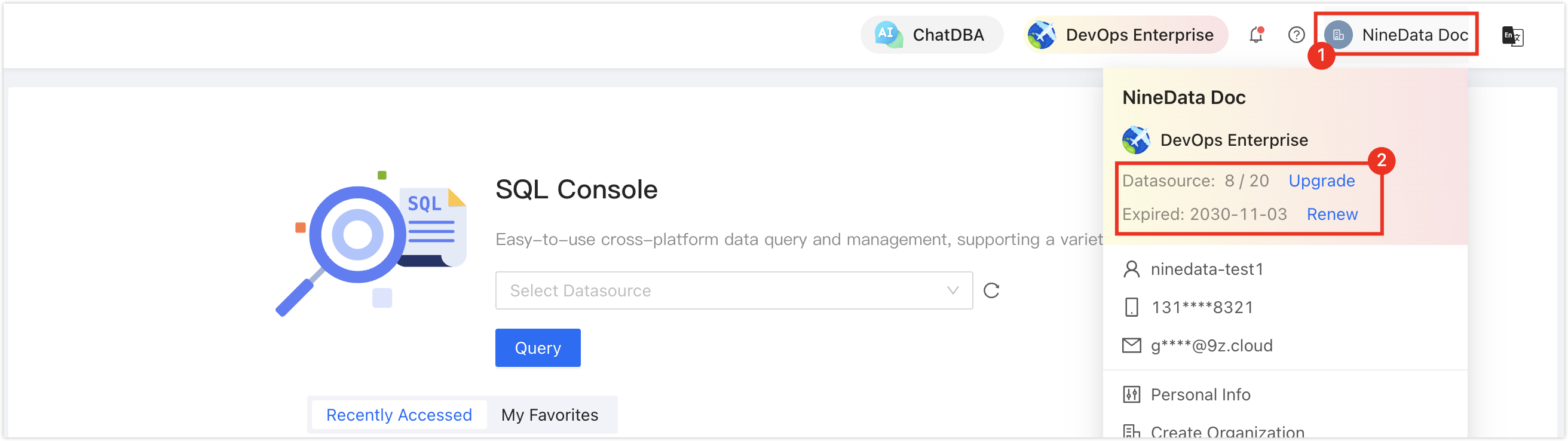
In the commercial versions (DevOps Pro, DevOps Enterprise), make sure your monthly or yearly subscription has not expired. An expired subscription may prevent you from using the Database DevOps service. Check the remaining quota and expiration date in the NineData Console header.
Procedure
Design the table structure when you create or edit a table in SQL Console. This procedure uses table creation as the example.
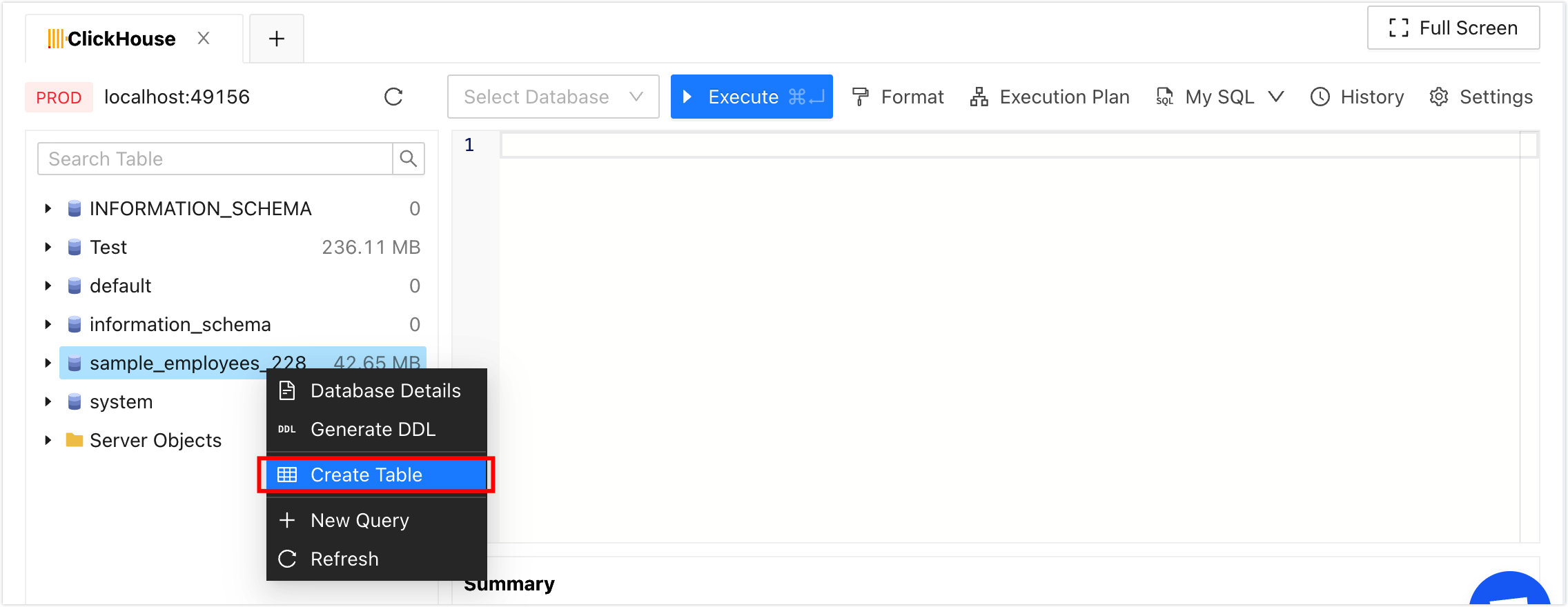
In the SQL Console database tree, right-click the target database and click Create Table.
 tip
tipNineData creates the table in the target database.
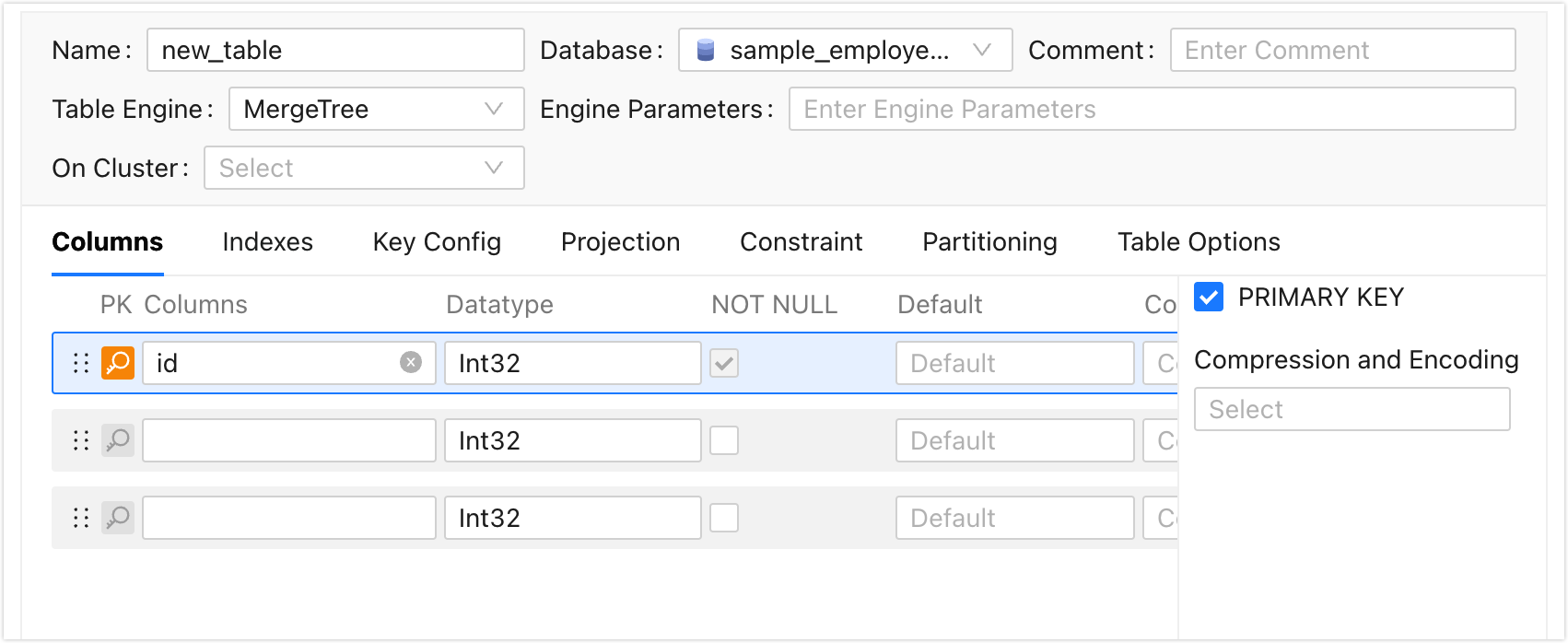
On the Create Table tab, configure the table structure. NineData generates SQL Script at the bottom of the page based on your configuration. Use the tabs below to review the available settings.
- Common
- Columns
- Indexes
- Key Config
- Projection
- Constraint
- Partitioning
- Table Options
- Distributed table configuration
- Name: Enter a custom table name.
- Database: Database where the table is created. The default value is the database you right-clicked in step 2.
- Comment: Table comment, which is written as the COMMENT attribute.
- Table Engine: Storage engine used by the table.
- Local Table (Displayed only when the table engine is Distributed): Local table used to create a distributed table.
- Distributed Parameters (Displayed only when the table engine is Distributed): Parameters of the distributed table.
- Engine Parameters: Engine parameters for the selected table engine.
- On Cluster: Cluster to which the current ClickHouse database belongs. The current table operation takes effect on all databases in the cluster. **Create Distributed Table** is selected by default, and the generated CREATE TABLE statement uses the Distributed engine.
Set columns.
- Columns: Column name. The first row is the default primary key column, and the default column name is id.
- Data Type: Data type of the column.
- NOT NULL: Whether the column allows null values. The first primary key column is required.
- Default: Default value of the column. This value is used when no other value is inserted into the column.
- Comment: Column comment, which is written as the COMMENT attribute. The maximum length is 1024 characters.
- PRIMARY KEY: Whether the column is part of the primary key. Select PRIMARY KEY or use the magnifier icon on the left of the row. Multiple columns can form a composite primary key.
- Compression and Encoding: Compression method for column data.
Set indexes.
- Name: Enter an index name.
- Index Type: Select the type of index to add.
- Column or Expression: Select the columns to add to the index.
- Granularity: Index granularity, in rows. The default value is 8192.
Set keys.
- Primary Key: Select one or more columns as primary keys. Columns set as primary keys are also set as sorting keys.
- Order By: Select one or more columns as sorting keys.
- Sample By: Set the target column as the sample field. Only columns set as primary keys can be selected.
Create a projection.
- Name: Enter the name of the projection.
- Expression: Enter an expression for the projection. Example: `SELECT * ORDER BY user_name`.
Projections can be created only when you create a table.
Set constraints.
- Name: Enter a constraint name.
- Expression: Enter a constraint expression. Example: `age >= 20`.
Constraints can be set only when you create a table.
For large tables, partition by column to improve query performance.
- PARTITION BY: Select a column or customize an expression to partition.
Set table level options.
- TTL: Time to live value of the table.
- Other Options: Add other table options for the table.
Configure distributed table options. This tab is displayed only when Create Distributed Table is selected.
- Distributed table name: Enter a custom name for the distributed table.
- Distributed Parameters: Enter the parameters of the distributed table.
Click Save and click OK in the Submit window.
tipCopy the generated SQL script and run it in another database client when required.
Result
NineData creates the ClickHouse table and keeps the generated SQL script available for review or reuse.
Next steps
- Review the generated SQL script before you run the change in production.
- Use SQL Console to query the new table and confirm that the structure matches your design.