One-Click Table Resynchronization
Overview
NineData data replication supports one-click resynchronization for selected tables during incremental replication. Use this operation when data comparison results show that specific target tables are inconsistent with the source and you need NineData to reload those tables.
Before you begin
The replication task must be an incremental replication task, and its status must be Running.
Procedure
Use these steps on a running incremental replication task. Resynchronization applies only to the tables you select.
Sign in to the NineData Console.
Go to Replication > Data Replication.
On the Replication page, click the Task ID of the target synchronization task.
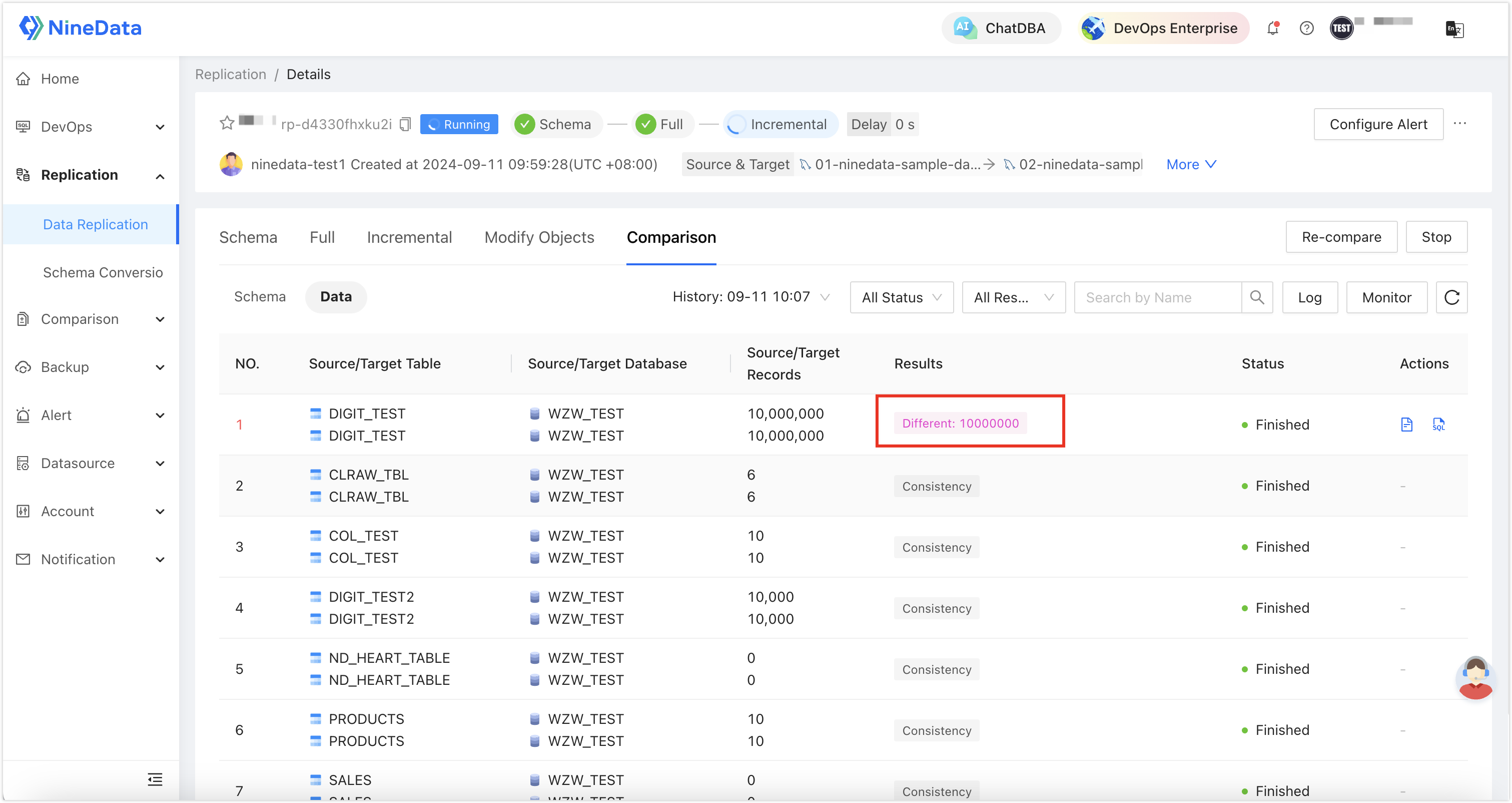
On the Details page, open the Comparison tab and identify the table that has a significant number of inconsistent rows. Manually fixing these differences with SQL statements can take substantial effort.
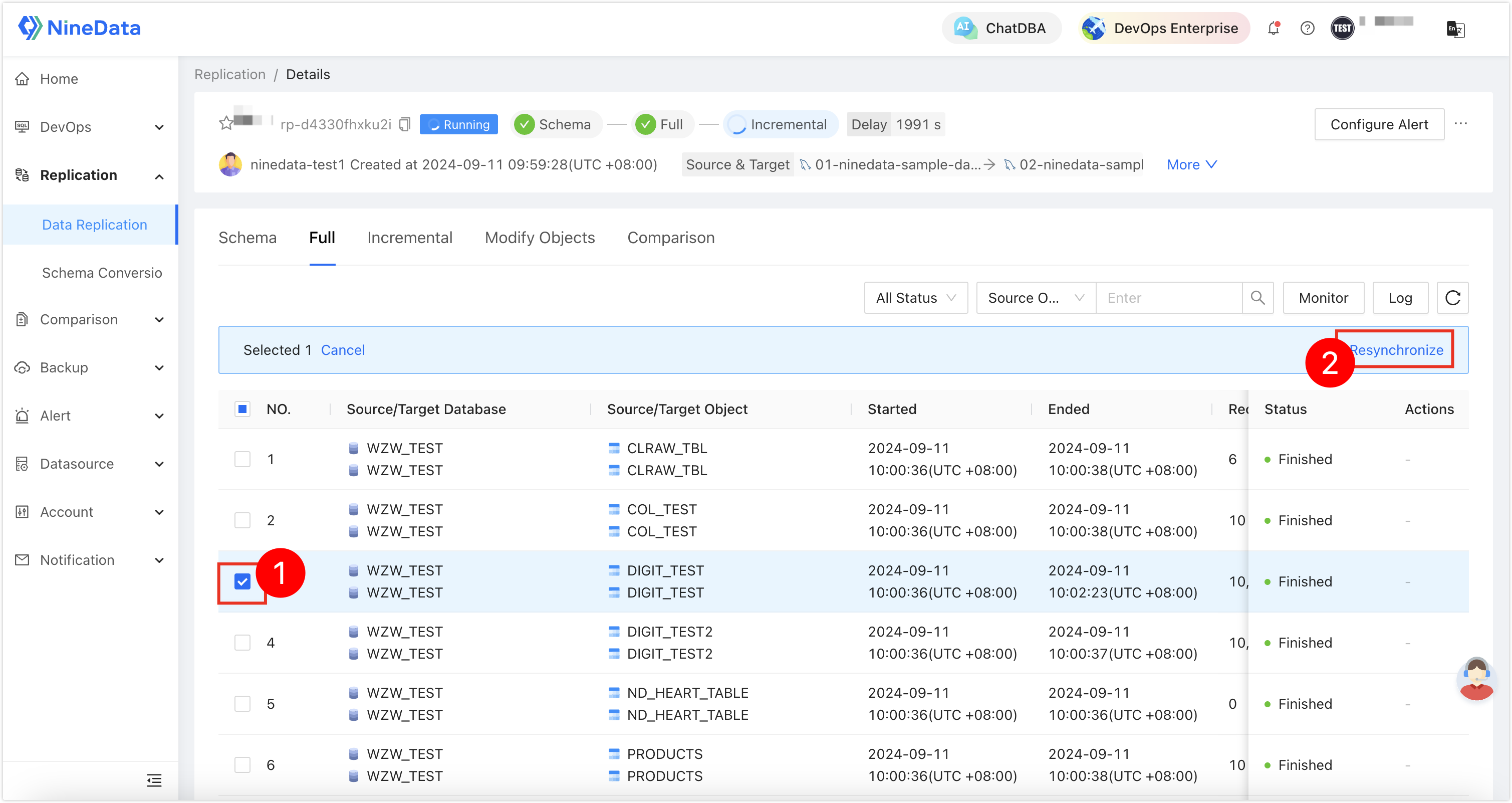
Click the Full tab, select the inconsistent table, and then click Resynchronize on the page.
In the dialog, configure the parameters in the table, and then click OK. NineData starts resynchronizing the target data.
Parameter Description Name Name of the resynchronization task. Archive Policy Choose the resynchronization policy: - Replace: Delete all data in the target table and rewrite it.
- Append Write: Ignore the existing data in the target and append only the data that is present in the source but not in the target.
- Delete and Rebuild: Delete the target table, rebuild it based on the structure of the source table, and then write the data.
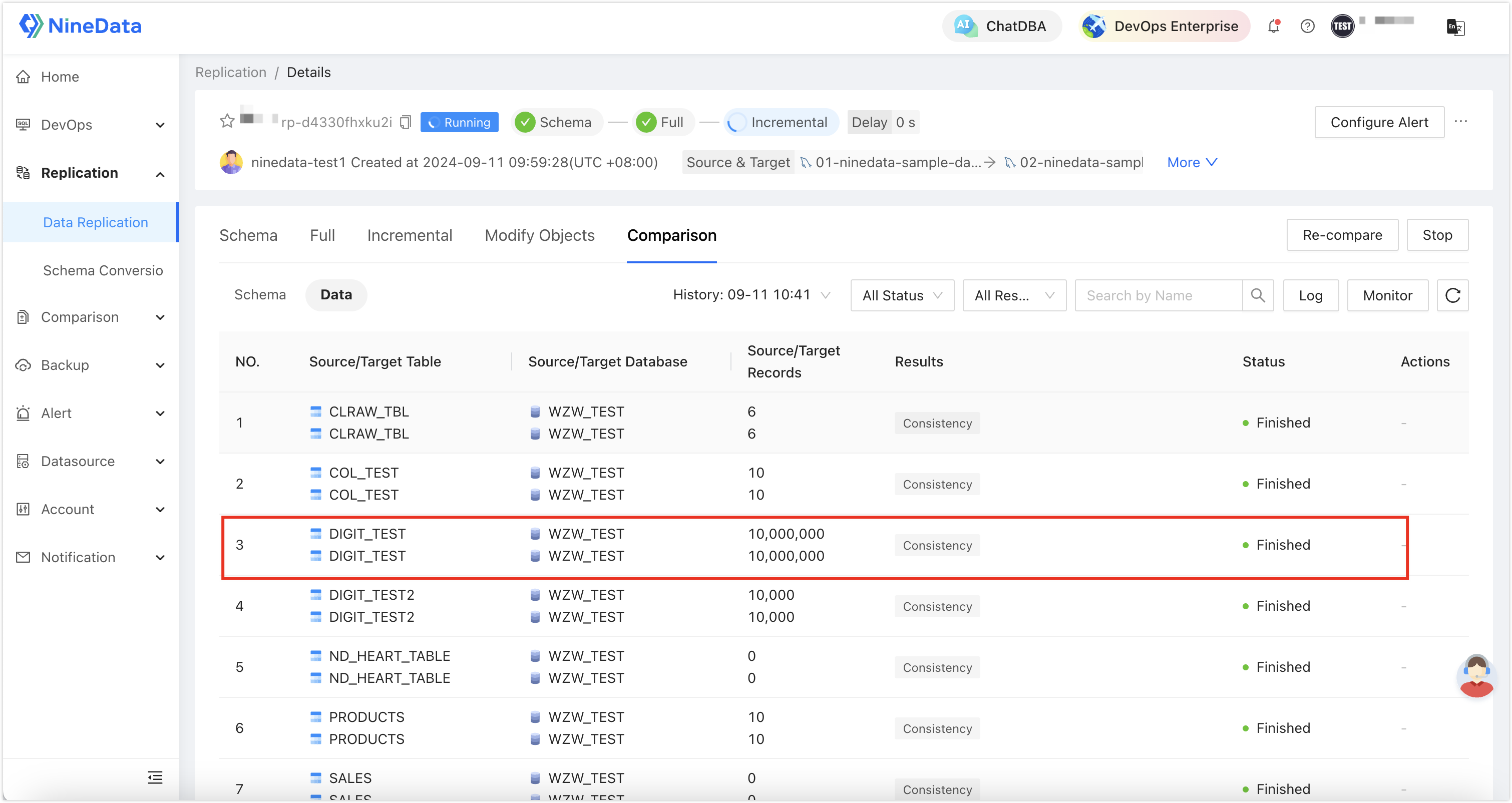
After resynchronization finishes, go back to the Comparison tab and click Re-compare. Wait for the comparison results to show that the data is consistent.
Result
NineData creates a resynchronization task for the selected table. After the task finishes, run data comparison again and confirm that the source and target table data are consistent.
Next steps
- Continue monitoring incremental replication latency and task status.
- If other tables are inconsistent, repeat the resynchronization operation for those tables.
- Introduction to data replication