Oracle to DataHub Continuous Replication | NineData
Oracle often stores transaction, master, and operational data, while DataHub receives data for downstream subscription, discovery, and processing. A one-time export does not include changes made during or after the export. A more manageable approach is to initialize the target and then continue delivering source changes.
NineData supports schema, full, and incremental replication from Oracle to DataHub, together with data comparison. This workflow connects historical initialization, ongoing changes, and result validation in one manageable data channel.
When to use this workflow
- Initialize Oracle business objects in DataHub for data governance, integration, or data services.
- Continue delivering inserts, updates, and deletes while the business remains online.
- Compare source and target data before delivery or project acceptance.
Replication workflow
1. Schema replication: prepare the target objects
Select the databases, tables, and columns to process when you create the replication task. Enable schema replication to copy the selected source objects to DataHub and reduce manual target preparation.
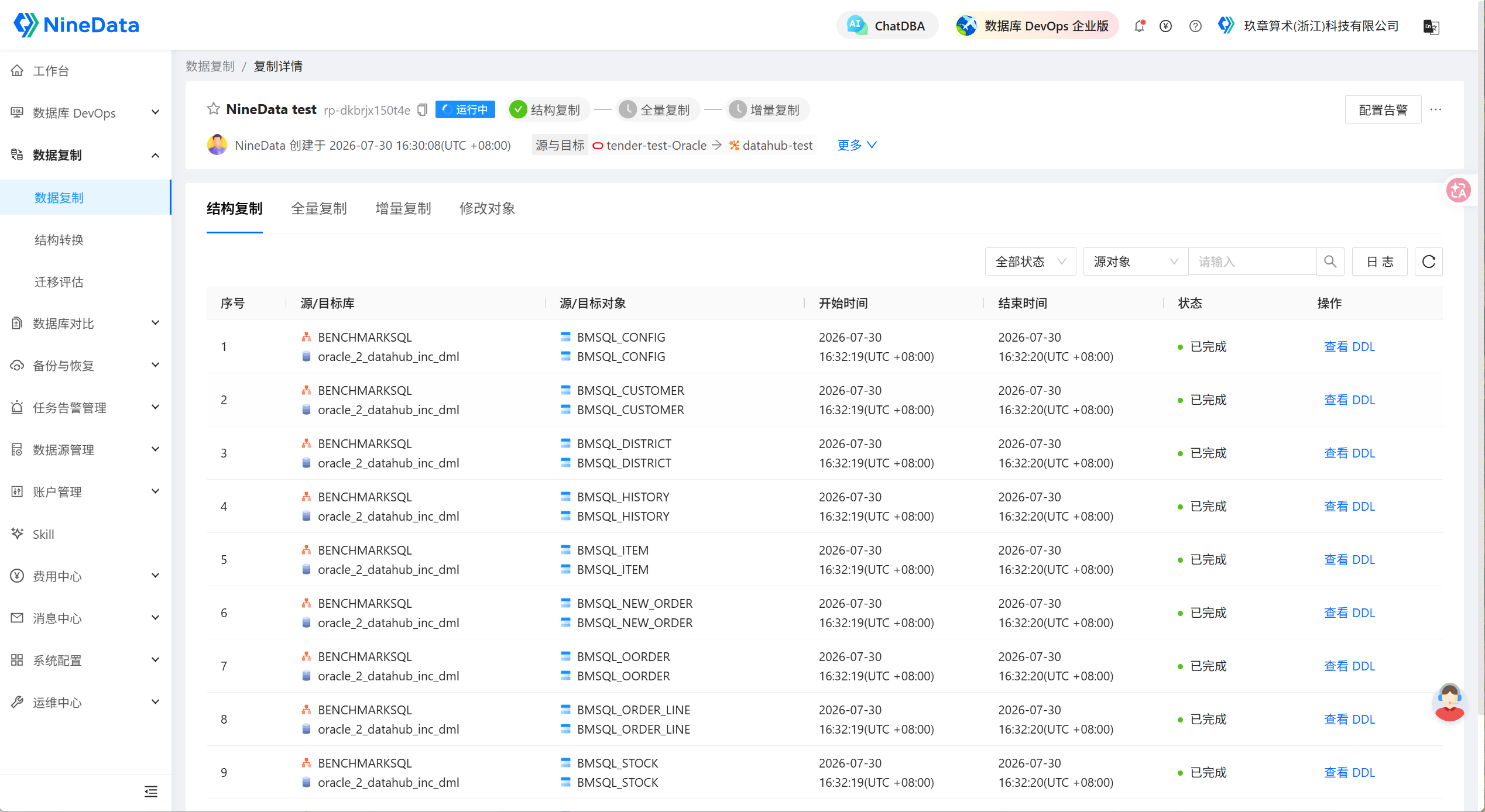
2. Full replication: initialize historical data
Full replication writes existing Oracle data to DataHub. Evaluate source and target resources before initialization, and schedule the operation during off-peak hours when possible to reduce the impact on online workloads.
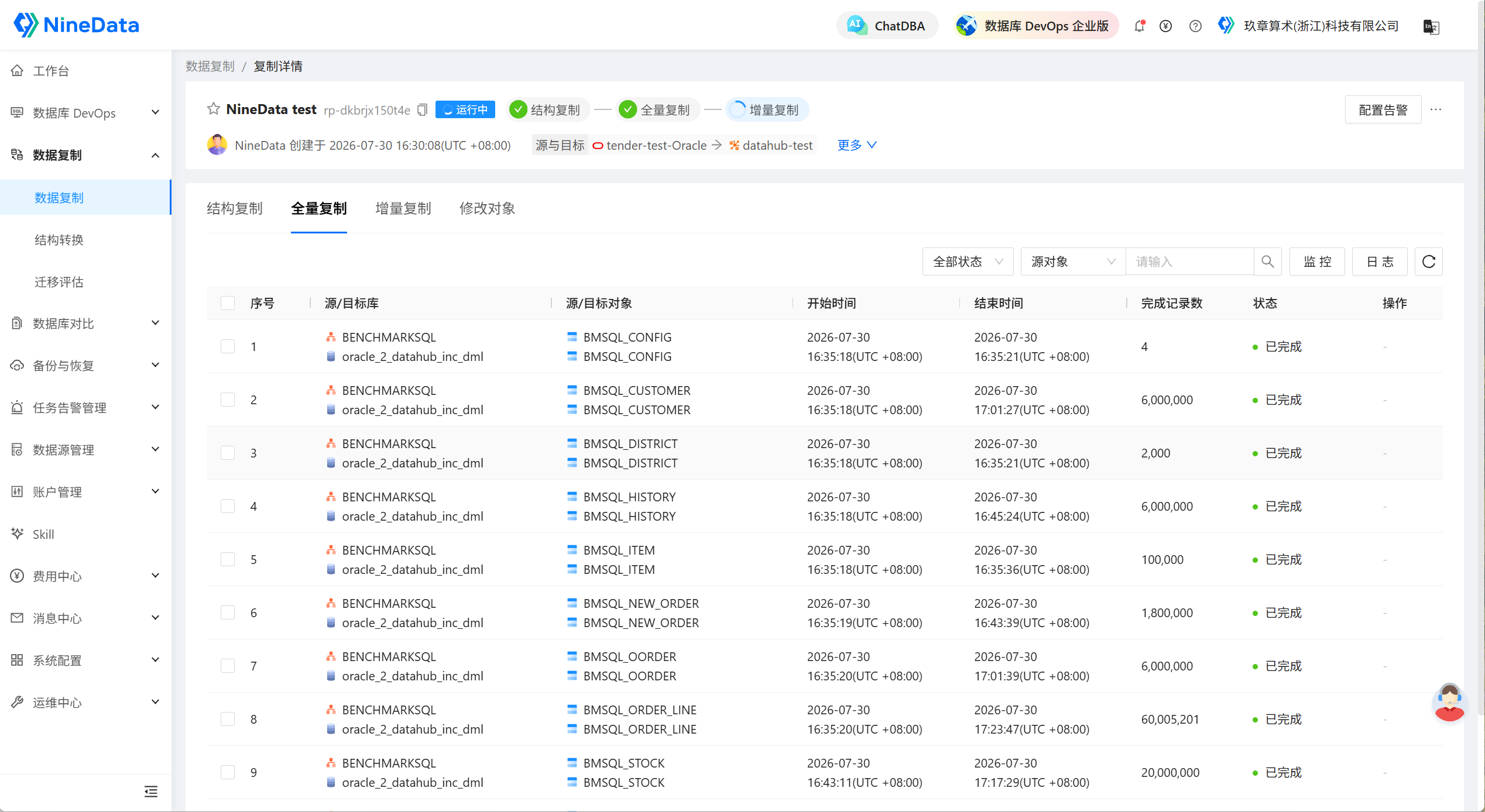
3. Incremental replication: deliver ongoing changes
After full replication finishes, incremental replication continues to deliver subsequent source changes. DataHub uses system parameters to record change information such as record ID, execution time, database and table names, and operation type so downstream consumers can identify the record state.
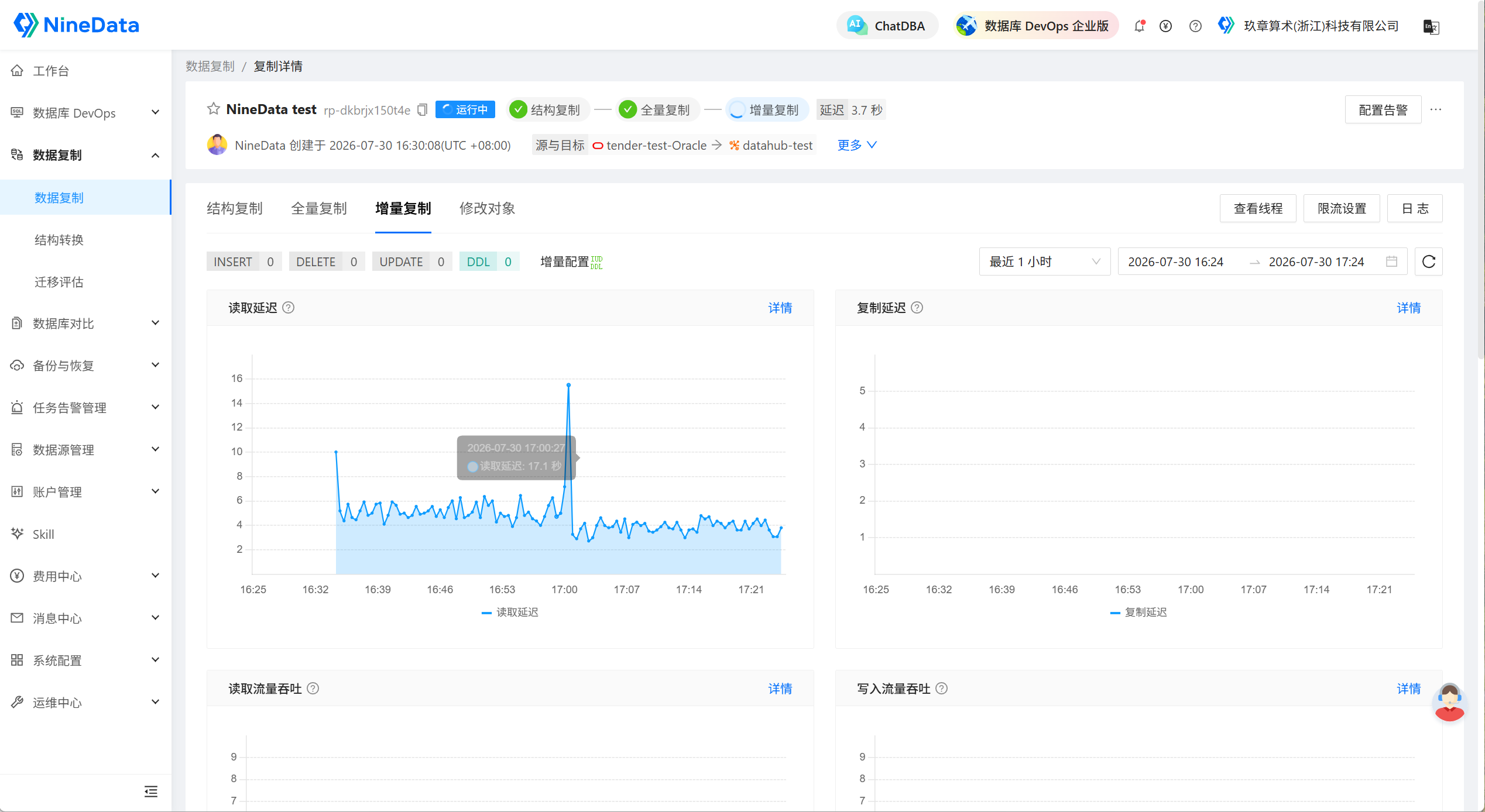
Before you begin
- Add the Oracle source and DataHub target data sources to NineData, and confirm network connectivity.
- Confirm that the Oracle version and architecture meet the requirements in Oracle to DataHub Replication.
- Grant the source and target accounts the permissions required for the selected replication types.
- For incremental replication, enable
ARCHIVELOGand supplemental logging on the Oracle source. - Make sure replicated tables have a primary key or unique constraint and unique column names.
- Confirm the DataHub project, topics, and handling strategy for existing target data.
NineData runs prechecks for connectivity, permissions, log configuration, target objects, and other prerequisites before the task starts. Resolve failed checks before starting the task.
Create and validate the replication task
- Create a Data Replication task with Oracle as the source and DataHub as the target.
- Select schema, full, and incremental replication as required, and choose the databases, tables, and columns to synchronize.
- Configure object and field mappings, and confirm the target data scope.
- Save the task and run the precheck. Resolve connection, permission, log, or object issues reported by the precheck.
- Start the task. Confirm that full initialization finishes, then monitor incremental status and delay.
- After replication catches up, run data comparison and validate downstream consumption.