MySQL to Doris Real-Time Synchronization | NineData
Many teams use MySQL for transactional workloads and Doris for reporting, dashboards, and analytical queries. NineData Data Replication helps move MySQL data to Doris through full migration and incremental synchronization so the analytical copy stays aligned with the source.
When to use this workflow
Use this workflow to:
- Build a Doris analytics layer from MySQL business data.
- Keep analytical queries away from the MySQL production database.
- Initialize Doris with existing MySQL rows and keep it updated after the full load.
- Validate synchronization results before downstream teams use the target.
For detailed prerequisites, permissions, table models, and precheck items, see MySQL to Doris.
Before you begin
Prepare the following items:
- Access to the NineData console.
- Connection information and accounts for the MySQL source and Doris target.
- Binlog enabled on the MySQL source when incremental replication is required.
- Required permissions on both systems.
- Network connectivity from NineData to both systems.
Step 1: Add the source and target data sources
In the NineData console, open Data Source Management > Data Source, and then create the MySQL and Doris data sources.
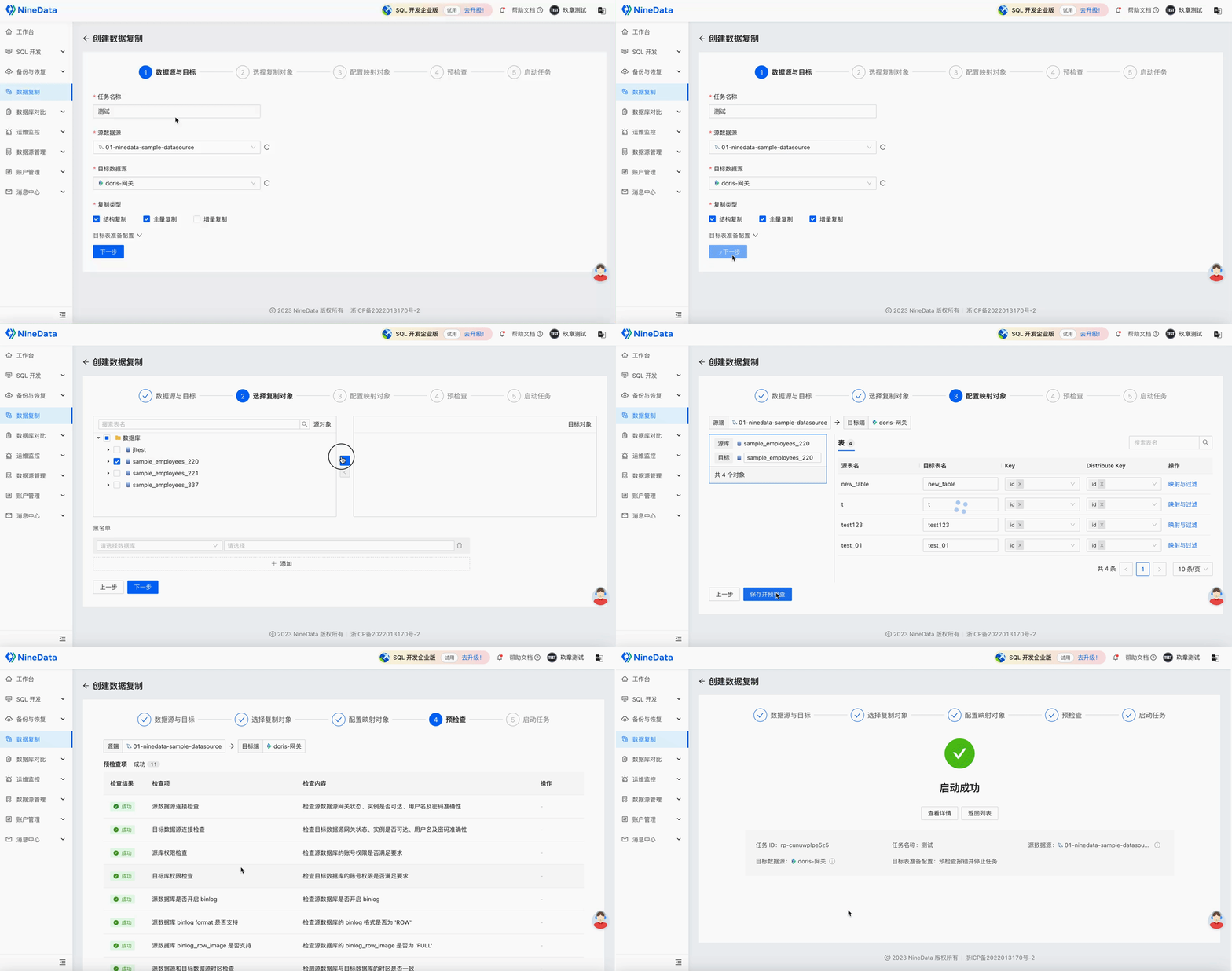
Step 2: Create the synchronization task
Create a replication task for the MySQL source and Doris target.
Select the replication types required for the task.
Choose the source objects and configure mapping if needed.
Run the precheck, fix any failed item, and start the task after the precheck passes.
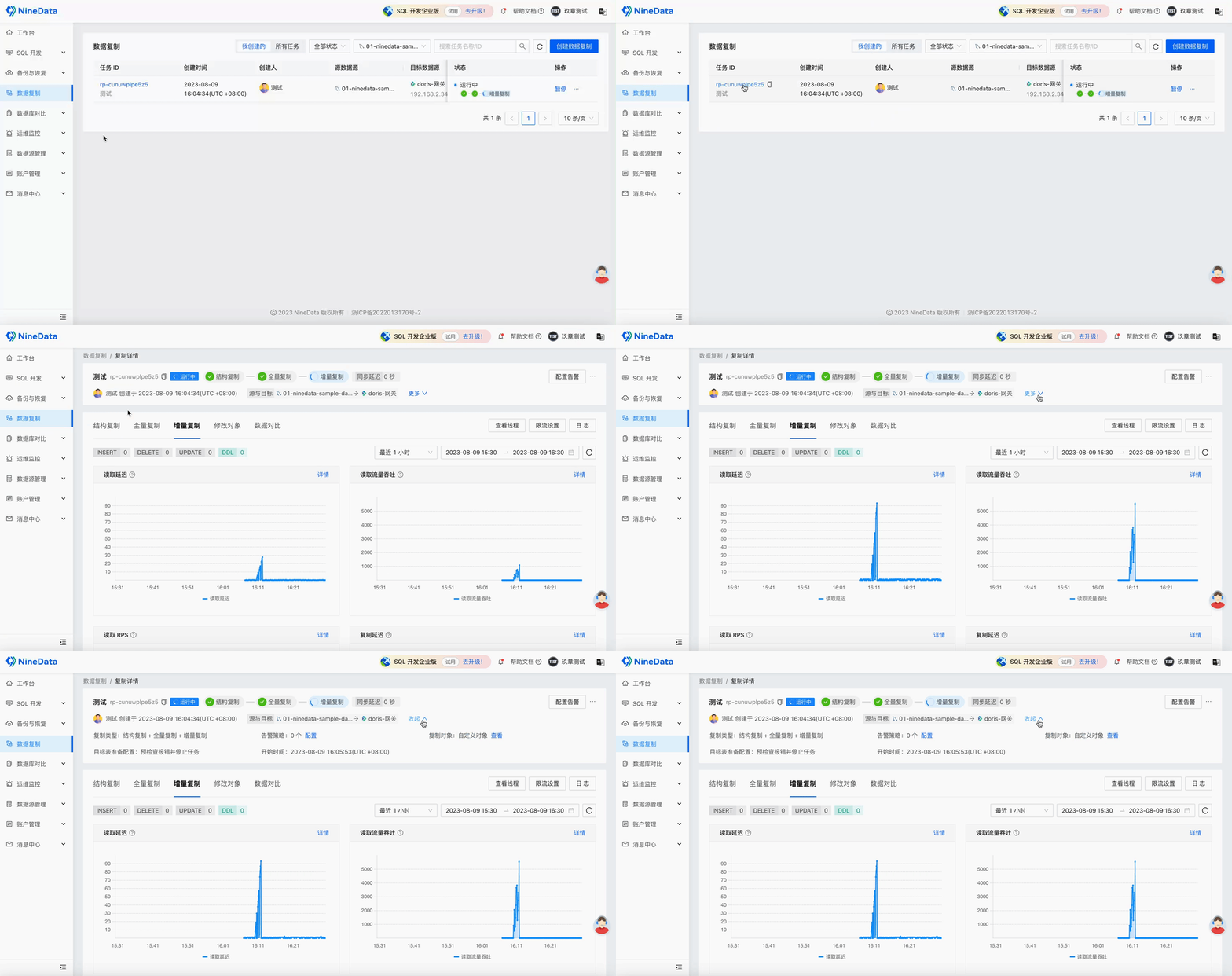
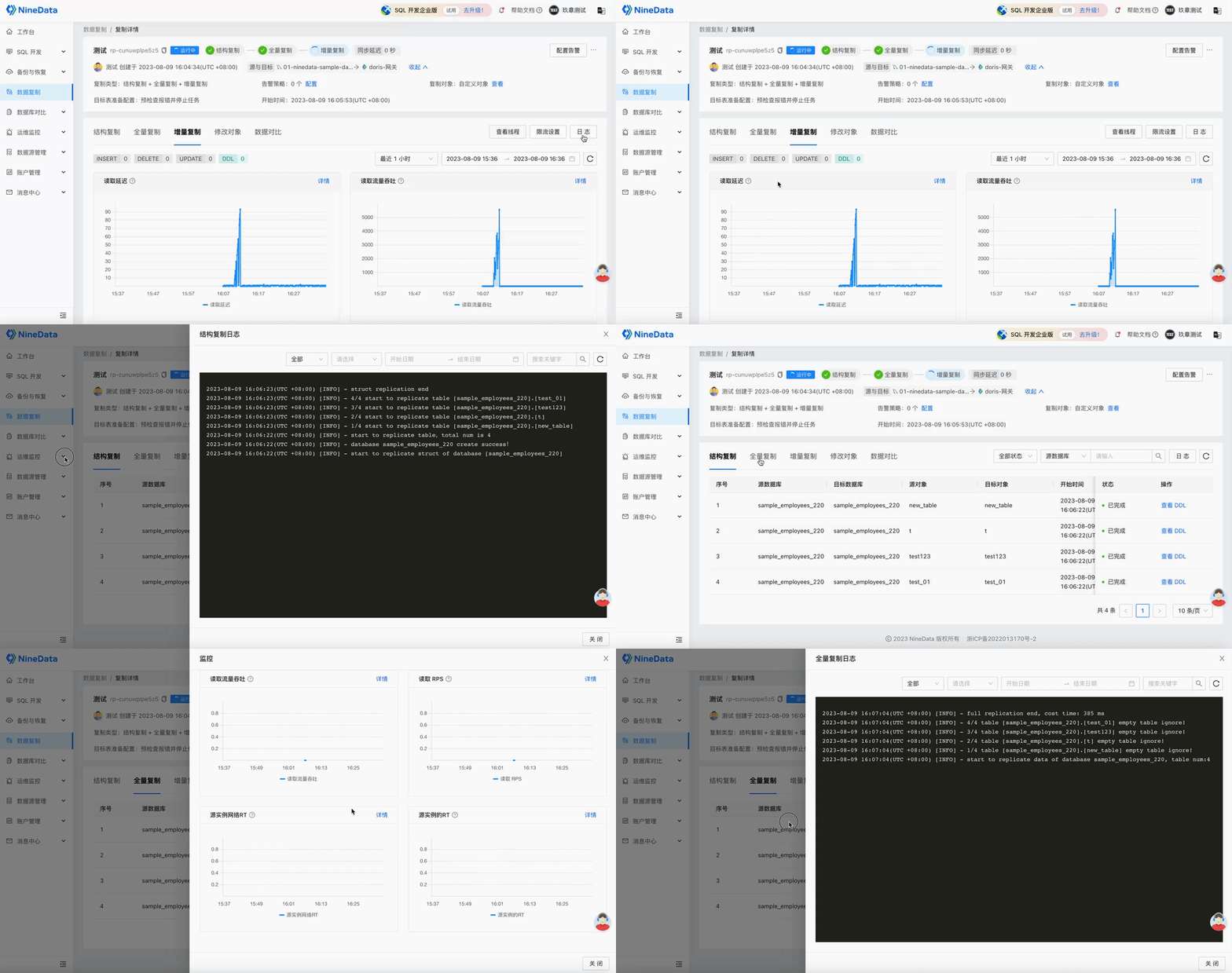
Step 3: Monitor the task
After the task starts, use the task details page to monitor progress and validate the target.
View task details.
Review replication phase progress.
Check data comparison results.
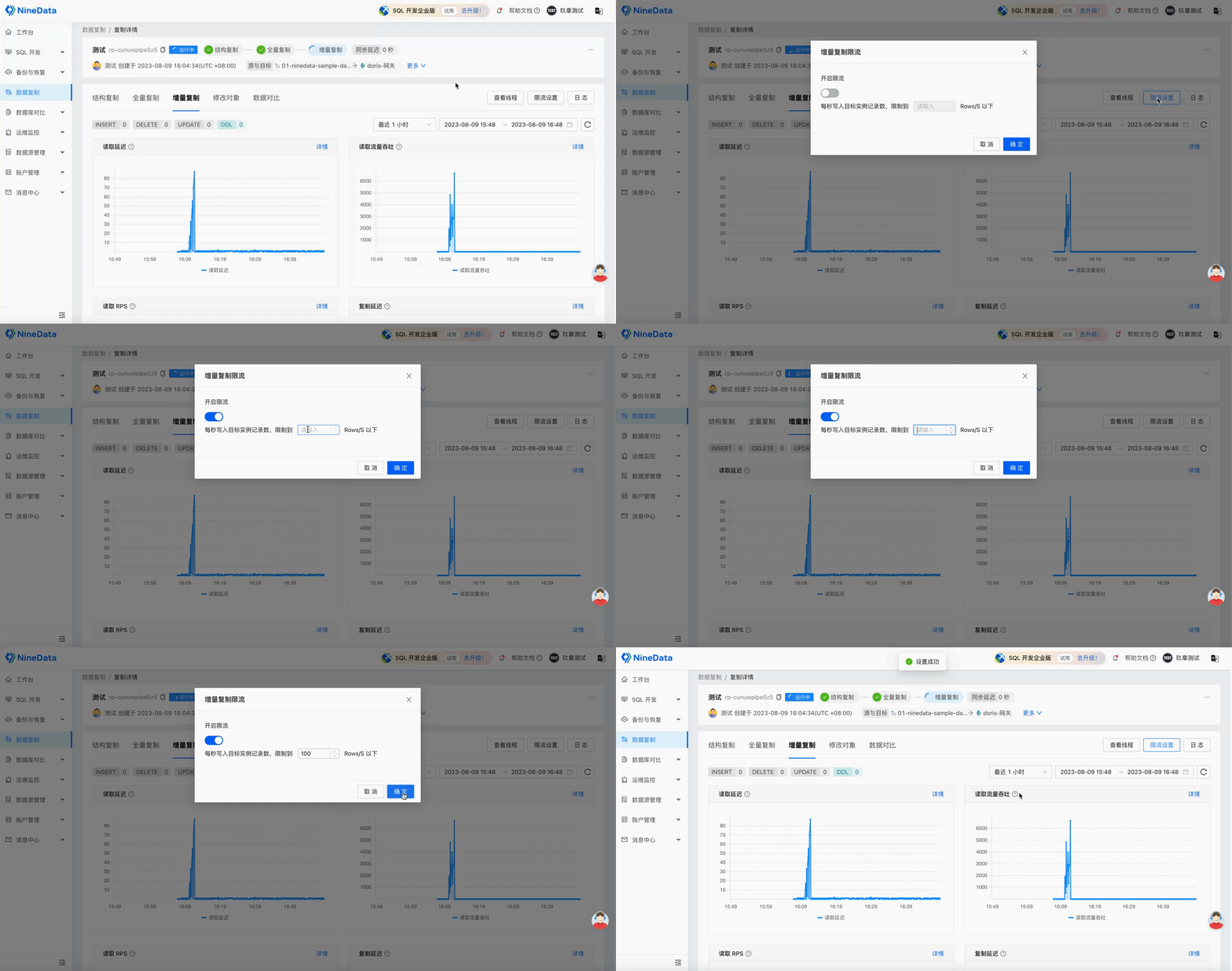
Apply throttling if the task uses too many source or target resources.
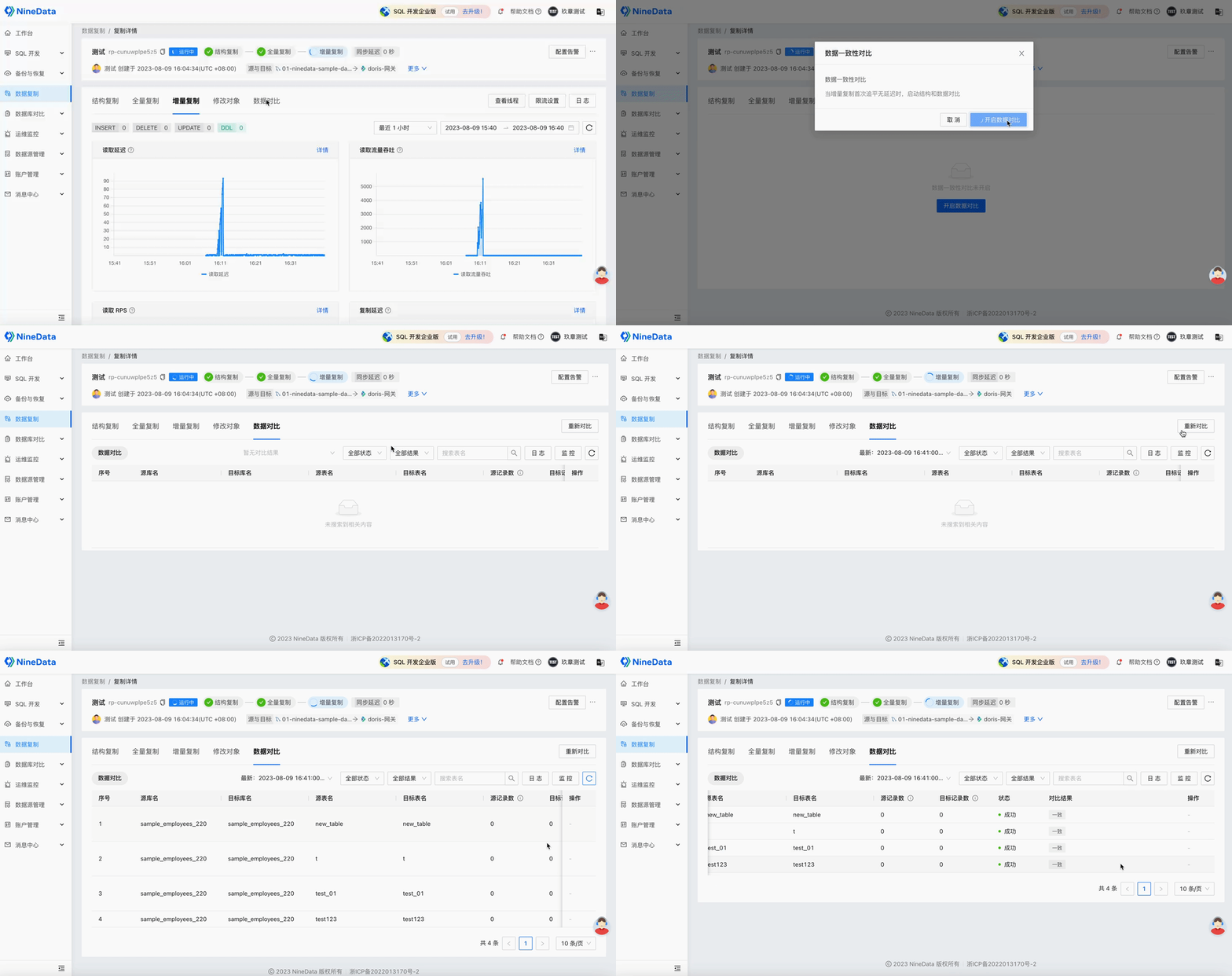
Step 4: Configure alerts
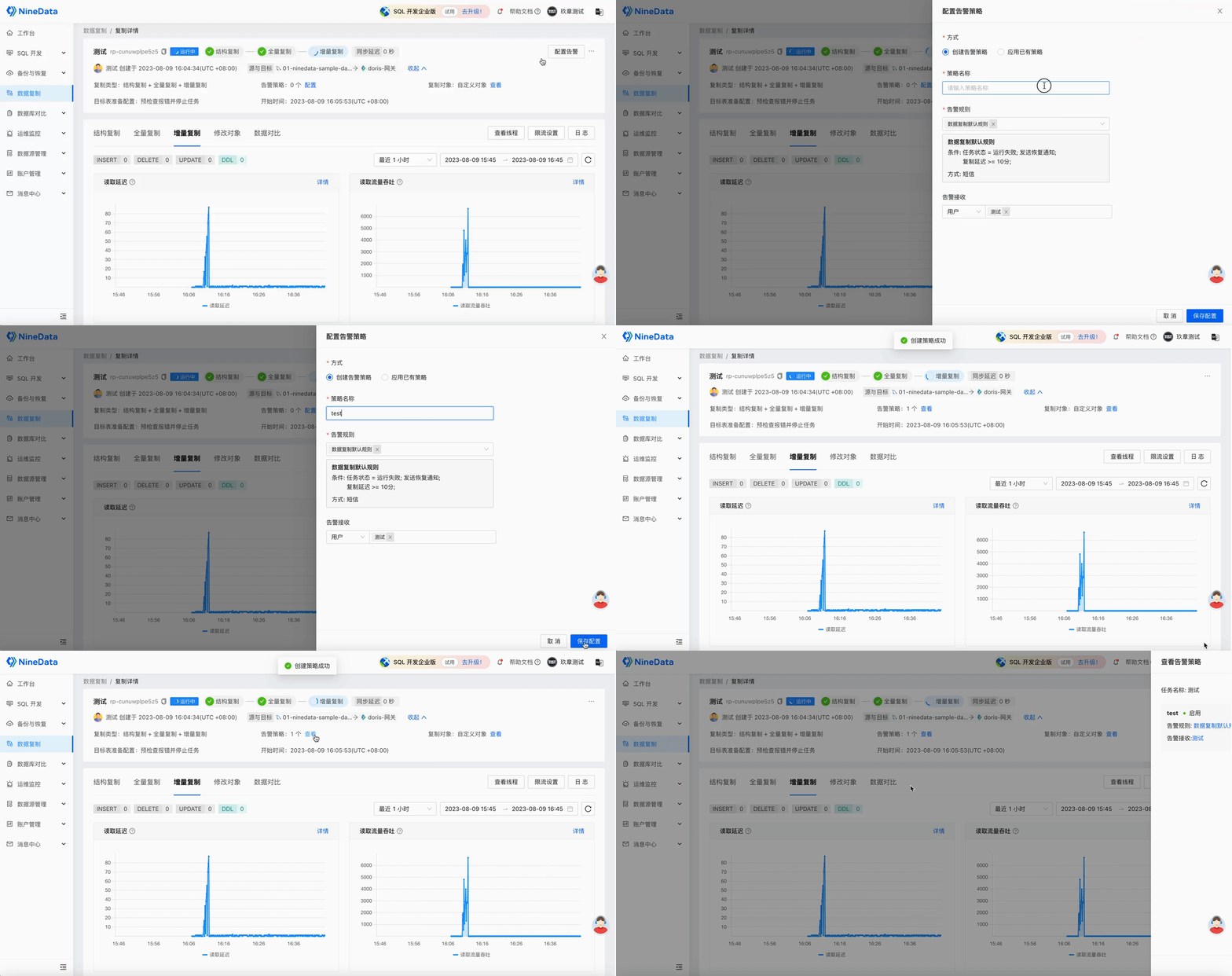
Configure alerts so operators are notified when the task fails or replication delay becomes too high.
Step 5: Modify synchronization objects
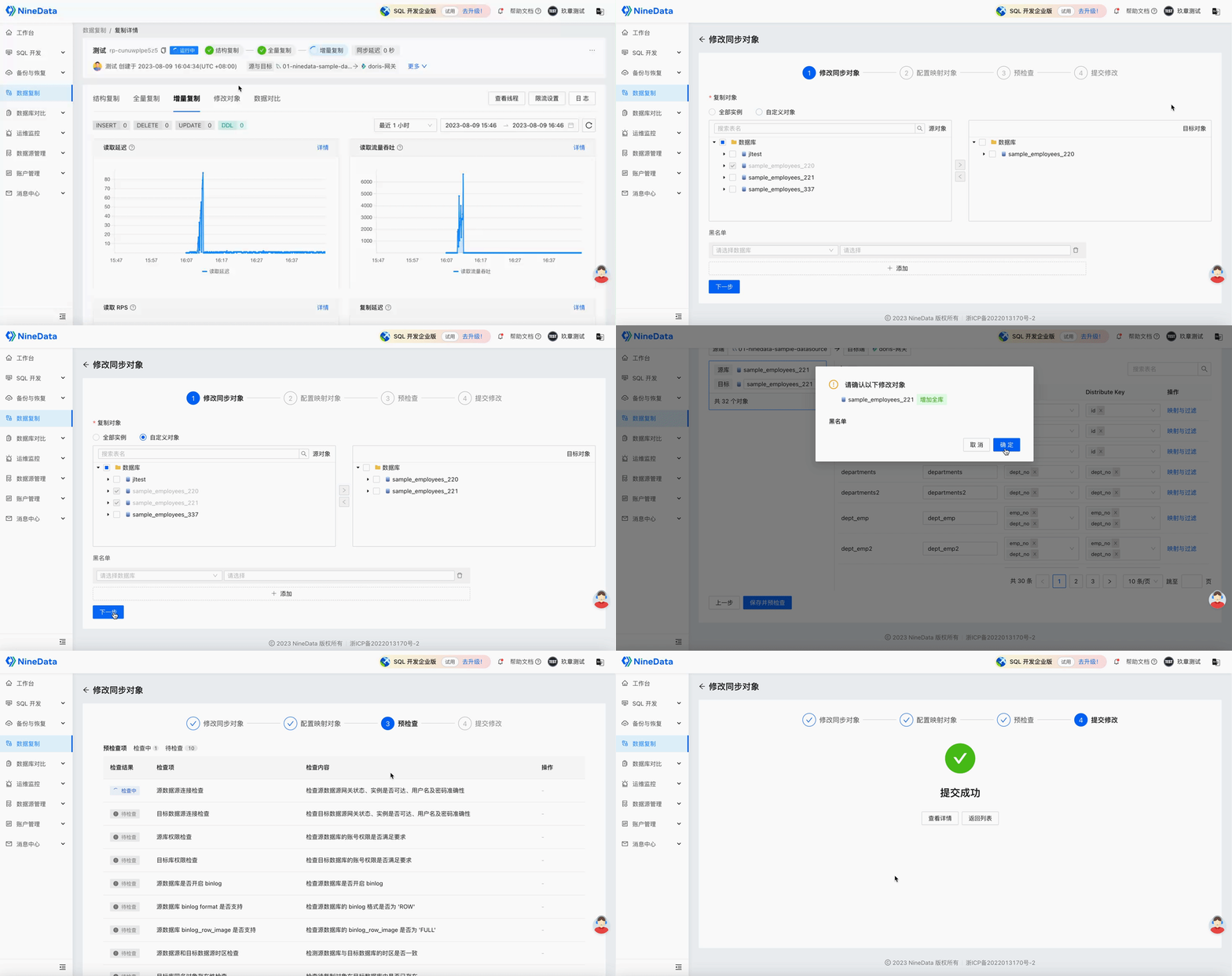
If the replication scope changes, update the synchronization objects from the task details page.
Result
After full migration completes, incremental replication keeps Doris aligned with new MySQL changes. When synchronization is stable and validation passes, use the Doris target for analytics, dashboards, and downstream warehouse workloads.