Database Migration Assessment for Object and SQL Compatibility | NineData
Migration risk comes not only from moving data, but also from differences in object definitions, data types, SQL syntax, and runtime behavior. NineData Migration Assessment analyzes database objects and business SQL before migration to identify compatibility issues, estimate the required changes, and plan the migration with clearer evidence.
Before you begin
- Identify the source data source, target database type, and assessment scope.
- Before SQL traffic replay, confirm the target environment, account permissions, and SQL scope. For replay that writes or changes data, use an authorized test environment that can be cleaned up, and prepare a rollback or cleanup plan.
When to use this workflow
- Evaluate source and target compatibility before approving a migration project.
- Analyze real business SQL during a migration proof of concept.
- Provide assessment results, SQL replay results, and rewrite suggestions for project, architecture, or audit review.
For the currently supported source, target, and assessment paths, see Migration Assessment.
What the assessment covers
Object compatibility
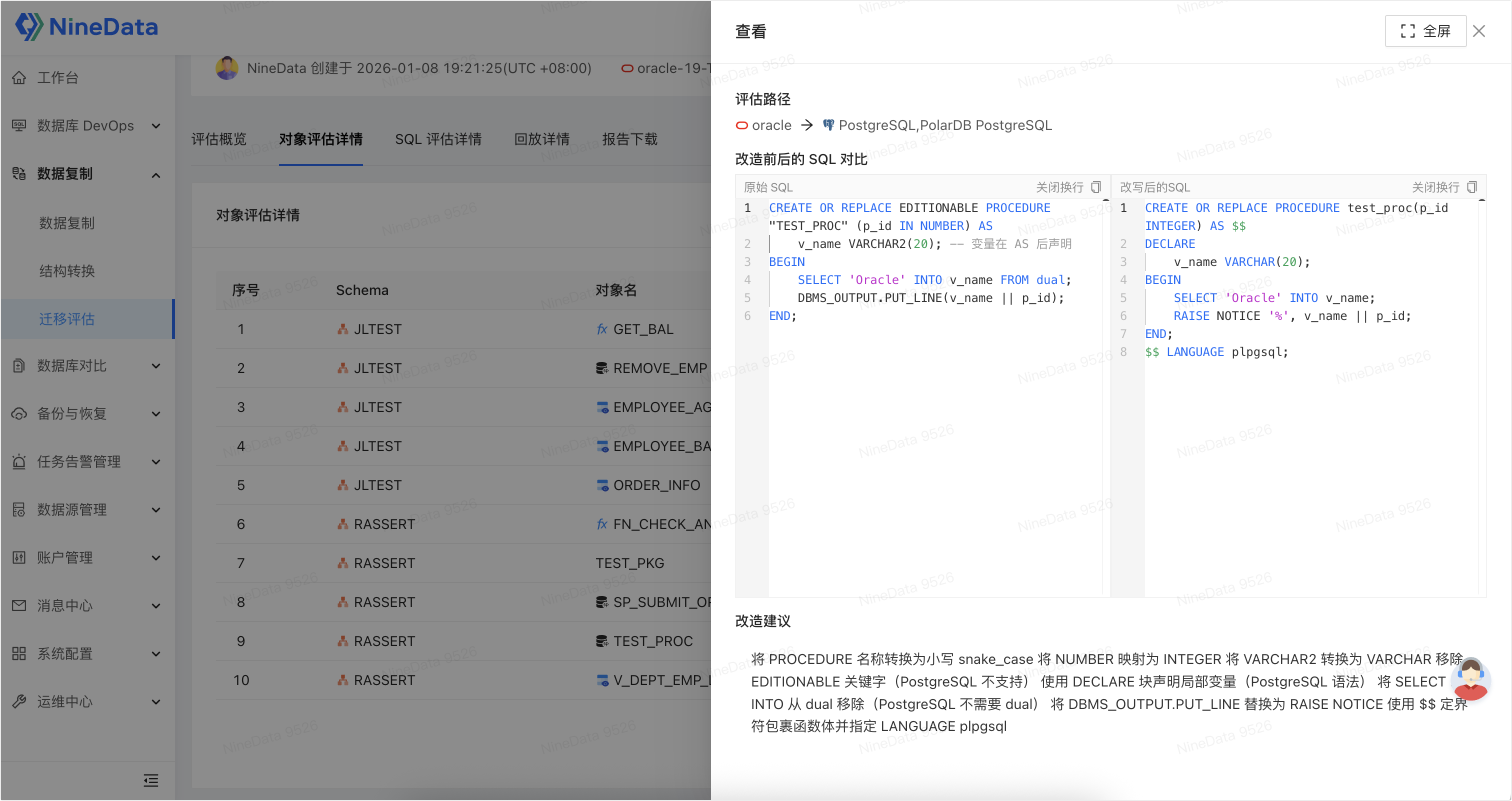
Use NineData to analyze tables, views, functions, stored procedures, and triggers. It classifies results as compatible, adaptable, or incompatible so that teams can prioritize objects that require changes.
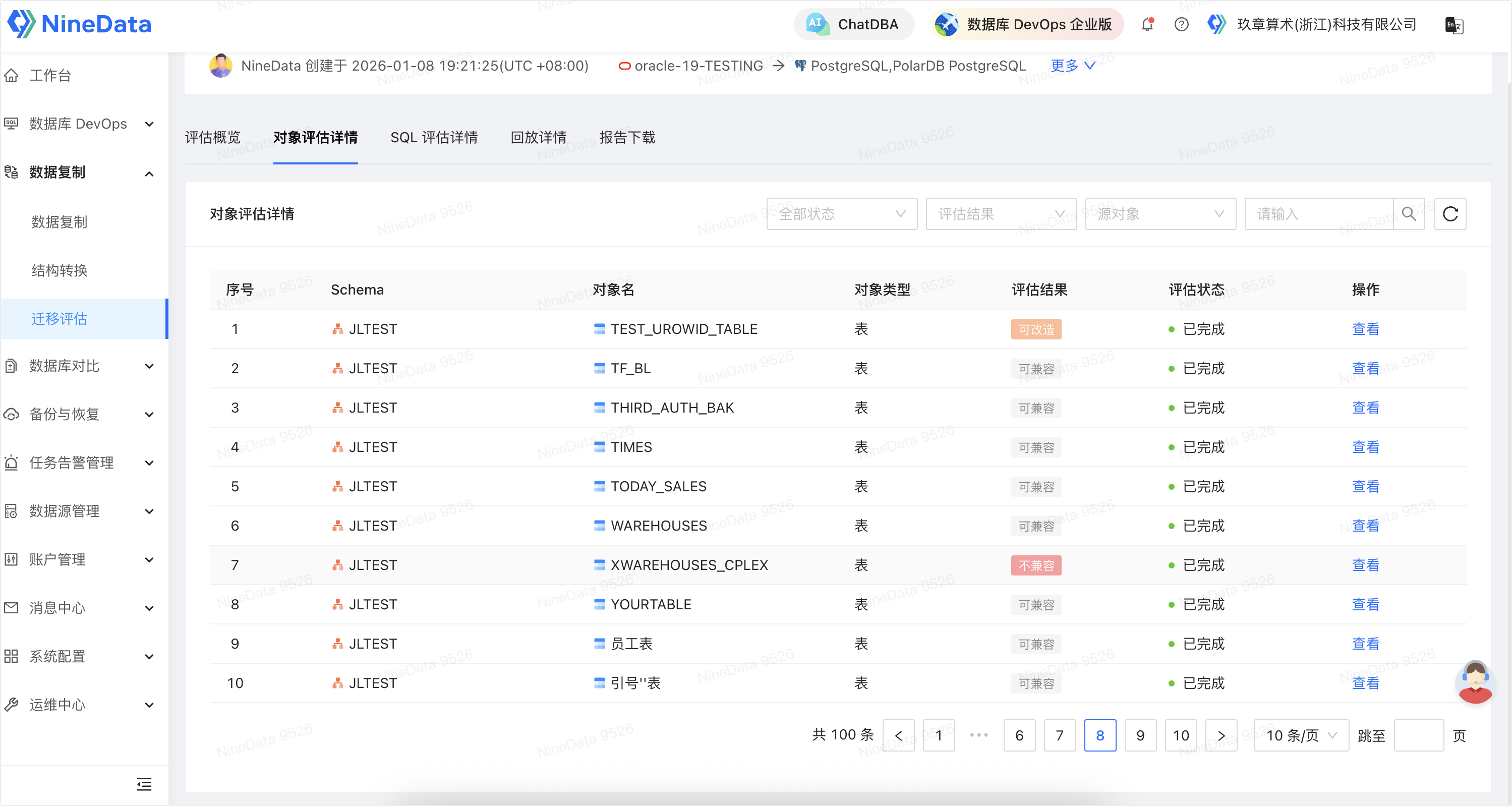
For adaptable objects, the details show the incompatibility and an example of the adapted DDL for further review.
SQL compatibility
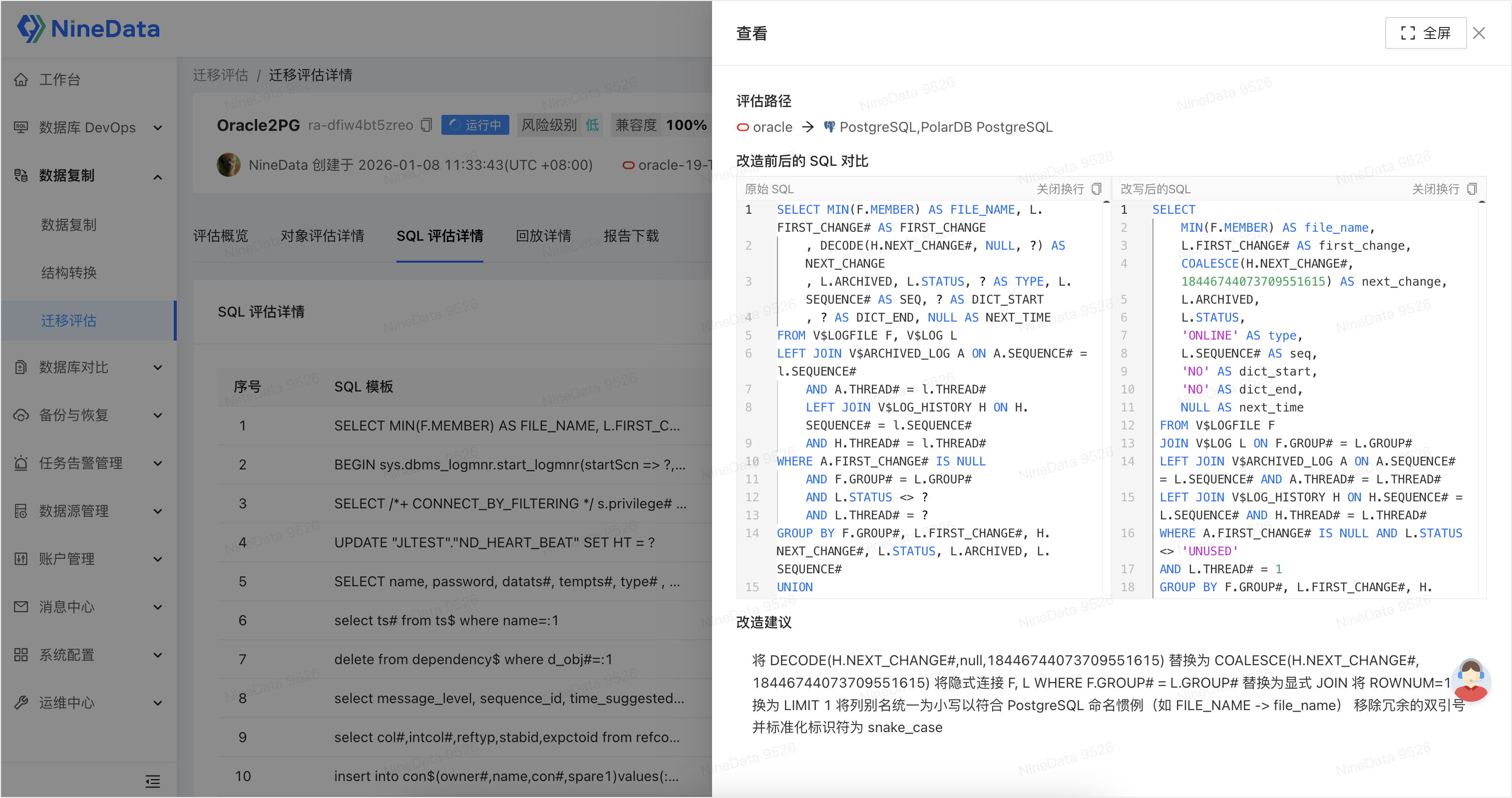
Collect SQL execution records from a data source or upload a SQL file. NineData analyzes syntax, functions, and behavior differences, then shows the original SQL, the compatibility result, and an available rewrite suggestion.
SQL traffic replay
SQL traffic replay sends collected SQL to the target database for execution. Use the execution results to verify SQL compatibility and inspect successful, failed, timed-out, or slow statements.
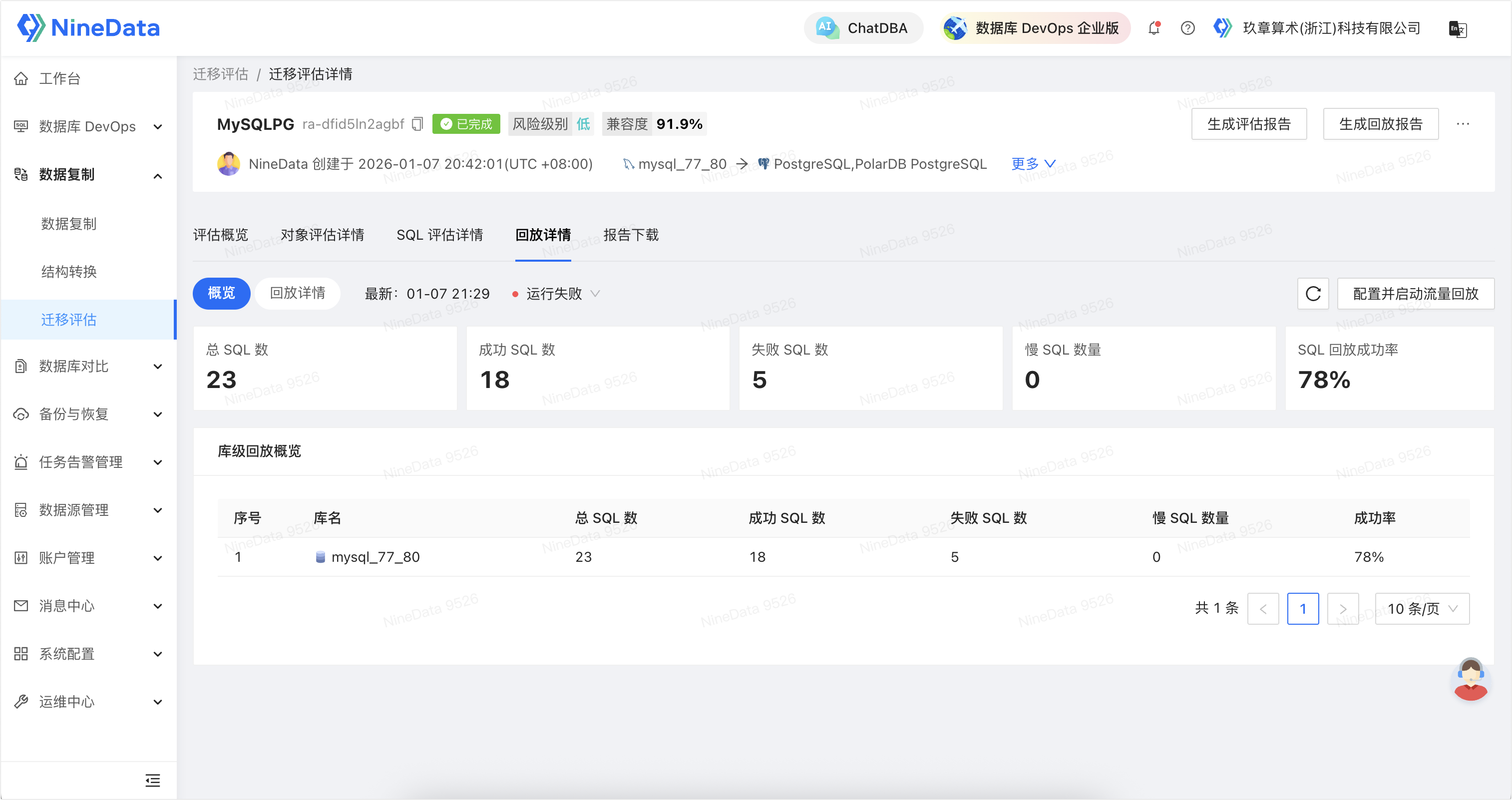
SQL traffic replay executes statements on the target database. Confirm the target environment, account permissions, and SQL scope first. For replay that writes or changes data, use an authorized test environment that can be cleaned up, and prepare a rollback or cleanup plan.
Create a migration assessment task
- Sign in to the NineData console, and go to Replication > Assessment.
- On the Migration Assessment page, click Create. Select the source data source, target database type, and assessment content.
- If the assessment includes SQL, choose whether to collect SQL from the database or upload a SQL file, and select the SQL types to include.
- Select all objects or a custom object scope. Click Save and start to start the task immediately, or click Save to save it for later.
Review results and download reports
- Go to Replication > Assessment, and open the target assessment task.
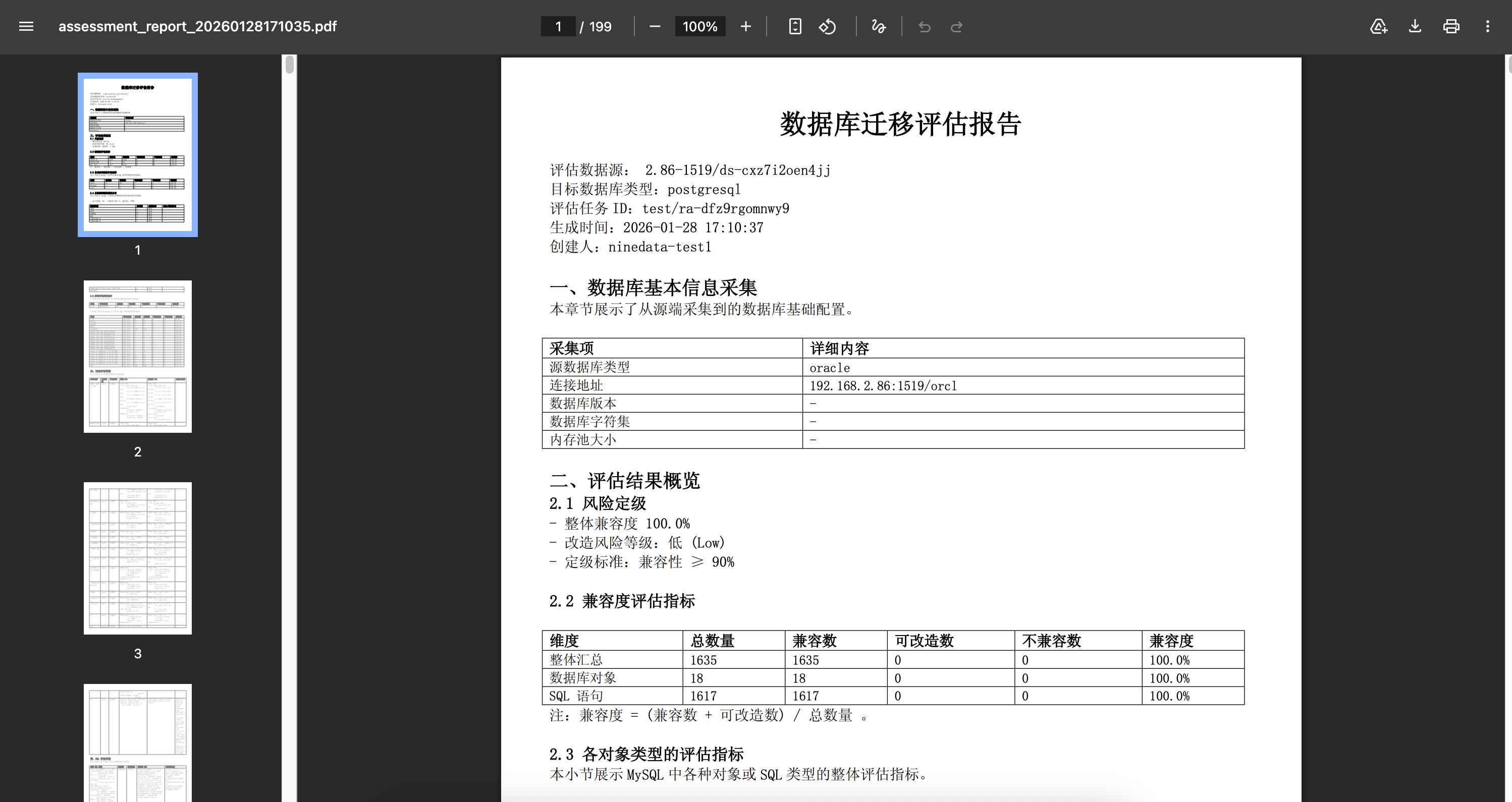
- Review the overall compatibility, object assessment, and SQL assessment results. Prioritize incompatible and adaptable items.
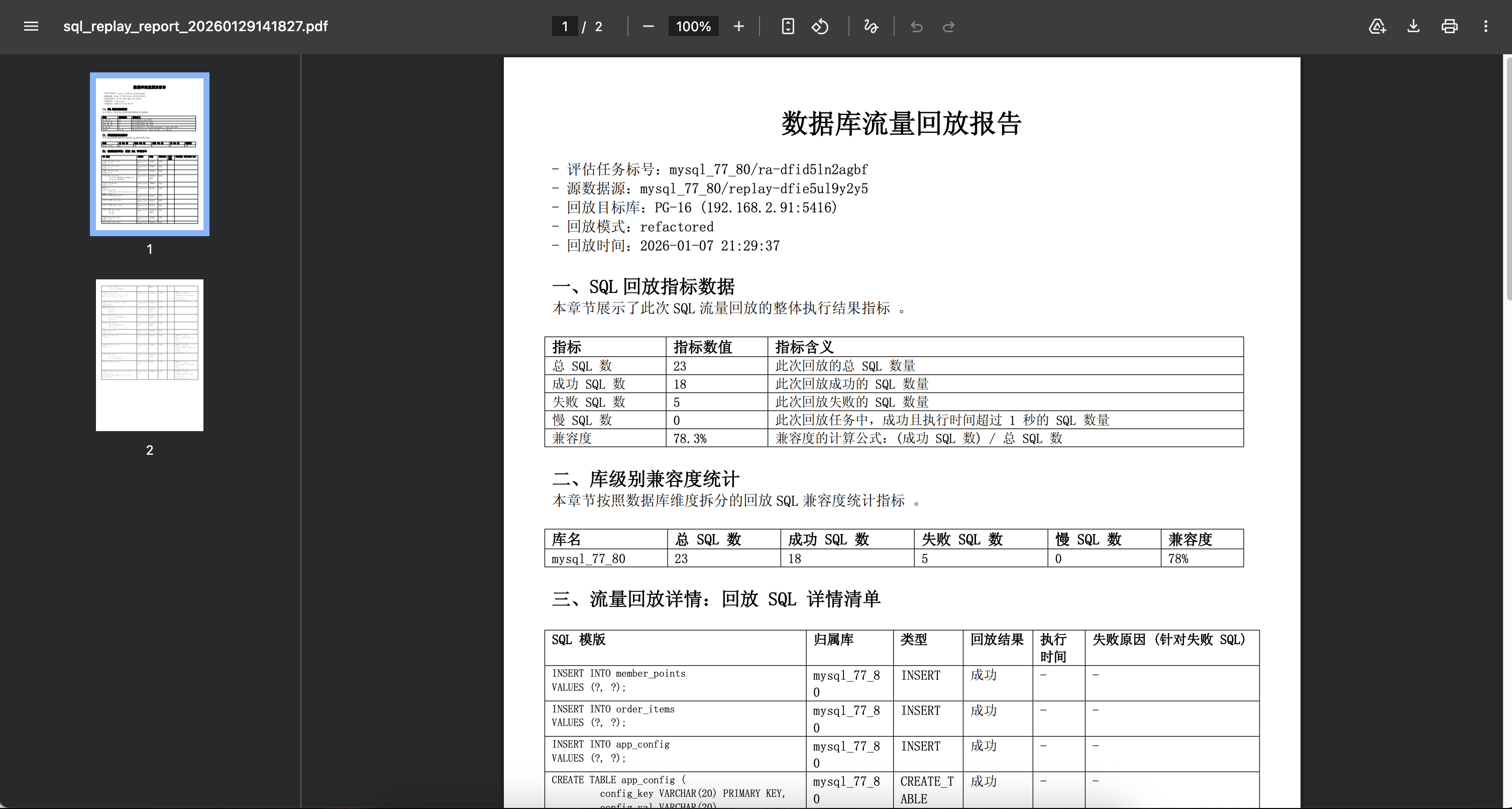
- To verify execution on the target, open Replay Detail, configure the target data source, database, replay mode, and SQL types, and start the replay.
- After the assessment or replay finishes, click Generate an evaluation report or Generate playback report to generate a report. Open Report Download to download it.
Apply assessment results to migration planning
- Use object results to define the scope and priority of schema changes.
- Use SQL results to plan syntax, function, and behavior changes.
- Use replay results to confirm that critical SQL can execute on the target database.
- Use assessment and replay reports in migration proofs of concept, design reviews, and pre-release acceptance.