Single sign-on (SSO) overview
NineData supports single sign-on (SSO) so organization members can sign in through an identity provider instead of maintaining separate credentials for NineData.
Concept
Single sign-on (SSO) lets users access multiple applications with one set of credentials. It reduces repeated password entry, centralizes identity management, and improves the sign-in experience.
An SSO system usually includes these roles:
- User: The person or entity that needs to access applications or systems.
- Service Provider (SP): The application that requires authentication. In this case, NineData is the SP.
- Identity Provider (IdP): The central identity service responsible for authentication and credential management, such as Azure AD.
When a user accesses NineData, SSO redirects the sign-in request to the IdP for authentication. After authentication succeeds, the IdP sends an assertion or token to NineData. NineData verifies the assertion or token and grants access.
Workflow
SSO involves the service provider, the identity provider, credential validation, and session management. It uses standard protocols such as SAML or OpenID Connect to authenticate users across systems.
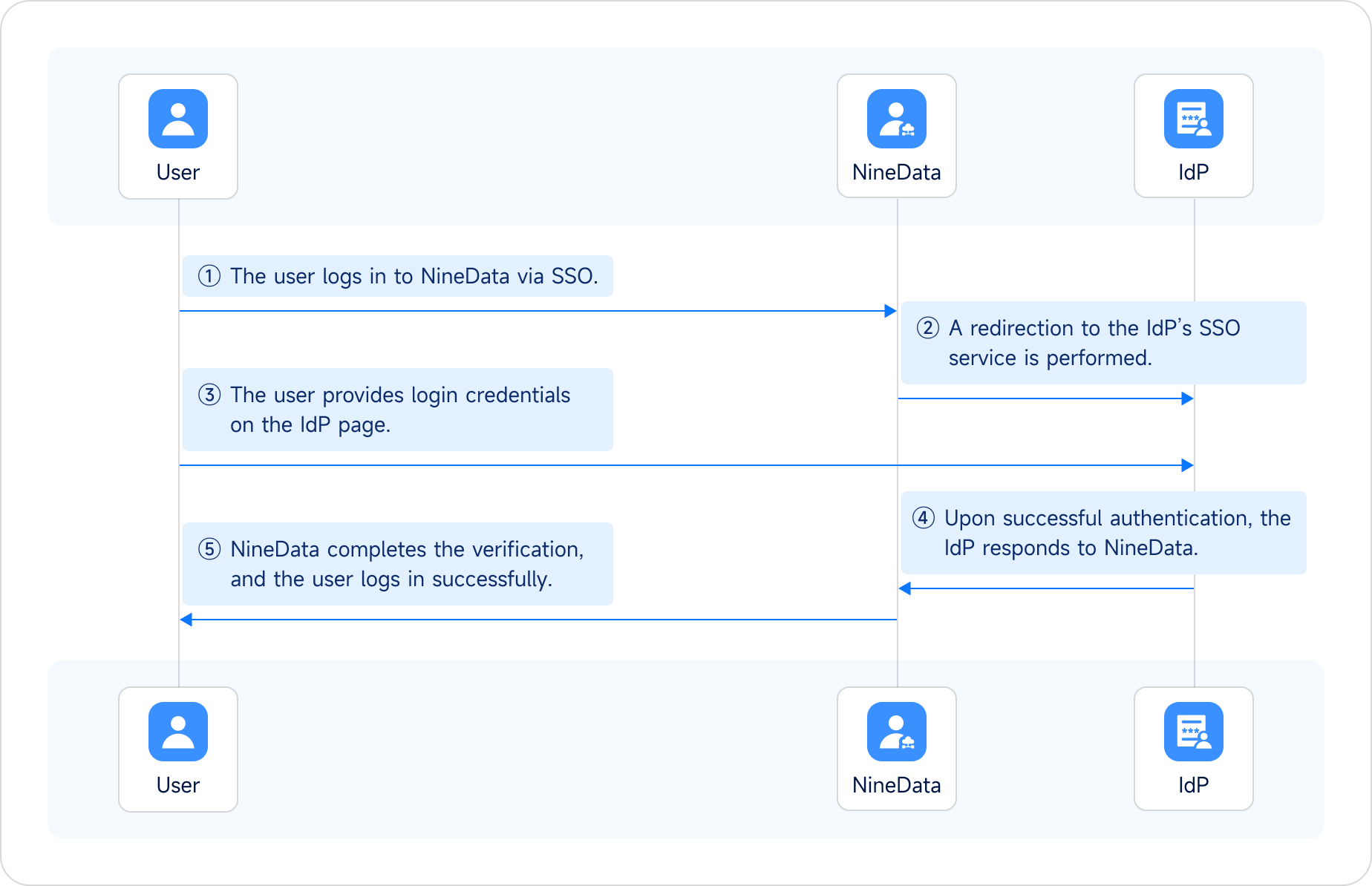
Configuration flow
Before you begin
Confirm that your organization plans to use an identity provider that supports SSO and that both the NineData organization and the IdP application can be configured.
To let organization members sign in to NineData through SSO, complete these steps:
Add IdP configuration information in NineData to establish trust between NineData and the IdP. For details, see Enable SSO login.
Configure NineData as a trusted service provider (SP) in the IdP, and configure SAML assertion attributes to establish trust between the IdP and NineData. For details, see Configure an IdP application.
Create SSO users that match IdP users so organization members can sign in to NineData through SSO. For details, see Create SSO users.
tipIf Allow SSO Account Auto-join is enabled in step 2, NineData adds users when they sign in through SSO. In this case, manual SSO user creation is not required.
Result
After the SSO configuration is finished, organization members can sign in to NineData through SSO. For details, see Sign in to NineData through SSO.