How to Complete a Full SQL Server-to-Azure Migration Setup in Just 3 Minutes
Migrating databases to the cloud is one of those tasks that sound simple, until you actually do it.
Between configuring connections, handling schema differences, validating data, and verifying results, a typical SQL Server migration to Azure SQL Database can easily stretch across multiple days of work for DBAs and developers.
At NineData, we set out to change that, to make database migration fast, reliable, and repeatable. Today, that entire configuration process can be done in under three minutes.
Why SQL Server + Azure SQL Database?
Azure SQL Database offers a fully managed, highly available, and secure environment, eliminating much of the operational overhead that comes with on-prem SQL Server.
It provides built-in backup, scaling, and patching capabilities, making it a natural destination for organizations modernizing their database infrastructure.
But even with Azure’s strong ecosystem, the migration process itself remains the biggest pain point, especially when dealing with schema mapping, data validation, and synchronization between live systems.
That’s where NineData comes in.
Simplifying Migration: What Happens in Those 3 Minutes
NineData provides an automated, GUI-driven workflow that abstracts away most of the manual complexity.
Here’s what the typical process looks like:
Select the source (MySQL) and target (Greenplum) databases, enable incremental replication.
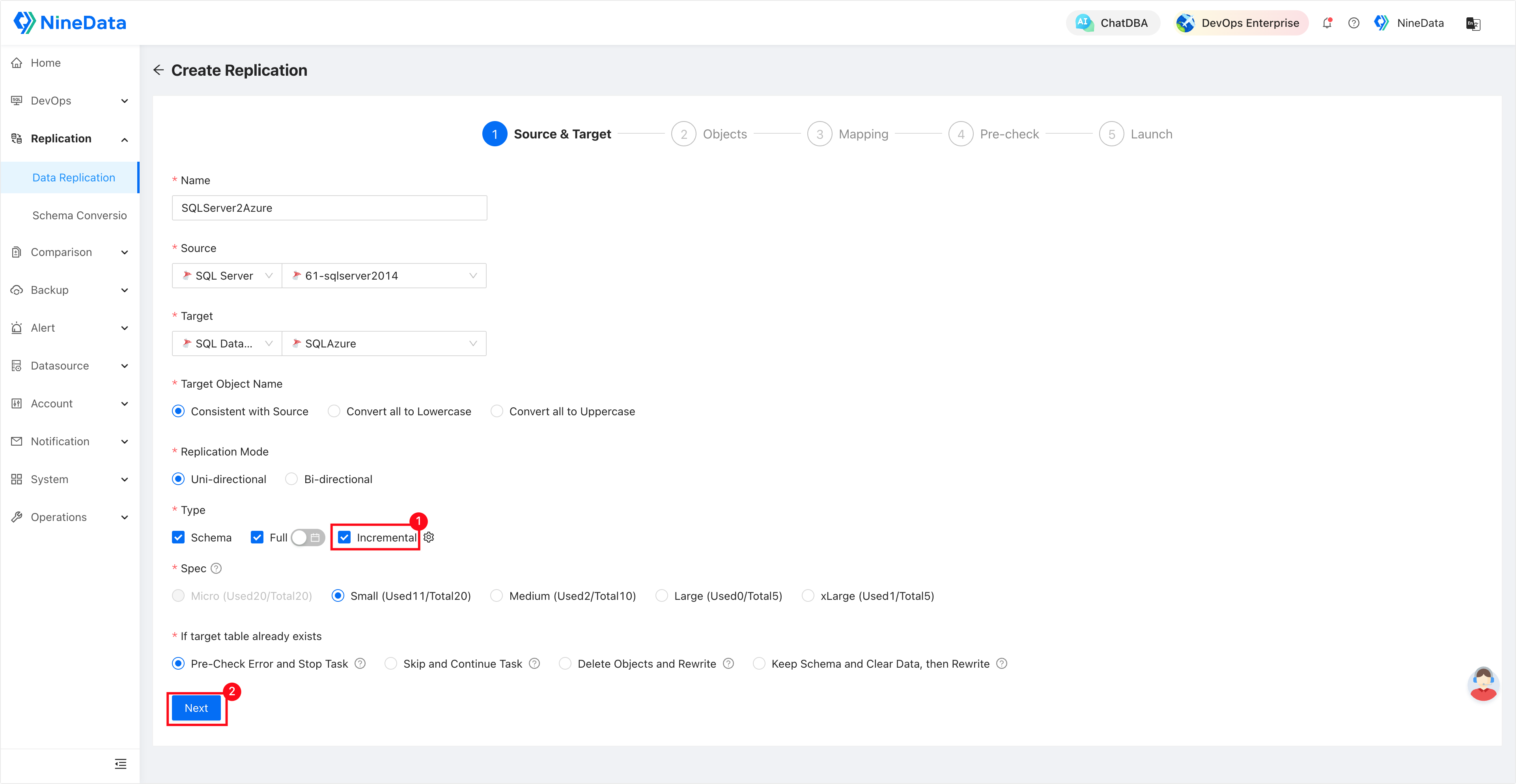
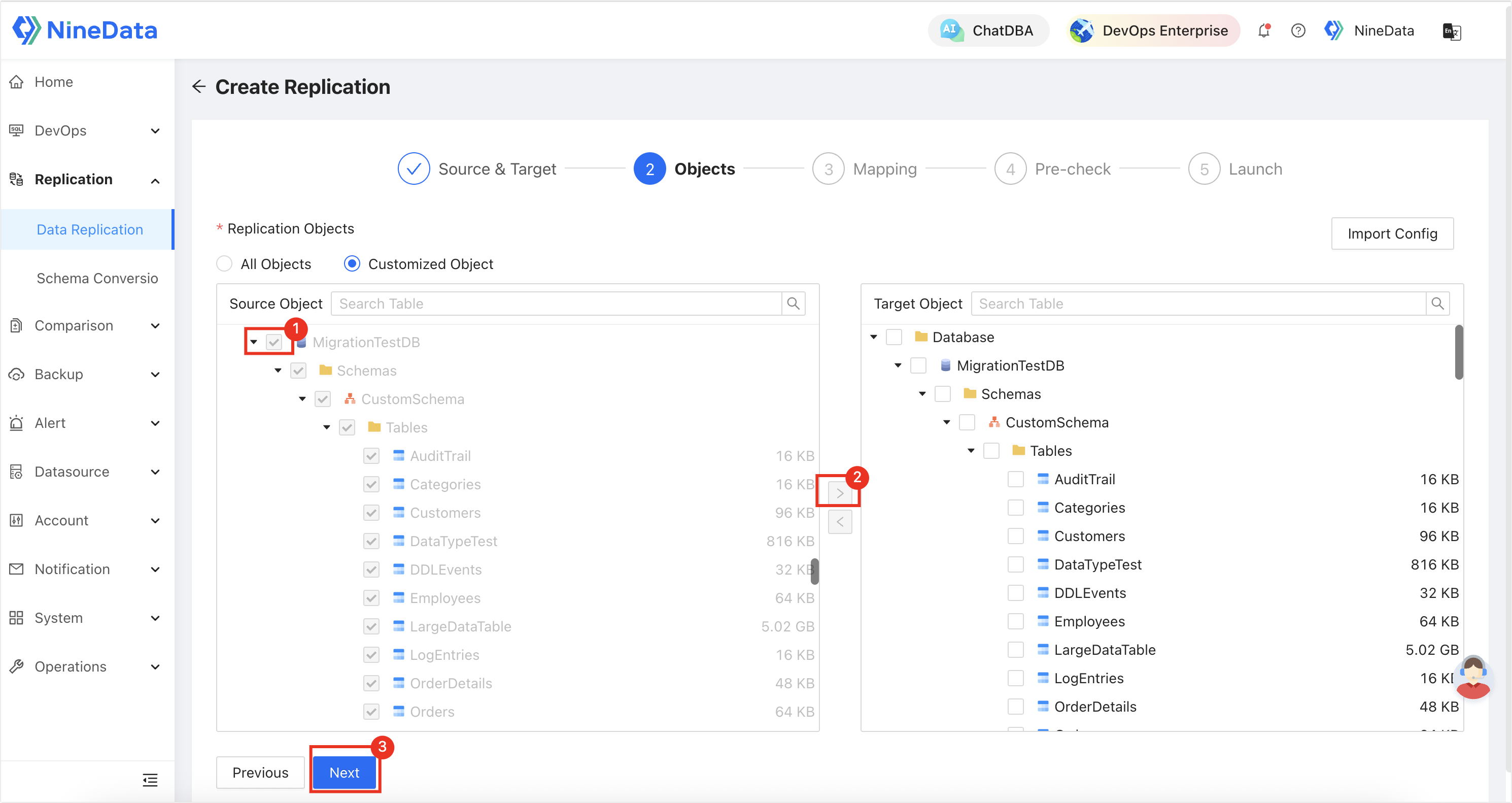
Choose the database objects: select the schemas, tables, or columns you want to replicate.
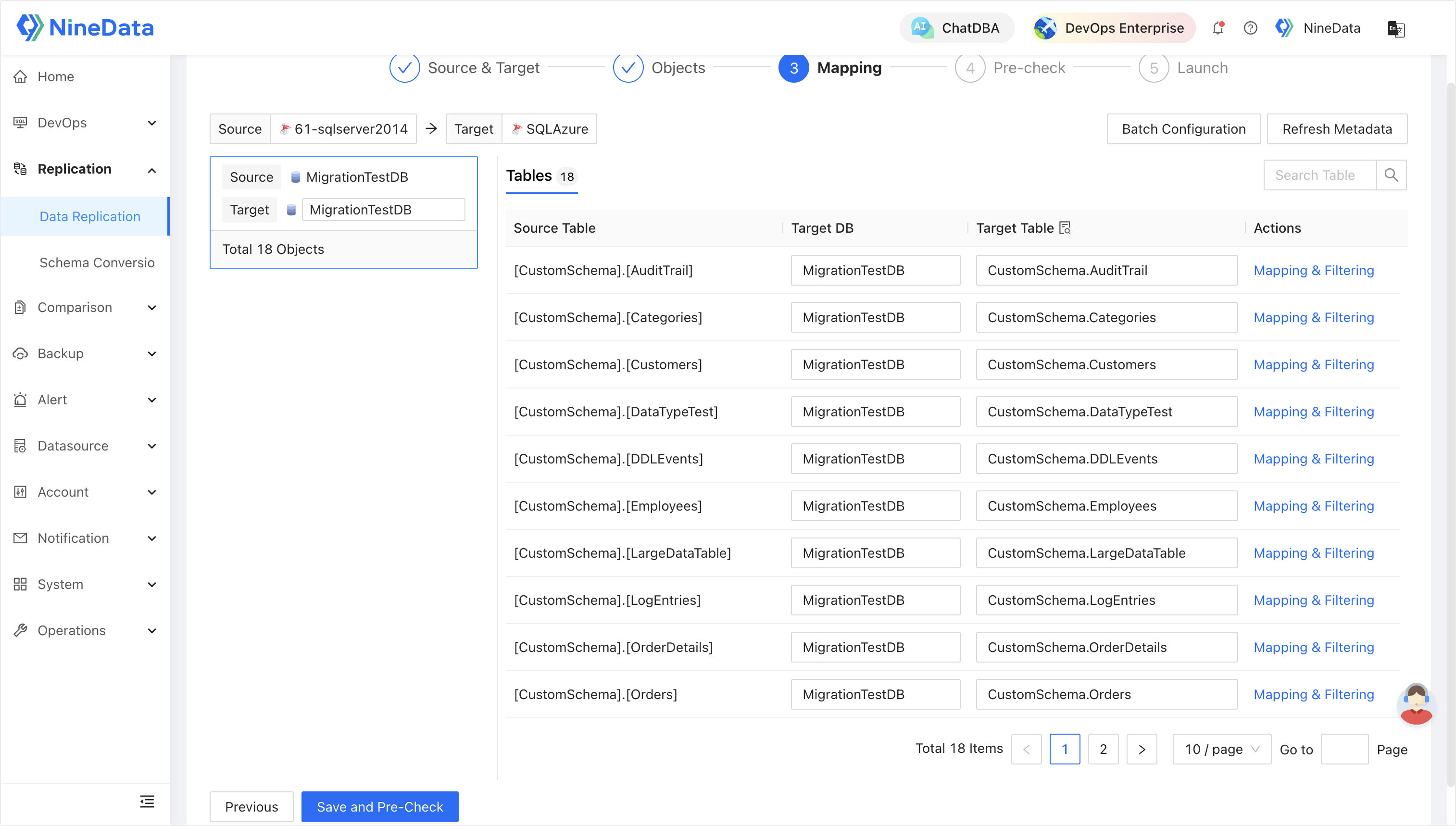
Configure mapping rules: either automatically generated or customized as needed. NineData automatically handles naming conflicts and datatype conversions.
Run a pre-migration check: NineData validates schema compatibility, connectivity, and permissions before migration begins.
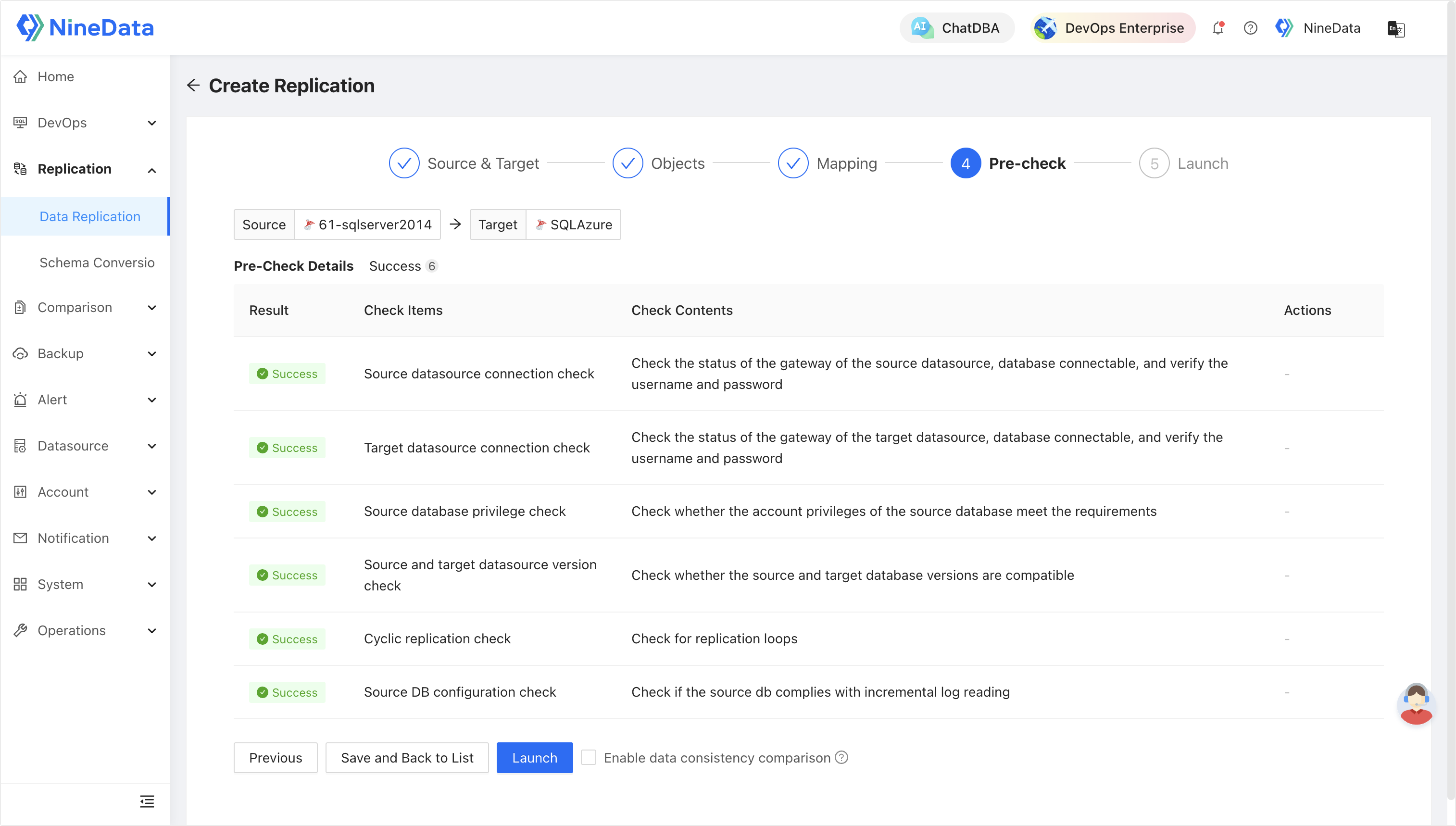
Start replication: the system initiates both the full load and incremental sync, while the dashboard continuously monitors progress and performance.
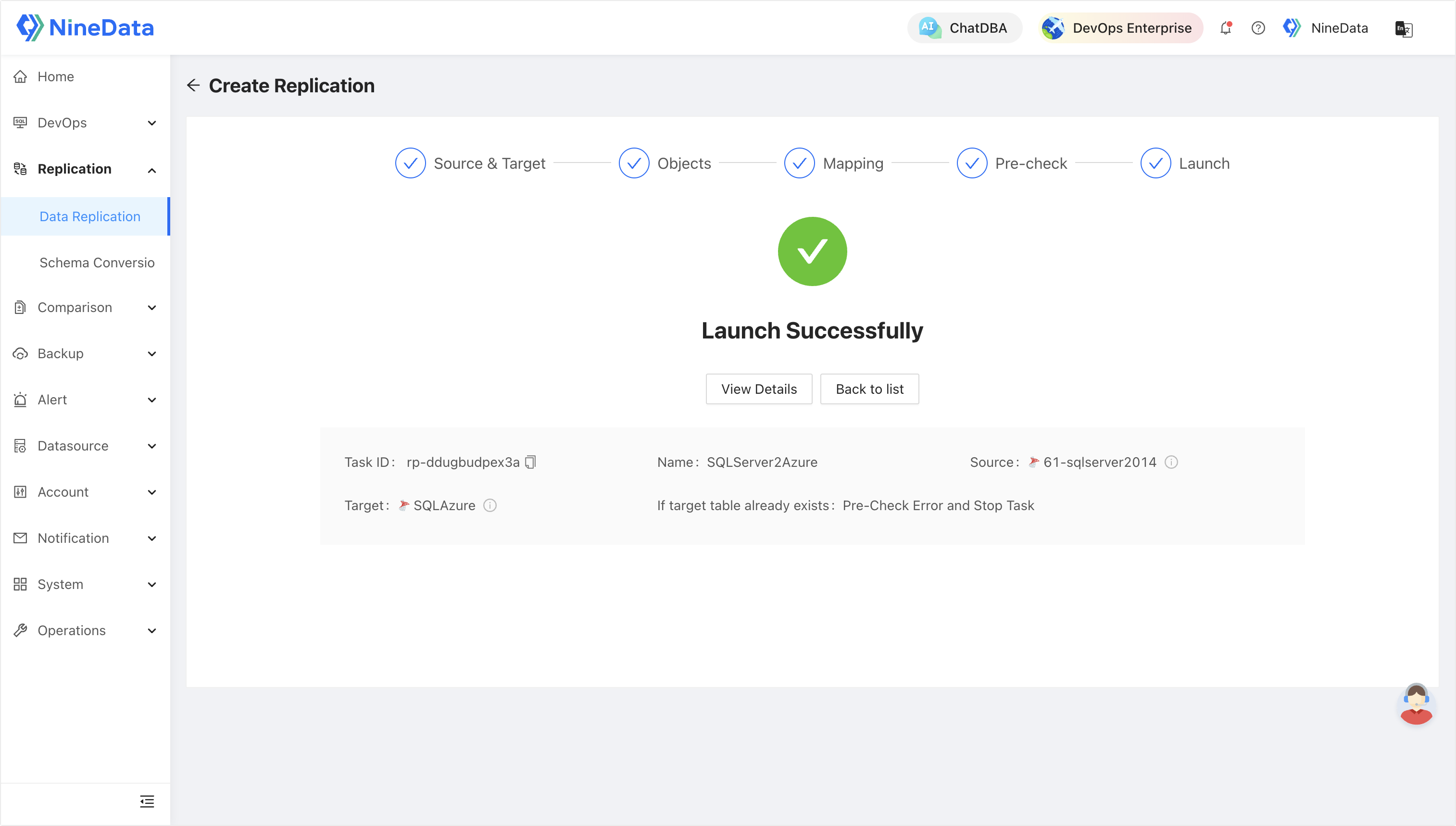
From a user’s perspective, the setup is complete.
Behind the scenes, NineData manages all the technical complexity.
Under the Hood: How NineData Automates Migration
The simplicity of the process hides a considerable amount of technical automation.
Here’s what’s happening beneath the surface:
1. Secure Data Transmission
All migration traffic runs through end-to-end SSL-encrypted channels. NineData does not store user data and automatically purges any temporary data generated during migration.
2. Intelligent Schema Conversion
NineData automatically analyzes and converts SQL objects, data types, and syntax that differ between SQL Server and Azure SQL Database, significantly reducing the need for manual intervention.
3. Incremental + Full Synchronization
After the initial full load, the platform switches to Change Data Capture (CDC) for incremental replication.
This design enables near-zero downtime cutover, a critical requirement for production workloads.
4. Automated Validation
Post-migration, NineData performs automated data consistency checks, comparing source and target datasets to ensure a 1:1 match, eliminating the need for manual verification scripts.
5. Real-Time Monitoring
A built-in dashboard provides task-level observability, tracking latency, throughput, and error events.
Alerts and detailed logs help users identify and resolve issues quickly.
Security and Compliance Standards
Enterprise customers often require strict adherence to security frameworks.
NineData aligns with leading international and regional standards, including:
- ISO/IEC 27001 — Information Security Management
- ISO/IEC 27017 — Cloud Security Controls
- ISO/IEC 20000 — IT Service Management
- ISO 9001 — Quality Management
These certifications ensure that your migration processes remain secure, auditable, and compliant across environments.